3 Stages Every Automation Needs (And How to Build Your First One)
Most businesses waste hours on repetitive tasks because they don't understand the universal automation framework. Discover the three essential stages behind every successful workflow - plus a live demo showing how to build an urgent email alert system in Zapier that could save you 5+ hours weekly.
The Universal Automation Framework
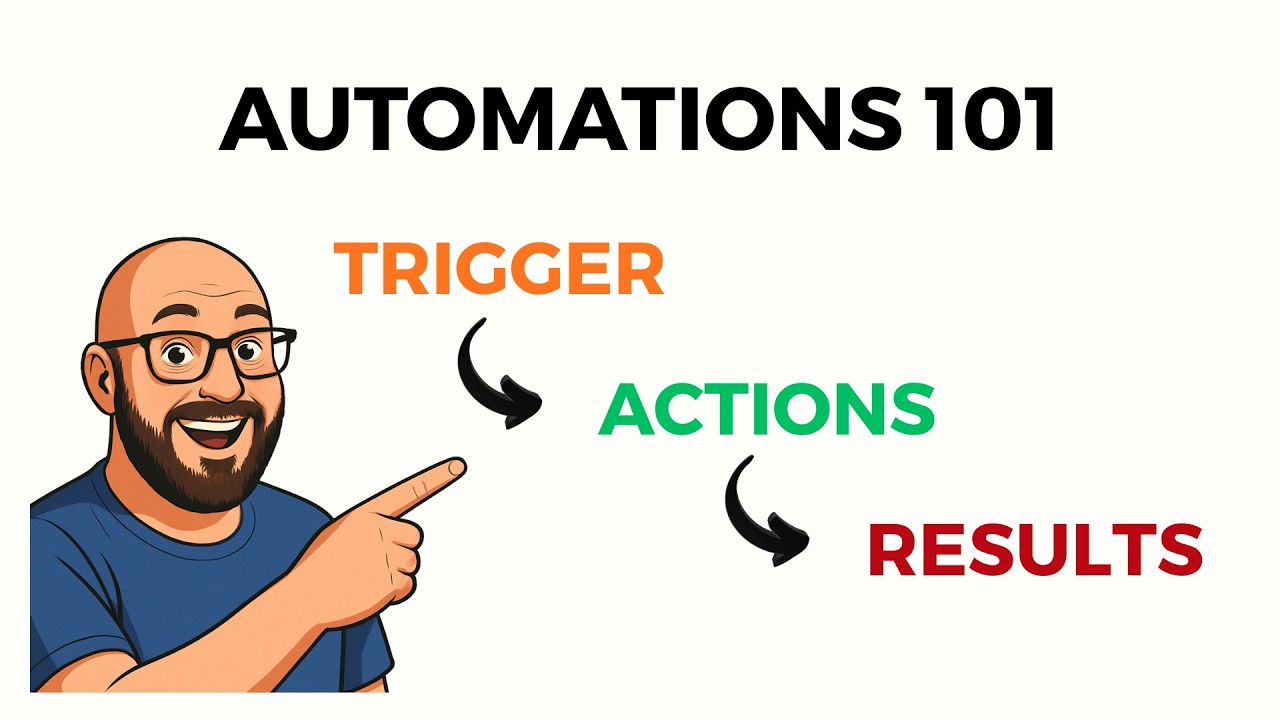
Every successful automation follows the same three-stage pattern, whether it's processing invoices, managing social media, or routing customer support tickets. The framework consists of triggers (what starts the automation), actions (what happens in between), and results (the final outcome).
This structure works because it mirrors how humans naturally solve problems: we notice something needs attention (trigger), we take steps to address it (actions), and we achieve some resolution (result). Automations simply codify this thinking into repeatable workflows.
85% of failed automations miss one of these three stages - usually by not properly defining the trigger conditions or failing to specify a measurable result.
6 Common Trigger Types That Start Automations
Triggers are the ignition switch for your automation. The most effective triggers eliminate manual starts while ensuring the workflow only runs when truly needed. Here are the six most common types:
1. Manual Triggers
A physical button press or click that intentionally starts the workflow. Useful for processes that require human judgment before beginning.
2. Scheduled Triggers
Time-based starts like "every weekday at 9am" or "the 15th of each month." Ideal for recurring reports, backups, or batch processing.
3. Event Triggers
Actions in other systems like new emails, calendar invites, or CRM updates. These create real-time responsiveness in your workflows.
4. Webhook Triggers
API calls from other applications signaling that something changed. The most technical but most powerful trigger type.
5. Form Triggers
New submissions from Google Forms, Typeform, or other form builders. Perfect for lead capture and data collection workflows.
6. Database Triggers
Changes to records in Airtable, Notion, or traditional databases. Enables complex data-driven automations.
Pro Tip: Combine trigger types for advanced scenarios - like a scheduled trigger that only runs if a database field meets certain conditions.
The 5 Action Components That Power Your Workflow
Between the trigger and result, automations perform various actions to process information. These typically fall into five categories:
1. AI Processing
Using LLMs to analyze, summarize, or transform content. In the demo (4:32 in the video), AI determines email urgency by analyzing the message body.
2. App Connectors
Interacting with other software like creating Gmail drafts, updating Slack channels, or adding Salesforce records.
3. Custom Code
JavaScript or Python scripts for specialized processing when no pre-built action exists.
4. Data Formatting
Standardizing inconsistent inputs into predictable outputs - crucial for reliable automation.
5. Logical Operations
Filters, branches, and loops that add conditional behavior. The demo uses a filter to only proceed with urgent emails.
The most powerful automations chain multiple action types together. For example: AI classifies a support ticket → custom code enriches with customer data → formatting standardizes the output → logic routes to the appropriate team.
5 Types of Results That Deliver Real Business Value
Automations exist to produce outcomes. These five result categories create measurable business impact:
1. CRUD Operations
Creating, reading, updating, or deleting records in databases, CRMs, or other systems.
2. Notifications
Alerts in Slack, email, SMS, or other channels that prompt human action when needed.
3. Application Outputs
The native result of whatever app you're automating - posted social content, sent invoices, etc.
4. Evaluations
Analysis like compliance checks, sentiment scoring, or data validation reports.
5. Error Handling
Fail-safe notifications when something breaks - critical for reliable automation.
Key Insight: The best results combine multiple types - like updating a CRM record and notifying the account manager and generating a follow-up task.
How Dynamic Variables Make Automations Actually Useful
Static automations that process the same data every time provide little value. Dynamic variables transform workflows by injecting live, contextual information at runtime.
In the email urgency demo (6:15 in the video), variables like {sender_email} and {email_body} allow the same automation to process every new message uniquely. The AI analyzes different content each time, and the Slack alert includes specifics about who sent it and why it's urgent.
Variables typically come from:
- Trigger payloads: Data that arrives with the triggering event (email fields, form responses)
- Action outputs: Results from previous steps in the workflow (AI analysis, API responses)
- External lookups: Data fetched from other systems during execution (CRM records, weather APIs)
The most advanced automations use variables to make decisions. For example: "If {priority_score} > 80, send to {manager_email}, else post to {general_slack_channel}"
Automation Platform Comparison: Which Should You Choose?
While all platforms follow the same framework, they differ in accessibility, cost, and capability. Here's how the major options compare:
n8n
Best for: Technical users who need open-source flexibility
Pros: Free to self-host, extremely powerful
Cons: Steeper learning curve, requires infrastructure
Zapier
Best for: Non-technical users with simple workflows
Pros: Easiest interface, most app integrations
Cons: Expensive at scale, limited logic capabilities
Make.com
Best for: Balanced power and usability
Pros: Good value, visual builder with advanced features
Cons: Fewer native integrations than Zapier
Agent.ai
Best for: HubSpot users needing simple automations
Pros: Free tier available, tight HubSpot integration
Cons: Limited to HubSpot ecosystem
Our Recommendation: Start with Make.com for most business use cases - it offers the best balance of power, price, and usability as shown in our Make.com automation services.
Live Zapier Demo: Building an Urgent Email Alert System
The video tutorial (8:40) walks through creating an automation that:
- Triggers on new Gmail messages
- Uses AI action to analyze email urgency
- Applies logic filter for only urgent messages
- Delivers result as a Slack alert
This demonstrates all three framework stages while solving a real business problem - missing urgent emails in crowded inboxes. The workflow uses dynamic variables to process each message's unique content, making it reusable for all incoming mail.
Key implementation details:
- Gmail trigger configured to watch specific labels/folders
- AI prompt engineered for binary "urgent/not urgent" classification
- Filter condition stops non-urgent emails from proceeding
- Slack message includes sender details and email excerpts
This same pattern applies to countless other use cases - just swap the trigger (like form submissions), processing (different AI instructions), and output (SMS instead of Slack).
Watch the Full Tutorial
See the complete automation framework explanation and Zapier demo in action. The video provides additional visual context for how triggers, actions, and results work together in a real platform interface.
Key Takeaways
Understanding the three-stage automation framework transforms how you approach workflow design. Whether building simple notifications or complex multi-system integrations, the same principles apply:
In summary: Start with a well-defined trigger, chain purposeful actions that process dynamic data, and deliver measurable results that solve specific business problems. This structure works across all platforms and use cases.
The email urgency demo shows how even simple automations can save significant time when built on this framework. Imagine applying the same pattern to lead qualification, invoice processing, or customer support routing.
Frequently Asked Questions
Common questions about this topic
All automations consist of three core stages: triggers (what starts the automation), actions (what the automation does), and results (the final outcome). The trigger could be a new email, form submission, or scheduled time. Actions include processing data through AI, formatting information, or applying logic. Results are the tangible outputs like updated records, notifications, or completed tasks.
This framework works because it mirrors how humans naturally solve problems - we notice something (trigger), take steps (actions), and achieve resolution (result). Automations simply make this process repeatable and scalable.
- 85% of failed automations miss one of these three stages
- The most commonly overlooked stage is properly defining the trigger conditions
- Results should always be measurable and tied to business outcomes
The most widely used automation platforms include n8n (open-source), Zapier (most accessible but expensive), Make.com (middle ground), and Agent.ai (free HubSpot offshoot). Microsoft Power Automate and Google Workflows are ecosystem-specific options. These platforms all follow the same fundamental automation principles despite different interfaces.
When choosing a platform, consider your technical comfort level, budget, and existing software stack. For most businesses, Make.com offers the best balance of power and usability without Zapier's high costs at scale.
- n8n is free but requires technical knowledge to self-host
- Zapier has the most app integrations but becomes expensive
- Make.com provides advanced features at a reasonable price
Dynamic variables allow automations to process unique data each time they run. For example, an email automation can extract the sender, subject, and body from each new message rather than processing the same static content. This is done through variable placeholders (like {sender_email}) that get replaced with live data during execution.
In the demo workflow, dynamic variables enable the AI to analyze different email content each time, and the Slack alert to include specific details about the urgent message. Without variables, the automation would perform the same actions regardless of input.
- Variables typically come from trigger payloads, action outputs, or external lookups
- Advanced automations use variables to make conditional decisions
- Proper variable naming (like {customer_name}) improves workflow clarity
Common triggers include manual buttons, scheduled times (daily at 8am), events (new email or calendar invite), webhooks (API calls from other apps), and form submissions. The trigger determines when and how often your automation runs. Choosing the right trigger is crucial for automation effectiveness.
For example, time-based triggers work well for regular reports, while event-based triggers enable real-time responses. Webhooks provide the most flexibility but require technical setup. The demo uses a Gmail trigger to watch for new messages.
- Manual triggers add human judgment points
- Scheduled triggers handle recurring tasks
- Event triggers create real-time responsiveness
Key automation actions include AI processing (analyzing or transforming data), app connectors (interacting with tools like Gmail or Slack), custom code nodes, data formatting, and logical operations (filtering or branching). These actions manipulate the data between the trigger and final result.
The demo workflow uses three actions: AI analyzes email urgency, a filter applies conditional logic, and Slack sends the notification. More complex automations might chain dozens of actions together to process information through multiple systems.
- AI actions add intelligence to workflows
- App connectors integrate with your existing tools
- Logical actions enable decision-making in automations
Effective automation results create tangible business value through CRUD operations (create, read, update, delete), notifications (Slack/email alerts), application-specific outputs (posted content or database updates), evaluations (compliance checks), and error handling. The best results solve specific pain points with minimal manual intervention.
The demo's Slack notification is a simple but powerful result - it surfaces urgent emails where they'll actually be seen. Other valuable results might include updated CRM records, generated documents, or task assignments to team members.
- Results should be measurable and tied to KPIs
- Error handling prevents silent failures
- Combining multiple result types increases impact
The demo automation checks new Gmail messages with AI to determine urgency, filters for only urgent emails, and alerts in Slack. It uses dynamic variables to process each email's unique content. This showcases all three stages: trigger (new email), actions (AI analysis + filtering), and result (Slack notification).
At 8:40 in the video, you can see the actual Zapier implementation. The Gmail trigger watches for new messages, the AI action classifies urgency, the filter blocks non-urgent emails, and the Slack action sends the alert. This same pattern applies to countless other notification workflows.
- Processes each email's unique content through variables
- AI prompt engineered for binary urgency classification
- Filter prevents notification spam for non-urgent messages
GrowwStacks helps businesses implement automation workflows, AI integrations, and scalable systems tailored to their operations. Whether you need a custom workflow, AI automation, or a full multi-platform automation system, the GrowwStacks team can design, build, and deploy a solution that fits your exact requirements.
We offer free consultations to discuss your automation goals and identify the highest-impact opportunities. Our experts handle everything from initial design to ongoing maintenance, ensuring your automations deliver measurable results without adding to your team's workload.
- Free 30-minute consultation to assess your automation potential
- Custom workflows built for your specific business processes
- Ongoing support and optimization as your needs evolve
Ready to Transform Repetitive Tasks Into Automated Workflows?
Every hour spent on manual, repetitive work is an hour not spent growing your business. Our automation experts will design and implement custom workflows that save you 10+ hours weekly.