Agent Browser: The CLI That Gives AI Agents Eyes on the Web
Most AI agents waste 93% of their context window parsing raw HTML just to find a simple login button. Agent Browser changes everything by providing a clean accessibility tree that reduces token waste while enabling natural language browser control. No more complex Puppeteer scripts - just simple commands your AI can understand.
The 93% Token Waste Problem
AI agents trying to browse the web today face an impossible challenge. When they request a webpage, they receive 15,000+ tokens of raw HTML - nested divs, inline styles, script tags, and pure noise. Your agent burns through its entire context window just to find a simple login button or form field. It's like reading an entire novel just to find a single phone number.
Traditional browser automation tools like Puppeteer and Playwright only make this worse. They were designed for human engineers writing deterministic scripts, requiring complex CSS selectors that break with every site update. The web driver protocols they use feel archaic because they were designed in 2004 - long before the age of AI agents.
93% reduction in token usage: Agent Browser solves this by providing a clean accessibility tree instead of raw HTML. What previously took 15,000 tokens now takes just 1,000 - letting your agent focus on the task rather than parsing noise.
How Agent Browser Works
Agent Browser isn't another Puppeteer wrapper. It's a ground-up rethinking of browser automation for the age of AI agents. Built by Versal Labs (creators of Next Chess and TurboPac), it's a Rust CLI tool that provides direct browser control through simple commands.
The magic lies in its simplicity. No boilerplate, no setup scripts, no async/await chains. Your AI agent runs a single command and gets exactly what it needs. Under the hood, a Node.js daemon manages Playwright browser instances (real Chromium) while the Rust CLI handles command passing with submillisecond overhead.
The Game-Changing Snapshot Command
The snapshot command is where Agent Browser truly shines. Instead of dumping the entire DOM, it returns a structured accessibility tree where each interactive element gets a unique reference:
- E1: Page heading
- E2: Login button
- E3: Email input field
Your agent sees five clean lines instead of 500 lines of HTML gibberish. To interact, it simply references these IDs:
Natural language commands: "click at E2", "fill at E3 with [email protected]", "get text at E1". The reference system turns the entire web into a structured interface that AI agents can actually reason about.
60+ Browser Commands Overview
Agent Browser provides comprehensive browser control through simple one-line commands:
Navigation
- open [url]
- back
- forward
- reload
Interaction
- click at [ref]
- fill at [ref] with [text]
- type at [ref] with [text]
- select at [ref] option [value]
Information
- get text at [ref]
- get html at [ref]
- screenshot
Plus advanced features like JavaScript execution, network interception, and visual diffs between page states - all accessible through simple commands.
Under the Hood Architecture
Agent Browser's architecture is optimized for AI agent workflows. The Rust CLI handles command passing with minimal overhead, communicating with a Node.js daemon over local sockets. The daemon manages persistent Playwright browser instances - real Chromium, not simulated environments.
The daemon auto-starts on first command and persists between calls. This means your agent can open a page, do some work, come back later, and the session is still there - zero cold starts. The entire system is designed for the start-stop nature of AI agent thinking.
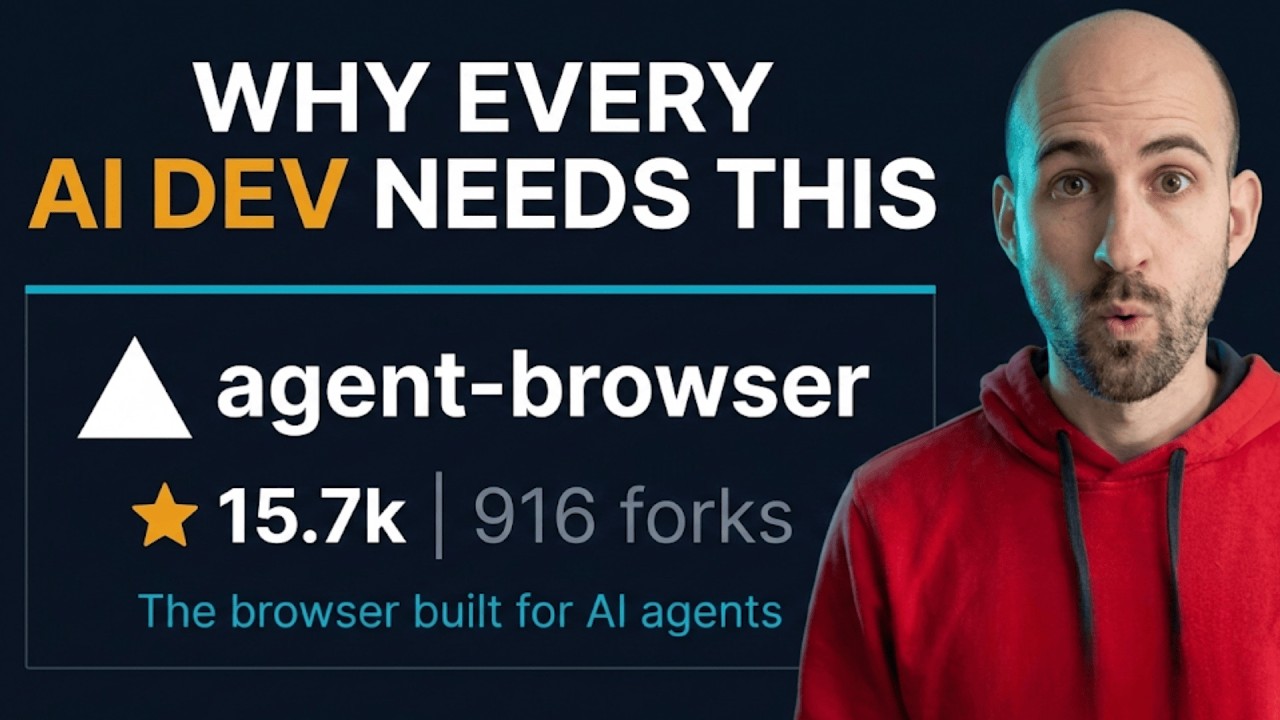
15,700+ GitHub stars: With an Apache 2.0 license and rapid adoption, Agent Browser is becoming essential infrastructure for AI developers.
Real-World Workflow Example
Let's walk through a typical Agent Browser workflow (shown at 2:15 in the video):
- open https://example.com/login - Navigates to login page
- snapshot - Gets interactive elements with refs
- fill at E3 with [email protected] - Enters email
- fill at E4 with password123 - Enters password
- click at E5 - Clicks login button
- screenshot - Captures result for verification
This entire flow takes just six commands. The Puppeteer equivalent would require 15+ lines of boilerplate code with complex async/await chains and selector management.
Integration With AI Coding Tools
Agent Browser works seamlessly with all major AI coding tools:
- Claude Code
- Cursor
- GitHub Copilot
- OpenAI Codex
- Google Gemini
- OpenCode
Setup takes one command: npx skills@versal-labs/agent-browser. Then add the core workflow to your agent's instructions:
1. open [url] 2. snapshot 3. interact using refs 4. re-snapshot as needed
The skill stays up-to-date automatically, and the screenshots in the video were actually taken by Agent Browser itself - the tool literally helped create its own explainer.
The Future of Agent Tools
Agent Browser represents a fundamental shift in how we think about AI interacting with software. We're moving toward a world where AI agents don't just write code - they operate software directly:
- Browse websites naturally
- Fill forms without complex scripts
- Test applications by actually using them
- Monitor web services visually
This tool is the bridge between AI reasoning and web interaction. The future isn't AI writing Puppeteer scripts - it's AI that just browses.
Try it now: npm install -g agent-browser. You'll be automating in 30 seconds with the most efficient browser control your AI agents have ever experienced.
Watch the Full Tutorial
See Agent Browser in action with this complete walkthrough (key workflow demo starts at 2:15). The video itself was partially created using Agent Browser - the tool literally helped make its own tutorial!
Key Takeaways
Agent Browser fundamentally changes how AI agents interact with the web by solving three core problems:
- 93% less token waste - Clean accessibility trees instead of raw HTML
- Natural language control - Simple commands like "click at E2" instead of CSS selectors
- Persistent sessions - Zero cold starts between agent actions
In summary: If your AI agents interact with the web, Agent Browser will make them 10x more efficient while using a fraction of the tokens. It's not just another tool - it's the future of how AI browses.
Frequently Asked Questions
Common questions about Agent Browser
Agent Browser solves the problem of AI agents wasting 93% of their context window on parsing raw HTML. Traditional browser automation tools like Puppeteer force agents to process thousands of tokens of nested divs and script tags just to find simple elements like login buttons.
This tool provides a clean accessibility tree that reduces token usage by 93% while making web interaction more natural for AI. Instead of complex CSS selectors, agents use simple reference IDs like "click at E2" or "fill at E3".
- 93% less token waste on HTML parsing
- Natural language commands instead of CSS selectors
- Persistent browser sessions between agent actions
The snapshot command returns a compact accessibility tree instead of the full DOM. Each interactive element gets a unique reference ID (like E1 for headings, E2 for buttons). This structured view shows only what the agent needs to interact with the page.
For example, a login page might return references like E1=heading, E2=email field, E3=password field, E4=login button. The agent can then interact using these simple references rather than parsing complex HTML structures.
- Returns only interactive elements with reference IDs
- Typically shows 5-10 elements instead of 500+ HTML nodes
- Reference IDs persist between snapshots on the same page
Agent Browser supports 60+ browser commands across several categories. Navigation commands include open, back, forward, and reload. Interaction commands cover clicking, filling forms, typing, selecting dropdowns, and even drag-and-drop.
Information gathering commands let agents get text, HTML, styles, bounding boxes, take screenshots, generate PDFs, and more. Advanced features include JavaScript execution, network interception, cookie management, and visual diffs between page states.
- 60+ commands covering all common browser interactions
- Each command is a simple one-liner from terminal
- No imports or async/await chains required
While Puppeteer and Playwright were designed for human test engineers writing deterministic scripts, Agent Browser was built specifically for AI agents. It eliminates the need for CSS selectors and complex async/await chains that AI struggles with.
The key difference is the natural language interface. Instead of writing code to locate elements, agents use simple references like "click at E2". The Rust CLI has submillisecond overhead and maintains persistent browser sessions between commands - crucial for AI's start-stop thinking patterns.
- Designed for AI, not human engineers
- Natural language commands instead of code
- Persistent sessions with zero cold starts
Agent Browser works with any AI system that can execute shell commands, including Claude Code, Cursor, GitHub Copilot, OpenAI Codex, Google Gemini, and OpenCode. The tool is completely platform-agnostic.
Setup requires just one command: npx skills@versal-labs/agent-browser. Once installed, you simply add the core workflow commands to your agent's instructions. The tool is open source with an Apache 2.0 license and has over 15,700 GitHub stars, making it one of the most popular AI agent tools available.
- Works with all major AI coding assistants
- One-command setup
- Open source with active community
The reference system assigns unique IDs to all interactive elements on a page, turning the web into a structured interface that AI agents can reason about more effectively. This eliminates the need for agents to parse and understand complex HTML structures.
References reduce both token usage and cognitive load. Agents can focus on the logical flow of interactions rather than element location. The system also maintains consistency - the same element keeps the same reference across multiple snapshots, allowing for reliable interaction sequences.
- 93% less tokens spent on element location
- More reliable than CSS selectors that break
- Consistent references across page states
Agent Browser requires Node.js for the background daemon and uses Playwright's real Chromium browser under the hood. The Rust CLI ensures minimal overhead - commands execute with submillisecond latency.
The tool auto-starts on first command and maintains persistent sessions, eliminating cold starts. It's designed to work in any environment where shell commands can be executed, including cloud IDE platforms. The only requirements are Node.js and a system that can run Chromium.
- Requires Node.js and Chromium
- Works in local and cloud environments
- Auto-starts and maintains sessions
GrowwStacks helps businesses integrate Agent Browser into their AI automation workflows. We design custom agent systems that leverage this tool for web interaction, form filling, and data collection at scale.
Our team implements complete solutions that combine Agent Browser with other automation tools to create powerful AI workflows. We handle everything from initial setup to complex multi-agent systems. Book a free 30-minute consultation to discuss how we can help your business leverage this transformative technology.
- Custom Agent Browser integration
- Complete AI workflow design
- Ongoing support and optimization
Ready to Give Your AI Agents 10x Better Web Control?
Every day your agents waste tokens parsing HTML is a day you're overpaying for inferior results. GrowwStacks can implement Agent Browser in your workflows today - with measurable improvements from day one.