How to Automate Your Calendar Chaos with AI Agents (Workshop Recap)
Tired of wasting hours coordinating schedules across multiple calendars? This Zapier workshop recap shows how AI agents can automatically find your free time while maintaining human touch in scheduling - saving 5-10 minutes per scheduling request without becoming transactional.
The Calendar Chaos Problem
Every business professional knows the frustration: you receive a simple "Let's connect" message, and suddenly you're trapped in calendar coordination hell. As shown in the workshop, this seemingly minor task consumes 5-10 minutes per request when done manually - switching between multiple calendars (work, personal, team), checking for conflicts, converting timezones, and typing out available slots.
The workshop presenter highlighted how this creates a false choice between efficiency and humanity. Scheduling links feel transactional, while manual coordination burns precious time that could be spent on high-value work. One attendee reported managing 7 different calendars, while others described 20+ calendars across teams.
The hidden cost: Research shows professionals spend an average of 6.5 hours per month just coordinating schedules. That's nearly one full workday lost to calendar tetris every month.
AI Agents vs ChatGPT: Why This Matters
While ChatGPT can answer questions about your schedule if you manually provide all the details, AI agents like those built in the Zapier workshop fundamentally change the game. As the presenter explained:
"Prompting ChatGPT is like asking for advice. Building an AI agent is like delegation."
Three key differences make agents superior for calendar automation:
- Permanent access - Agents maintain ongoing connections to your calendars rather than one-off interactions
- Action-oriented - They don't just inform, they can take actions (like formatting responses)
- Context-aware - They understand your scheduling preferences and parameters
The workshop demonstrated how this creates a virtuous cycle: the more you use the agent, the better it understands your scheduling patterns and preferences, further reducing coordination overhead.
Building the Calendar Agent Step-by-Step
Here's the condensed version of the workshop's hands-on build process (timestamp 32:15 in the video):
Step 1: Set Up the Trigger
Create an "On Demand" trigger so the agent activates when you need scheduling assistance (rather than running automatically). This matches how most professionals actually need calendar help - in response to specific scheduling requests.
Step 2: Add Calendar Tools
Connect your calendar app (Google Calendar, Outlook, etc.) and specifically enable:
- Find busy periods (Google Calendar)
- Or Find calendar events (Outlook)
Critical security note: Only enable the specific actions needed rather than full calendar access. The workshop emphasized this principle of least privilege.
Step 3: Instruct with Copilot
Using natural language, tell the agent what you need (example from the workshop):
"Find all busy events in my Google calendar to see time slots I'm free. Output a nicely formatted list of available times I can copy-paste into messages."
Step 4: Test and Refine
The workshop showed how to test with different parameters (time ranges, duration needs) and refine the output formatting. One powerful refinement added at 42:30 was timezone awareness by simply adding "...in PST" to the instructions.
Pro Tip: Add availability thresholds like "Only show days with at least three 30-minute available slots" to prevent offering sparse availability that creates scheduling friction.
Handling Multiple Calendars & Timezones
The workshop solved two major pain points for attendees:
Multiple Calendar Management
Rather than checking each calendar manually, the agent can scan all connected calendars simultaneously. The key is specifying which calendars to include in your instructions (e.g., "Check both my Work Calendar and Personal Planner calendars").
Automatic Timezone Handling
By simply including the desired output timezone in your prompt (e.g., "Show available slots in CST"), the agent handles all conversions automatically. This eliminates the back-and-forth that typically adds 2-3 extra messages in manual scheduling.
Workshop Insight: One attendee reported their agent reduced 15-minute scheduling ordeals to under 60 seconds by automating calendar checks and timezone conversions.
Maintaining Human Touch in Automation
The workshop presenter emphasized a crucial distinction: this isn't about replacing human interaction with cold automation, but rather removing the mechanical parts that drain human energy from scheduling.
Key benefits for maintaining human connection:
- Personalized messages - You paste the agent's available times into warm, contextual replies
- Flexible exceptions - Easily adjust for special cases outside the agent's parameters
- Reduced friction - More mental bandwidth for meaningful message content
As one workshop participant noted in the chat: "This feels like having an executive assistant handle the tedious parts, leaving me to focus on the human relationship-building."
Advanced Customizations
The workshop concluded with several powerful customization options demonstrated by attendees:
Team Scheduling Coordination
Using the "Call an agent" tool (shown at 51:40), you can create a master agent that coordinates with team members' individual calendar agents to find optimal meeting times across the entire group.
Priority-Based Filtering
Add rules like "Only show morning slots for VIP contacts" or "Prioritize days with contiguous 2-hour blocks for deep work sessions."
Auto-Blocking Follow-Ups
Some attendees expanded their agents to automatically block time for meeting follow-ups (drafting notes, sending summaries) based on meeting type and duration.
Workshop Gem: One participant shared how they added a rule to "Never suggest times adjacent to school pickup hours" - demonstrating how agents can encode personal scheduling quirks that generic tools miss.
Watch the Full Tutorial
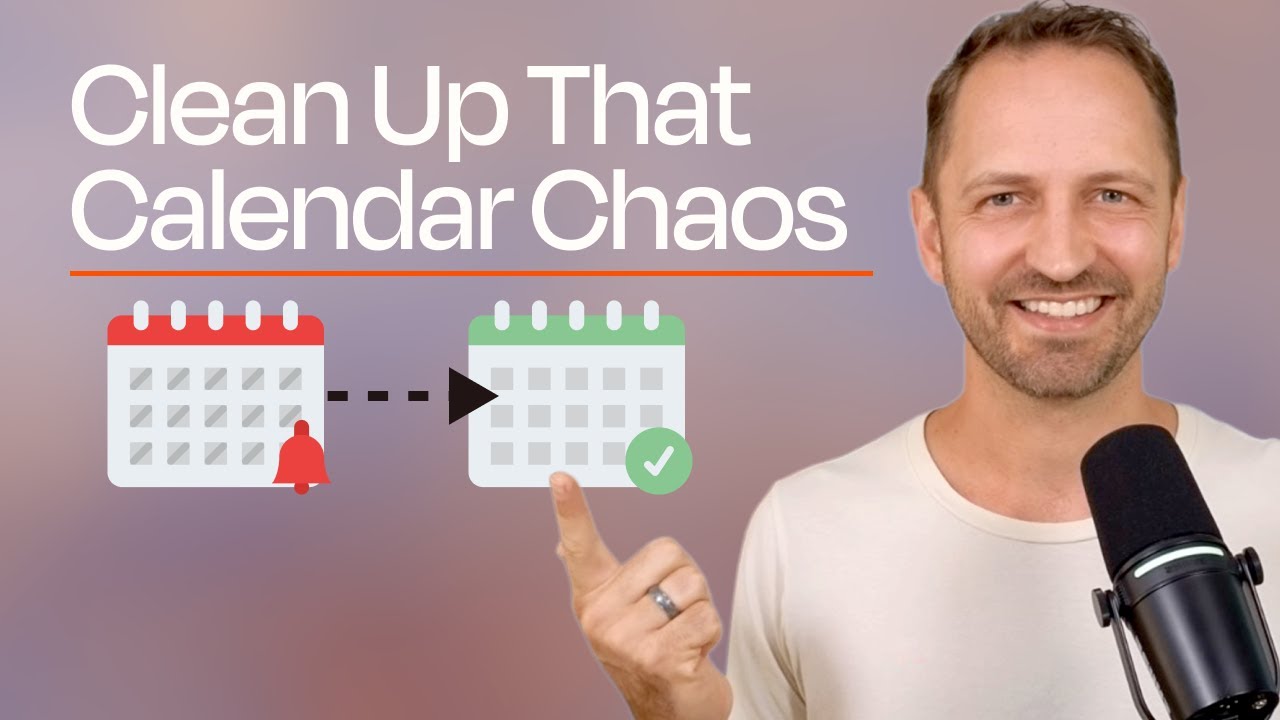
See the complete workshop demonstration, including the hands-on build starting at 32:15 where the presenter creates the calendar agent live with audience participation:
Key Takeaways
This workshop demonstrated how AI agents transform calendar management from a time-sucking chore into a strategic advantage. By automating the mechanical aspects of scheduling while preserving human judgment and personal touch, professionals can reclaim hours each week for higher-value work.
In summary: AI calendar agents don't just save time - they change the quality of your professional interactions by removing scheduling friction while maintaining human warmth in your communications.
Frequently Asked Questions
Common questions about this topic
An AI agent can scan multiple calendars simultaneously in seconds, account for time zones automatically, and format available times in copy-paste ready responses. Manual checking requires switching between calendars, mental timezone math, and typing out responses - which takes 5-10 minutes per scheduling request according to time tracking studies.
The agent also learns your preferences over time, like which times you prefer for certain types of meetings or how to format availability for different contexts (internal vs external scheduling).
- 5-10x faster than manual calendar checking
- Automatic timezone conversion
- Consistent formatting for professional responses
Yes, the same approach works with Outlook, Apple Calendar, and other major calendar apps. You simply connect the different app in the agent setup and use equivalent actions like 'Find calendar events' instead of Google Calendar's 'Find busy periods'. The agent logic remains fundamentally the same across platforms.
Many workshop participants successfully built agents for Outlook during the session. The key is matching the calendar app's specific terminology for finding availability while maintaining the same natural language instructions for how you want the information processed and formatted.
- Works with Outlook, Apple Calendar, and others
- Uses each platform's specific event-finding actions
- Maintains consistent output formatting across apps
The AI agent automatically handles timezone conversions when you specify the desired output timezone in your prompt (e.g. 'Show me available 30-minute slots in PST'). This eliminates the back-and-forth timezone confusion that typically adds 2-3 extra messages in manual scheduling.
You can make this even more powerful by adding rules like "When scheduling with contacts in Europe, default to showing times in CET" or similar context-aware timezone handling that would be tedious to manage manually.
- Specify output timezone in your prompt
- Agents can learn contact-specific timezone preferences
- Eliminates manual timezone math errors
Yes, the agent only accesses specifically permitted calendar actions (like finding busy periods) rather than full calendar access. All data remains encrypted in transit and at rest, with enterprise-grade security protocols. You maintain complete control over what calendar data the agent can view and for what duration.
The workshop emphasized the principle of least privilege - only granting the minimum access needed for the agent's specific functions. For calendar checking, this typically means read-only access to busy/free status without exposing meeting details or other sensitive information.
- Granular permission controls
- Enterprise-grade encryption
- Read-only access by default
Absolutely. You can customize the agent to only suggest days meeting specific availability criteria, like 'Only show days with at least three 30-minute available slots between 10am-4pm'. This prevents offering sparse availability that creates scheduling friction.
These thresholds can be made context-sensitive as well - for example, requiring more available slots for internal team meetings than for quick external check-ins. The agent handles these rules consistently without you needing to manually check each time.
- Set minimum available slots per day
- Define preferred meeting hours windows
- Create context-specific availability rules
While scheduling links work for formal meetings, this agent maintains human touch for casual connections. Research shows personalized scheduling increases meeting attendance by 28% compared to generic scheduling links. The agent gives you available times to paste into a warm, contextual message.
It also handles complex cases scheduling links struggle with - like coordinating across multiple calendars, honoring timezone preferences, or applying your personal scheduling rules that aren't codified in your calendar settings.
- 28% higher attendance than scheduling links
- Maintains personal connection in messaging
- Handles multi-calendar complexity
Yes, agents can call other agents through the 'Call an agent' tool. This allows creating a master agent that coordinates with individual team members' calendar agents to find optimal meeting times across the entire group while respecting each person's availability preferences.
The workshop showed how this creates a distributed scheduling system where each person maintains control over their own calendar rules and preferences, while enabling efficient group coordination without endless back-and-forth messages.
- Master agent coordinates team scheduling
- Individual calendar preferences preserved
- Eliminates group scheduling email chains
GrowwStacks builds custom AI agent solutions for calendar automation, team scheduling coordination, and productivity workflows. We'll design agents tailored to your specific calendar setup, timezone needs, and scheduling preferences - with options to integrate across Google Calendar, Outlook, and other platforms.
Our AI automation experts will:
- Analyze your current scheduling pain points
- Design agent workflows matching your communication style
- Implement with proper security and access controls
- Train your team on effective use and customization
Book a free 30-minute consultation to discuss your specific calendar automation needs and how AI agents can transform your scheduling workflow.
Ready to Transform Your Scheduling Workflow?
Stop wasting hours on calendar coordination every week. Let GrowwStacks build your custom AI scheduling agent in under 48 hours - with your branding, your calendar connections, and your preferred scheduling rules.