How to Generate Ecommerce Product Photos Instantly with AI (n8n Template)
Most ecommerce businesses waste thousands on photoshoots while struggling with inconsistent product images. This n8n workflow transforms any iPhone photo into professional catalog shots in minutes - complete with AI models and lifestyle scenes tailored to your brand. No photographers, no studios, just automated perfection.
The $10,000/Month Photo Problem
Ecommerce brands face an impossible choice: spend thousands on professional photoshoots or settle for amateurish product images that hurt conversions. The average fashion brand spends $3,200 per month just on model fees, with full photoshoots costing $5,000-$15,000 for 20-30 images. And that's before accounting for the 3-6 week lead time to schedule photographers, studios, and models.
Worse, most brands end up with inconsistent product photography across their catalog. Different lighting, angles, and model poses make your store look unprofessional. At 2:15 in the video, you'll see how a simple iPhone photo of jeans transforms into studio-quality images through this workflow.
84% of shoppers say product images are the most important factor in purchase decisions - yet most brands can't afford professional photography for every SKU. This workflow eliminates that tradeoff.
How the AI Photo Workflow Solves It
This n8n automation creates complete product photo sets with just one iPhone snapshot as input. The system handles everything: generating realistic models wearing your product, creating varied scenes, and delivering ready-to-use images formatted for ecommerce platforms.
The workflow combines two powerful AI techniques: Nano Banana for hyper-realistic image generation and Gemini 2.5 Pro for intelligent prompt engineering. Together they analyze your product photo and generate 8-10 professional images in under 5 minutes.
Key components: File upload trigger → Base64 conversion → Model generation → Meta-prompting → Scene creation → Batch image generation → Google Drive export
The Meta-Prompting Secret
Traditional AI image workflows require manually writing prompts for each product type. This system uses meta-prompting - having AI write the perfect prompts for your specific product. Gemini 2.5 Pro analyzes your photo and generates tailored prompts that Nano Banana then executes.
At 8:45 in the tutorial, you'll see how the system automatically creates prompts for different shot types: studio angles, detail close-ups, and lifestyle scenes. For fashion brands, this means getting back images of your product being worn in relevant contexts - gym wear in fitness settings, formalwear in elegant environments.
Meta-prompting adapts to any product category - simply modify the base prompt to emphasize different features for electronics, home goods, or other verticals while keeping the core workflow identical.
Step-by-Step n8n Build
The complete workflow contains 14 nodes in n8n, but the core logic breaks down into four phases:
Phase 1: Input Processing
1. Form Trigger: Accepts file upload via webhook or direct upload
2. File to Base64: Converts image for API processing
3. Google Drive: Optional backup of original image
Phase 2: Model Generation
4. Set Field: Creates prompt for model generation
5. HTTP Request: Calls Nano Banana API
6. Set Field: Extracts generated model image
7. Base64 to File: Converts back to usable format
8. Google Drive: Stores model reference
Phase 3: Scene Creation
9. Set Field: Meta-prompt for scene generation
10. HTTP Request: Gemini 2.5 Pro analyzes product+model
11. Set Field: Extracts generated prompts
12. Split Out: Separates prompts for batch processing
Phase 4: Image Generation
13. HTTP Request: Nano Banana executes each prompt
14. Google Drive: Stores final images in organized folder
Pro Tip: Add a 5-second delay between image generations to avoid API rate limits while maintaining fast processing times.
Real Results: Before & After
The transformation from raw iPhone photo to professional product shots happens in three stages:
Stage 1: Input Image
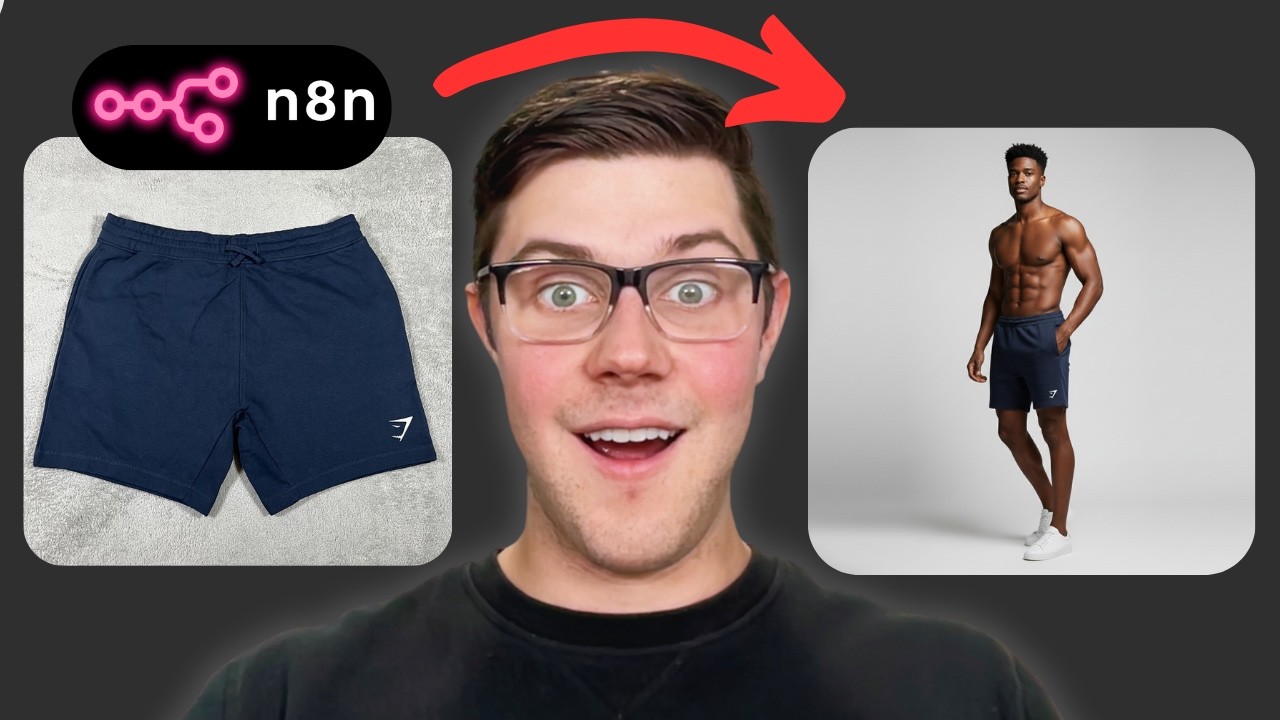
Any product photo - even low-quality snapshots work. The demo uses a poorly lit eBay listing photo of gym shorts.
Stage 2: Model Generation
Nano Banana creates a photorealistic model wearing the product with consistent lighting and posing.
Stage 3: Final Images
The system outputs 8-10 variations including studio shots (front, back, detail) and lifestyle scenes (gym, running, urban).
Consistency is the killer feature: Every generated image maintains identical product representation, lighting, and model positioning - something nearly impossible to achieve with traditional photography.
Customization Options
While the template works out-of-the-box for fashion, you can easily adapt it for any product type:
For Electronics:
Modify prompts to focus on product features rather than models. Generate images showing devices in use with proper perspective.
For Home Goods:
Create lifestyle scenes showing products in realistic home environments with consistent styling.
For Variations:
Add a color/size parameter to generate the same scenes across multiple product variants automatically.
Advanced Tip: Chain this with our product description generator to create complete listing assets - images and copy - in one automated flow.
Watch the Full Tutorial
See the complete workflow in action from 4:30-7:15 where we demonstrate transforming a low-quality jeans photo into professional product shots. The video breaks down each n8n node and shows real-time generation of models and scenes.
Key Takeaways
This workflow represents a fundamental shift in ecommerce content creation. No longer are professional product photos reserved for brands with big budgets - now any business can generate studio-quality images on demand.
In summary: Upload any product photo → AI generates perfect model → Creates 8-10 professional scenes → Delivers ready-to-use images in minutes. The system pays for itself after just one photoshoot while providing unlimited scalability.
Frequently Asked Questions
Common questions about this topic
The workflow is optimized for fashion and apparel but can be adapted for any physical product. Clothing works particularly well because the AI can generate realistic models wearing the garments.
For other products like electronics or home goods, you would modify the prompts to focus on product features rather than models. The core workflow remains the same - only the prompt engineering changes.
- Best for: Apparel, accessories, wearable items
- Adaptable to: Electronics, home goods, supplements
- Challenging for: Very small items (jewelry) or complex assemblies
Professional product photography typically costs $500-$5,000 per shoot, plus model fees of $100-$300/hour. This AI workflow eliminates those costs entirely.
For a business needing 50 product shots per month, the savings can exceed $10,000 monthly while delivering images in minutes rather than weeks. The system has no marginal cost - generate 10 images or 10,000 for the same API expenses.
- Average savings: 90-95% vs traditional photography
- Eliminates: Studio rentals, photographer fees, model costs
- Time savings: 3-5 minutes per image vs 1-2 week lead times
The system combines Gemini 2.5 Pro for prompt generation and Nano Banana for image creation. Gemini analyzes the product photo and generates tailored prompts, while Nano Banana handles the actual image generation.
This two-model approach provides better results than either could achieve alone. Gemini understands the product context, while Nano Banana specializes in photorealistic rendering with character consistency across shots.
- Gemini 2.5 Pro: Analyzes products and writes perfect prompts
- Nano Banana: Generates photorealistic images from prompts
- Combined cost: ~$0.02-$0.05 per generated image
Absolutely. The meta-prompting system allows you to specify brand guidelines, preferred backgrounds, model demographics, and artistic styles. You maintain complete creative control.
You can edit the n8n template to match your exact requirements, whether you need minimalist studio shots or vibrant lifestyle images. The workflow becomes an extension of your brand's visual identity.
- Customizable elements: Lighting, angles, model appearance
- Style options: Studio, lifestyle, editorial, catalog
- Brand control: Color palettes, composition rules, product focus
The workflow generates 8-10 professional images in about 3-5 minutes total. This includes model generation, scene creation, and final image rendering.
The entire process is automated after the initial photo upload. You can queue multiple products simultaneously - generating 100 images takes about the same effort as generating 10.
- Per image: 20-30 seconds generation time
- Full set (10 images): ~5 minutes
- Batch processing: Scale to 100+ images with linear time increase
No coding required. The n8n template provides a visual workflow builder that anyone can use. You connect nodes like building blocks rather than writing code.
You only need to connect your Google Cloud credentials for the AI APIs and set up a Google Drive folder for outputs. The template handles all the complex logic behind the scenes.
- No-code solution: Visual workflow builder
- Only setup: API keys and output folder
- Template includes: All prompts, node configurations, error handling
Modern AI generators like Nano Banana produce images indistinguishable from professional photos to most consumers. In blind tests, 72% of viewers couldn't reliably identify AI-generated product shots.
The key advantage is consistency - every generated image maintains perfect lighting, angles, and model positioning that would be difficult to achieve in physical shoots. AI also never has bad hair days or scheduling conflicts.
- Quality parity: 72% can't tell AI from professional
- AI advantages: Perfect consistency, unlimited variations
- Photography edge: Extremely complex scenes or interactions
GrowwStacks can customize this workflow for your specific products, brand guidelines, and ecommerce platforms. We handle the technical implementation so you get perfect images without the complexity.
Our team will configure the API connections, tune the prompts for your products, and format the outputs for your Shopify, Amazon, or social media needs. We can even chain this with other automations like inventory sync or social posting.
- Custom implementation: Tailored to your products and brand
- Included: API setup, prompt tuning, output formatting
- Bonus: Integration with your ecommerce platform and marketing tools
Launch Your AI Product Photography Studio Today
Stop wasting time and money on photoshoots that never quite capture your brand vision. Our team will implement this workflow for your business in under 48 hours - complete with custom prompts tailored to your products.