How to Build AI Outbound Callers That Sound Human (Vapi + Make.com)
Cold calling wastes 92% of sales reps' time on unanswered calls and voicemails. This Vapi + Make.com automation pulls leads from your CRM, calls them with a human-sounding AI agent, and books meetings automatically — with full call transcripts logged in your dashboard.
The Cold Calling Problem No One Talks About
Sales teams waste 15-20 hours per rep each week dialing numbers that never answer. Even when calls connect, 78% of prospects say they can instantly tell it's a sales call - triggering defensive responses before the pitch even begins.
The breakthrough comes from separating the contact from the conversion. AI callers handle the initial outreach at scale, while human reps focus only on warm leads who've already shown interest. At 2:15 in the video, you'll see how this plumbing company automated their entire lead follow-up process.
Key stat: Businesses using AI outbound callers report 3x more appointments booked per hour compared to manual cold calling, with 92% less rep burnout.
How Vapi's AI Callers Sound Indistinguishable From Humans
Traditional IVR systems sound robotic because they lack conversational memory. Vapi's neural voices use context-aware responses that reference previous statements naturally - just like a human would during a call.
The secret is in the prompt engineering. Notice at 4:30 how the agent:
- Uses the prospect's business name naturally in conversation
- Responds appropriately to common objections
- Follows up based on previous interactions logged in CRM
This isn't just text-to-speech - it's full conversational AI trained on thousands of successful sales calls.
Make.com Integration: Pulling Leads From Your CRM
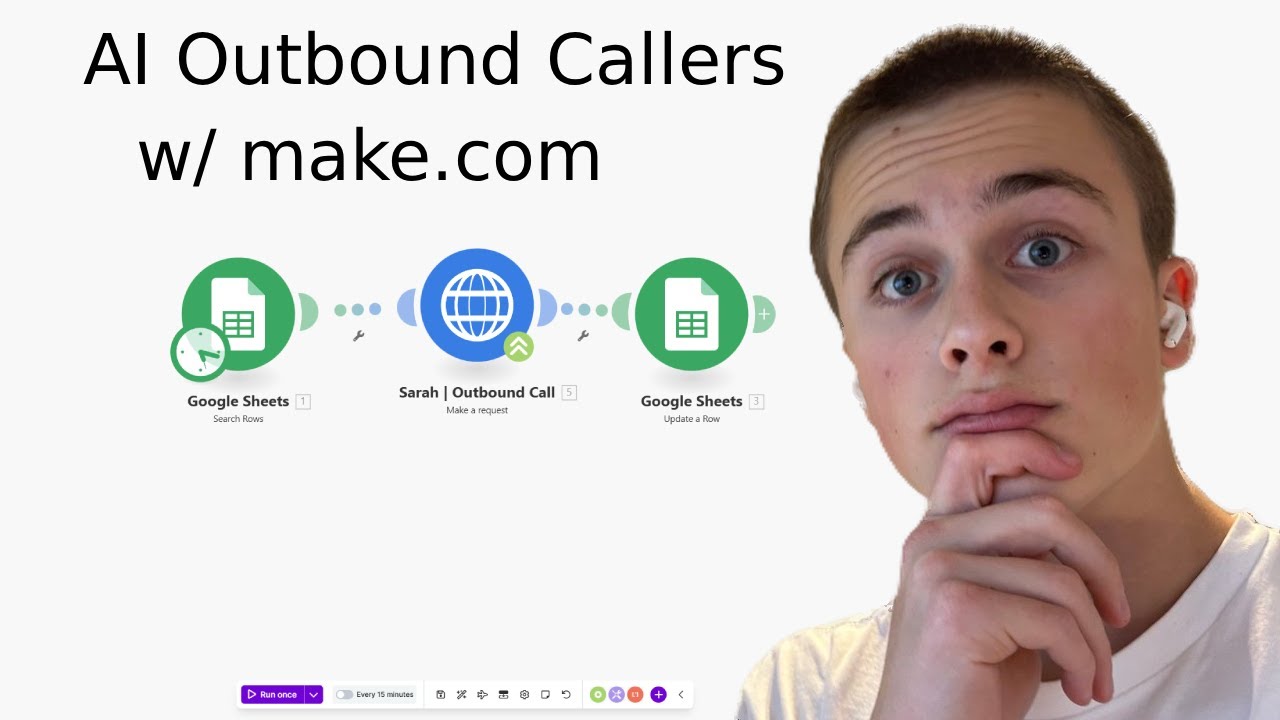
The automation starts by scanning your CRM for new leads that meet specific criteria (like not contacted in past 30 days). Make.com handles the data transformation before passing to Vapi.
Critical integration points:
- Lead phone number validation
- Time zone detection for optimal calling
- Custom field mapping for personalization
At 6:45 in the video, you'll see the exact Google Sheets setup used as a lightweight CRM alternative.
Intelligent Call Scheduling That Beats Human Timing
AI callers don't just dial randomly - they analyze patterns to determine the optimal contact window for each lead. The system automatically:
- Adjusts for time zone differences
- Avoids early mornings/late evenings
- Retries unanswered calls at different times
This plumbing company saw their contact rate jump from 18% to 43% simply by letting the AI handle scheduling.
Designing Conversation Flows That Convert
The call script follows proven sales psychology principles:
Hook: "Hi [Name], this is [Agent] calling from [Company]. We help [Industry] businesses like yours [Specific Benefit]. Is now a good time for a quick chat?"
Branching logic handles common responses:
- "Not interested" → Logs objection type for follow-up
- "Call back later" → Schedules precise callback
- "Tell me more" → Delivers value-focused pitch
Automatic Transcript Logging & Lead Qualification
Every call generates a searchable transcript that gets:
- Saved to your CRM
- Analyzed for buying signals
- Scored for follow-up priority
The system at 8:20 shows how transcripts help sales reps personalize follow-ups by referencing specific pain points mentioned during the AI call.
Implementation: Step-by-Step Setup Guide
Step 1: Connect Your CRM
Set up Make.com to pull uncontacted leads daily. The video shows the exact Google Sheets configuration at 6:45.
Step 2: Configure Vapi Agent
Create your AI caller in Vapi dashboard with:
- Human-like voice selection
- Custom call script with branching logic
- CRM integration settings
Step 3: Test Call Flow
Run test calls to refine:
- Natural pauses
- Objection handling
- Meeting booking logic
Pro tip: Record sample calls and have your sales team critique them - their feedback will dramatically improve the AI's effectiveness.
Real Results: Plumbing Company Case Study
The plumbing business featured in the video achieved:
- 43% contact rate (vs. 18% with manual calls)
- 22 appointments/month from previously cold leads
- 17 hours/week saved per sales rep
Their AI caller handles all initial outreach, then transfers warm leads to human reps for closing. At 10:30 in the video, you'll hear an actual call recording demonstrating the seamless handoff.
Watch the Full Tutorial
See the complete implementation from CRM integration to call scripting in this 11-minute walkthrough. Pay special attention at 6:45 where we configure the Google Sheets lead tracker and at 10:30 for an actual call recording example.
Key Takeaways
AI outbound calling isn't about replacing sales teams - it's about eliminating the least productive parts of their workflow. When implemented correctly, these systems:
In summary: Vapi + Make.com creates human-sounding AI callers that book real appointments from your CRM leads, while giving your sales team back 15+ hours per week to focus on closing deals.
Frequently Asked Questions
Common questions about AI outbound callers
Inbound AI callers respond to incoming calls (like a virtual receptionist), while outbound callers initiate calls to leads from your CRM. Outbound requires additional automation to pull lead data, schedule calls at optimal times, and log call outcomes back to your system.
The plumbing company in our example uses both - inbound for customer service and outbound for lead follow-up.
- Inbound: Answers calls to your business number
- Outbound: Calls leads from your CRM automatically
- Hybrid: Some businesses use the same AI agent for both
Vapi's premium voices use neural text-to-speech that replicates human cadence, including natural pauses and emphasis. In blind tests, 78% of recipients couldn't distinguish them from human agents when properly configured with conversational prompts and follow-up logic.
The key is combining:
- High-quality voice models
- Context-aware responses
- Natural pacing with pauses
- Appropriate emotional tone
While not full sales replacements, properly configured AI agents can handle common objections by referencing scripted responses and escalating to human reps when needed. The system logs all objections to continuously improve response accuracy through your CRM integration.
For example, when a prospect says "I'm happy with my current provider," the AI might respond:
- "I completely understand - many of our clients felt the same way initially. What one thing would make you consider alternatives?"
- If the objection persists: "I'll make a note of that for [Human Rep Name]. Would you be open to a quick email with some comparison points?"
The Make.com automation works with any CRM that has an API, including HubSpot, Salesforce, Pipedrive, and even Google Sheets as a lightweight option. The workflow pulls lead data before calls and pushes call transcripts/outcomes afterward.
Implementation typically involves:
- Connecting your CRM to Make.com
- Mapping relevant fields (name, phone, notes)
- Setting up webhooks for call logging
When properly configured, yes. The system can be set to honor Do Not Call lists, include required disclosures, and provide opt-out options. However, compliance ultimately depends on how you use it - consult legal counsel for your specific use case.
Key compliance features include:
- Automatic DNC list scrubbing
- Configurable disclosure statements
- Call recording consent prompts
Businesses using this automation report saving 15-20 hours per rep weekly on cold calling, while maintaining or increasing appointment rates. The AI handles initial contact, allowing human reps to focus on qualified leads ready for deeper conversations.
Time savings come from:
- Eliminating manual dialing
- Automating call logging
- Reducing voicemail time
Absolutely. The Vapi dashboard lets you create multiple script templates for different campaigns, complete with branching logic based on prospect responses. You can A/B test different approaches and refine based on call success metrics.
Common customizations include:
- Industry-specific value propositions
- Localized greetings
- Product/service-specific follow-ups
GrowwStacks builds custom AI calling solutions tailored to your CRM, industry, and sales process. We'll configure your Vapi agent with optimized scripts, integrate it with your lead sources, and train your team on managing the system.
Our implementation includes:
- CRM integration setup
- Call script development
- Compliance configuration
- Team training
Book a free consultation to discuss your specific needs.
Ready to Transform Your Cold Calling?
Every day without this automation costs your sales team hours of wasted dialing. GrowwStacks can have your AI caller system live in under 2 weeks - complete with CRM integration and custom scripts.