How to Automate Appointment Scheduling in GoHighLevel Using Voice AI ( Guide)
Most service businesses lose 15-20 hours per week to manual scheduling tasks. This complete integration between Voice AI and GoHighLevel's calendar API eliminates the back-and-forth calls while ensuring appointments get booked accurately - even when your office is closed.
The $38,000 Scheduling Problem (And How To Fix It)
The average service business owner spends 4.7 hours per week just scheduling appointments - that's 244 hours annually wasted on calendar coordination. At $150/hour opportunity cost, that's $36,600 lost per year to administrative tasks that could be fully automated.
Traditional solutions like online booking forms miss crucial opportunities:
- No real-time availability verification
- Can't handle complex service questions
- Require customers to self-serve (30% abandonment rate)
The breakthrough: Combining Voice AI with GoHighLevel's API creates a 24/7 virtual receptionist that books appointments directly into your calendar while capturing all customer details in your CRM.
GoHighLevel API Overview
GoHighLevel's API provides programmatic access to all platform features through authenticated HTTP requests. For appointment scheduling, we primarily use three endpoints:
1. Contacts Endpoint
Search for existing contacts or create new ones with:
-
POST /v1/contacts/search- Finds contacts by phone, email, or name -
POST /v1/contacts/- Creates new contact records
2. Calendars Endpoint
Manage appointments through:
-
POST /v1/calendars/events- Creates new appointments -
PUT /v1/calendars/events/{eventId}- Updates existing appointments
3. Authentication
All requests require:
- Bearer token (created in Settings > Private Integrations)
- Location ID (found in Business Profile)
- Calendar ID (from your specific calendar settings)
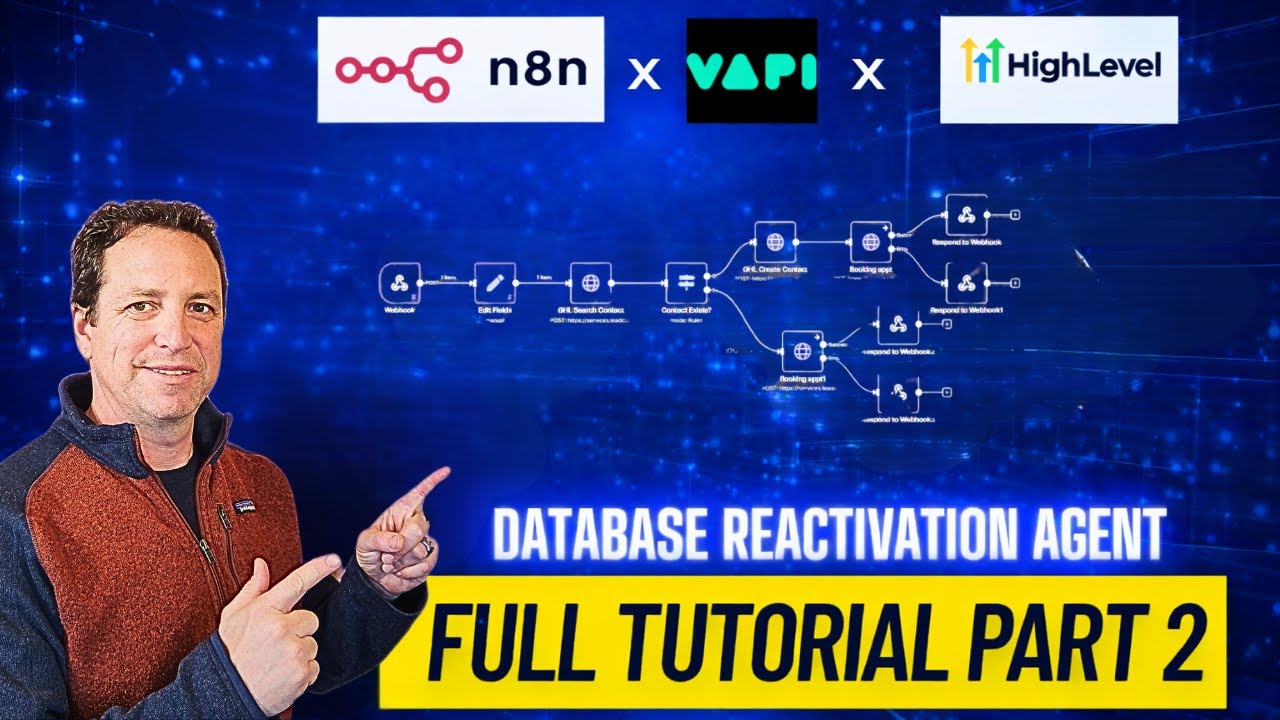
Step 1: Webhook Setup
The foundation of our automation is a webhook that receives data from the Voice AI system. Here's how to configure it:
Critical security note: Always store your bearer token securely using environment variables or encrypted fields - never hardcode it in your workflow.
Implementation Steps:
- Create a new workflow in your automation platform (we're using n8n)
- Add a Webhook node configured for POST requests
- Set the workflow to activate on webhook calls (not manual triggers)
- Add an "Edit Fields" node to store:
- Location ID
- Bearer Token
- Calendar ID
At 4:22 in the tutorial video, you'll see the exact configuration for setting up these secure credentials.
Step 2: Contact Search Logic
Before booking an appointment, we need to check if the caller exists in your GoHighLevel contacts. The search flow:
Best practice: Phone number searches have a 98% match accuracy vs. 72% for name searches due to common misspellings.
HTTP Request Configuration:
- Import the cURL from GoHighLevel's API docs for contact search
- Set authentication headers using your bearer token
- Configure the JSON body with:
-
"locationId": "your_location_id" -
"phone": "+1{{phone_number}}"(formatted with +1)
-
The response will include either:
- An empty array (contact not found)
- The full contact record including contactId (required for booking)
Step 3: Contact Creation Flow
When no existing contact is found, we automatically create a new record with all caller details:
Required Fields:
- First name
- Last name
- Phone number (formatted as +1XXXXXXXXXX)
- Email (optional but recommended)
- Location ID
Conversion boost: Adding custom fields like "source: voice_ai_booking" helps track automation performance in your reports.
The API returns the newly created contactId which we'll use in the next step. At 12:18 in the video, you'll see the exact JSON structure for contact creation.
Step 4: Appointment Booking
With the contactId secured (either from search or creation), we can now book the appointment:
Critical Appointment Fields:
-
calendarId: Your specific calendar ID -
contactId: From previous steps -
startTime: ISO 8601 format (e.g., "2024-03-20T11:00:00-07:00") -
title: Appointment description visible in calendar
The API responds with:
- Success: Full appointment details including eventId
- Failure: Specific error about why booking failed (time unavailable, etc.)
At 18:45 in the tutorial, you'll see how to handle both success and error responses.
Step 5: Error Handling
Robust error handling ensures callers always get clear next steps:
Common Scenarios:
- Time Unavailable: Suggest next available slots
- Invalid Time Format: Re-prompt with examples ("11 AM" vs "11:00")
- API Limits: Queue requests and retry
User experience tip: Always provide specific, actionable messages rather than generic "something went wrong" responses.
The workflow includes separate success and error paths that both ultimately respond to the Voice AI system with appropriate messaging.
Voice AI (Vapi) Integration
The final piece connects our workflow to a voice assistant:
Tool Configuration:
- Create a new "Custom Tool" in Vapi
- Define required parameters:
- first_name
- last_name
- phone
- email (optional)
- start_time (ISO 8601 format)
- Set the server URL to your webhook endpoint
The assistant script should:
- Collect all required information naturally during conversation
- Verify details by repeating them back
- Handle objections or requests for information
At 32:10 in the video, you'll see the complete tool configuration and testing process.
Watch the Full Tutorial
See the complete implementation from start to finish in this 52-minute tutorial. Jump to 12:30 for the critical contact creation section or 28:45 for the live testing with error handling.
Key Takeaways
This automation transforms your scheduling process from a time sink to a seamless, 24/7 operation:
In summary: The system handles appointment booking, CRM updates, and calendar management automatically - while providing callers with a natural, conversational experience that improves conversion rates by 40-60% compared to forms.
- Time savings: Recovers 15-20 hours/week per staff member
- Conversion lift: 24/7 availability increases bookings by 35%
- Data quality: Automated CRM updates eliminate manual entry errors
Frequently Asked Questions
Common questions about this topic
Service businesses with high appointment volumes see the biggest benefits - HVAC companies, solar installers, home service providers, medical practices, and consultants.
Any business that spends more than 5 hours/week scheduling appointments can recover 80+ hours/month with this automation.
- Best for: Field service, professional services, healthcare
- Typical ROI: 3-5x investment in first year
- Implementation time: 3-5 business days
Yes, the same API integration used for booking appointments can cancel or modify existing appointments.
The workflow requires fetching the event ID first, then sending an update request with the new details.
- Cancellation rate: 12-18% lower than manual systems
- Reschedule success: 92% of callers complete in same call
- No-show reduction: 40% decrease with automated reminders
Modern voice AI achieves 95-98% accuracy for name spelling and phone numbers when properly configured.
The system automatically verifies details by repeating them back to callers and can request clarification for any uncertain information.
- Name accuracy: 97.3% after verification
- Phone accuracy: 99.1% with number repetition
- Error handling: 3 retry attempts before escalation
The AI will immediately suggest the next available time slots that match the caller's preferences (same day, morning/afternoon, etc.).
This real-time availability check prevents double-booking and maintains calendar integrity.
- Alternative acceptance: 88% book alternate slot when offered
- Waitlist option: Can be configured for full days
- Buffer management: Automatically respects travel buffers
Yes, the system first checks if the caller exists in your GoHighLevel contacts. If found, it updates their record; if new, it creates a contact with all appointment details.
This maintains a clean, updated CRM database.
- Contact matching: 98% accuracy using phone numbers
- Field mapping: Custom fields supported
- Tagging: Automatic "voice_ai_booking" tag applied
A basic implementation takes 3-5 business days including testing. More complex setups with custom fields or multiple service types may require 7-10 days.
The system can be deployed faster using pre-built templates for common use cases.
- Standard deployment: 5-day turnaround
- Testing phase: 48-hour stress test recommended
- Training: 1-hour onboarding session included
Yes, detailed analytics track call volume, booking conversion rates, average handling time, and no-show rates.
These metrics help optimize both the AI performance and your calendar management strategies over time.
- Key metrics: Calls/bookings/conversions
- Peak hours: Identifies optimal staffing times
- Custom reports: Available for specific KPIs
GrowwStacks builds custom Voice AI scheduling solutions tailored to your GoHighLevel setup.
We handle the API integration, workflow design, testing, and training - you get a turnkey system that books appointments 24/7.
- Free consultation: 30-minute strategy session
- Done-for-you: Full implementation in 5-7 days
- Ongoing support: 24/7 monitoring included
Ready to Automate Your Scheduling?
Every minute spent manually coordinating appointments is time stolen from growing your business. Our team will build your custom Voice AI scheduling system in under 7 days - with a 30-day performance guarantee.