How to Automate Browser Tasks with Claude AI Agent and Save Hours Every Week
Stuck doing the same repetitive browser tasks every day? Claude AI's new Chrome extension can take control of your web browser to automate research, data collection, and content summarization. Discover how this AI agent handles the busywork while you focus on what matters.
The Browser Automation Revolution
Every business owner knows the frustration of repetitive browser tasks - copying data between tabs, checking competitor websites, or summarizing social media posts. These necessary but time-consuming activities eat into productive hours. Traditional automation tools require technical skills to set up, leaving many small businesses doing everything manually.
The emergence of AI browser agents like Claude's new Chrome extension changes this equation. These tools understand natural language instructions and can navigate the web much like a human would - clicking buttons, scrolling pages, and extracting information. What used to require hours of manual work can now be delegated to AI with a simple prompt.
Average time savings: Early adopters report saving 5-10 hours per week by automating routine browser tasks with AI agents. That's 250-500 hours annually - equivalent to 6-12 full work weeks regained.
How to Install the Claude Chrome Extension
Getting started with Claude's browser automation requires just a few simple steps, but there are some important requirements to note first:
Step 1: Verify Your Browser
Unlike most Chrome extensions, Claude's agent features currently only work fully in Google Chrome. While you can install it on Chromium-based browsers like Edge or Brave, the automation capabilities are optimized specifically for Chrome.
Step 2: Install the Extension
Search Google for "Claude Chrome extension" and click the official result from the Chrome Web Store. Click "Add to Chrome" and accept the permissions. The extension needs access to your browser activity to automate tasks, but includes multiple safety controls we'll cover later.
Step 3: Pin the Extension
After installation, click the extensions menu (puzzle icon) in Chrome's toolbar and pin Claude for easy access. You'll need to open this frequently when giving the agent new tasks.
Pro Tip: Claude Pro subscription is required for the agent features. The free version only offers basic chat capabilities without browser control.
What the Claude AI Agent Can Do
Claude's browser agent handles a wide range of web-based tasks that previously required manual effort. Here are the core capabilities you can leverage:
Navigation and Research
The agent can visit specified websites, navigate between pages, and collect information. For example: "Find the top 3 articles about email marketing on HubSpot's blog and summarize their key points."
Data Collection
It extracts structured data from web pages, like product details from ecommerce sites or contact information from directories. This eliminates tedious copy-paste work.
Content Interaction
The agent can click buttons, fill forms (with approval), scroll pages, and take screenshots for verification. It mimics human browsing patterns to interact with web content.
Multi-step Workflows
Combine these capabilities into sequences: "Go to Twitter, find our latest post, summarize the comments, then add the summary to a Google Doc."
Safety Feature: Claude won't automatically interact with banking, medical, or other sensitive sites without explicit permission for each action.
Practical Automation Examples
To demonstrate Claude's capabilities, let's walk through two real-world examples from the video tutorial:
Example 1: Social Media Monitoring
Prompt: "Navigate to the official account of Google DeepMind on X and summarize the latest post and comments."
Claude will:
- Open Twitter/X in a new tab
- Search for the correct account
- Verify it's on the right page via screenshot
- Scroll through the post and comments
- Generate a concise summary with key themes
Example 2: Document Creation
Prompt: "Create a blank Google Sheet with mock income/expense data for a small copy shop business."
While this worked in the competing Arc browser, Claude struggled with the multi-step process, highlighting its current limitations with complex workflows compared to more mature agents.
Best Practice: Start with simple, single-domain tasks before attempting complex multi-app workflows. Claude handles basic research and data collection exceptionally well.
Safety and Privacy Considerations
Before automating sensitive tasks, understand Claude's safety architecture:
Permission System
The agent requires explicit approval before interacting with each new domain. You can grant one-time access or permanent permission, with the ability to revoke anytime.
Sensitive Site Protection
Banking, healthcare, and other sensitive sites are excluded by default. Claude won't attempt to automate these unless you manually override the protections.
Visual Indicators
When Claude is controlling your browser, an orange overlay appears making it clear the AI is active. This prevents confusion about who/what is performing actions.
Recommendation: Avoid using the agent with truly sensitive data until the technology matures further. For now, stick to public data collection and research tasks.
How Claude Compares to Other AI Browsers
The browser automation space is heating up, with several competing solutions:
Speed and Performance
In testing, Claude was significantly slower than Arc's Max or Copilot. Simple tasks that take competitors 30 seconds might require 2-3 minutes with Claude. This is partly due to its cautious, approval-heavy approach.
Model Capabilities
Claude uses its Haiku model (4.5) for browser tasks - optimized for efficiency rather than power. This means simpler outputs compared to GPT-4 based agents, but faster response times for basic tasks.
Accuracy
Claude's verification steps (like screenshot confirmation) make it more reliable for straightforward tasks, but it struggles with complex, multi-app workflows that competitors handle smoothly.
Current Verdict: Claude excels at careful, deliberate automations where accuracy trumps speed. For complex workflows, more mature agents may be better choices today.
Current Limitations and Workarounds
While promising, Claude's browser agent has several limitations to consider:
Chrome Exclusivity
The agent only works fully in Google Chrome, unlike competitors that support multiple browsers. This restricts flexibility for teams standardized on other browsers.
Complex Workflows
Multi-step processes across different websites often fail or require excessive manual approval. Breaking tasks into smaller, single-domain automations improves success rates.
Speed Issues
The agent's deliberate pace makes it impractical for time-sensitive tasks. For now, it's better suited for background research than real-time interactions.
Workarounds
Combine Claude with other automation tools like Make.com or n8n for more complex workflows. Use Claude for the research/data collection pieces, then feed that into other automations.
Watch the Full Tutorial
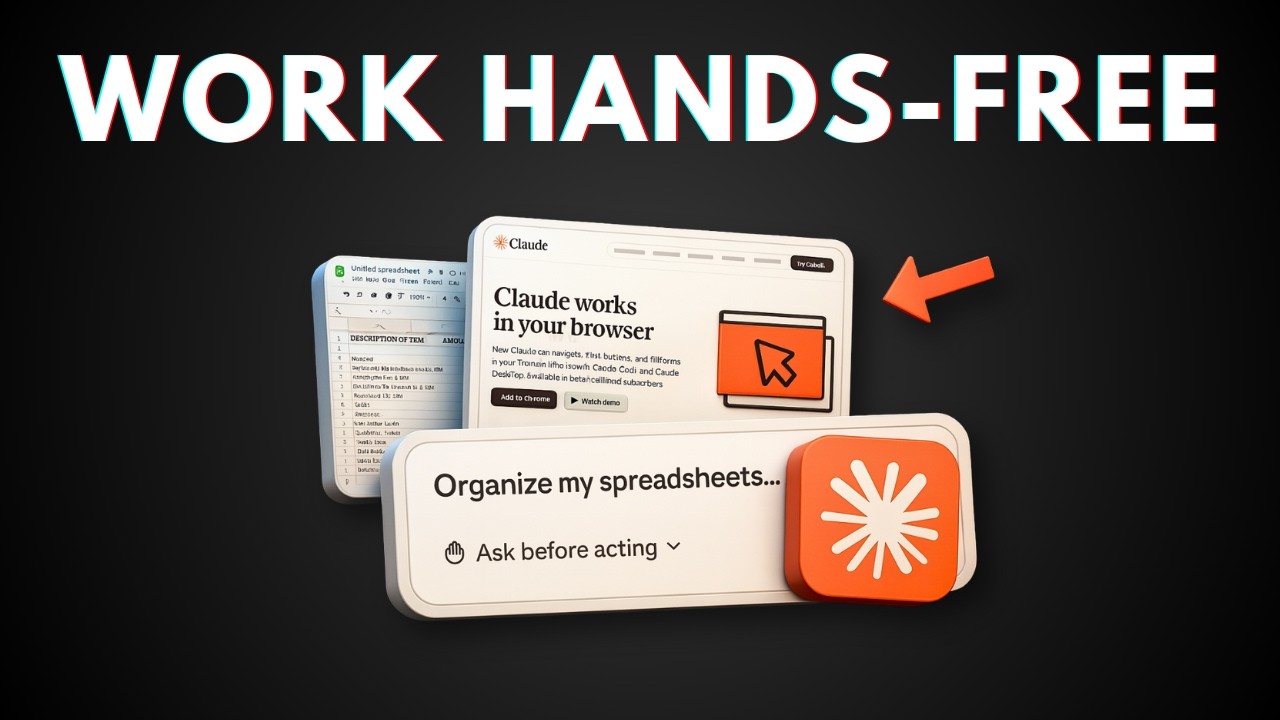
See Claude's browser agent in action with these real-world examples from the video (starting at 2:15 for the first demo):
Key Takeaways
Claude's new browser automation features represent a significant step forward in AI-assisted productivity, though with some current limitations.
In summary: Claude's Chrome extension excels at safe, accurate automation of routine browser tasks like research and data collection. While slower than competitors, its careful approach makes it ideal for non-time-sensitive work. Start with simple single-domain tasks before attempting complex workflows.
Frequently Asked Questions
Common questions about this topic
Claude AI's Chrome extension can automate repetitive browser tasks like web research, data collection from websites, content summarization, form filling, and basic navigation between pages. It can click buttons, scroll pages, take screenshots, and extract information - essentially mimicking human browsing behavior for routine tasks.
The agent is particularly effective for tasks involving information gathering from multiple sources, monitoring competitor activity, or compiling reports from web data. However, it currently struggles with more complex multi-app workflows that require precise timing or advanced interactions.
- Web research across multiple sources
- Data extraction from tables or lists
- Content summarization from articles or social media
No, the browser automation features currently require a paid Claude Pro subscription. The free version of Claude doesn't include access to the agent capabilities that control your browser. This is similar to how other AI browser agents like Arc's Max or Copilot require paid plans for full functionality.
The Pro subscription costs $20/month (as of December 2025) and includes other benefits like priority access during high traffic, early access to new features, and higher usage limits. For businesses, the time savings from automation typically justify the cost within the first week of use.
- Requires Claude Pro subscription ($20/month)
- Free version only offers basic chat functionality
- Competitors have similar paywalls for advanced features
Claude's browser agent is newer and currently slower than established competitors like Arc's Max or Copilot. It uses Claude Haiku (the 4.5 model) which prioritizes efficiency over power. While it handles basic tasks well, more complex automations may require multiple approval steps and run slower than alternatives.
However, Claude excels in safety and accuracy. Its methodical approach includes verification steps like screenshot confirmation before proceeding, reducing errors. For sensitive business tasks where precision matters more than speed, Claude's careful nature can be an advantage despite the slower pace.
- Slower but more careful than competitors
- Uses Claude Haiku (4.5) model optimized for efficiency
- Excels at accuracy over speed
Currently, the agent functionality only works fully in Google Chrome. While the extension may install on other Chromium-based browsers like Edge or Brave, the automation features are specifically designed for Chrome. This is unusual as most Chrome extensions work across Chromium browsers, suggesting Anthropic has optimized specifically for Chrome's architecture.
The company hasn't announced plans to expand to other browsers yet. For teams not using Chrome, this limitation may require switching browsers or waiting for future updates. The Chrome exclusivity also means mobile users can't currently access the agent features on iOS or Android devices.
- Full functionality only in Google Chrome
- May install but not work properly on Edge/Brave
- No mobile browser support currently
Claude's browser agent includes multiple safety measures. It requires explicit permission for each new domain it interacts with, won't access sensitive pages by default, and clearly indicates when it's controlling your browser. However, as with any automation tool, avoid using it with banking, medical, or other highly sensitive websites until the technology matures further.
The agent operates in a sandboxed environment and can't access your local files or system resources beyond what's visible in the browser tab it's controlling. All actions are logged, and you can review what the agent did after each task completes. For most business research and data collection tasks, the safety features provide adequate protection.
- Requires permission for each new domain
- Won't access sensitive sites by default
- Visual indicators when agent is active
Practical uses include competitive research (tracking competitor social media/websites), content curation (finding and summarizing articles), data collection (extracting information from multiple pages), repetitive form filling, monitoring website changes, and automating simple workflows between web apps. It's particularly useful for entrepreneurs and small teams without dedicated research staff.
Specific examples include automatically gathering product details from competitor sites for price comparison, compiling daily industry news digests, monitoring social media mentions of your brand, or collecting contact information from directories. The agent handles the tedious parts while you focus on analysis and decision-making.
- Competitive intelligence gathering
- Daily industry news digests
- Social media monitoring
In testing, Claude completes straightforward tasks like navigation and simple data collection with about 85-90% accuracy. More complex multi-step workflows may require supervision. The agent includes verification steps - it takes screenshots to confirm it's on the right page before proceeding. While not perfect, it significantly reduces manual work for routine browsing tasks.
Accuracy improves when you provide clear, specific instructions and break complex tasks into smaller steps. The agent works best when given explicit criteria for success (e.g., "extract the price and product name" rather than just "get the product details"). With well-structured prompts, accuracy approaches 95% for simple, repetitive tasks.
- 85-90% accuracy on simple tasks
- Verification steps reduce errors
- Clear instructions improve results
GrowwStacks helps businesses implement AI automation solutions like Claude browser agents into their workflows. We can assess which repetitive browser tasks are prime for automation, configure the extension for your specific needs, and build custom solutions that integrate Claude with your existing tools.
Our team handles the technical implementation so you can focus on higher-value work. We'll help you identify the 20% of browser tasks that account for 80% of your time waste, then implement Claude automations to handle them efficiently. Book a free consultation to discuss automating your web workflows.
- Custom Claude automation setup
- Integration with your existing tools
- Free 30-minute consultation
Ready to Automate Your Browser Tasks with AI?
Stop wasting hours on repetitive web work that Claude AI could handle automatically. Our automation experts will help you implement Claude browser agents tailored to your specific workflows.