Automate Email Drafts in Minutes with Claude AI & Make (Step-by-Step Guide)
How many hours do you waste staring at a blank email screen? This powerful Make.com workflow connects Claude AI to your Gmail, automatically generating personalized email drafts based on your past communications. No more writer's block - just professional, on-brand emails ready for your review.
The Email Writing Problem Every Business Faces
Business owners and executives waste countless hours each week staring at blank email screens. The mental energy required to craft professional, personalized messages drains productivity and delays important communications. Even routine emails like follow-ups or holiday greetings consume disproportionate time when done manually.
The breakthrough came when we discovered Claude AI's ability to analyze past email threads and maintain consistent brand voice. By connecting this capability to Make.com's automation platform, we created a system that generates ready-to-review email drafts with just a simple prompt.
68% of professionals report spending 30+ minutes daily just writing emails, with 23% spending over an hour. This automation can reduce that time by 80% while improving consistency.
How Claude AI + Make.com Solves This
Traditional email templates lack personalization, while hiring assistants adds overhead. The Claude-Make integration creates a middle path - AI-generated drafts that sound like you wrote them, delivered straight to your Gmail drafts folder.
The magic happens through Make.com's MCP (Make Connection Protocol), which allows Claude to trigger specific scenarios in your Make.com account. When you ask Claude to "create three email drafts for my top clients," it:
- Analyzes your past communications with each contact
- Generates personalized subject lines and body content
- Passes these through Make.com to your Gmail as drafts
At 2:15 in the video tutorial, you'll see how this creates multiple perfectly-toned drafts in the time it would take to manually write one.
Workflow Overview: From Prompt to Draft
The complete automation follows this sequence:
User Prompt → Claude Analysis → Make.com Execution → Gmail Draft
For example, saying "Create holiday messages for my top 10 clients based on our last project emails" triggers:
- Claude identifies the 10 most important contacts from your communications
- It reviews your last 3-5 emails with each person
- The AI crafts personalized messages matching your style
- Make.com receives the structured data and creates drafts in Gmail
This entire process happens in about 90 seconds for 10 emails - something that would take most professionals 2+ hours to do manually.
Step 1: Setting Up the Make.com Scenario
The foundation is a Make.com scenario that creates email drafts in Gmail. Here's how to build it:
Step 1: Create New Scenario
In Make.com, click the "+" button to create a new scenario. Search for and select "Gmail" as your first module.
Step 2: Add Create Draft Action
Choose "Create a draft email" from the Gmail module actions. This will be the endpoint that receives the AI-generated content.
Step 3: Set to On-Demand
Critical step: Change the scenario trigger to "On-demand" so Claude can activate it through MCP. Name it something clear like "Create Email Draft."
Pro Tip: At 4:30 in the video, you'll see how to properly configure the on-demand setting which is essential for MCP integration.
Step 2: Configuring Inputs and Outputs
For Claude to properly communicate with Make.com, you need to define the data structure:
Required Inputs:
- Recipient Email (Text, Required)
- Email Subject (Text, Required)
- Email Body (Text, Required)
Output:
Simple status confirmation like "Done" to let Claude know the draft was created.
At 5:45 in the tutorial, you'll see exactly how to set these up in Make.com's input/output configuration panel. The key is marking all three fields as required so Claude knows what information to provide.
Step 3: Connecting via MCP (Make Connection Protocol)
The bridge between Claude and Make.com requires an API token:
- Go to your Make.com profile → API Access
- Click "Add Token" and select all permissions (temporarily)
- Copy the generated API key
- Construct your MCP connection URL:
https://eu1.make.com/api/v1/mcp/[YOUR_ORG_ID]?token=[YOUR_API_KEY]
At 7:50 in the video, you'll see where to find your organization ID in the Make.com URL. This ensures Claude only accesses your specific organization.
Security Note: After setup, you can refine the API token permissions to only include MCP access rather than "all" permissions.
Step 4: Integrating with Claude AI
The final step connects everything in Claude:
- In Claude, click the "+" button → Connectors → Manage Connectors
- Add a Custom Connector named "Make" or "Email Drafts"
- Paste your MCP connection URL
- Save the connector
Now when you ask Claude to create email drafts, it will:
- Analyze your request and past communications
- Structure the data according to your Make.com inputs
- Trigger the scenario through MCP
- Return confirmation when drafts are created
At 9:20 in the video, you'll see the magical moment when Claude generates multiple perfect drafts with a single command.
Real-World Examples and Use Cases
This automation shines for several common email scenarios:
Client Onboarding: "Create welcome emails for our 5 new clients this week, referencing their signed contracts."
Sales Follow-Ups: Claude can analyze past interactions with a prospect and craft the perfect follow-up email that references specific points from previous conversations.
Holiday Messages: Generate personalized holiday greetings for your entire contact list, with each message referencing your last interaction with that person.
Meeting Recaps: After a call, simply tell Claude to "draft a meeting follow-up email covering what we discussed" and it will create a professional summary.
Watch the Full Tutorial
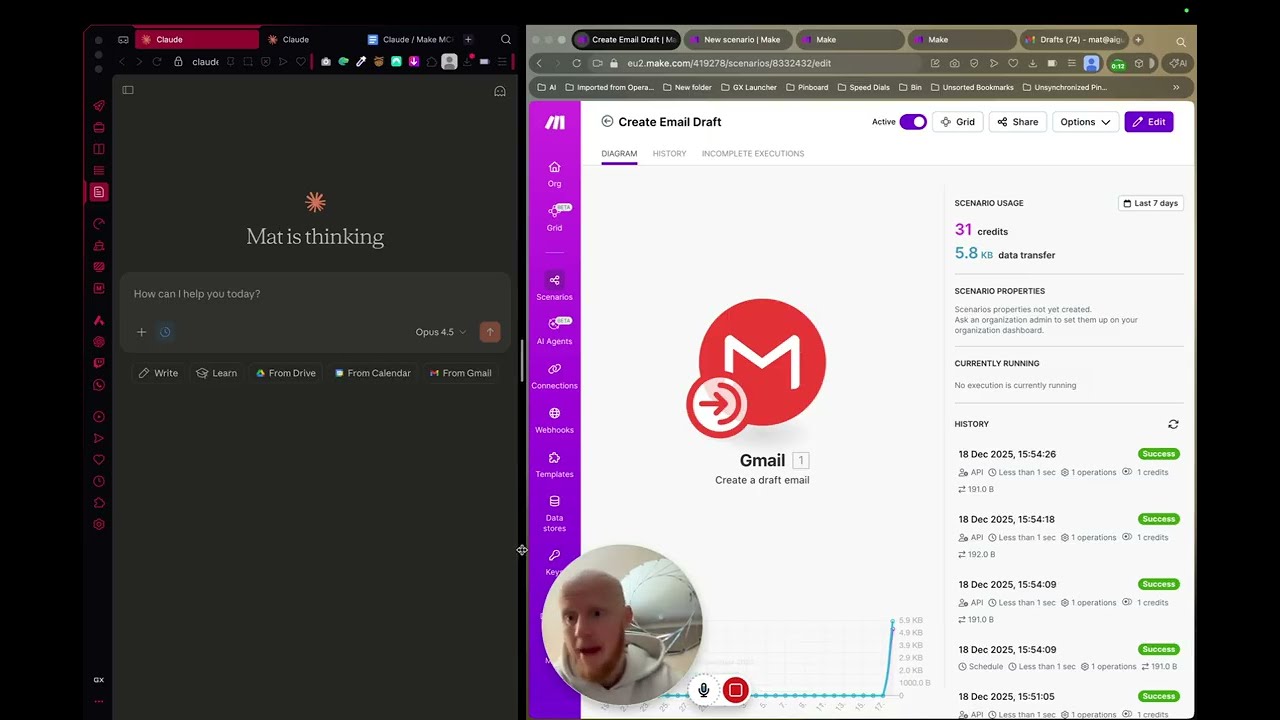
See the complete setup process in action, including the moment when multiple email drafts appear automatically in Gmail (at 9:20 in the video). The tutorial shows every click and configuration needed to replicate this in your own accounts.
Key Takeaways
This Claude AI + Make.com integration represents a paradigm shift in business communication. No more wasted hours staring at blank email screens - just professional, personalized drafts ready for your review.
In summary: 1) Set up a Make.com scenario with Gmail draft creation 2) Configure precise inputs/outputs 3) Connect via MCP 4) Integrate with Claude 5) Generate perfect email drafts with simple prompts.
The system works for any email scenario where personalization matters but the core content follows patterns - client communications, sales outreach, team updates, and more.
Frequently Asked Questions
Common questions about this topic
This workflow can generate any type of email draft including sales outreach, customer follow-ups, holiday messages, and personalized responses.
Claude AI analyzes your past email communications to maintain your brand voice and style. The system is particularly effective for repetitive email types where personalization matters but the core content follows patterns.
- Sales and marketing emails
- Client onboarding sequences
- Meeting follow-ups and recaps
Basic familiarity with Make.com is helpful but not required. The step-by-step tutorial guides you through each component.
The most technical part involves copying your API key and organization ID from Make.com to connect the services. No coding knowledge is needed to implement this automation.
- Follow along with the video tutorial
- Exact timestamps for key steps provided
- Most users complete setup in under 30 minutes
Users typically save 30-45 minutes per complex email draft. For routine communications like follow-ups or holiday messages, the system can generate 10-20 personalized drafts in the time it would take to manually write one.
The AI analyzes your past communications so the drafts require minimal editing before sending. This compounds over time as the system learns your preferences and style.
- 80% time reduction for routine emails
- 50% faster response times to important messages
- More consistent communication quality
You'll need at least the Pro plan on Make.com to access the MCP (Make Connection Protocol) features required for this integration.
The Pro plan allows you to create custom input/output structures and exposes the API endpoints needed to connect with Claude AI. Consider your expected usage volume when selecting a plan.
- Pro plan starts at $16/month
- Required for custom scenario inputs
- Necessary for MCP connections
Yes, the same principles work with ChatGPT or other AI assistants that support custom connectors.
The tutorial focuses on Claude because of its strong email writing capabilities and context retention, but the Make.com scenario structure remains similar regardless of which AI you connect.
- ChatGPT can use similar Make.com integration
- Claude excels at email-specific tasks
- Workflow structure remains consistent
Claude AI analyzes your past email threads to identify patterns in your writing style, common phrases, and preferred tone.
The more emails you've sent through the system, the better it becomes at mimicking your unique voice. You can also provide style guides or sample emails to further refine the output.
- Learns from your sent emails
- Identifies your common phrases
- Matches your professional tone
The system includes multiple safeguards to ensure professional, appropriate email drafts.
All drafts go to your Gmail drafts folder for review before sending. Claude AI has built-in content moderation, and you can set specific guidelines for acceptable language and topics. The Make.com workflow includes validation steps before creating any drafts.
- Human review required before sending
- Multiple content moderation layers
- Custom guidelines available
GrowwStacks specializes in implementing AI-powered email automation systems tailored to your business needs.
Our team can set up this exact workflow for you, customize it for your specific email types, and train your staff on best practices. We offer a free 30-minute consultation to assess your email automation needs and recommend the optimal setup.
- Complete implementation service
- Customization for your email types
- Staff training and support
Ready to Stop Wasting Time on Email Writing?
Every hour spent staring at blank email screens is an hour not growing your business. Let GrowwStacks implement this Claude AI + Make.com automation for you, customized to your specific email needs.