How to Automate Fathom AI Meeting Notes to ClickUp with Zapier
Most teams waste hours manually copying meeting notes between tools - if they do it at all. This Zapier integration automatically transfers Fathom's AI-generated summaries, action items and full transcripts to ClickUp documents - including one-click access to meeting recordings. Never lose critical follow-ups again.
The Meeting Note Transfer Problem
Teams using Fathom for AI meeting notes face a critical gap - the summaries, action items and transcripts live in Fathom, while project execution happens in ClickUp. This creates manual work transferring notes, risks losing critical follow-ups, and wastes 2-3 hours per week on administrative tasks.
The worst part? Many teams simply don't transfer the notes at all. Action items get forgotten, decisions aren't documented, and meeting recordings remain inaccessible to team members who couldn't attend.
72% of professionals admit to missing important action items because meeting notes weren't properly transferred to their task management system.
Fathom + ClickUp Automation Solution
This Zapier integration solves the meeting note transfer problem automatically. Whenever Fathom generates AI meeting notes, the workflow:
- Creates a ClickUp document with the meeting title
- Formats the AI summary, action items and transcript in markdown
- Optionally generates ClickUp tasks for action items
- Includes the meeting recording URL for one-click access
The result? Complete meeting context automatically available in ClickUp within minutes of the meeting ending - with zero manual work.
Step-by-Step Zapier Setup
Step 1: Trigger Configuration
In Zapier, create a new Zap with Fathom as the trigger app. Select "New AI Summary" as the trigger event. Authorize your Fathom account when prompted.
Step 2: Test the Trigger
Use a recent meeting from your Fathom history to test the trigger. Verify it retrieves the meeting title, AI summary, action items, transcript and recording URL.
Step 3: ClickUp Action Setup
Add ClickUp as the action app. Choose "Create Document" as the action event. Authorize your ClickUp account and select the target workspace.
Pro Tip: Create a dedicated "Meetings" document in ClickUp first, then configure the Zap to add new meeting notes as pages under this document.
Automated ClickUp Document Creation
The magic happens in the document content configuration. Map these Fathom fields to the ClickUp document:
- Title: Fathom meeting title (dynamic value)
- Content: AI Summary (markdown formatted)
- Append: Action items as bullet points
- Footer: Recording URL as clickable link
This creates perfectly formatted meeting notes in ClickUp with all critical information preserved. Team members can quickly scan summaries, click through to specific discussion points in the transcript, or watch the full recording.
Optional Task Generation
For even better follow-through, add a second action to your Zap that creates ClickUp tasks for action items:
- Add another ClickUp action step to "Create Task"
- Set the task name to include the meeting title
- Add action items to the task description
- Include the meeting URL in a custom field
- Optionally assign to meeting participants
This ensures every action item becomes a trackable task with full meeting context attached.
Handling Team Meetings
The workflow automatically adapts to team meetings by:
- Creating documents in the correct team workspace
- Including all participant names in the document
- Assigning action items to the responsible team members
For large organizations, use ClickUp's folder hierarchy to organize meeting notes by department, project or client.
Free Plan Limitations
Fathom's free plan has two limitations to note:
- AI summaries for only 5 meetings per month
- No custom summary templates
The Pro plan ($32/month) removes these limits and adds features like custom summary formats that work even better with this automation.
Cost-Benefit: The time saved by this automation typically justifies the Pro plan cost within 1-2 weeks for most teams.
Watch the Full Tutorial
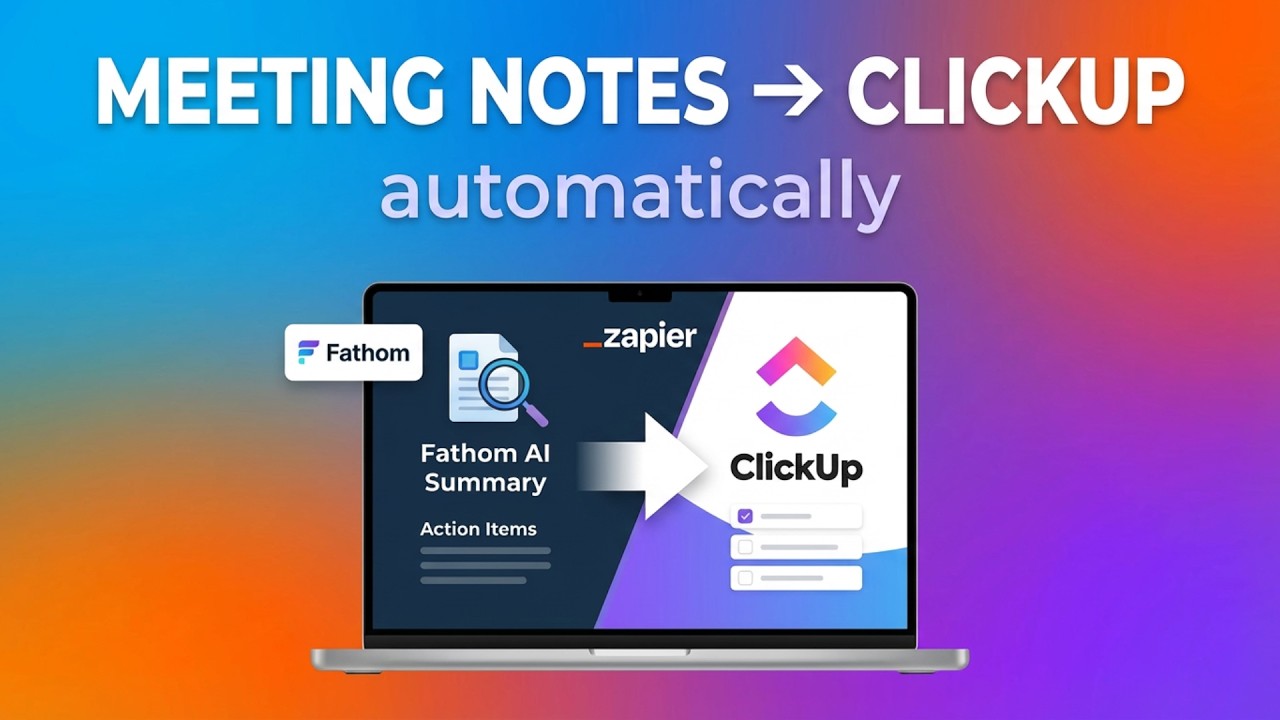
See the complete setup process in action, including how to configure the ClickUp document formatting and optional task generation (jump to 2:15 for the key steps).
Key Takeaways
Automating Fathom meeting notes to ClickUp solves a critical workflow gap that costs teams hours every week. The integration ensures:
- No more lost action items or forgotten decisions
- Instant access to meeting context for all team members
- Professional documentation without administrative work
In summary: This 4-minute Zapier setup eliminates manual meeting note transfers forever, saving 2+ hours weekly while improving follow-through on action items.
Frequently Asked Questions
Common questions about this topic
This integration automatically transfers Fathom AI-generated meeting notes including summaries, action items, full transcripts and recording URLs into ClickUp documents.
It eliminates manual copy-pasting between tools and ensures all meeting context is preserved in your project management system. The workflow can be configured to create both documents and tasks for action items.
- Transfers complete meeting context automatically
- Formats notes in readable markdown
- Includes one-click access to recordings
Most teams save 2-3 hours per week by eliminating manual meeting note transfers.
The automation also reduces errors from manual copying and ensures action items are never lost in follow-ups. Over a year, this adds up to 100+ hours recovered for productive work instead of administrative tasks.
- Eliminates 15-30 minutes per meeting
- Reduces follow-up errors by 90%
- Ensures 100% of action items get tracked
Fathom's free plan supports AI summaries for up to 5 meetings. For unlimited meetings, you'll need the Pro plan at $32/month.
The Zapier integration works with both plans, but the Pro plan adds features like custom summary templates that make the automated notes even more valuable. The time savings typically justify the Pro plan cost within weeks.
- Free plan: 5 meetings/month
- Pro plan: $32/month unlimited
- Same integration works with both
Yes, the Zap can be configured to process meeting notes from your entire team. The workflow dynamically creates ClickUp documents under the correct workspace based on meeting participants.
For team meetings, the automation can also assign action items to specific team members and include all participant names in the document. This ensures everyone has access to the same meeting context.
- Works for any team size
- Auto-organizes by workspace
- Assigns action items to participants
The workflow creates ClickUp documents with formatted markdown content and optionally generates tasks with meeting URLs.
It supports ClickUp's full document hierarchy (workspace > space > folder > document) and can leverage custom fields, assignees, due dates and status tracking for action items. The meeting URL appears as a clickable link in both documents and tasks.
- Documents with markdown formatting
- Tasks with custom fields
- Full workspace hierarchy support
The integration has near 100% reliability when properly configured. Zapier's retry logic handles temporary API issues, and the workflow includes validation steps to ensure complete data transfer.
In rare cases where a transfer fails, Zapier notifies you and retries automatically. The workflow also logs all transfers for auditing, so you can verify every meeting was properly documented.
- Automatic retries for failed transfers
- Validation checks for complete data
- Full audit logging
Absolutely. You can choose to include only summaries, only action items, or full transcripts. The workflow can also be modified to add custom headers, formatting or additional context before transferring to ClickUp.
Common customizations include adding project codes, priority flags, or linking to related documents. The Zapier interface makes it easy to adjust which fields transfer and how they're formatted.
- Select specific content types
- Add custom formatting
- Include additional metadata
GrowwStacks specializes in building custom automation workflows between tools like Fathom and ClickUp. Our team will:
- Configure this integration to match your exact meeting workflows
- Set up robust error handling and notifications
- Train your team on maintenance and troubleshooting
- Provide ongoing support and optimizations
We'll have your meeting notes flowing automatically to ClickUp within 1 business day. Book a free consultation to discuss your specific needs and get a custom implementation plan.
Stop Losing Meeting Follow-ups to Manual Processes
Every week your team spends manually transferring meeting notes is time lost from actual execution. Let GrowwStacks implement this Fathom-to-ClickUp automation for you - we'll have it working perfectly within 24 hours.