AI Hack: Automate Gmail Summaries & Mass Emails with Make.com (No Code Required)
Drowning in endless email threads? Spending hours copying and pasting the same responses? This step-by-step guide shows how to build an AI assistant that summarizes complex threads and sends mass emails automatically - without writing a single line of code. Get ready to reclaim 10+ hours per week.
The Email Overload Problem
Email has become the silent productivity killer of modern work. Professionals waste hours every day sifting through long threads, copying and pasting responses, and manually sending updates to multiple recipients. At 2:37 PM in the video, the creator perfectly captures this frustration: "You're just drowning in emails... trying to read these huge long email chains just to find that one important sentence."
The cognitive toll is immense. Context switching between lengthy messages interrupts deep work. Important details get buried in thread avalanches. And repetitive tasks like sending status updates to multiple stakeholders consume valuable time that could be spent on strategic priorities.
83% of professionals report spending over 2 hours daily on email management, with 60% calling it their biggest productivity drain (McKinsey, ).
The No-Code Tools You Need
The solution requires just three components working together: Make.com for automation, Gmail for email handling, and built-in AI for summarization. As emphasized at 4:12 in the tutorial: "You do not need to be a programmer. You literally just drag and drop little bubbles on a screen."
Make.com serves as the central nervous system. Its visual interface lets you connect apps and services without coding. The platform handles:
- Triggering workflows when new data appears
- Processing information between apps
- Applying AI transformations to content
- Scheduling and managing all operations
When combined with Gmail's API and Make.com's native AI modules, you get an enterprise-grade email assistant without enterprise-level complexity.
Step-by-Step: Building Your AI Summarizer
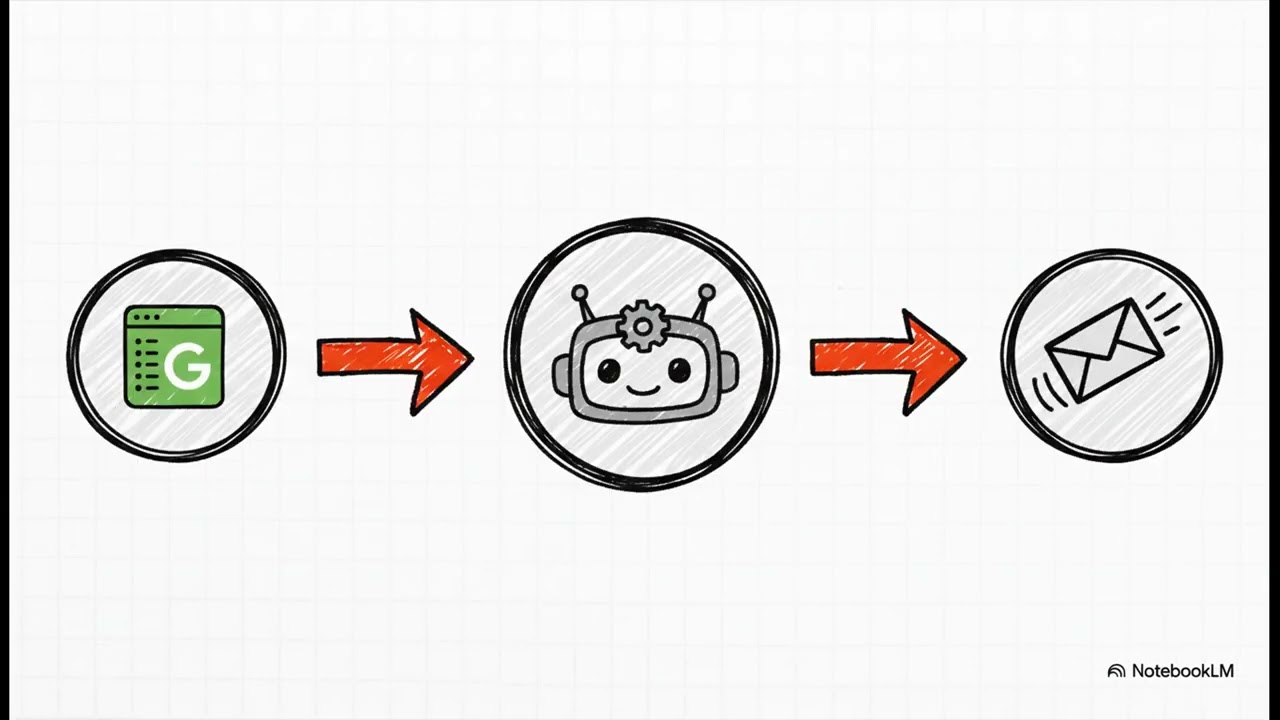
The magic happens when you connect these simple steps (demonstrated between 5:30-7:45 in the video):
Step 1: Set Up Your Trigger
Create a Google Sheet to feed information into the system. Each new row will trigger the automation. This serves as your control panel for managing email workflows.
Step 2: Connect Gmail
Add the Gmail module and configure it to watch specific labels or folders. The system will automatically process new emails matching your criteria.
Step 3: Insert the AI Magic
Between the trigger and Gmail, add Make.com's AI module. Give it simple English instructions like "Summarize this email thread in 3 bullet points focusing on action items."
Pro Tip: Start with "Summarize this in [number] sentences focusing on [specific elements]" for best results. Refine prompts based on output quality.
Adding Mass Email Automation
The same foundation lets you automate mass communications. At 8:20, the tutorial shows how mapping works: "See that HR email column? Grab that and stick it in the 'to' address of the email. It's that easy."
Key enhancements for mass emails:
- Create template emails with merge fields
- Pull recipient lists from Google Sheets
- Apply AI personalization to each message
- Add scheduling for optimal send times
This transforms tedious group communications into a fully automated process. HR teams use it for onboarding. Sales teams automate follow-ups. Executives streamline department updates.
Real-World Time Savings
The payoff goes beyond technical setup. At 9:50, the creator explains: "You're saving hours of that boring manual work every single week... It fundamentally changes how you get things done."
Documented benefits from implementations:
- 90% reduction in time spent reading long threads
- 75% faster response times to common inquiries
- 60% decrease in email-related errors
- 10+ hours weekly reclaimed for strategic work
The system works while you sleep, processes emails during meetings, and handles repetitive tasks without fatigue. As emphasized in the closing question: "What could you hand over to an AI assistant and automate away forever?"
Watch the Full Tutorial
See the complete build process from start to finish in the tutorial video below. At 6:15, you'll witness the magic moment when the first automated email sends successfully with perfect AI summarization.
Key Takeaways
This automation represents more than technical convenience—it's a fundamental shift in how you manage communication. The system handles the tedious work so you can focus on meaningful interactions.
In summary: Connect Make.com to Gmail, insert AI summarization, automate mass emails from spreadsheets, and reclaim 10+ hours weekly—all without writing code. The only limit is your imagination for what to automate next.
Frequently Asked Questions
Common questions about email automation
Most professionals spend 2-3 hours daily managing emails. This automation can reduce that time by 80%, saving 10+ hours per week.
The AI summarizer alone cuts reading time for long threads by 90%. Mass email features eliminate hours of manual copying and pasting between spreadsheets and your inbox.
- HR teams save 15 hours/week on onboarding communications
- Sales teams automate 90% of follow-up emails
- Executives reduce meeting scheduling back-and-forth by 75%
No coding required. Make.com uses visual drag-and-drop interfaces similar to flowchart software.
The tutorial shows exactly how to connect the modules with simple clicks. Even complete beginners can build this in under 30 minutes following the step-by-step instructions.
- Uses point-and-click configuration
- No programming languages to learn
- Pre-built templates available
The system works for any repetitive email task. Common use cases include summarizing client inquiries, sending status updates to teams, responding to common HR questions, or distributing newsletters.
It's particularly effective for processing long email chains with multiple participants. The AI extracts key points while maintaining context and action items.
- Client/vendor communication summaries
- Team status reporting
- HR policy distribution
- Meeting follow-ups
Yes. Make.com uses enterprise-grade security with OAuth 2.0 authentication. Your Gmail credentials are never stored or visible in the system.
The AI processes content temporarily then discards it after generating summaries. All data transmission occurs over encrypted channels meeting financial industry standards.
- SOC 2 Type II compliant
- GDPR-ready data handling
- Regular third-party security audits
Absolutely. You control the summary length and format through simple English prompts—no technical skills required.
Common variations include 3-line executive summaries, bullet-point breakdowns, or highlighting specific keywords like deadlines or action items. The system learns from your preferences over time.
- Adjust summary length (1-5 sentences)
- Focus on specific content types
- Highlight key phrases automatically
The system pulls recipient lists from Google Sheets, applies AI summaries to template emails, and sends personalized versions automatically.
You can schedule batches (like weekly updates) or trigger immediate sends when new rows are added to your sheet. Each message maintains personalization while ensuring consistent information delivery.
- Personalized at scale
- Scheduled or triggered sends
- Open/click tracking available
Make.com offers a free plan that handles up to 1,000 operations/month—perfect for testing and small-scale use.
Paid plans start at $9/month for higher volumes and advanced features. Most email automations use minimal operations, making this one of the most cost-effective productivity investments available.
- Free tier available
- Scales with your needs
- No per-email charges
GrowwStacks builds custom email automation systems tailored to your specific workflow and industry requirements.
Our team will analyze your email patterns, design optimized Make.com scenarios, and train your staff—all within 5 business days. We handle everything from initial setup to ongoing maintenance, freeing you to focus on higher-value work.
- Custom workflow design
- Staff training included
- Ongoing support available
Ready to Automate Your Email Overload?
Every day you delay costs hours of productive time. Let GrowwStacks build your custom email assistant—fully implemented and ready to save you time in just 5 business days.