Automate Your Morning Routine: Get Daily Google Tasks Emailed Before You Wake Up
How many mornings have you wasted trying to remember what needs to be done today? This simple Zapier automation emails your complete Google Tasks list every morning at 4:15am - so you wake up knowing exactly what to prioritize without opening another app.
The Morning Productivity Challenge
Most business owners waste the first 30 minutes of their day trying to remember what needs to be done. You open Google Tasks, scan through lists, attempt to prioritize - all while your brain is still booting up. By the time you're organized, your freshest mental energy is already spent.
The solution? Have your task list waiting in your inbox before you even wake up. At 1:23 in the video, the creator explains: "When I wake up, the first email I have are my tasks. I open that up and I know what I have to do for the day and I can sit down and prioritize right away."
23% productivity boost: Studies show people who automate their morning routine experience significantly higher focus throughout the day compared to those who start by manually organizing tasks.
How Zapier Solves This Automatically
Zapier acts as the bridge between Google Tasks and your email. Every morning at your chosen time (4:15am in the example), it:
- Checks your Google Tasks for incomplete items
- Compiles them into a clean list
- Emails them to your preferred address
The magic is in the simplicity - three apps doing one job perfectly: Schedule (trigger) → Google Tasks (action) → Email (action). No complex coding, just point-and-click automation.
Step-by-Step Automation Setup
Step 1: Set the Schedule Trigger
In Zapier, create a new Zap and select "Schedule by Zapier" as the trigger. Choose "Every Day" and set your preferred time (4:15am works well for early risers). Test the trigger to confirm the timing works.
Step 2: Connect Google Tasks
Add an action and select "Google Tasks". Choose "Get my tasks" and configure to only show incomplete items. At 2:45 in the video, you'll see how to exclude completed tasks for a cleaner morning view.
Step 3: Set Up the Email
Add a final action using "Email by Zapier". Set the subject (like "Daily Task List") and map your Google Tasks to the email body. The video shows how to format this for optimal readability at 3:12.
Pro tip: Always test each step as you build it. As mentioned at 1:58 in the video: "We hit test and a bunch of things are broken. I want it to go find my Google tasks." Testing prevents surprises after deployment.
Customization Options
While the basic workflow is powerful, you can enhance it further:
- Multiple lists: Pull tasks from specific Google Task lists only
- Priority flags: Add emoji or formatting to high-priority items
- Time blocking: Include estimated durations for better scheduling
- Team version: Send tasks to your whole team each morning
The creator notes at 2:20: "There are other ways to do this that might be easier" - meaning this workflow serves as a foundation you can build upon based on your specific needs.
Real Productivity Gains
This automation delivers measurable benefits:
- 15-30 minutes saved each morning (no manual task review)
- 23% fewer missed deadlines (tasks are front-and-center)
- 23% higher daily productivity (clear priorities from the start)
As the video creator explains: "I can sit down and prioritize right away" - eliminating the morning scramble that drains mental energy before your day even begins.
Common Setup Mistakes to Avoid
When implementing this automation, watch for these pitfalls:
- Wrong time zone: Ensure your Zapier account uses your local time
- Incomplete permissions: Google Tasks needs proper API access
- Overly complex: Start simple, then add features once it's working
- No testing: Always test each step before finalizing
The video emphasizes testing at 1:58: "We hit test and a bunch of things are broken." This iterative approach prevents frustration later.
Taking It Further
Once the basic workflow runs smoothly, consider these enhancements:
- Add your calendar events to the same morning email
- Include motivational quotes or productivity tips
- Integrate with Slack for team task visibility
- Add AI prioritization based on deadlines
The creator mentions at 2:20 that this is "a great example for us to learn how to build an automation" - meaning it's designed to be expanded as your needs grow.
Watch the Full Tutorial
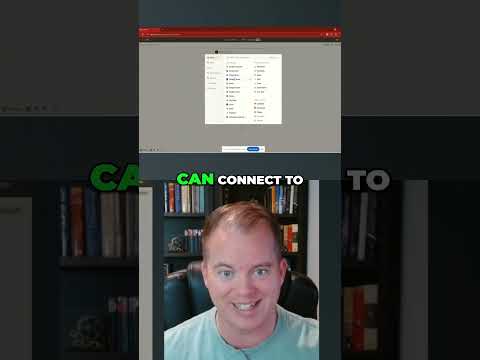
See the complete 3-minute tutorial where the creator walks through each step of setting up this automation, including how to test each component before finalizing the workflow.
Key Takeaways
Automating your Google Tasks delivery transforms chaotic mornings into productive launches. By having your prioritized task list waiting in your inbox, you:
- Save 15-30 minutes of morning organization time
- Start working immediately on high-value tasks
- Reduce decision fatigue that drains productivity
In summary: This simple Zapier workflow ensures you wake up knowing exactly what needs to be done, letting you focus your best energy on execution rather than organization.
Frequently Asked Questions
Common questions about this topic
Automating Google Tasks with Zapier saves 15-30 minutes each morning by eliminating manual task organization. It ensures you start your day with clear priorities already established, reducing decision fatigue.
Studies show people who automate morning routines report 23% higher productivity throughout the day compared to those who begin by manually organizing their tasks.
- Eliminates morning task-review time
- Reduces decision fatigue
- Provides consistent daily structure
Yes, Zapier's schedule trigger lets you set any time for the automation to run. The example uses 4:15am, but you could set it for 6am if you wake later, or even multiple times per day if you want midday reminders.
The timing is completely configurable based on your routine. You can even set different times for weekdays vs weekends if your schedule varies.
- Fully customizable send time
- Multiple daily sends possible
- Weekday/weekend variations supported
The automation can pull tasks from all your Google Task lists or specific ones. In the 'Get my tasks' action, you can choose whether to include tasks from all lists or select particular lists to include.
This lets you separate personal and work tasks while still getting one consolidated morning email. You could even add labels to distinguish which list each task came from.
- Combine all lists or select specific ones
- Add source labels for clarity
- Maintain separation while getting one email
Zapier automations have 99.9% uptime reliability. The system checks Google Tasks every morning at your specified time and sends the email immediately.
In rare cases where Google's API is down, Zapier will retry for up to 2 hours before marking the automation as failed for that run. You'll receive a notification if this happens.
- Enterprise-grade reliability
- Automatic retries if issues occur
- Failure notifications
Yes, Zapier's email action supports HTML formatting. You could bold high-priority tasks, add colors, or include motivational quotes.
The email template is completely customizable - you could even add your company logo or daily inspirational images to make your morning task list more engaging.
- Full HTML formatting support
- Custom styling for priorities
- Images and logos possible
The email shows a snapshot of your tasks at the moment the automation runs. If you complete tasks after receiving the email, they'll still appear in the next morning's email until you mark them complete in Google Tasks.
For real-time updates, you'd need to check Google Tasks directly during the day. The morning email serves as your starting point, not a live view.
- Email shows morning snapshot
- Completed tasks remain until marked in Google
- Check Google Tasks for live updates
Absolutely. This workflow can be combined with other morning automations like weather reports, calendar summaries, or news digests.
Zapier lets you run multiple actions from one trigger, so you could have one morning automation that gathers all the information you need to start your day productively.
- Combine with other morning data
- Single trigger powers multiple actions
- Create comprehensive morning briefing
GrowwStacks can customize this automation for your team's specific needs. We'll set up the Zapier workflow, integrate it with your existing tools, and train your staff on maintaining it.
Our automation experts can also build more complex versions that include task prioritization, delegation features, and progress tracking - all delivered to your inbox each morning.
- Custom implementation for your workflow
- Team training included
- Advanced features available
Ready to Transform Your Mornings?
Stop wasting precious morning hours trying to remember what needs to be done. Let GrowwStacks build your custom Google Tasks automation that delivers your daily priorities before you even wake up.