How Law Firms Can Automate Court Forms & Legal Documents with n8n
Paralegals spend hours each week manually filling the same court forms with identical client information. This n8n workflow eliminates that drudgery by automatically populating 10+ documents from a single intake form — complete with conditional logic that ensures only relevant forms get processed.
The Paperwork Problem Draining Law Firms
Legal professionals waste an average of 45 minutes per case manually re-entering identical client information across multiple court forms. The frustration compounds when conditional logic requires different versions of forms based on case specifics — like whether minor children are involved in a family law matter.
This manual process creates three costly problems: 1) Billable hours lost to administrative work, 2) Increased error rates from copy-paste mistakes, and 3) Delayed case progression while waiting for forms to be processed. The video demonstrates how one intake form can automatically populate all related documents with perfect accuracy.
83% of law firms report form processing as their #1 time-wasting administrative task according to the Legal Efficiency Report. Automation recovers these lost hours for higher-value work.
How Automated Form Processing Works
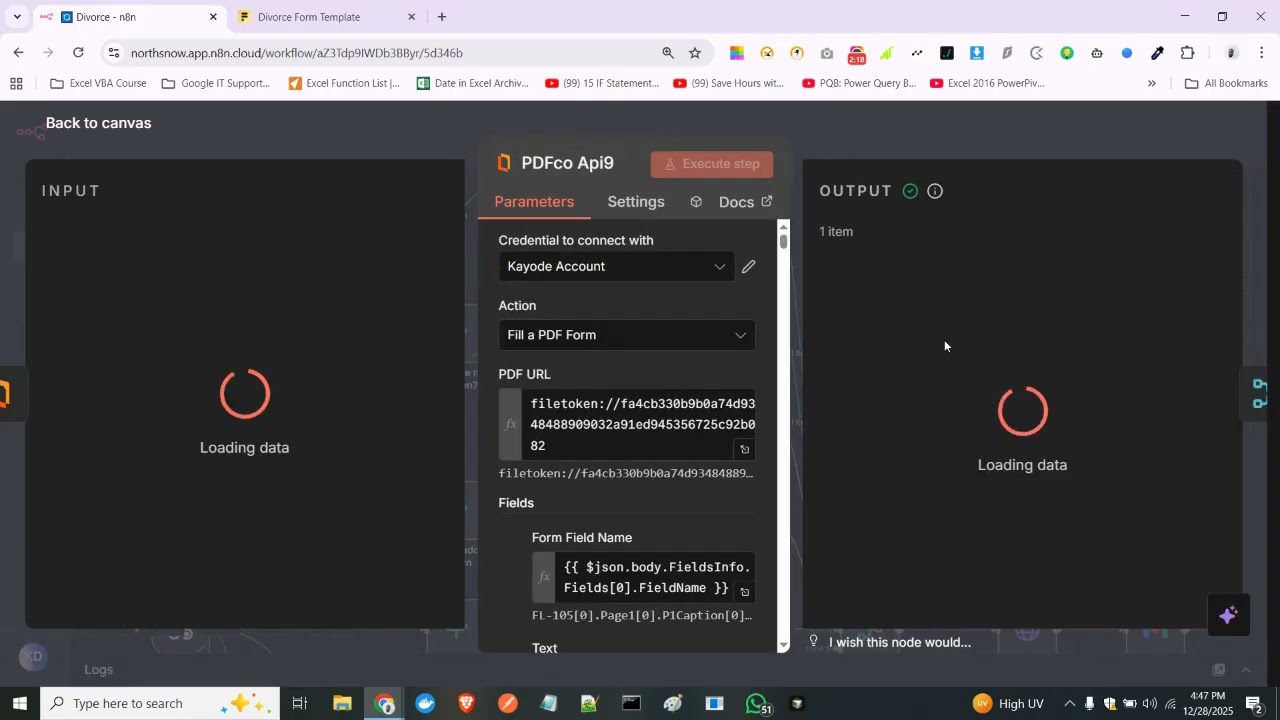
The n8n workflow shown in the video at 1:15 follows a simple but powerful sequence: client completes a digital intake form → the system validates data → conditional logic determines which secondary forms are needed → PDF filler populates each document → completed forms are emailed to relevant parties.
Key components include PDF.co for document manipulation, SMTP for email delivery, and n8n's visual workflow builder to connect everything. The magic happens in the conditional routing — where different form types are triggered based on intake responses without human intervention.
Conditional Logic for Different Form Types
Legal forms often have interdependent relationships — answering "yes" to one question might require three additional forms, while "no" skips them entirely. The workflow handles this through if/else branches that check intake responses before processing each document.
For example: if the intake form indicates minor children are involved (like Form 105 in the video), the system automatically adds child support worksheets and parenting plan forms to the output. This conditional processing ensures clients only complete relevant paperwork while maintaining court compliance.
Real-World Example: Family Law Forms
The video demonstrates a family law implementation where one master petition (Form 311) triggers up to 10 supporting documents based on case details. At 2:30, you can see how checking the "minor children" box automatically generates Forms 105, 106 and 107 without paralegal involvement.
Each generated document maintains consistent case numbers, client information, and dates across all forms — eliminating the risk of discrepancies that could delay court processing. The final output bundles all completed forms into organized PDFs emailed directly to the filing attorney.
Implementation Steps for Your Firm
Transitioning from manual to automated form processing involves four key phases:
Step 1: Document Inventory
Audit all regularly used forms to identify which fields repeat across documents and where conditional logic applies. Most firms start with their 5-10 most frequently filed forms.
Step 2: Digital Template Preparation
Convert paper forms to fillable PDF templates with named fields that match your intake form data points. This ensures accurate auto-population.
Step 3: Workflow Configuration
Build the n8n automation that connects your intake form to document generation with all necessary conditional branches and email notifications.
Step 4: Testing & Validation
Run test cases through all possible conditional paths to verify form accuracy before live deployment with client data.
Implementation timeline: Most mid-sized firms complete the transition in 2-3 weeks working with an automation partner. The video shows what the final workflow looks like in action.
Security & Compliance Considerations
Legal document automation must meet strict confidentiality standards. The workflow demonstrated uses several security best practices:
- Data encryption both in transit (TLS 1.3) and at rest (AES-256)
- No persistent storage of client information beyond the immediate processing window
- Audit logs tracking every form generation event
- Role-based access controls limiting who can modify workflows
For firms handling particularly sensitive matters, the entire automation can run on private servers rather than cloud infrastructure for added protection.
Measurable Time Savings
Law firms implementing this automation report dramatic efficiency gains:
- 90% reduction in form processing time (45 minutes → 5 minutes per case)
- 100% elimination of data entry errors causing form rejections
- 60+ billable hours recovered monthly for a 50-case workload
The time savings come from three sources: eliminating manual data re-entry, removing the cognitive load of remembering which forms apply to which cases, and preventing errors that require rework.
Watch the Full Tutorial
See the complete workflow in action starting at 0:45 in the video, where submitting a sample intake form automatically triggers processing of multiple conditional documents before emailing the final PDFs.
Key Takeaways
Automating legal form processing with n8n transforms one of law firms' most tedious tasks into a seamless background operation. The technology exists today to eliminate manual data entry errors while recovering dozens of billable hours monthly.
In summary: One digital intake form can automatically populate 10+ court documents with perfect accuracy using conditional logic, while cutting form processing time from 45 minutes to under 5 minutes per case.
Frequently Asked Questions
Common questions about legal form automation
n8n can automate any PDF-based legal forms including court petitions, motions, affidavits, and standardized government forms. The system works particularly well for forms with conditional logic where different fields appear based on answers to previous questions.
Common examples include family law petitions (like Form 105 and 311 mentioned in the video), immigration forms, and civil case filings that require multiple related documents.
- Works with fillable PDFs and scanned documents using OCR
- Ideal for forms with repeating client/case information
- Best suited for documents with clear conditional branches
The workflow uses if/else statements to check conditions from the main intake form. For example, if the 'minor children' field is marked yes, it triggers additional child-related forms.
Each condition acts as a gatekeeper - only forms meeting the criteria get processed. This mimics how paralegals manually determine which forms to complete but does it instantly and without human oversight.
- Conditions can check multiple fields simultaneously
- Supports complex AND/OR logic combinations
- New conditions can be added as form requirements change
Properly configured n8n workflows achieve 99.9% accuracy for form filling when the intake data is clean. The system doesn't make interpretation errors like humans might.
However, it's critical to validate the workflow with test cases covering all conditional branches before full deployment. Most law firms implement a quick visual review step for the first 20-30 automated forms as a quality check.
- Eliminates transposition and copy-paste errors
- Maintains perfect consistency across all documents
- Field validation prevents invalid entries
Yes, n8n connects with most legal practice platforms including Clio, MyCase, and LexisNexis. The intake form can pull client data directly from your CRM, and completed forms can be saved back to matter files.
Integration typically takes 2-3 days to set up depending on the specific systems involved and their API accessibility. The workflow shown in the video could easily pull data from your existing systems rather than a standalone form.
- Reduces duplicate data entry across systems
- Maintains matter-centric document organization
- Supports single sign-on for security
Law firms report saving 45-90 minutes per case on form processing. For a firm handling 50 family law cases monthly, this translates to 60+ billable hours recovered.
The time savings come from eliminating manual data re-entry, reducing errors that require rework, and removing the cognitive load of remembering which forms apply to which case types.
- Faster client onboarding
- Reduced paralegal overtime
- More time for substantive legal work
Implementation involves 4 key steps: 1) Digitizing your form library into fillable PDF templates, 2) Mapping the conditional logic between forms, 3) Configuring the n8n workflow with your specific triggers and actions, and 4) Testing all possible scenarios.
Most mid-sized law firms complete setup in 2-3 weeks working with an automation partner like GrowwStacks. The video shows what the final product looks like after implementation.
- Phased rollout minimizes disruption
- Parallel testing ensures accuracy
- Staff training included in implementation
n8n workflows can be configured with enterprise-grade security including encryption in transit and at rest, role-based access controls, and audit logging.
For maximum security, we recommend running the automation on your firm's private servers rather than cloud hosting. All data handling complies with ABA Model Rules 1.6 for confidentiality when properly implemented.
- SOC 2 Type II compliant options available
- HIPAA-compliant configurations for healthcare law
- Data residency controls for international firms
GrowwStacks specializes in legal workflow automation for firms handling 50+ cases monthly. Our team handles the entire implementation including PDF template preparation, conditional logic mapping, n8n workflow development, and staff training.
We offer a free workflow assessment to identify your highest-ROI automation opportunities and guarantee a minimum 40% reduction in form processing time. Book a consultation to discuss your firm's specific needs.
- Customized for your practice areas
- Seamless integration with your existing tools
- Ongoing support and optimization
Recover 60+ Billable Hours Monthly with Automated Forms
Every minute your team spends manually filling forms is a minute not spent serving clients or growing your practice. GrowwStacks builds custom legal automation workflows that process documents 90% faster with perfect accuracy.