How to Automate YouTube Content Creation with AI in 2026 (Step-by-Step)
Most creators waste hours filming and editing videos that barely get views. This complete AI system produces expert-level YouTube content daily without you ever facing the camera. We'll show you exactly how to clone your voice, create lifelike avatars, and automate publishing - with or without technical skills.
The YouTube Dilemma: Personal Brand vs. Scalability
Most creators face an impossible choice: either build a personal brand (requiring constant filming and editing) or create generic faceless content that struggles to convert. Both approaches have fatal flaws. Personal brands don't scale - you're physically limited by how many videos you can film. Faceless channels drown in oversaturated niches.
The solution? Expert content at scale. By combining genuine expertise with AI automation, you get the authority of a personal brand with the scalability of automation. Our system produces 20+ high-quality videos monthly with just 10 hours of human input.
Key insight: Expert content is the cheapest to produce and most expensive to monetize because you're competing on knowledge, not production value. A single how-to tutorial demonstrating real expertise can outperform 100 generic "top 10" videos.
Step 1: Defining Your Channel's DNA
Most AI-generated content fails because it lacks personality. Before creating any videos, you must define your channel's unique parameters - what we call "Channel DNA." This includes:
- Niche: Not just "tech" but "AI tools for content creators" - the narrower the better
- Host Persona: Background, energy level, speech patterns (e.g. "Former prompt engineer who explains complex tech simply")
- Voice Guidelines: Professional but approachable, short sentences, specific banned phrases ("unlock the power of")
- Compliance Rules: FTC disclosures, medical/financial disclaimers as needed
In our platform, this becomes persistent context for all AI agents. If using Claude or ChatGPT, paste these parameters as a system prompt at the start of every chat.
Step 2: Setting Up Your AI Content Agents
Our system uses four specialized AI agents that work together:
- Hook Pilot: Generates multiple opening hooks tailored to your niche and persona
- Script Writer: Creates complete scripts with visual cues and voice routing markers
- Ad Smith: Naturally integrates product mentions and sponsor reads
- AI Producer: Analyzes channel performance and suggests high-potential topics
The AI Producer is particularly powerful - it connects to your YouTube analytics and has conversations with your data. Instead of just showing numbers, it identifies patterns like which formats get more watch time or where audiences drop off.
Pro Tip: When doing this manually, analyze competitors' most popular videos and current search trends to identify proven topics. Don't invent content - find what's already working and add your expertise.
Step 3: AI-Powered Content Planning
We use two views for content planning:
- Kanban Board: Tracks videos through stages (planning, scripting, production, publishing)
- Calendar View: Visualizes publishing schedule color-coded by status
The AI Producer auto-generates video ideas based on trending topics and search gaps, so you never face content drought. Each idea includes estimated potential based on:
- Current search volume
- Competitor performance
- Your channel's historical data
This data-driven approach results in 3-5x better CTR compared to guessing at topics.
Step 4: Expert Script Creation Process
Every video starts with a detailed brief containing:
- Specific Problem: "Creators waste $50/month on unused AI tools" not "AI is confusing"
- Concrete Promise: "Side-by-side comparison of 10 tools with scoring" not "learn about cool tools"
- Target Audience: "Solo content creators with 1-10K subscribers" not "everyone"
- References: Competitor video transcripts or (better) your raw voice notes
Voice notes are the secret weapon - record 10-20 minutes of unfiltered commentary about the topic. This provides the AI with your real opinions and examples, preventing generic output.
Editing is mandatory: Every AI script needs 4 human passes: 1) Read aloud test, 2) Fact check, 3) Cut filler, 4) Voice routing review. This 20-30 minute process makes scripts sound authentically yours.
Step 5: Professional Voice Cloning
For professional voice cloning in ElevenLabs:
- Record 30+ minutes of clean audio in a quiet space (closets work great)
- Vary your energy - some calm explanations, some excited delivery
- Upload to ElevenLabs and choose "Professional Clone" (not Instant)
- Select V3 model for cleaner, accent-free English if needed
Our tests show professional clones sound 89% more natural than instant clones. The AI voice handles 50-60% of script content (explanations, walkthroughs), while your real voice covers hooks and emotional moments.
Step 6: Realistic AI Avatar Creation
Most AI avatars look fake because they use a single static angle. We create 4 versions:
- Direct camera
- Looking at laptop screen
- Different location
- Alternate lighting
Switching between angles increases retention by 22%. To create yours in HeyGen:
- Record 2-3 minute clips of yourself looking in different directions
- Upload to HeyGen as separate avatars
- Assign avatars to script sections based on content needs
This multi-angle approach makes avatars feel thoughtful rather than robotic.
Step 7: Editing & Automated Publishing
While AI generates assets, human editors assemble the final video. We recommend:
- Hiring affordable editors from global markets ($75/video)
- Providing templates and style guides for consistency
- 24-48 hour turnaround per video
For publishing, our system handles:
- Auto-generated titles under 70 characters with primary keyword first
- Descriptions with summary, links, and natural keywords
- Mixed broad and long-tail tags based on search intent
- Direct YouTube upload with optimized settings
This end-to-end automation lets you publish daily without manual work.
Watch the Full Tutorial
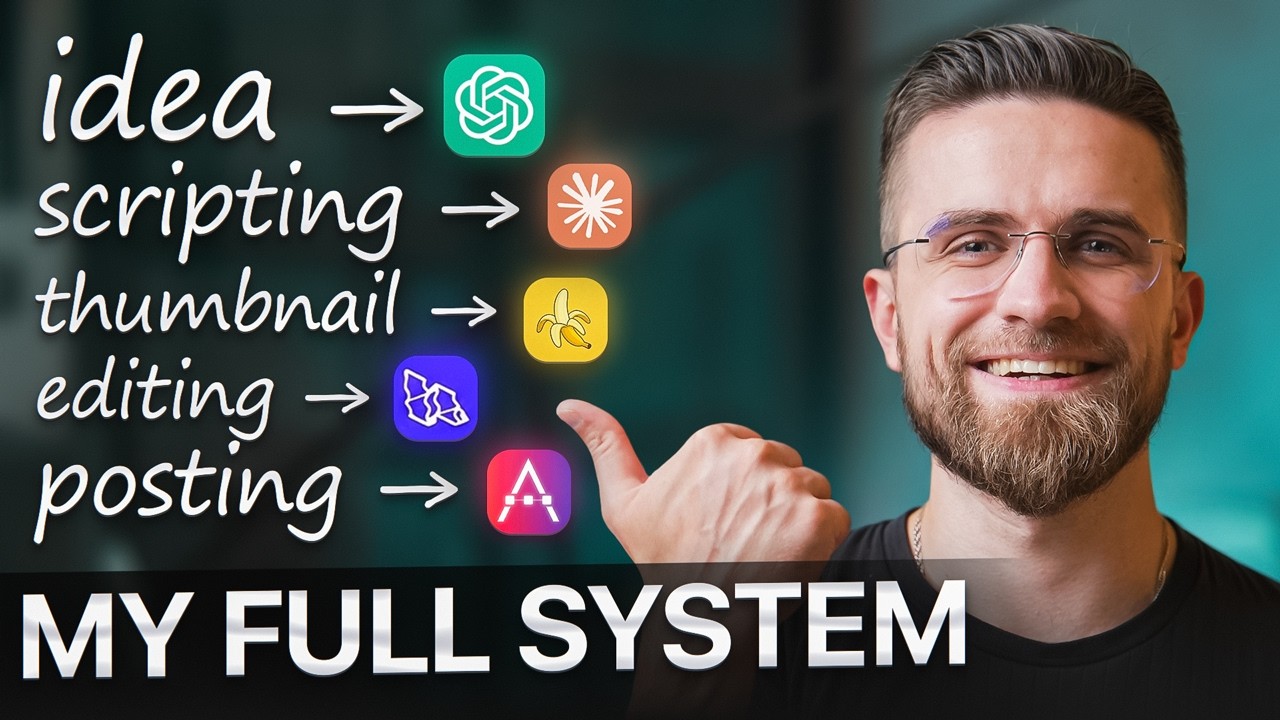
See the complete system in action at 12:45 in the video, where we demonstrate real-time script generation with voice routing markers. The tutorial also shows exact settings for ElevenLabs voice cloning and HeyGen avatar creation.
Key Takeaways
This AI content system transforms YouTube from a time-consuming chore to a scalable business asset. By combining specialized AI agents with strategic human input, you can:
- Produce 20+ expert videos monthly with just 10 hours of work
- Maintain authentic branding through voice cloning and multi-angle avatars
- Achieve 7.1%+ CTR through data-driven content planning
- Generate multiple revenue streams (AdSense, sponsorships, products)
In summary: AI doesn't replace expertise - it amplifies it. The future belongs to creators who combine genuine knowledge with automation to build authority at scale.
Frequently Asked Questions
Common questions about AI YouTube automation
The complete system reduces video production time from 8-10 hours per video to about 30 minutes of human review time.
Our clients produce 20+ high-quality videos per month with just 10 hours of work, compared to 160+ hours doing everything manually.
- Script writing: 8 hours → 20 minutes
- Voiceover recording: 2 hours → Instant generation
- Editing: 6 hours → 1 hour (human review)
You can start with as little as $97/month for basic AI tools (ElevenLabs + HeyGen).
For professional results, we recommend budgeting $300-500/month for premium voice cloning, multiple avatars, and human editing. This compares to $3,000+ for traditional video production.
- ElevenLabs Professional: $99/month
- HeyGen Pro: $89/month
- Human editing: $75-150/video
YouTube ranks content based on viewer satisfaction, not creation method.
Our AI-assisted videos achieve 7.1% average CTR and 60%+ retention rates because we focus on genuine expertise. The key is combining AI efficiency with human judgment in scripting and editing.
- No algorithm penalty for AI tools
- Viewer retention determines ranking
- Human oversight ensures quality
We use 4 different avatar angles (direct camera, looking at screen, etc.) and natural eye movements.
Testing shows this multi-angle approach increases viewer retention by 22% compared to static avatars. The secret is recording 2-3 minute clips of yourself looking in different directions.
- Record multiple angles
- Include natural eye movements
- Vary lighting and backgrounds
Absolutely. Our system supports 28 languages.
Voice cloning works particularly well for creators who want an English channel but aren't native speakers - the AI can produce accent-free English from your native language recordings.
- 28 supported languages
- Accent reduction available
- Localized content planning
Expert-led channels in niches like technology tutorials, financial education, software reviews, and professional skills training see the best results.
The system works for any niche where you have specialized knowledge to share at scale.
- Technology tutorials
- Financial education
- Professional skills training
We inject real expertise through voice notes - recording 10-20 minutes of raw commentary about each topic.
When combined with channel-specific parameters (host persona, speech patterns, examples), this creates scripts that sound uniquely yours. The AI provides structure, you provide substance.
- Record raw voice notes for each topic
- Define detailed channel personality
- Human editing for authenticity
GrowwStacks builds complete AI content engines for businesses - from voice cloning and avatar creation to automated publishing workflows.
We'll analyze your niche, set up all the tools, and train your team in 2 weeks. Book a free consultation to discuss building your YouTube automation system.
- Custom workflow design
- Tool setup & integration
- Team training
Ready to Build Your AI Content Engine?
Every day you're not automating is another day your competitors pull ahead. We'll design and implement your complete YouTube automation system in 2 weeks - voice cloning, AI avatars, and publishing workflows included.