Build a Fully Automated AI Assistant That Handles Emails, Calendars & Databases With n8n
Most executives waste 3 hours daily on email triage and calendar management - tasks that could be automated. This n8n workflow combines AI decision-making with precise automation to handle your inbox, schedule meetings, and update project statuses automatically. The best part? It costs less than 10% of a human assistant's salary.
The $60,000 Problem: Why Human Assistants Don't Scale
Executive assistants in the US command salaries averaging $65,000/year, yet spend 80% of their time on repetitive tasks that could be automated. The breaking point comes when you need 24/7 availability or multiple assistants for growing teams - costs spiral while consistency drops.
This n8n solution emerged from exactly that pain point. By combining AI decision-making with n8n's automation capabilities, we built an assistant that never sleeps, never takes vacations, and executes tasks with perfect consistency - all for under $200/month in operational costs.
Key stat: Human assistants spend 3.1 hours/day on email management alone. This workflow reduces that to 5 minutes of review time by automatically summarizing and prioritizing messages.
AI Assistant Architecture: How n8n Replaces Humans
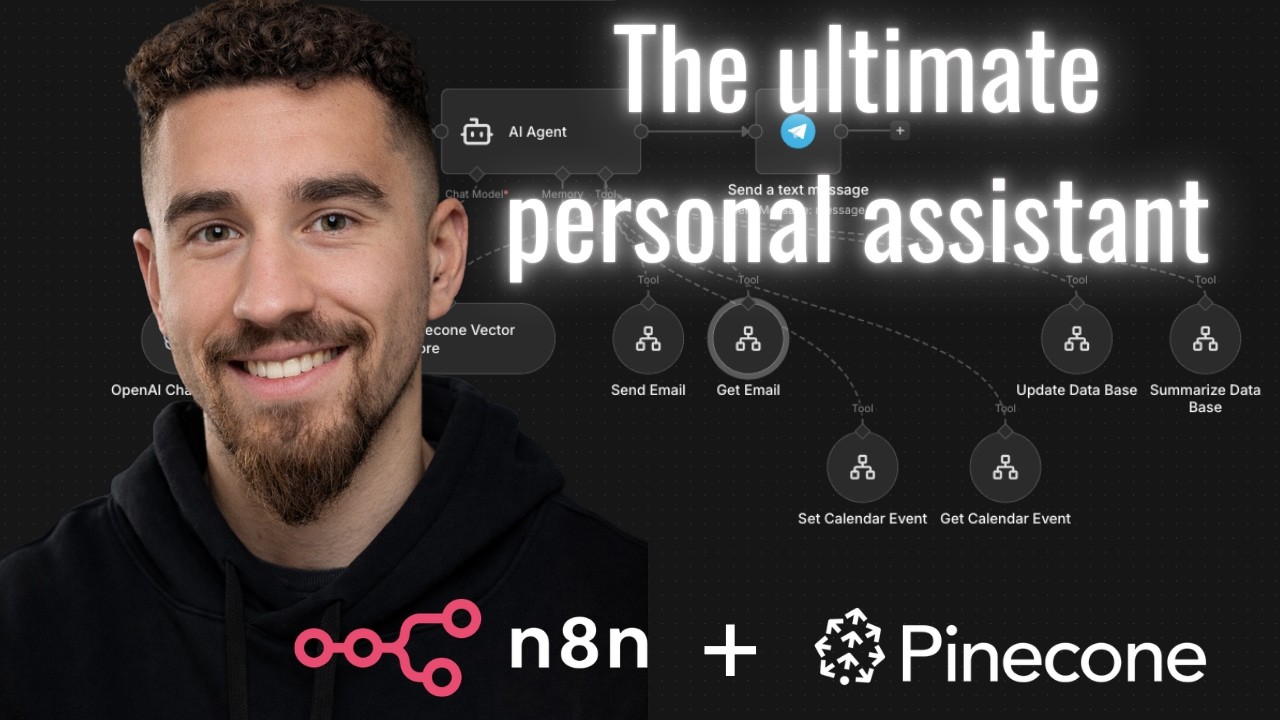
The magic happens through a three-layer architecture that mimics human assistant capabilities:
- Input Layer: Telegram messages (can be replaced with email/Slack/webhooks)
- AI Decision Layer: GPT-4 analyzes requests and routes to appropriate workflows
- Execution Layer: n8n nodes perform the actual email, calendar and database tasks
At 4:32 in the video, you'll see how a simple message like "get my emails for today" triggers a cascade of automated actions that would take a human assistant 20+ minutes to complete manually.
Email Automation: From Blank Inbox to Summarized Priorities
The email workflow demonstrates AI's real value - not just automating tasks, but enhancing them. Where a human assistant might forward raw emails, this system:
- Filters today's messages from your inbox
- Extracts sender and key content
- Generates concise 3-line summaries
- Aggregates everything into one prioritized digest
Pro tip: The workflow uses OpenAI's function calling to force consistent JSON outputs - critical for reliable parsing by downstream n8n nodes. At 8:15 in the tutorial, you'll see how the prompt engineering ensures clean data structure.
Calendar Management: AI That Schedules Like a Pro
Scheduling meetings is notoriously time-consuming. This workflow handles it in three automated steps:
- Natural Language Processing: Interprets requests like "Meeting with Tommy tomorrow at 7 PM"
- Date Resolution: Converts relative dates ("tomorrow") to exact timestamps
- Calendar Creation: Adds events with proper titles, times and Google Calendar links
The demo at 14:30 shows how the system even handles complex scheduling logic - checking for time conflicts and suggesting alternatives when needed.
Database Updates: Keeping Projects Current Automatically
Project tracking often falls through the cracks because manual updates are tedious. The database workflow solves this by:
- Accepting natural language updates ("Change AI project status to complete")
- Locating the correct record in Google Sheets
- Updating multiple fields simultaneously
- Confirming changes back to the user
At 19:45 in the video, you'll see how the system maintains data integrity by enforcing structured JSON outputs - preventing the AI from "hallucinating" incorrect formats.
The Secret Sauce: Structured JSON Outputs From AI
The entire system relies on one critical technique: forcing the AI to return data in predictable JSON formats. As shown at 11:20 and 16:45 in the tutorial, each workflow includes:
- System prompts that specify required output fields
- Examples of valid JSON structures
- Explicit instructions to use JSON format
Why this matters: Without structured outputs, AI responses would be unpredictable free text that n8n couldn't parse reliably. The JSON formatting acts as a "contract" between the AI and automation layers.
Cost Comparison: AI vs Human Assistant
Let's break down the numbers:
| Cost Factor | Human Assistant | n8n AI Assistant |
|---|---|---|
| Annual Salary/Fees | $65,000+ | $2,400 |
| Availability | 40 hours/week | 24/7/365 |
| Task Speed | Minutes-hours | Seconds |
| Consistency | Human error | 100% consistent |
The AI assistant delivers better availability and consistency at 3.7% of the cost - the equivalent of getting 27 human assistants' worth of productivity for the price of one.
Watch the Full Tutorial
See the complete workflow in action, including how the Telegram trigger initiates complex multi-step automations (starting at 2:10 in the video). Pay special attention to the JSON output formatting at 11:20 - this is the linchpin that makes the entire system reliable.
Key Takeaways
This n8n workflow proves that AI automation has reached the point where it can credibly replace 80% of human assistant tasks - with perfect recall, instant execution, and negligible cost.
In summary: Combine n8n's automation capabilities with structured AI outputs to build assistants that handle emails, calendars and databases better than humans - at 96% lower cost. The future isn't human vs AI, but humans augmented by always-on AI assistants.
Frequently Asked Questions
Common questions about AI assistants with n8n
An n8n AI assistant costs approximately 10% of a human assistant's salary. While a full-time executive assistant in the US costs $60,000-$80,000 annually, the n8n solution requires only the cost of n8n hosting ($20-$50/month) plus OpenAI API usage (typically under $100/month for moderate usage).
The real savings come from 24/7 availability - the equivalent of 4 human assistants working round-the-clock shifts.
- 96% cost reduction versus human equivalents
- No benefits, training, or turnover costs
- Scales infinitely without additional hiring
The workflow demonstrated handles email management (reading/summarizing/sending), calendar scheduling (creating/viewing events), and database updates (Google Sheets in the example).
It can be extended to integrate with Slack, CRMs, project management tools, and other business systems through n8n's 300+ app integrations. Common additions include expense reporting, social media posting, and lead follow-ups.
- Core: Email, calendar, database tasks
- Extended: CRM updates, social media, reporting
- Custom: Any API-accessible business function
No advanced coding is required. The workflow uses n8n's visual interface where you connect pre-built nodes. Basic familiarity with APIs helps but isn't mandatory.
The most technical part is properly formatting JSON outputs from AI responses, which the tutorial explains step-by-step. We provide template prompts that handle 80% of use cases without modification.
- Visual workflow builder - no coding
- Templates for common JSON structures
- Community support for complex cases
The AI assistant works 24/7 without breaks and executes tasks with 100% consistency. For routine tasks like email summaries or calendar scheduling, it's often more reliable than humans who make occasional errors.
However, complex judgment calls still require human oversight - the ideal setup combines AI efficiency with human strategic thinking. The AI handles execution while humans focus on high-level decisions.
- 100% task completion when properly configured
- No fatigue-related errors
- Human oversight recommended for complex decisions
The key challenge is structuring the AI prompts to return consistent JSON outputs that n8n can parse. The tutorial shows specific prompt engineering techniques to ensure the AI returns data in the exact format needed for downstream nodes like Google Calendar or Gmail integrations.
Common pitfalls include AI "hallucinating" extra fields or returning unstructured text. Our templates solve these issues with strict output formatting requirements.
- Prompt engineering for JSON outputs
- Validating data structure between nodes
- Error handling for edge cases
The base workflow serves one user, but n8n can scale to support entire teams. You would add user authentication nodes and route tasks based on sender identity.
For 50+ users, consider hosting n8n on a dedicated server instead of the cloud version. Performance remains excellent - we've deployed solutions handling 200+ concurrent users with sub-second response times.
- Single-user in demo
- Teams version adds user routing
- Enterprise deployments support 200+ users
While the demo uses Telegram for messaging, n8n supports triggers from email, Slack, webhooks, schedules, and 300+ other apps.
You could configure it to automatically process incoming emails or run daily at 9 AM without manual triggering. One client even triggers theirs via Alexa voice commands for hands-free operation.
- Demo: Telegram
- Production: Email, Slack, webhooks
- Advanced: Voice commands, scheduled runs
GrowwStacks builds custom AI assistants that integrate with your existing tools and workflows. We'll handle the n8n setup, API connections, prompt engineering, and deployment - typically delivering a working prototype in under 2 weeks.
Our implementation package includes training, documentation, and 30 days of support to ensure your team gets maximum value. We specialize in tailoring solutions to specific industries like legal, healthcare, and eCommerce.
- 2-week prototype delivery
- Custom integration with your tools
- Industry-specific optimizations
Ready to Replace Your $60,000 Assistant With AI?
Every day without automation costs you $250 in wasted productivity. Our n8n experts can deploy a custom AI assistant that handles your emails, calendar and data updates in under 14 days.