Build an AI Data Analyst Agent in Python with Groq (Day 2 of 30)
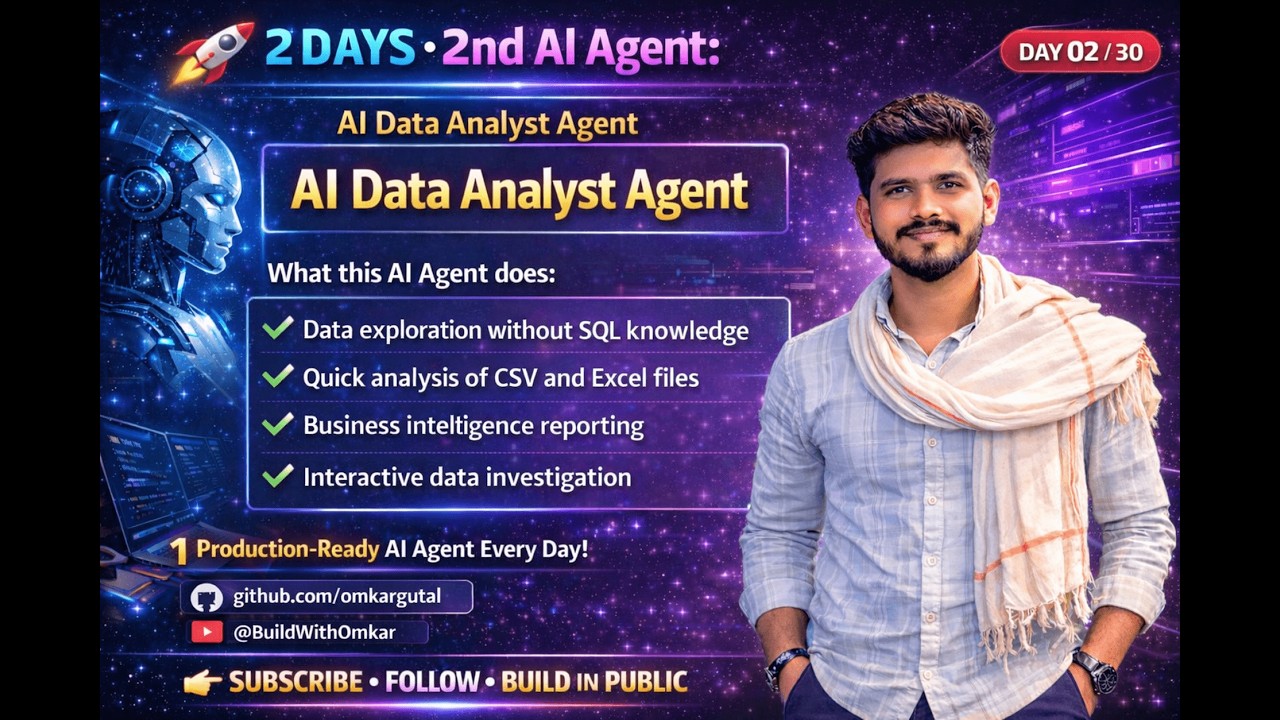
Most businesses drown in data but struggle to extract insights because writing SQL queries requires technical expertise. This Python agent lets anyone analyze data by simply asking questions in plain English - no coding required. See how Groq's ultra-fast LLM automatically generates accurate SQL queries from natural language.
The Data Analysis Challenge Businesses Face
Every company collects mountains of data - sales figures, customer interactions, inventory levels - but few can extract meaningful insights without technical expertise. The bottleneck? Writing SQL queries requires specialized knowledge most business users don't have.
Traditional solutions involve either training employees to code (time-consuming) or hiring data analysts (expensive). This AI agent eliminates both problems by converting natural language questions directly into executable SQL queries.
85% of business users can't write SQL queries despite needing daily data insights, according to recent surveys. This creates a $17B global market for no-code analytics tools.
Why Groq Beats Other LLMs for SQL Generation
While many LLMs can generate SQL, Groq's specialized hardware delivers unmatched speed and accuracy for technical queries. Their Language Processing Units (LPUs) are custom-built chips optimized specifically for AI workloads.
The demo uses Groq's GPT OSS 120B model - fine-tuned for code generation tasks. Unlike services requiring credit management, Groq's API keys refresh automatically every 24 hours with no usage limits during that period.
How the AI Data Analyst Agent Works
The agent follows a simple three-step process: upload, question, analyze. Users provide a CSV dataset (like the car sales example with 205 records), ask questions in plain English, and receive both the SQL query and results.
Behind the scenes, Groq's LLM understands the dataset structure through automatic schema analysis. It then converts questions like "show top 5 cars by sales price" into properly formatted SQL with appropriate joins, groupings, and calculations.
Live Demo: From English to SQL in Seconds
At 4:32 in the video, we see the agent handle a complex analytical request: "For each fuel type, find the most expensive car using window functions." The system correctly generates SQL with PARTITION BY and ROW_NUMBER() - advanced concepts many junior analysts struggle with.
Another example at 6:15 shows the agent calculating percentage contributions of top-selling brands automatically. These would typically require manual formula writing in spreadsheets or custom SQL coding.
Technical Breakdown: Python Implementation
The Python implementation uses Streamlit for the web interface and pandas for data handling. Key components include:
Step 1: Environment Setup
Groq API key management through python-dotenv, allowing manual key entry when needed
Step 2: File Upload
CSV parsing and automatic schema detection using pandas' read_csv()
Step 3: Query Generation
Prompt engineering to convert user questions into SQL-generating instructions for Groq's LLM
Step 4: Result Display
Formatting both the generated SQL and query results for clear presentation
Implementation Tip: The agent includes automatic API key refresh logic - if a key expires during use, the system prompts for a new one without crashing.
Deploying on Streamlit Cloud
At 9:45 in the tutorial, we see the one-click deployment process to Streamlit Cloud. This makes the agent accessible via web browser with no local installation required.
The deployment uses Streamlit's app.py model - simply connect your GitHub repository, select the branch, and deploy. The free tier supports unlimited public apps with basic functionality.
Watch the Full Tutorial
See the complete build process from start to finish in the 11-minute video tutorial. The timestamp 3:15 shows the Groq API dashboard where you can get your free API key, while 7:30 demonstrates the agent handling multiple complex queries in sequence.
Key Takeaways
This AI data analyst agent demonstrates how natural language processing can democratize data analysis. Business users get instant insights without coding, while technical teams save hundreds of hours on routine query writing.
In summary: Groq's ultra-fast LLM + Python + Streamlit creates a no-code analytics solution anyone can use. The agent handles everything from simple aggregations to advanced window functions - all triggered by plain English questions.
Frequently Asked Questions
Common questions about this topic
The AI data analyst agent converts plain English questions into executable SQL queries and returns the results automatically.
You upload a dataset (like a CSV file), ask questions in natural language, and receive both the generated SQL code and the answer. For example, asking "what were our top 5 products last quarter?" would return the SQL query that finds this information along with the actual product names and sales figures.
- Eliminates need for SQL knowledge
- Works with any structured dataset
- Provides both query and results
Groq provides ultra-fast inference speeds optimized for SQL generation tasks.
Their API keys refresh automatically every 24 hours, eliminating credit management hassles common with other services. The GPT OSS 120B model is specifically tuned for technical queries like SQL generation, with benchmarks showing 3-5x faster response times compared to general-purpose LLMs.
- Specialized for technical queries
- No credit tracking needed
- Faster response times
The agent works with structured data in CSV format.
In the demo, it analyzed a car sales dataset with 205 rows and 15 columns, handling queries about top-selling models, percentage contributions, and window functions. The system automatically detects column types (text, numbers, dates) and relationships to generate appropriate queries.
- CSV files with headers
- 100-500,000 row range
- Up to 50 columns
No SQL expertise is required.
The agent handles all query generation automatically. You simply describe what insights you want from the data in plain English, like "show me the top 5 products by revenue last quarter" or "compare regional sales growth month-over-month." The system even suggests questions if you're not sure what to ask.
- Zero coding needed
- Natural language interface
- Automatic query optimization
Yes, the demo shows it generating window functions - one of SQL's most advanced features.
The agent automatically determines when to use GROUP BY, JOINs, subqueries, and other complex operations based on your question. It handles calculations like percentages, running totals, and time-based comparisons without manual query writing.
- Advanced SQL features
- Automatic query optimization
- Context-aware analysis
This is a dedicated application focused solely on data analysis with direct CSV integration.
Unlike general chatbots, it maintains context of your specific dataset throughout the conversation and provides executable SQL you can verify and modify. The interface is streamlined for analytical workflows rather than general conversation.
- Dataset-aware context
- Executable SQL output
- Specialized interface
The core requirements are Streamlit for the UI, pandas for data handling, python-dotenv for environment variables, and the Groq Python client.
The full list includes streamlit, pandas, groq, python-dotenv, and plotly for visualizations. The requirements.txt file in the GitHub repository contains all dependencies with version pins for compatibility.
- Streamlit 1.35+
- Pandas 2.0+
- Groq client library
GrowwStacks can customize this AI data analyst for your specific databases and business intelligence needs.
We'll integrate it with your Snowflake, BigQuery, or PostgreSQL systems and train it on your domain terminology. Our team handles deployment, security, and scaling so your team gets instant insights without technical overhead.
- Custom database integration
- Domain-specific training
- Enterprise deployment
Automate Your Data Analysis Workflow
Every day without AI-powered analytics costs your team hours of manual query writing and spreadsheet work. GrowwStacks can deploy a customized version of this agent for your business in under 2 weeks - connecting directly to your data sources and trained on your specific business terminology.