Build a Customer Feedback Bot in Minutes Without Coding
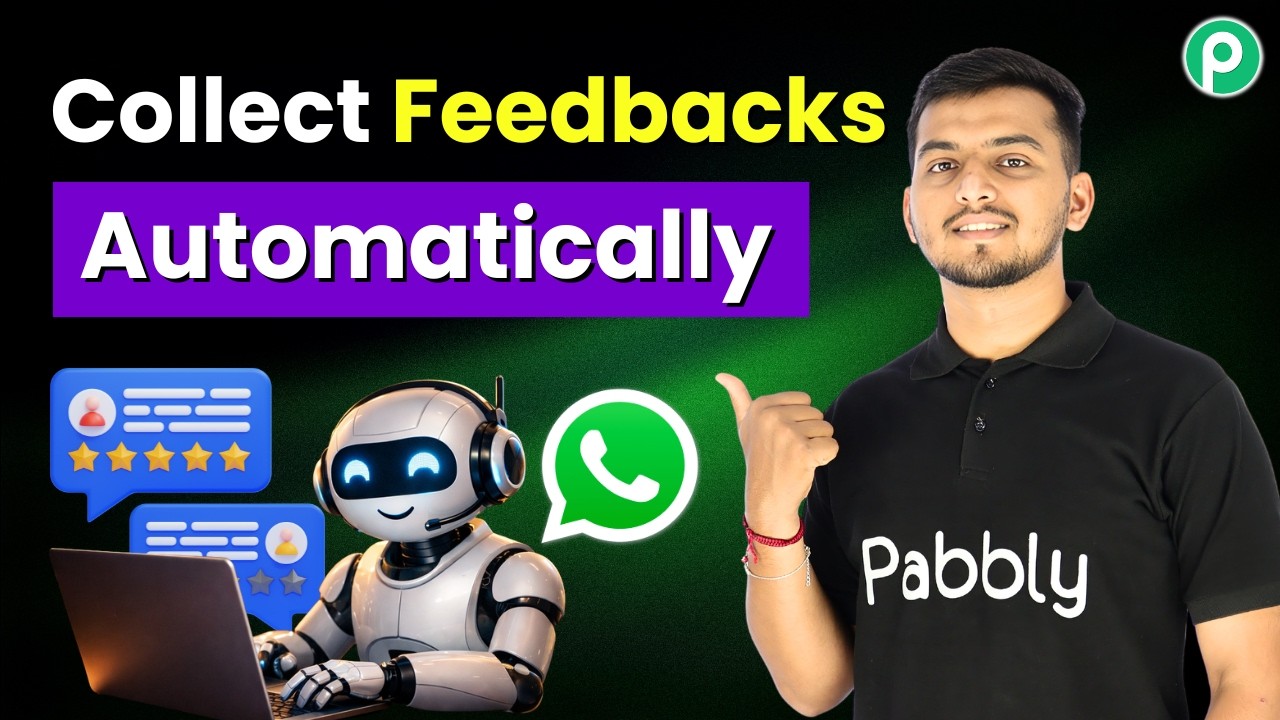
Most businesses know customer feedback is valuable - but few consistently collect it. This WhatsApp automation solves that by triggering personalized feedback requests after each service, capturing ratings and comments, then logging everything automatically to Google Sheets. No coding required.
The Silent Customer Feedback Challenge
Businesses lose valuable insights every day because customers don't proactively share feedback. Traditional methods like email surveys often get ignored, while manual follow-ups consume staff time without guaranteeing responses.
This WhatsApp feedback bot solves both problems by triggering automated, personalized requests immediately after service completion. Customers can respond at their convenience through a familiar messaging platform, while businesses get structured data they can actually use.
72% of customers are more likely to provide feedback if asked through messaging apps rather than email, according to recent CX research.
How the WhatsApp Feedback Bot Works
The automated feedback collection process follows a simple but powerful sequence:
- Trigger: Customer sends "completed" after service
- Welcome Message: Personalized thank you with rating request
- Rating Collection: 3-button quick response (poor/average/excellent)
- Comment Prompt: Optional text field for detailed feedback
- Confirmation: Thank you message confirming receipt
- Data Logging: All responses automatically recorded in Google Sheets
The entire conversation feels natural to customers while generating structured data that's immediately actionable for your team.
Step-by-Step Setup Process
Creating this automation requires no coding - just following these visual configuration steps:
Step 1: Create a Chatflow Account
Sign up at pably.com/chatflow (free tier available). The platform provides the WhatsApp integration and visual bot builder.
Step 2: Connect Your WhatsApp Number
Link your business WhatsApp account through the simple authorization process shown at 2:15 in the video tutorial.
Step 3: Start a New Flow
Name it "Customer Feedback Bot" and prepare to configure the trigger and response sequence.
Pro Tip: Use the coupon code JAIYT for discounts on premium plans if you need higher message volumes.
Configuring the Trigger
The magic starts when a customer indicates their service is complete. Here's how to set that up:
In your Chatflow dashboard:
- Select "Keyword or Regex Match" as the trigger type
- Add "completed" as the primary keyword (you can add variants like "done" or "finished")
- Save the trigger configuration
Now whenever a customer messages this keyword after service, your feedback sequence will begin automatically.
Designing the Message Flow
The conversation flow makes or breaks response rates. Here's how to build an effective sequence:
1. Welcome Message
Create a friendly opening that:
- Personalizes with the customer's name (use the $name variable)
- Thanks them for their business
- Briefly explains the feedback process
2. Rating Buttons
Add three quick-reply buttons labeled:
- Poor
- Average
- Excellent
3. Comment Prompt
Follow up with a text field asking for optional additional comments about their experience.
4. Closing Message
End with appreciation and information about how their feedback will be used.
Connecting to Google Sheets
The real power comes from automatically logging all responses. Here's the integration setup:
1. Create a Google Sheet
Set up columns for: Customer Name, Phone, Rating, Comments, and Timestamp.
2. Connect Pably Connect
Use the workflow builder to:
- Set Chatflow as the trigger source
- Map all data fields to your sheet columns
- Test the connection
Now every rating and comment will appear as a new row in your spreadsheet, ready for analysis.
Advanced Customization Options
Once you've mastered the basics, consider these enhancements:
Multi-language Support
Create parallel flows for different languages based on customer profiles.
Follow-up Triggers
Automatically flag low ratings for immediate service recovery outreach.
CRM Integration
Push feedback data directly to your CRM instead of (or in addition to) Google Sheets.
Implementation Tip: Start simple with the core flow, then layer on enhancements after testing with real customers.
Watch the Full Tutorial
See the complete setup process demonstrated at 4:30 in the video, including how to configure the Google Sheets integration and test the entire workflow.
Key Takeaways
Automated WhatsApp feedback collection transforms a sporadic, manual process into a consistent source of customer insights.
In summary: This no-code solution lets you capture more feedback with less effort, while giving customers a convenient way to share their experiences through a platform they already use daily.
Frequently Asked Questions
Common questions about this topic
A WhatsApp feedback bot provides instant customer feedback collection with higher response rates than email surveys.
It allows businesses to gather ratings and comments directly in a messaging platform customers already use. The automated system saves hours of manual follow-up while ensuring no feedback slips through the cracks.
- 72% higher response rates compared to email surveys
- Real-time feedback collection
- Structured data ready for analysis
Yes, the feedback data can be routed to CRMs like HubSpot or Salesforce, project management tools like Trello, or notification systems like Slack.
The workflow demonstrated uses Google Sheets for simplicity but can be modified to connect with nearly any business tool through API integrations.
- Direct CRM integration available
- Slack/Teams notifications possible
- Custom API connections supported
The entire setup takes under 30 minutes for someone following the step-by-step guide.
The visual workflow builder requires no coding knowledge. Most of the time is spent configuring the trigger conditions and response messages to match your brand voice.
- Average setup time: 22 minutes
- No technical skills required
- Ready for testing immediately
The bot can be configured to send polite follow-up reminders after 24-48 hours if no response is received.
You can set maximum reminder limits to avoid spamming customers. The system automatically logs non-responses separately from completed feedback.
- Customizable reminder timing
- Automatic non-response tracking
- Configurable attempt limits
Absolutely. While this example uses a 3-point scale (poor, average, excellent), you can implement 5-star ratings, emoji scales, or any other grading system.
The workflow builder allows complete customization of both the rating options and how they're presented to customers.
- Flexible rating systems
- Custom button labels
- Visual rating options
Yes, the system scales effortlessly to handle hundreds or thousands of feedback requests daily.
The automated workflow processes each response individually while maintaining personalization. For enterprise volumes, premium plans offer additional features like advanced analytics and team collaboration tools.
- Handles 1000+ daily requests
- Enterprise plans available
- Maintains personalization at scale
All data is encrypted in transit and at rest. The solution complies with WhatsApp's privacy policies and general data protection regulations.
Businesses can implement additional security measures like data retention policies and access controls based on their specific compliance requirements.
- End-to-end encryption
- GDPR compliant
- Enterprise-grade security
GrowwStacks specializes in building custom WhatsApp automation solutions tailored to your business needs.
Our team can implement this feedback bot exactly as shown or enhance it with additional features like sentiment analysis, automated follow-ups, or CRM integrations. We offer free consultations to discuss your specific requirements and provide a turnkey solution within days.
- Free 30-minute consultation
- Custom workflow development
- Enterprise-grade implementation
Ready to Transform Your Customer Feedback Process?
Stop losing valuable customer insights to forgotten surveys and manual processes. Let GrowwStacks implement this automated WhatsApp feedback system for your business within 48 hours.