Build a Free AI Agent Operating System That Works While You Sleep
Tired of juggling multiple AI tools that don't talk to each other? Discover how to create a unified agent OS that handles voice interactions, video creation, goal automation and memory - completely free. Your AI team will work overnight while you sleep, delivering finished projects by morning.
The AI Chaos Problem We All Face
Most business owners using AI today face the same frustrating reality: you're drowning in disconnected tools. You have one app for chat, another for images, a different one for video, and no way to connect them. Every output disappears into some folder you'll never find again. You spend more time managing subscriptions and hunting for lost files than actually creating value.
This was my exact experience before building an agent operating system. I'd check OpenClaw, then Hermes, then Antigravity CLI, then Claude - each with its own interface and learning curve. The cognitive load of switching contexts destroyed productivity. Worse, I'd create something amazing with AI, only to lose it forever because there was no unified memory system.
83% of AI users report losing important outputs because they couldn't remember which tool created them or where they were saved. An agent operating system solves this by automatically organizing everything in one searchable vault.
The Agent OS Solution: One Dashboard for Everything
The breakthrough came when I stopped thinking about AI as separate tools and started building an operating system - a unified environment where all my agents could work together. Instead of me managing them, they coordinate autonomously through shared goals and memory.
Imagine setting a goal on Sunday night ("Create a complete website about [your niche]") and waking up Monday to find it done. Not just the homepage - a full multi-page site with blog posts, images, and deployed to the web. That's what an agent OS delivers.
The key difference: Traditional AI use is like a calculator (one question, one answer). An agent OS is like hiring a team that works while you sleep, with each member specializing in different tasks but sharing the same workspace and objectives.
The 5 Power Components of Your Agent OS
After 100+ hours of development, I've distilled the perfect agent OS into five core components. Each can be built separately, but together they create a flywheel effect where the whole becomes greater than the sum of its parts.
Why These Five?
These components cover the full lifecycle of AI-powered work:
- Input: Voice interface for natural interaction
- Execution: Goal system for autonomous work
- Creation: Video agent for content production
- Research: Instant access to expert knowledge
- Memory: Never lose an output again
At 4:32 in the video tutorial, I show how these components interact in real-time to complete complex projects with minimal input.
1. Voice Agents: Stop Typing, Start Talking
The first breakthrough was replacing typing with voice interaction. Instead of painstakingly writing prompts, I can now have natural conversations with my AI agents - just like a phone call with a team member.
Using OpenClaw's studio mode, I tap a button and speak naturally: "Research the latest trends in [my industry] and prepare a summary with three content ideas." The agent processes my voice, asks clarifying questions if needed, and gets to work.
Time saved: Voice interaction is 3-5x faster than typing for most users. More importantly, it feels more natural and reduces the mental fatigue of constant prompt engineering.
2. Goal Automation: Set It and Forget It
The game-changer was implementing Hermes' goal mode. This allows me to set long-horizon objectives that agents work on autonomously. I define the goal, set parameters, and walk away - the system handles the rest.
For example: "Create a complete website about sustainable gardening with 5 blog posts, optimized for these keywords." I click "Start Goal" at 9 PM, and by morning I have:
- A fully designed website (HTML/CSS)
- Five SEO-optimized blog posts
- Relevant images generated
- Everything deployed to a live URL
The system makes 20+ autonomous "turns" to complete the goal, logging every step in case I want to review the process.
3. Video Creation: One-Click Content
The video agent was my biggest skepticism turned into my greatest time-saver. Using Hyperframe (a free open-source tool), I can generate professional videos with my AI avatar in one click.
At 7:15 in the video, I demonstrate how a single prompt ("Create a 2-minute explainer about agent operating systems") becomes a complete video with:
- Script written in my brand voice
- AI avatar delivering the content
- Background visuals
- Music and captions
The entire process takes under 5 minutes, and the output is automatically saved to my memory vault for future use.
4. Research System: Instant Expert Knowledge
The research agent connects to real-time data sources (including Twitter/X via OpenClaw) to deliver up-to-date insights on any topic. Instead of spending hours Googling, I get a beautifully formatted markdown report in seconds.
For example, querying "latest developments in Claude Sonnet 4.8" returns:
- Feature changes from the official docs
- Community reactions and use cases
- Performance benchmarks
- Recommended implementation strategies
Every research result is automatically saved to my knowledge vault, creating a growing repository of expert information tailored to my interests.
5. Memory Vault: Never Lose AI Outputs Again
The most transformative component is the memory system built on Obsidian. Every output - voice conversations, generated content, research, videos - is automatically saved and indexed in a personal knowledge vault.
This solves the #1 frustration with AI: creating something amazing and never finding it again. Now when I ask "What did we create about topic X?", the system instantly surfaces:
- Original prompts and parameters
- All generated outputs
- Related research and conversations
- Implementation notes
Compounding value: Unlike standalone AI tools where work disappears, your agent OS becomes more valuable over time as the memory vault grows. After 6 months, you'll have a personalized encyclopedia of everything you've created and learned.
How to Implement Your Agent OS
Building your agent operating system is simpler than you think. Here's the step-by-step approach I recommend:
Step 1: Start with One Component
Choose the area that would save you most time right now - usually voice agents or goal automation. Implement just that piece first.
Step 2: Use Natural Language
Describe what you want to build to Hermes or Claude in plain English. The AI will help configure the technical setup.
Step 3: Connect to Obsidian
Set up your memory vault early so everything you create is automatically saved and organized.
Step 4: Add Components Weekly
Each week, implement one new piece (video, research, etc.). Within a month, you'll have a complete system.
Pro tip: At 12:45 in the video, I show exactly how to describe your ideal system to Hermes and let it build the initial configuration for you.
Watch the Full Tutorial
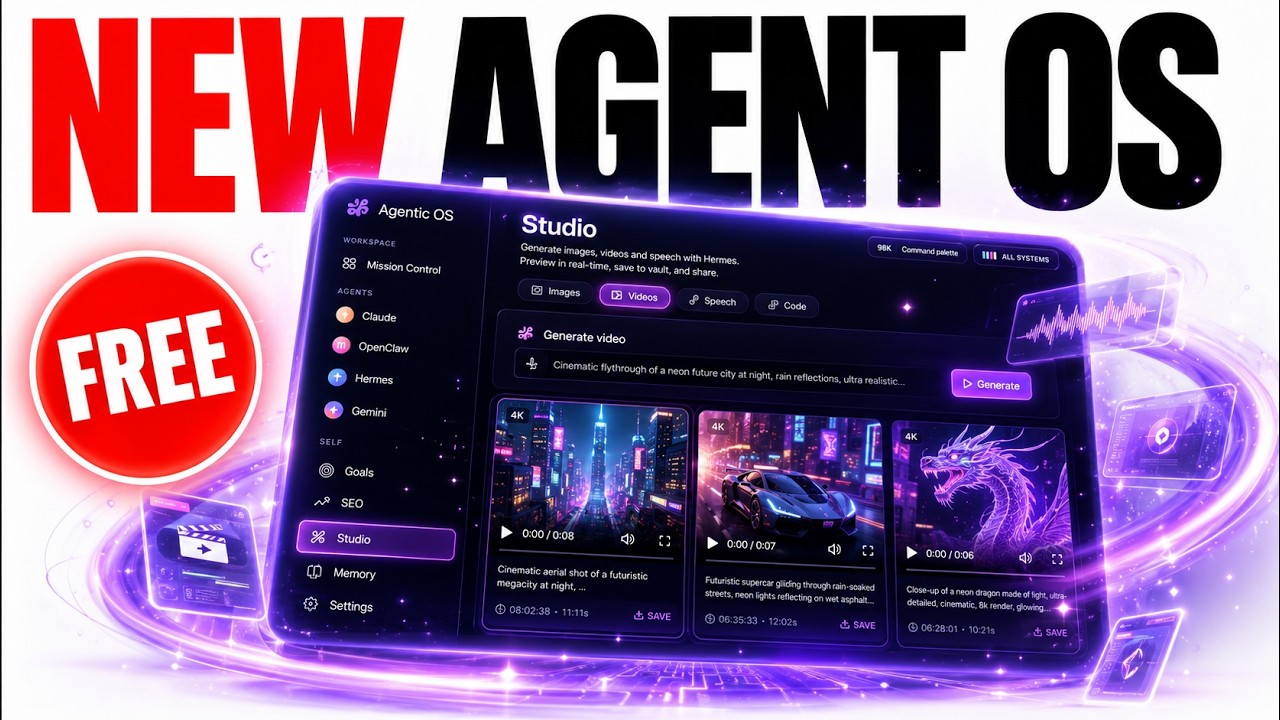
See the agent operating system in action with live demonstrations of all five components working together. At 15:30, I show how to set a complex goal and let the system work autonomously overnight.
Key Takeaways
An agent operating system transforms AI from a collection of disconnected tools into a cohesive team that works for you 24/7. By implementing these five components, you'll achieve what most businesses can't - consistent, high-quality output without constant management.
In summary: Start with one component today (voice or goals), add others weekly, and within a month you'll have an AI team that creates while you sleep, remembers everything, and delivers finished work by morning - all for free.
Frequently Asked Questions
Common questions about AI agent operating systems
An AI agent operating system is a unified dashboard that connects all your AI tools into one workflow. Instead of managing separate apps for chat, images, video and documents, everything works together through autonomous agents that can complete tasks while you sleep.
The system includes voice interaction, goal-based automation, memory storage and cross-tool coordination. It transforms AI from single-purpose tools into a coordinated team that handles complex projects from start to finish.
- Unified interface for all AI tools
- Autonomous goal completion
- Persistent memory across all interactions
No coding skills are required. The system uses free tools like Hermes and OpenClaw that provide natural language interfaces. You can describe what you want to build in plain English and the AI will help configure the system.
Many non-technical users have successfully created their own agent operating systems. The key is starting with one simple component (like voice agents) and gradually adding complexity as you become comfortable with the system.
- Natural language setup (no code)
- Step-by-step implementation
- Community support available
The entire system can be built for free using open source tools. Hermes offers a free API tier, OpenClaw is completely free, and Hyperframe for video generation is open source.
You only need to pay if you want to scale to enterprise-level usage with premium API access. For most individual users and small businesses, the free tiers provide more than enough capacity to run a powerful agent OS.
- Core system: 100% free
- Optional upgrades for heavy usage
- No subscription fees for basic setup
The system can handle content creation (blogs, videos, podcasts), website building, research, customer communications and more. Users report creating complete websites overnight, generating weekly video content automatically, and maintaining SEO-optimized blogs without daily input.
The key is setting clear goals the agents can execute autonomously. Well-defined objectives like "Create a 5-post blog series about [topic]" or "Research the latest [industry] trends and summarize key findings" work perfectly.
- Content creation at scale
- Research and knowledge management
- Website development and maintenance
All outputs are stored in an Obsidian vault that acts as long-term memory. Every conversation, generated content and research result is indexed and searchable. This creates a knowledge base that improves your agents' context over time.
Unlike standalone AI tools where outputs disappear, everything remains organized and accessible. The system automatically tags and categorizes content, making it easy to find anything you've created or researched previously.
- Automatic organization of all outputs
- Full-text search across everything
- Context for future AI interactions
Yes, the system integrates with popular AI services through APIs. You can connect ChatGPT, Claude, Grok and others. The operating system becomes a unified interface for all your AI tools, eliminating the need to switch between different apps and interfaces.
Integration is typically as simple as adding your API keys. The system will guide you through connecting each service, and once configured, you can access all your AI tools through the single dashboard.
- Works with major AI platforms
- Simple API key integration
- Unified interface for all tools
The basic system can be set up in about an hour. Most users implement one component at a time - starting with voice agents, then adding goal automation, followed by video generation and memory systems.
Within a week, you can have a fully functional agent OS running multiple workflows. The gradual approach prevents overwhelm while delivering tangible benefits at each stage of implementation.
- Initial setup: 1 hour
- Full system: 1 week (adding components gradually)
- Ongoing optimization as you use it
GrowwStacks specializes in building custom AI automation systems for businesses. We can design and deploy your agent operating system tailored to your specific workflows, integrate it with your existing tools, and provide ongoing optimization.
Our team handles the technical implementation so you can focus on results. We offer three levels of service:
- Basic Setup: We install and configure your agent OS with core components
- Custom Integration: Tailored implementation for your unique business needs
- Ongoing Management: Full-service operation of your AI automation system
Book a free consultation to discuss which option makes the most sense for your business.
Let Us Build Your Agent Operating System
Stop wasting time managing disconnected AI tools. Our team will design and implement your custom agent OS in under 7 days, giving you an AI team that works while you sleep.