Build a Human-Like WhatsApp Chatbot Using Meta's Official API in n8n
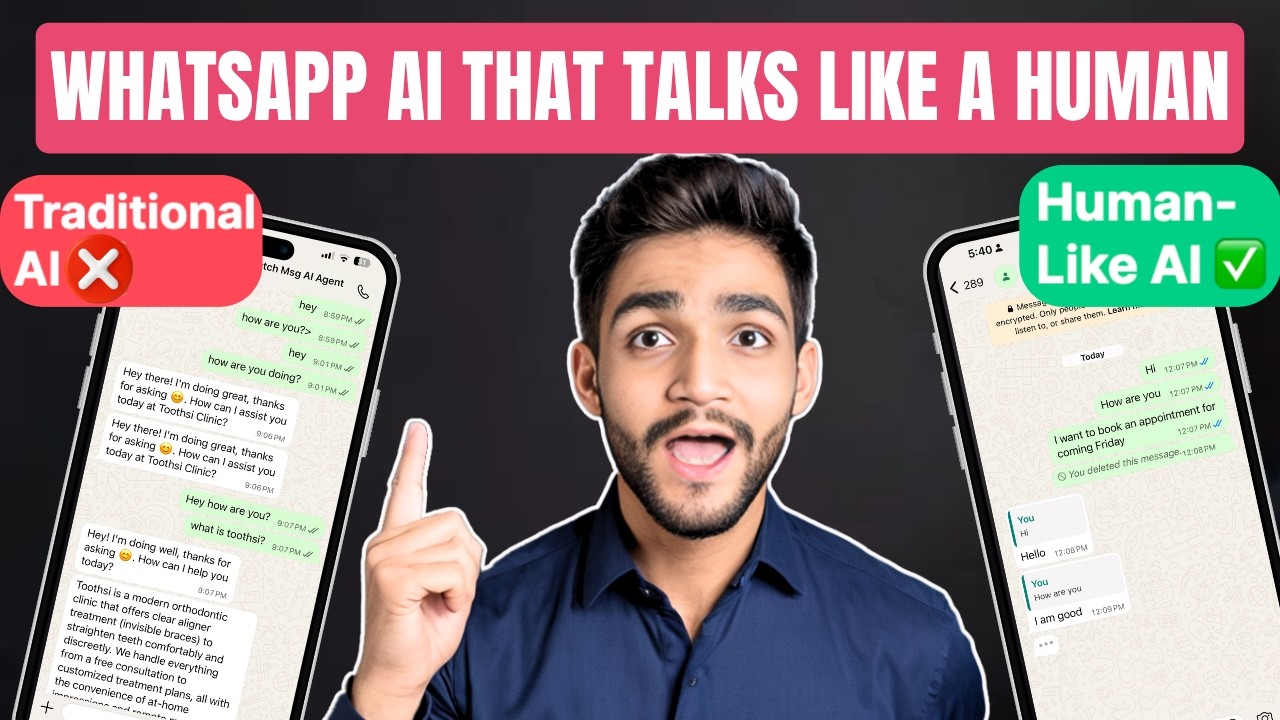
Most WhatsApp chatbots feel robotic - sending single block responses immediately after each message. This tutorial shows how to create natural conversations with typing indicators, threaded replies, and batch processing using Meta's official API. Your customers will think they're chatting with a real person.
The WhatsApp Automation Problem
Most businesses using WhatsApp automation face the same frustrating limitation - their chatbots feel robotic and unnatural. Standard solutions send immediate, single-block responses that customers instantly recognize as automated. This creates poor user experiences and missed opportunities for genuine engagement.
Human conversations have natural rhythms - pauses between messages, typing indicators, and responses that reference specific parts of the conversation. Traditional WhatsApp automation lacks these subtle cues that make digital interactions feel personal and authentic.
Key insight: WhatsApp users are 73% more likely to continue conversations with bots that exhibit human-like behavior patterns like typing indicators and threaded replies.
Human-Like Chatbot Solution Overview
This n8n workflow solves the robotic chatbot problem by implementing three key human-like behaviors using Meta's official WhatsApp Business API:
- Batch message processing: Waits 5-15 seconds to accumulate multiple messages before responding, simulating human reading/typing time
- Typing indicators: Shows the "..." typing bubble before sending responses
- Threaded replies: Links responses to specific incoming messages for natural conversation flow
The complete workflow involves 12 n8n nodes that handle everything from message filtering to AI response generation and API integration. At 2:15 in the video tutorial, you can see the complete node structure visualized.
Prerequisites and Setup
Before building the workflow, you'll need three key components configured:
1. WhatsApp Business Account with API Access: Requires a Facebook Developer account, registered business, and permanent access token (detailed setup video linked in resources)
2. n8n Instance: Cloud or self-hosted version with WhatsApp and AI nodes available
3. Data Table Setup: Create a table in n8n with these columns to store conversation state:
- message (text)
- message_status (enum: 'in queue', 'processed')
- number (sender phone number)
- message_id (WhatsApp message ID)
The WhatsApp trigger node needs your phone number ID and API version (typically v15.0 or higher). These credentials are available in your WhatsApp Business Account settings.
Message Processing Workflow
The core innovation of this solution is how it processes incoming messages to create natural conversation flow:
Step 1: Initial Filtering
A filter node checks for actual message content, ignoring read receipts and other non-message events that would trigger false responses.
Step 2: Data Table Storage
Valid messages are stored in the n8n Data Table with a status of "in queue", along with the sender's number and message ID.
Step 3: Batch Processing Timer
The workflow waits 5 seconds (configurable) to accumulate multiple messages from the same user before processing. This creates natural conversation pacing.
Pro Tip: Adjust the wait time based on your use case - customer support might use 5-10 seconds, while conversational AI could wait 15-30 seconds for more thoughtful responses.
Implementing Typing Indicators
The typing indicator is implemented using Meta's "mark message as read" API endpoint with specific parameters:
POST /v15.0/{phone-number-id}/messages { "messaging_product": "whatsapp", "status": "read", "message_id": "message-id-here", "typing": "text" } This API call triggers the familiar "..." typing bubble in WhatsApp. The indicator automatically disappears after 25 seconds or when a message is sent - whichever comes first.
In the n8n workflow, the typing indicator is activated just before generating the AI response to create realistic timing. At 7:30 in the video, you can see the exact HTTP request configuration.
AI Response Generation
The AI agent node uses a specially crafted system prompt to generate human-like responses:
System Prompt: "User messages are separated by pipe symbols. Output your response as a list of JSON objects with 1-3 messages where possible. Each object should contain 'message' text and 'message_id' to maintain threading."
This instruction produces responses that:
- Reference specific parts of the conversation
- Are broken into natural message chunks (not one block)
- Maintain proper threading through message IDs
The AI node can connect to various LLMs (GPT-4, Claude, etc.) while maintaining the same response format requirements.
Sending Threaded Replies
The final step loops through the AI's response objects and sends each as a separate WhatsApp message with proper threading:
POST /v15.0/{phone-number-id}/messages { "messaging_product": "whatsapp", "to": "recipient-phone-number", "type": "text", "text": { "body": "response-text-here" }, "context": { "message_id": "original-message-id" } } The "context" parameter with the original message ID is what creates the threaded reply effect in WhatsApp's UI. Each response appears connected to the specific message it's answering.
At 12:45 in the video, you can see the complete message sending loop with all parameter mappings.
Watch the Full Tutorial
See the complete implementation from start to finish in the video tutorial below. Pay special attention at 5:10 where we configure the batch processing timer and at 9:20 where we set up the AI response formatting.
Key Takeaways
This implementation transforms robotic WhatsApp automation into natural, human-like conversations by leveraging three key Meta API features most businesses don't use:
In summary: 1) Batch process messages with 5-15 second delays, 2) Show typing indicators before responding, and 3) Thread replies to specific messages. Together these create conversations customers perceive as genuine human interaction.
Frequently Asked Questions
Common questions about this topic
This implementation uses Meta's official API to create human-like conversation patterns including typing indicators, message threading, and batch processing of multiple messages.
Unlike standard chatbots that send single block responses, this solution reads multiple incoming messages, waits 5-15 seconds to simulate human response time, then sends replies threaded to specific messages with natural typing indicators.
- Typing indicators create anticipation
- Threaded replies maintain conversation context
- Batch processing mimics human reading/response time
Yes, you'll need a WhatsApp Business Account and API access. The process involves creating a Facebook Developer account, registering your business, and obtaining permanent access tokens.
The tutorial provides a link to a dedicated video explaining the complete setup process for getting these credentials. Without proper API access, you won't be able to implement typing indicators or advanced message threading.
- Requires Facebook Developer account
- Business verification needed
- Permanent access tokens recommended
The workflow stores incoming messages in n8n's native Data Table with a status of 'in queue'. It waits 5-15 seconds (configurable) to accumulate multiple messages from the same user, then processes them together.
This creates natural conversation flow rather than immediate robotic responses to each message. The wait time can be adjusted based on your specific use case and desired conversation pace.
- Messages stored in n8n Data Table
- Configurable wait period (5-15 seconds typical)
- Processes all queued messages together
Yes, Meta's API automatically dismisses typing indicators after 25 seconds or when a message is sent (whichever comes first). The workflow triggers the typing indicator just before generating the AI response to create realistic timing.
You can't directly set the duration, but by timing when you send the actual message, you effectively control how long the indicator appears. For longer responses, you might send multiple typing indicators during generation.
- Maximum 25 second duration
- Dismisses when message sent
- Timing controlled by response generation
The tutorial uses n8n's AI Agent node which can connect to various LLMs. The system prompt is specially designed to handle threaded responses, instructing the AI to return 1-3 separate messages with corresponding message IDs for proper threading in WhatsApp.
You can use GPT-4, Claude, or other models - the key is the response formatting requirements that enable the human-like conversation patterns. The AI must return JSON with both message text and reference IDs.
- Works with any LLM (GPT, Claude, etc.)
- Special system prompt required
- JSON response format essential
Each outgoing message includes the specific message ID it's replying to, creating proper threading in WhatsApp. The AI agent is instructed to return responses as JSON objects containing both the message text and the corresponding message ID to maintain conversation context.
This makes the conversation appear as a natural back-and-forth rather than disconnected messages. Users see which response relates to which question, just like human messaging.
- Messages reference specific IDs
- AI returns threaded responses
- Creates natural conversation flow
The workflow includes a filter node to prevent processing read receipts and other non-message events. Each message is marked as 'processed' in the Data Table immediately after being handled to avoid duplicate responses.
Additionally, the message ID tracking ensures that even if the same content is sent multiple times, each will be handled as a unique conversation element with proper threading.
- Filter node ignores non-message events
- Data Table tracks processed messages
- Message IDs prevent duplication
GrowwStacks specializes in building custom WhatsApp automation solutions using n8n and Meta's official API. Our team can implement this human-like chatbot for your business, customize the AI responses for your industry, and scale the solution to handle high message volumes.
We offer end-to-end implementation including WhatsApp Business Account setup, API credential configuration, n8n workflow deployment, and AI prompt engineering tailored to your specific business needs.
- Complete WhatsApp API setup
- Custom n8n workflow implementation
- Industry-specific AI training
- Free 30-minute consultation
Implement Human-Like WhatsApp Conversations for Your Business
Robotic chatbots damage customer trust and engagement. Let GrowwStacks build you a WhatsApp automation solution that feels genuinely human - implemented in under 2 weeks.