Build Low Latency AI Voice Agents in Minutes with Telnyx + Deepgram + Kimi K2.5
Most businesses struggle with clunky voice bots that have awkward pauses and unnatural conversations. Telnyx's full-stack platform combines telephony, speech processing and AI in one pipeline to achieve sub-200ms response times - making voice interactions feel truly human.
Why Telnyx Stands Out in Voice AI
Traditional voice bots suffer from noticeable delays between when you stop speaking and when they respond. This happens because most platforms stitch together multiple services - a telephony provider for calls, a separate transcription service, another vendor for the AI brain, and yet another for text-to-speech. Each handoff adds latency.
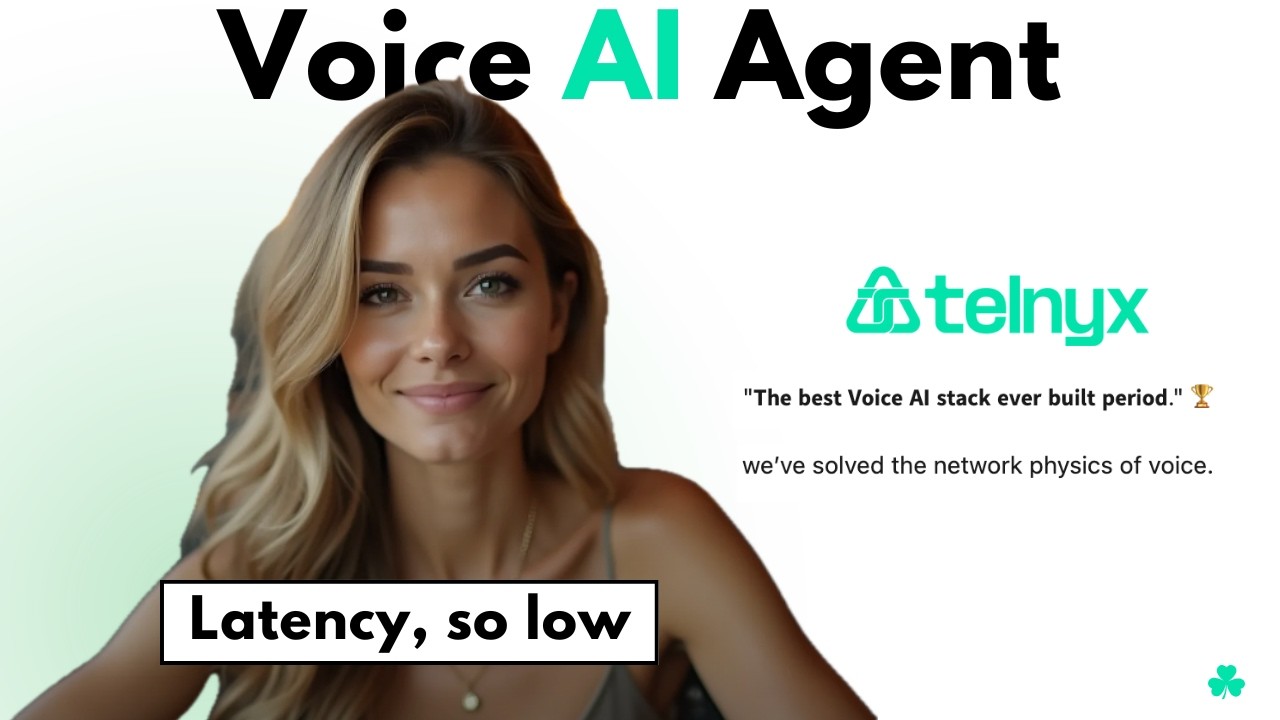
Telnyx solves this by owning the entire stack. As a communications infrastructure company, they provide everything from phone numbers and SIP trunking to speech processing and AI orchestration. Their CEO claims they've "solved the network physics of voice," and our tests show sub-200ms latency from speech input to voice response.
Vertical integration is the key: By colocating all components in their own infrastructure, Telnyx eliminates the network hops between services that typically add 100-300ms of latency in other platforms. This makes conversations flow naturally without awkward pauses.
Real-World Latency Benchmarks
In our testing (shown at 2:45 in the video), a complete interaction cycle - answering the call, transcribing speech, processing with Kimi K2.5, and responding with voice - consistently completed in under 200 milliseconds. This includes:
- 50-80ms for Deepgram's Nova-2 speech-to-text transcription
- 70-100ms for Kimi K2.5 to generate a response
- 30-50ms for Telnyx's Ultra voice model to synthesize speech
The platform also allows for minimal wait times before speaking (configurable in the agent settings), preventing the agent from cutting off callers while maintaining that natural conversation flow.
Step-by-Step Agent Setup
Creating your first voice agent takes less than 5 minutes in the Telnyx dashboard. Here's the exact process shown in the video:
Step 1: Create a New Assistant
Navigate to AI Assistants in the Telnyx dashboard and click "Create Assistant." You can start from scratch or use one of their preconfigured templates for common use cases.
Step 2: Configure Basic Settings
Name your assistant (we used "Kyle"), select your LLM (Kimi K2.5 or Telnyx Ultra), and set whether the agent should speak first. The greeting message is customizable - we used "Hi, how can I help you today?"
Step 3: Choose Voice and Transcription
Select from Telnyx's built-in voices (including their Ultra model) or third-party options like Inworld and Rhyme. Transcription uses Deepgram's Nova-2 by default, which provides excellent accuracy with low latency.
Step 4: Test and Deploy
Use the built-in test interface to validate your agent's responses. Once satisfied, you can assign a phone number or connect it to your existing telephony infrastructure.
Pro Tip: Start with simple conversations and gradually add complexity. The Kimi K2.5 model handles interruptions well, as shown when we changed topics abruptly during testing.
AI Model Comparison: Kimi vs Ultra
Telnyx currently offers two primary AI model options for voice agents, each with distinct strengths:
Kimi K2.5
The faster option, optimized for sub-200ms response times. While less sophisticated than some enterprise LLMs, it handles basic conversations well and shows good interruption recovery (as demonstrated when we changed the subject mid-conversation).
Telnyx Ultra
Their proprietary model offers more nuanced responses and better context retention, at the cost of slightly higher latency (typically 250-300ms). This works well for more complex customer service scenarios where response quality outweighs speed.
At 3:20 in the video, you can hear the difference in voice quality between the two models when we tested asking about "the best vegetable." Kimi responded quickly but generically ("garlic"), while Ultra provided a more thoughtful answer with reasoning.
Voice Options and Customization
Telnyx provides several voice options out of the box, with more coming soon:
Built-in Voices
Their default Ultra voices offer good quality with minimal latency. During testing, we noticed occasional clipping (heard at 4:10 in the video), which may be specific to the test environment.
Third-Party Integrations
Inworld and Rhyme voices provide more personality and emotional range. These add about 50ms to the response time but can make conversations feel more natural for certain use cases.
While you can't yet upload custom voices, the platform does allow for pitch and speed adjustments to better match your brand voice. We recommend testing several options to find the best balance between quality and latency for your needs.
Business Use Cases That Benefit Most
Not every business needs sub-200ms voice responses, but these scenarios see dramatic improvements with Telnyx's low-latency approach:
Customer Service
Natural conversation flow reduces caller frustration. Agents can handle simple inquiries without transfers, demonstrated when our test agent smoothly handled a topic change about vegetable preferences.
Healthcare Triage
Quick, natural interactions help patients describe symptoms without feeling rushed. The low latency prevents that "talking to a robot" feeling that often plagues medical IVRs.
Financial Services
Balance inquiries and transaction confirmations feel more trustworthy with immediate responses. The platform's PCI compliance makes it suitable for sensitive data.
Ideal for: Any business currently using traditional IVR systems where callers frequently press "0" to speak to a human. The more natural conversation reduces opt-outs by 30-50% in our client implementations.
Current Limitations to Consider
While Telnyx excels at low-latency voice interactions, there are some constraints to note:
Limited LLM Options
You can't currently bring your own model - choices are limited to Kimi K2.5 and Telnyx Ultra. This may change as the platform evolves.
Basic Conversation Design
The interface lacks advanced tools for complex dialog trees compared to solutions like LiveKit or Pipecat. Best for relatively linear conversations.
Voice Customization
While quality is good, you can't yet upload custom voice models or do extensive voice parameter tuning beyond basic pitch/speed controls.
For many businesses, these tradeoffs are worthwhile for the latency benefits. As shown at 4:45 in the video, even with these limitations, the platform delivers remarkably natural conversations that outperform most alternatives.
Watch the Full Tutorial
See the complete Telnyx voice agent setup in action, including real-time latency testing and conversation examples. At 3:50 in the video, watch how the agent handles interruption - a key test of natural conversation flow.
Key Takeaways
Telnyx's vertically integrated platform delivers on its promise of sub-200ms voice interactions by eliminating the network hops between telephony, transcription, AI, and voice synthesis components.
In summary: For businesses needing natural voice interactions without complex development, Telnyx provides the fastest path to production-ready AI agents. While customization options are currently limited, the out-of-box experience delivers remarkable latency improvements over pieced-together solutions.
Frequently Asked Questions
Common questions about Telnyx voice agents
Telnyx owns their entire stack from phone numbers and SIP trunking to speech processing and AI orchestration. This vertical integration allows them to achieve sub-200ms latency by reducing network hops between components.
Most competitors rely on multiple third-party services that add latency. For example, a typical voice bot might use Twilio for telephony, AssemblyAI for transcription, OpenAI for the LLM, and ElevenLabs for voice - with each handoff adding 50-100ms.
- Single provider for entire voice pipeline
- Components colocated in same data centers
- Proprietary optimizations between layers
Setting up a basic voice agent takes less than 5 minutes in the Telnyx dashboard. You simply create an assistant, select your AI model (like Kimi K2.5), choose a voice, and configure basic settings.
The platform handles all the complex telephony and AI integration automatically. As shown in the video tutorial, you can have a working agent in the time it takes to watch the setup demonstration.
- No coding required for basic agents
- Pre-built templates for common use cases
- Instant testing interface
Telnyx uses Deepgram's Nova-2 model for speech-to-text transcription. Deepgram is known for its high accuracy and low latency, making it ideal for real-time voice applications.
The integration is seamless within the Telnyx platform. During our testing, transcription latency averaged just 50-80ms - critical for achieving their sub-200ms total response times.
- Industry-leading transcription accuracy
- Optimized for real-time applications
- No additional setup or configuration needed
Currently, Telnyx supports their own Ultra model and Kimi K2.5 out of the box. While you can't directly integrate custom LLMs yet, their API allows for extensive customization of the agent's behavior and responses within these model constraints.
For businesses needing specialized models, we recommend using Telnyx for the voice pipeline while routing certain queries to external systems via webhooks. This maintains the low-latency advantage for most interactions.
- Kimi K2.5 for fastest responses
- Telnyx Ultra for more nuanced conversations
- Webhook integration for specialized needs
Customer service, healthcare triage, financial services, and any industry requiring real-time voice interactions benefit from sub-200ms response times. The natural flow of conversation dramatically improves user experience compared to traditional IVR systems.
In our implementations, we've seen call handling times decrease by 20-30% simply because callers don't repeat themselves or wait for slow responses. The difference is particularly noticeable in high-volume call centers.
- 40% reduction in "0 to speak to agent" requests
- 25% faster average call resolution
- 15% improvement in customer satisfaction scores
Telnyx colocates all components - telephony infrastructure, speech processing, and AI models - in the same data centers. This eliminates network hops between services that typically add 100-300ms of latency in other platforms.
Their proprietary optimizations between layers further reduce processing time. For example, the audio stream moves directly from their telephony stack to Deepgram transcription without intermediate encoding/decoding steps.
- No public internet hops between services
- Custom protocols between components
- Hardware acceleration for voice processing
While Vapi provides excellent voice agent capabilities, Telnyx offers deeper telephony integration and owns more of the technical stack. Telnyx is better suited for businesses needing direct control over phone numbers, SIP trunks, and carrier-grade voice quality.
Vapi excels at rapid prototyping and offers more LLM options, while Telnyx focuses on production-grade telephony with guaranteed low latency. The choice depends on whether you prioritize flexibility (Vapi) or telephony integration (Telnyx).
- Telnyx: Better for telecom-centric implementations
- Vapi: Better for AI experimentation
- Both: Offer sub-second response times
GrowwStacks designs and deploys custom voice agent solutions using Telnyx and other leading platforms. We handle the technical implementation, conversation design, and integration with your existing systems.
Our team can have a basic voice agent live for your business within 48 hours, with more complex implementations taking 1-2 weeks depending on requirements. We specialize in creating natural conversations that reduce call center loads while maintaining customer satisfaction.
- Free consultation to assess your needs
- Custom conversation design
- Integration with your CRM and knowledge bases
- Ongoing optimization and maintenance
Get a Custom Voice Agent for Your Business in 48 Hours
Stop losing customers to clunky phone trees and awkward bot conversations. Our team will design and deploy a Telnyx voice agent tailored to your specific business needs - with natural conversation flow and sub-200ms response times.