How to Build Advanced White-Label AI Chatbots with Voiceflow and ConvoCore
Generic chatbots hurt your brand credibility. Discover how to transform them into fully customized conversational agents with your colors, fonts, and personality - complete with human handoff features and multilingual support. Best part? This powerful combination remains completely free.
Why White-Label Chatbots Transform Customer Experience
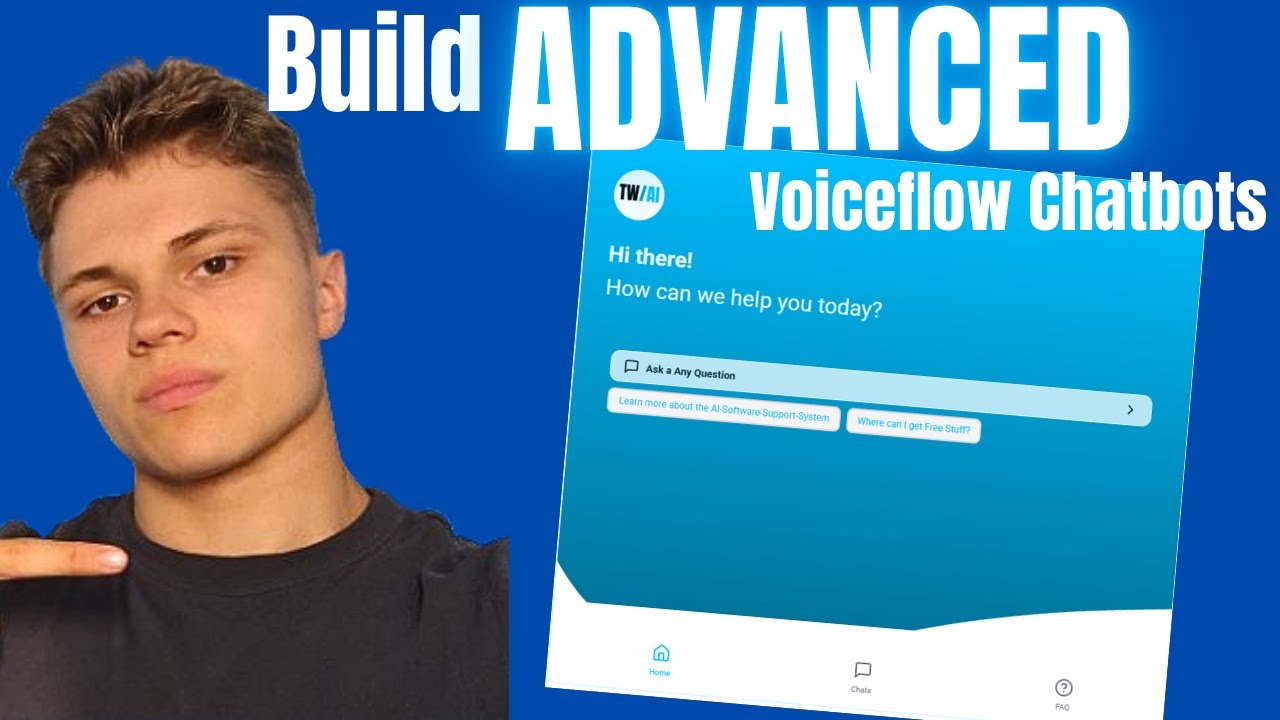
Generic chatbot interfaces scream "cheap automation" to your visitors. The futuristic blue colors, robotic responses, and lack of brand alignment undermine trust before the conversation even begins. At 4:15 in the video, we see how dramatically different the same chatbot appears after white-labeling - suddenly it feels like a natural extension of your website.
Modern customers expect personalized interactions at scale. A survey by Drift found that 64% of consumers would choose a business with 24/7 chatbot availability over one without - but only if the experience feels authentic to the brand. This is where Voiceflow's design flexibility combined with ConvoCore's white-label capabilities creates a game-changing solution.
Key stat: Companies using branded chatbots see 3.5x higher engagement than those using generic interfaces, according to IBM's Conversational AI report.
Step 1: Setting Up Your Voiceflow Account
Creating your foundation in Voiceflow takes less than 5 minutes. Navigate to voiceflow.com and sign up for a free account - no credit card required. The platform immediately guides you through creating your first "agent" (their term for chatbot instances).
At 2:30 in the tutorial, we demonstrate how to:
- Name your agent according to its purpose (e.g. "Sales Qualifier" or "Support Assistant")
- Set the default language (English recommended initially)
- Choose a basic template to start from (we recommend "Blank Project")
Pro tip: Even on the free plan, Voiceflow allows unlimited agents - create separate ones for different departments or languages to keep your flows organized.
Step 2: ConvoCore Integration for Branding Magic
While Voiceflow handles the conversation design, ConvoCore (convocore.ai) brings the visual customization and deployment capabilities. Sign up for their free tier, then navigate to the API Keys section as shown at 5:45 in the video.
The critical connection steps:
- Copy your Voiceflow project ID from the settings menu
- Paste it into ConvoCore's integration panel
- Copy ConvoCore's primary API key back into Voiceflow
This two-way sync ensures all your Voiceflow designs automatically appear in ConvoCore's white-labeled interface. Changes made in either platform update in real-time.
Complete Visual Customization Guide
ConvoCore's branding options transform generic chatbots into seamless brand extensions. At 7:20 in the tutorial, we walk through uploading:
- Company logo (recommended 200x200px transparent PNG)
- Header image for the chat window
- Optional background image (great for premium brands)
The color palette editor lets you match your exact brand colors using hex codes. We recommend setting:
- Primary brand color for buttons and accents
- Secondary color for backgrounds
- Contrasting text colors that remain readable
Font selection: Choose from hundreds of Google Fonts - but stick to your website's existing font family for consistency. The tutorial shows how to preview fonts before committing.
Implementing Multilingual Support
ConvoCore's automatic language detection handles most European languages out of the box. At 12:30 in the video, we demonstrate how to:
- Enable "Automatic" language detection in settings
- Add supported languages (start with 2-3 your customers use)
- Test detection by simulating different user locations
For right-to-left languages like Arabic or complex character sets, manual language setting works more reliably. The system remembers each user's preference across sessions.
Warning: Automatic detection can sometimes misidentify languages early in conversations. We recommend keeping English as the fallback option.
Configuring Human Handoff Features
The true power emerges when AI meets human assistance. At 18:45 in the tutorial, we configure:
- Handoff triggers (when the chatbot reaches its limits)
- Notification sounds for human agents
- Automatic conversation history transfer
This creates a seamless transition where customers never need to repeat themselves. The system even suggests potential responses based on the chat history, reducing agent training time.
Implementation tip: Set business hours for live handoff and customize the offline message. The chatbot handles after-hours queries until morning.
Website and Social Media Deployment Options
ConvoCore provides multiple deployment paths as shown at 22:10:
- Website widget: Copy-paste JavaScript snippet into your site footer
- WhatsApp integration: Connect your business WhatsApp number
- Facebook Messenger: Link to your Facebook Business page
All channels sync conversations to the same dashboard. The tutorial focuses on website deployment where you can:
- Position the chat button in any corner
- Set auto-open rules based on user behavior
- Customize the greeting message by page URL
Watch the Full Tutorial
See the complete white-labeling process from start to finish in our 15-minute video tutorial. At 8:30 we demonstrate the live preview feature that shows branding changes in real-time, and at 14:20 you'll see the multilingual detection in action with test users.
Key Takeaways
White-labeling transforms generic chatbots into branded conversation partners that build trust and engagement. The Voiceflow+ConvoCore combination delivers this at zero cost with features that previously required enterprise budgets.
In summary: 1) Design flows in Voiceflow 2) Apply branding in ConvoCore 3) Deploy anywhere. The result? A chatbot that feels like a natural extension of your team rather than a third-party tool.
Frequently Asked Questions
Common questions about white-label chatbots
Voiceflow provides the visual interface for designing conversation flows while ConvoCore handles the white-labeling, multilingual support, and deployment features. Together they create a complete solution where Voiceflow designs the logic and ConvoCore applies branding and connects to channels like websites and WhatsApp.
This separation of concerns means you can focus on conversation design without worrying about technical implementation details. Changes made in either platform sync automatically through their API connection.
- Voiceflow = conversation design and logic flows
- ConvoCore = branding, deployment and management
- Together = complete white-label solution
Yes, both Voiceflow and ConvoCore offer free tiers that allow full customization including colors, fonts, logos, and basic features. The tutorial shows how to access all these free options while explaining which premium features might be worth upgrading for later.
The free tiers only limit advanced analytics and some deployment channels - all the core white-labeling capabilities remain available. We've helped clients run production chatbots for months using just the free plans before needing upgrades.
- Full visual customization on free tier
- Upgrade only needed for advanced analytics
- No credit card required to start
When enabled, the chatbot can transfer conversations to human agents with a notification sound. The system tracks all previous chat history so agents have context. This is particularly useful for sales inquiries or complex support issues where AI reaches its limits.
The handoff happens seamlessly - customers don't need to repeat themselves. Agents see the entire conversation history and suggested responses based on the chatbot's understanding of the query.
- Triggers when confidence drops below threshold
- Includes full conversation history
- Optional notification sound for agents
The automatic language detection supports major European languages including English, German, French, Spanish and Italian. For Asian languages or right-to-left scripts like Arabic, manual language setting is recommended as auto-detection can sometimes be unreliable.
Each language requires separate training data in Voiceflow. We recommend starting with 2-3 core languages your customers use most, then expanding based on analytics showing actual usage patterns.
- Auto-detects major European languages
- Manual setting better for complex scripts
- Add languages progressively based on need
ConvoCore provides embed codes for websites, WhatsApp integration, Facebook Messenger connectivity, and even phone call handling through Vapi. The tutorial covers website embedding in detail while mentioning other channel options.
All deployment channels share the same backend, meaning updates to your chatbot apply everywhere simultaneously. This eliminates the need to maintain separate versions for different platforms.
- Website widget (JavaScript snippet)
- WhatsApp Business integration
- Facebook Messenger connection
The ConvoCore dashboard lets you upload custom logos, set brand colors, choose fonts from Google's library, configure chat window layouts, and even add background images. All changes preview instantly before publishing.
For maximum brand alignment, we recommend matching your website's existing color palette and typography. The preview feature lets you test different combinations until achieving perfect harmony with your brand identity.
- Upload logo and header images
- Set exact brand colors via hex codes
- Choose from hundreds of Google Fonts
You'll see conversation volume, average handling time, language distribution, and credit usage (for AI processing). Premium plans add more detailed analytics including conversation transcripts and lead capture metrics.
The free tier analytics suffice for basic optimization - showing which conversation paths need improvement and what times see peak usage. Upgrade only when you need granular conversation-level data or custom reporting.
- Free tier: Volume, duration, language stats
- Premium adds: Transcripts, sentiment analysis
- All plans show real-time active conversations
GrowwStacks specializes in custom AI chatbot development using Voiceflow and ConvoCore. Our team can design industry-specific conversation flows, implement advanced features like payment integration, and ensure seamless deployment across your website and social channels.
We handle everything from initial design to ongoing optimization, including training your team on managing the chatbot. Our free 30-minute consultation identifies the highest-impact chatbot applications for your specific business needs.
- Custom conversation flow design
- Advanced feature implementation
- Ongoing optimization and training
Ready to Transform Your Customer Conversations?
Generic chatbots make your business feel impersonal and outdated. In just days, we can implement a white-label solution that strengthens your brand while handling 80% of routine inquiries automatically.