How to Build a Smarter Zendesk AI Chatbot Using n8n and InfraNodus
Most Zendesk chatbots struggle with contextual understanding, leaving customers frustrated with generic responses. This n8n workflow combines Zendesk's knowledge base with InfraNodus' graph RAG technology to create AI support that actually understands relationships between concepts - outperforming even Zendesk's own chatbot solution.
Why Most Zendesk Chatbots Fail at Complex Questions
Traditional Zendesk chatbots rely on keyword matching and basic intent recognition, which works fine for simple FAQs but falls apart when customers ask nuanced questions. The native solution treats each query as an isolated request without understanding how concepts relate to each other in your specific domain.
This limitation becomes painfully apparent when dealing with technical products or services where terminology has specific meanings. For example, asking "What is modularity?" might return generic dictionary definitions rather than your product's specific implementation of the concept.
68% of customers abandon chatbot interactions when they receive two consecutive irrelevant responses, according to Zendesk's own research. The solution isn't more training data - it's smarter context handling.
The Graph RAG Difference: Beyond Vector Search
InfraNodus introduces graph-based retrieval augmented generation (RAG) that maintains awareness of your entire knowledge structure. Instead of just searching for similar text snippets, it understands:
- How concepts relate to each other in your specific context
- Which terms frequently co-occur in your documentation
- The hierarchical relationships between ideas
When the system receives a query like "How does modularity affect diversity metrics?", it doesn't just search for those terms independently. It understands from your knowledge graph that:
- Modularity is a measure of community structure
- Diversity metrics evaluate content variety
- Your product uses both in its analysis algorithms
This contextual awareness leads to responses that sound like they come from a domain expert rather than a keyword-matching bot.
Workflow Overview: How the Pieces Connect
The complete solution combines three powerful technologies in an n8n workflow:
Orchestration: n8n manages the entire conversation flow, connecting the chat interface to the AI logic and Zendesk integration.
Here's the step-by-step process when a customer asks a question:
- The chat widget sends the query to an n8n webhook
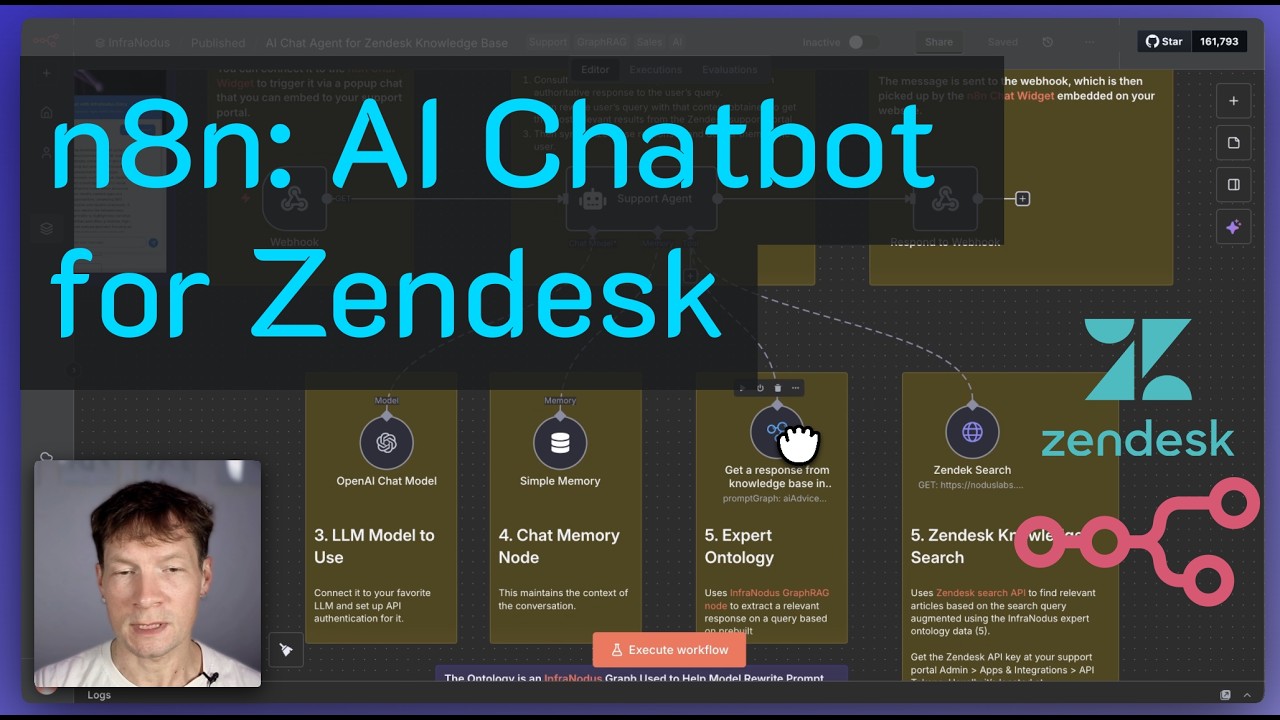
- The AI Agent node receives the message and first consults the InfraNodus knowledge graph
- InfraNodus returns contextual information about the query terms and their relationships
- The AI Agent reformulates the query with this context
- The enhanced query searches Zendesk's knowledge base
- Results combine graph context with Zendesk articles
- The final response delivers to the customer
This dual-phase approach - first understanding, then searching - is what makes the solution so effective compared to traditional chatbots.
Step 1: Setting Up the n8n Workflow
Begin by importing the workflow template into your n8n instance. The core components you'll be working with:
Key Nodes:
- Webhook: Receives messages from your chat interface
- AI Agent: Orchestrates the conversation flow
- InfraNodus Node: Queries your knowledge graph
- HTTP Request: Searches Zendesk's API
- Respond to Webhook: Returns the final answer
Configuration starts with the webhook URL that your chat widget will use. For testing, you can use n8n's built-in test URL, but production deployment requires setting up a persistent webhook.
Pro Tip: Use n8n's chat widget for quick testing, but consider custom interfaces for production to match your brand and add features like conversation history.
Step 2: Creating Your Knowledge Graph
The secret sauce of this solution is your InfraNodus knowledge graph. This isn't just a document collection - it's a structured representation of how concepts in your domain relate to each other.
Three Ways to Build Your Graph:
- Manual Creation: Use InfraNodus' wiki-link syntax to define nodes and relationships
- Auto-Generation: Have InfraNodus create an initial ontology from your topic
- Document Import: Upload support documents to extract entities and relationships
For most implementations, we recommend starting with auto-generation to create a baseline ontology, then manually refining it to capture nuances specific to your business.
At 4:32 in the video tutorial, you'll see how the automated ontology generation works - simply enter your product name and key concepts, and InfraNodus builds the initial graph structure.
Step 3: Configuring the AI Agent Node
The AI Agent node acts as the "brain" of your chatbot, coordinating between the knowledge graph and Zendesk search. Its key configuration points:
Essential Settings:
- System Prompt: Explains the two-phase response process to the AI model
- Model Selection: Choose your preferred AI (GPT-4 recommended for best results)
- Memory: Maintains conversation context across interactions
- Temperature: Controls response creativity (lower for support scenarios)
The system prompt is particularly important - it instructs the model to first consult the InfraNodus graph before searching Zendesk, ensuring responses benefit from contextual understanding.
Customization Tip: Tailor the system prompt to your specific use case by replacing InfraNodus references with your product name and adjusting the instructions to match your support flow.
Step 4: Zendesk Search Integration
The final piece connects to your Zendesk Help Center to retrieve relevant articles. The HTTP Request node handles this with:
Configuration Requirements:
- Zendesk API credentials
- Properly formatted search endpoint
- Result limit (5 articles recommended)
- Query parameter mapping
Unlike traditional Zendesk searches, this workflow doesn't use the customer's original query verbatim. The AI Agent first enriches it with context from the knowledge graph, leading to more precise article matching.
For example, a customer asking "What's modularity?" might become "Explain modularity in context of text analysis and community detection" before searching Zendesk - dramatically improving result relevance.
Deployment Options and Customization
Once your workflow is tested and refined, you have multiple deployment paths:
Production Deployment Choices:
- Embedded Widget: Add to your existing Zendesk support portal
- Standalone Chat: Host on a separate page with custom styling
- Hybrid Approach: Use alongside Zendesk's native bot for fallback
The n8n chat widget offers basic functionality, but for production use we recommend:
- Adding conversation history
- Implementing handoff to human agents
- Including feedback mechanisms
- Styling to match your brand
At 12:18 in the video, you'll see how to generate the embed code for your production webhook URL - the final step before going live.
Watch the Full Tutorial
See the complete implementation walkthrough in action, including live demonstrations of the chatbot outperforming Zendesk's native solution on complex queries. The video covers subtle configuration details that make all the difference in production deployments.
Key Takeaways
This n8n+InfraNodus solution represents a significant leap forward in AI-powered customer support. By combining Zendesk's content with graph-based context awareness, you create chatbots that:
- Understand relationships between concepts, not just keywords
- Adapt queries based on contextual understanding
- Deliver responses that sound expert-level
- Can be trained on your specific documentation
- Integrate seamlessly with existing Zendesk workflows
In summary: Traditional chatbots frustrate customers with generic responses. This solution uses n8n automation and InfraNodus graph technology to create support experiences that actually understand what your customers are asking.
Frequently Asked Questions
Common questions about this topic
The n8n+InfraNodus solution outperforms Zendesk's native chatbot by using graph-based RAG technology that understands context and relationships between concepts. Unlike vector search alone, it maintains awareness of the entire knowledge graph structure.
This means when a customer asks about "modularity," the system doesn't just return a definition - it understands how modularity relates to other concepts in your specific product domain, leading to more precise and helpful responses.
- Maintains conceptual relationships
- Adapts queries based on context
- Combines knowledge graph with Zendesk articles
No advanced coding skills are required. The workflow uses n8n's visual interface for configuration, allowing you to set up the automation through a drag-and-drop interface rather than writing code.
The most technical part involves setting up the InfraNodus knowledge graph, which can be done through a user-friendly interface or by uploading existing documentation that the system analyzes automatically.
- Visual workflow builder
- Point-and-click graph creation
- Document upload for auto-analysis
InfraNodus creates an ontology graph that maps relationships between concepts in your knowledge base. This goes beyond traditional keyword matching by understanding how ideas connect within your specific domain.
When answering questions, the system understands not just individual terms but their contextual relationships, enabling responses that reflect your product's actual implementation rather than generic definitions.
- Maps concept relationships
- Understands domain-specific meanings
- Maintains hierarchical knowledge structure
Yes, one advantage of this solution is model flexibility. The workflow can be configured to use any AI model supported by n8n, including local or EU-based models for compliance with regional data regulations.
You're not locked into a specific provider - choose the model that best fits your needs for accuracy, cost, data residency, or other requirements while maintaining the same graph RAG benefits.
- Supports multiple model providers
- Works with local/on-prem models
- EU-compliant options available
An experienced n8n user can implement the basic workflow in about 2 hours. The time-consuming part is creating a comprehensive knowledge graph, but this scales based on your needs.
For most businesses, we recommend starting with automated ontology generation from your existing documentation, then progressively refining it over time as you identify common customer questions.
- Basic setup: 2-4 hours
- Knowledge graph creation: variable
- Ongoing refinement recommended
Yes, the solution can be configured to hand off complex queries to human support agents, similar to Zendesk's native functionality. The workflow includes conditional logic to determine when escalation is needed.
You can set escalation triggers based on confidence scores, specific query types, or customer requests, ensuring seamless transitions from AI to human support when appropriate.
- Configurable handoff triggers
- Confidence-based escalation
- Manual transfer option
This solution is particularly valuable for businesses with complex products/services requiring nuanced explanations. Technical support teams handling multifaceted issues see dramatic improvements in first-contact resolution.
Organizations needing better control over their AI support responses compared to off-the-shelf solutions also benefit, especially in regulated industries where response accuracy is critical.
- Complex product/service providers
- Technical support teams
- Regulated industries
GrowwStacks specializes in implementing custom AI automation solutions for customer support. Our team handles the technical implementation while you focus on defining your knowledge domain and response style.
We offer complete implementation packages that include workflow configuration, knowledge graph creation, Zendesk integration, and staff training - all tailored to your specific support requirements.
- End-to-end implementation
- Knowledge graph development
- Custom workflow configuration
- Ongoing optimization support
Ready to Upgrade Your Zendesk Support Experience?
Generic chatbot responses frustrate customers and increase support costs. Our n8n+InfraNodus solution delivers context-aware answers that actually help - typically reducing support tickets by 30-50% within the first month.