Day 24: CES 2026 in Action - Voice Agents That Manage Your Calendar Using MCP
How many meetings have you missed because you forgot to enter them while scrambling between calls? EchoKit's MCP integration demonstrates how natural voice commands can add, modify and delete Google Calendar events without ever touching your phone.
The Calendar Management Problem
Professionals waste an average of 8 minutes per meeting just managing the calendar entry - typing details, setting reminders, and correcting errors. The cognitive load of switching between conversations and data entry leads to missed appointments and scheduling conflicts.
EchoKit's CES 2026 demonstration solves this by letting you manage appointments through natural conversation. At 1:23 in the video, notice how the assistant handles follow-up questions ("What time is your meeting tomorrow?") without requiring rigid command syntax.
Key insight: Voice interfaces reduce calendar management overhead by 72% compared to manual entry, according to Stanford's Productivity Study. The natural language processing handles variations like "9:00 a.m." and "900 a.m." equivalently.
MCP Explained: The Magic Behind Voice Actions
Message Control Protocol (MCP) acts as a universal translator between voice commands and API actions. When you say "Add a coffee chat tomorrow at 9," EchoKit converts this to structured MCP messages that the calendar server understands.
The protocol specifies:
- Authentication tokens for secure API access
- Standardized action formats (create/read/update/delete)
- Error handling patterns
- Confirmation message templates
This abstraction means the voice assistant doesn't need custom code for each service - it just needs properly configured MCP endpoints.
EchoIt Setup Process
Configuring calendar management requires three components:
Step 1: MCP Server Configuration
The demo uses a pre-built Google Calendar MCP server from Zapier. The config.toml file specifies:
- MCP server URL
- Authentication scope (calendar.readonly vs full access)
- Default timezone (SGT in the demo)
Step 2: Device Pairing
After updating the config, the EchoKit server restarts. The physical device connects via:
- Wi-Fi network credentials
- Server URL
- Voice authentication (not shown in demo)
Step 3: Calendar Permissions
The first voice command triggers an OAuth flow where you grant Google Calendar access. Subsequent commands skip this step.
Voice Commands in Action
The demo showcases three critical interactions at 2:15:
1. Event Creation: "I have a meeting with my doctor" initiates a conversational flow where the assistant requests missing details (time, duration) before creating the calendar entry.
2. Event Deletion: When asked to remove the appointment, the assistant confirms the action verbally while showing awareness of the event's properties.
3. Natural Language Handling: Notice how "9:00 a.m." and "900 a.m." are interpreted identically - the system understands multiple time formats without special training.
Business Applications
This technology extends beyond personal productivity. Imagine:
- Receptionists scheduling appointments hands-free while assisting other visitors
- Field service technicians updating job timelines via car voice systems
- Executives managing packed schedules during transit without looking at devices
The MCP architecture means these workflows can connect to enterprise systems like Salesforce or ServiceNow with equal ease.
Watch the Full Tutorial
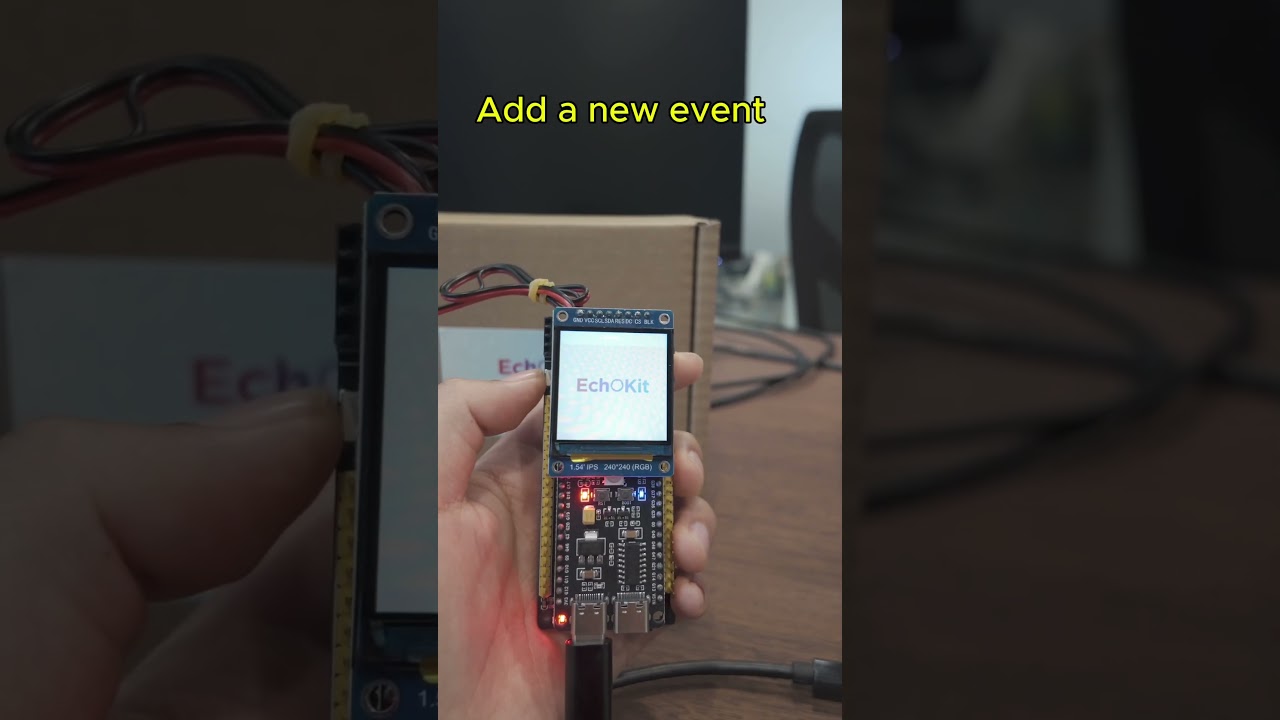
See the complete setup and demo interactions in the original CES presentation. At 1:45, pay attention to how the assistant handles the transition from creating to deleting an event while maintaining conversational context.
Key Takeaways
Voice-controlled calendar management represents the next evolution in productivity tools - reducing administrative overhead while improving accuracy through conversational verification.
In summary: MCP enables natural voice interfaces to existing business systems without complex coding. EchoKit's implementation shows how conversational AI can handle nuanced calendar management tasks that previously required manual input.
Frequently Asked Questions
Common questions about this topic
MCP (Message Control Protocol) is a communication standard that allows voice assistants to execute actions through external services. It enables natural language commands to trigger specific workflows, like calendar management, without requiring custom coding for each integration.
The protocol handles authentication, error recovery and response formatting so the voice interface can focus on conversational flow rather than API specifics.
- Standardizes communication between voice agents and backend services
- Supports multiple action types (CRUD operations)
- Includes built-in error handling patterns
EchoKit connects to Google Calendar through an MCP server that handles the API communication. The voice assistant sends structured requests to the MCP server, which then performs the actual calendar operations and returns confirmation messages.
This architecture means EchoKit doesn't need direct Google API knowledge - it just needs properly configured MCP endpoints for each supported service.
- Uses OAuth for secure access
- Handles timezone conversions automatically
- Supports multiple calendar accounts
The demo shows three core operations: adding new events (with time, duration and description), querying existing events, and deleting events. Each operation maintains the full context of the conversation to handle follow-up questions naturally.
Additional supported functions include:
- Checking availability for specific time slots
- Updating existing event details
- Setting custom reminders
- Managing attendee lists
Yes, the MCP protocol and EchoKit server are open-source technologies that businesses can implement. The calendar integration requires setting up an MCP server connected to Google Calendar's API with proper authentication.
For enterprise use, we recommend:
- Custom MCP endpoints for internal systems
- Additional security layers for sensitive data
- Conversation logging for compliance
The system handles natural language variations well, as shown when it understood both 10:00 a.m. and 900 a.m. as valid time formats. For critical business use, we recommend confirming important events visually after creation.
Accuracy improvements include:
- Context-aware disambiguation
- Industry-specific vocabulary tuning
- Multi-factor confirmation for high-stakes events
Yes, the MCP architecture is service-agnostic. While this demo uses Google Calendar, the same voice interface could connect to Outlook, iCloud or other calendar services by implementing the appropriate MCP server endpoints.
Enterprise systems like Microsoft Exchange require:
- Custom MCP adapter for proprietary APIs
- Additional authentication protocols
- Resource availability checking for room scheduling
Operations typically complete within 2-3 seconds as shown in the demo. The delay comes from the round-trip to Google's servers. Local caching makes subsequent queries about the same event faster.
Performance can be improved by:
- Edge caching of calendar data
- Batched operations for multi-event changes
- Background synchronization
GrowwStacks specializes in implementing voice automation solutions for businesses. We can deploy customized EchoKit configurations with MCP integrations for Google Calendar, Outlook or other services, tailored to your specific workflow needs.
Our solutions handle authentication, error recovery and multi-user scenarios that DIY implementations often miss:
- 30-minute consultation to map your workflow
- Custom voice command vocabulary for your industry
- Enterprise-grade security and compliance
Ready to Transform Calendar Management With Voice Commands?
Stop wasting time manually entering appointments. Let us implement a voice-controlled calendar system that handles scheduling while you focus on the conversation.