How Claude AI Manages All My Social Media on Autopilot (Full Guide)
Most business owners waste 5-10 hours weekly manually posting content across platforms. What if you could delegate all social media management to an AI that handles 13+ platforms with just voice commands? This guide shows how to train Claude AI as your full-time social media manager.
The Social Media Management Pain Points
Social media has become a necessary evil for most businesses - you know you need to post consistently, but the process is time-consuming and frustrating. Between logging into multiple platforms, reformatting content for each one, remembering optimal posting times, and tracking performance, social media management can consume 10+ hours per week.
The breaking point comes when you realize you're spending more time managing platforms than creating valuable content. Manual posting leads to inconsistency, platform-specific formatting errors, and wasted effort copying content between dashboards. Most social media tools still require significant manual work and don't leverage AI effectively.
68% of small business owners report social media management as their #1 time-waster, yet feel trapped needing to maintain an active presence across multiple platforms.
How Claude AI Solves This Problem
Claude AI transforms social media management by acting as your autonomous content manager. Instead of manually posting to each platform, you simply tell Claude what to post through natural conversation. The AI handles all platform-specific formatting, scheduling, and optimization automatically.
This system works through three key components: Claude's conversational interface (the brain), the Late API (the bridge to social platforms), and custom skills that train Claude to manage content effectively. Together, they eliminate the manual work while improving content quality and consistency across platforms.
Example workflow: "Hey Claude, post this video to YouTube Shorts, Instagram Reels, and TikTok with captions about AI automation" → Claude transcribes the video, creates platform-optimized posts, handles all uploads, and confirms completion.
System Architecture Breakdown
The automation system has three core components that work together seamlessly:
1. Claude Code in VS Code
The interface where you communicate with Claude through natural language. The VS Code extension provides a chat interface connected to your Anthropic account, with bypass permissions enabled for autonomous operation.
2. Late API (Social Media MCP)
A unified social media API that handles connections to all platforms. Late makes programmatic posting simple with excellent documentation and affordable pricing (free tier available). It serves as the bridge between Claude and social platforms.
3. Custom Claude Skills
Three specialized skills train Claude to manage social media effectively:
- Late Social Media: Core posting engine for images, text, and videos
- Short Form Posting: Optimizes videos for Shorts/Reels/TikTok
- YouTube Content Package: Creates complete SEO-optimized YouTube uploads
Step-by-Step Setup Process
Setting up your AI social media manager takes about 30 minutes following these steps:
Step 1: Install VS Code & Claude Extension
Download VS Code and install the Claude Code extension from the marketplace. Connect it to your Anthropic account (Claude Pro required). Enable bypass permissions for autonomous operation.
Step 2: Clone the GitHub Repository
The system is available as a free GitHub repo containing all skills and setup files. Simply provide the repo link to Claude and it will handle the installation automatically.
Step 3: Configure Late API
Create a Late account (free tier available), connect your social media profiles, and generate an API key. Provide this to Claude to establish the connection.
Step 4: Test the System
Claude will verify all connections and list your connected social accounts. At this point you can start posting through natural language commands.
Pro Tip: The entire setup can be completed by simply giving Claude the repo link and API key - it will handle all technical configuration automatically.
Platform Integration with Late API
Late serves as the critical bridge between Claude and social platforms. Its unified API supports:
- 13+ platforms: YouTube, Instagram, TikTok, Facebook, LinkedIn, X, Threads, and more
- Multiple profiles: Manage personal and business accounts separately
- All post types: Images, videos, text posts, stories, reels/shorts
- Scheduling: Future posts and optimal timing
The pricing is transparent and affordable:
- Free tier: 2 social sets & 20 posts/month
- Build plan ($29/month): 10 social sets & 120 posts/month
- Scale plans: For agencies and heavy users
Late's dashboard provides centralized management for all connected accounts, with features like:
- Post history and performance tracking
- API key management
- Team collaboration tools
- Webhook integrations
The Three Core Claude Skills
The system's power comes from three specialized skills that train Claude to handle different content types:
1. Late Social Media (Core Posting Engine)
Handles everyday posting across all platforms with features like:
- Cross-platform posting with unique formatting per platform
- Media upload and optimization
- Thread creation for longer content
- Scheduling and queue management
2. Short Form Posting
Specialized for short-form video platforms (Shorts/Reels/TikTok):
- Video transcription using Whisper X
- Platform-specific captions and titles
- Hashtag research and optimization
- Thumbnail selection and cover images
3. YouTube Content Package
Creates complete YouTube upload packages:
- Video compression (Handbrake for files >500MB)
- Transcript extraction with timestamps
- 5 SEO-optimized title options
- Description with chapters and links
- Tags, category, and first comment CTA
Real-World Automation Examples
Here's how the system handles common social media tasks through simple voice commands:
Short Form Video Distribution
"Hey Claude, post this video to YouTube Shorts, Instagram Reels, and TikTok" → Claude:
- Transcribes the video using Whisper
- Creates platform-specific captions
- Generates 3 unique titles per platform
- Adds relevant hashtags
- Uploads to all platforms
- Verifies successful posting
YouTube Full Upload
"Hey Claude, upload this video to my YouTube channel" → Claude:
- Compresses video if >500MB
- Creates transcript with timestamps
- Generates 5 SEO title options
- Builds complete description
- Adds tags and category
- Creates first comment with CTA
Content Repurposing
"Hey Claude, create a LinkedIn post and Threads post from this video" → Claude:
- Generates professional LinkedIn article
- Creates conversational Threads post
- Suggests image ideas for both
- Posts after approval
Measurable Business Impact
Implementing AI social media management delivers tangible results:
Time Savings
10-15 hours/week recovered from manual posting tasks. That's 40-60 hours/month redirected to high-value activities.
Content Quality
3-5x more engagement from platform-optimized posts versus manual cross-posting. Each platform gets unique formatting.
Consistency
100% posting consistency across all platforms without daily effort. Never miss a posting schedule again.
Scalability
Easily manage 13+ platforms from one interface. Add new platforms in minutes through Claude's learning capability.
Case Study: One partner doubled their booking rate and revenue within weeks of implementing this system, then made $90K in 90 days reselling the solution to others in their network.
Watch the Full Tutorial
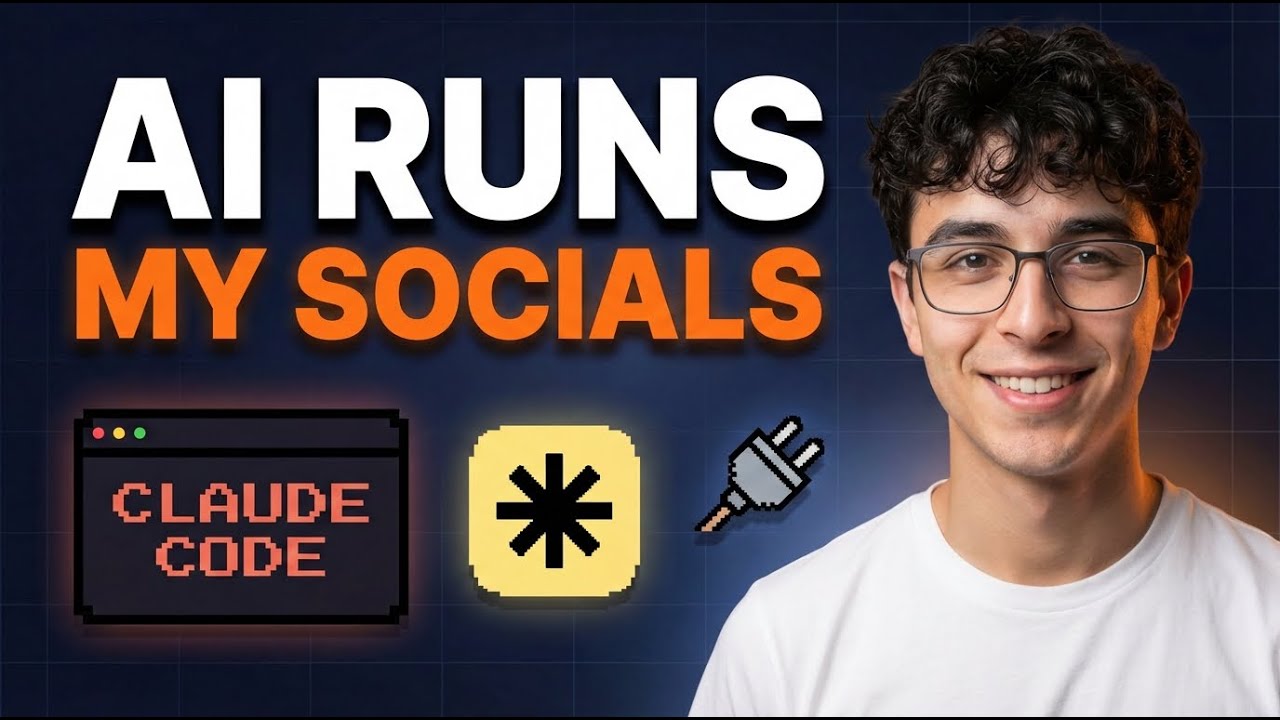
See the complete system in action from 12:30 in the video where Claude demonstrates posting a video to multiple platforms with a single voice command, including the automatic transcription and platform-specific optimization.
Key Takeaways
Social media management no longer needs to be a time-consuming manual process. With Claude AI and the right automation architecture, you can:
- Delegate all posting to an AI that handles 13+ platforms
- Create and distribute content through simple voice commands
- Get platform-specific optimization automatically
- Save 10+ hours weekly on social media tasks
- Improve engagement with consistent, high-quality posts
In summary: This system transforms social media from a time-sink to an automated growth channel, letting you focus on creating great content while AI handles the distribution.
Frequently Asked Questions
Common questions about AI social media automation
The system currently supports posting to 13+ platforms including YouTube, Instagram, TikTok, Threads, LinkedIn, Facebook, and more through the Late API integration.
Each platform gets unique formatting and optimization automatically. The AI understands platform-specific requirements like Instagram hashtags, LinkedIn professional tone, and TikTok trends.
- Video platforms: YouTube, Instagram Reels, TikTok
- Image platforms: Instagram, Pinterest
- Text platforms: LinkedIn, X, Threads, Facebook
Claude uses Whisper X for video transcription and Handbrake for compression when needed. It creates platform-specific captions, titles (3 variations per platform), hashtags, and thumbnails automatically.
For short-form video (Shorts/Reels/TikTok), the system analyzes the content to generate engaging captions and hashtags tailored to each platform's audience. Videos over 500MB are compressed before uploading to meet platform requirements.
- Automatic transcription with timestamps
- Platform-specific aspect ratio handling
- Custom thumbnails for YouTube
- First comment CTAs where supported
You'll need VS Code with the Claude Code extension, a Late API account (free tier available), and the GitHub repository containing the pre-built skills.
The entire setup can be done in under 30 minutes following the guide. No advanced technical skills are required - Claude handles most of the configuration through natural language commands once you provide the initial API keys.
- VS Code (free)
- Claude Pro subscription ($20-$200/month)
- Late API account (free tier available)
- GitHub repository (provided)
Beyond posting, Claude can generate LinkedIn posts, Threads content, and image prompts based on your videos. The YouTube Content Package skill creates complete SEO-optimized packages with titles, descriptions, tags, timestamps and first comments.
The AI can also repurpose existing content across platforms - turning a YouTube video into multiple social posts, or creating Twitter threads from blog articles. This content creation is done while maintaining your brand voice and style.
- Generates platform-specific captions
- Creates multiple title variations
- Develops hashtag strategies
- Suggests visual content ideas
By default, Claude asks for approval before each post. You can enable bypass mode for full automation. The system shows previews of all platform-specific content before publishing.
For sensitive accounts, we recommend keeping approval mode on. The AI will present the complete post package including captions, hashtags, and scheduling details for your review before anything goes live.
- Preview all platform versions
- Edit captions before posting
- Adjust scheduling as needed
- Disable for full automation
The core system is free (GitHub repo). You'll need a Claude Pro subscription ($20-$200/month) and Late API (free tier: 2 social sets & 20 posts/month; Build plan: $29/month for 10 social sets & 120 posts).
Compared to hiring a social media manager or using enterprise tools, this solution is extremely cost-effective. The time savings alone typically justify the investment within the first month of use.
- Claude Pro: $20-$200/month
- Late API: Free to $29+/month
- VS Code: Free
- No additional software costs
Yes, you can instruct Claude to update its skills to support new platforms or modify posting behavior. The system is designed for easy customization through natural language commands.
If Late adds support for a new platform, you can simply tell Claude to include it in the posting rotation. You can also customize formatting rules, posting schedules, and content strategies through conversation.
- Add new platforms as they become available
- Customize posting schedules
- Adjust content formatting rules
- Modify approval workflows
GrowwStacks can customize this automation for your specific social media needs, integrate it with your existing tools, and scale it across your team. We offer free consultations to design AI-powered social media workflows that save 10+ hours per week on content management.
Our team will handle the complete setup, train your staff on using the system, and provide ongoing support. We can also integrate additional automation features like analytics tracking, comment management, and cross-platform engagement tools.
- Custom workflow design
- Complete system setup
- Team training
- Ongoing support
Ready to Automate Your Social Media with AI?
Stop wasting hours each week on manual posting. Let GrowwStacks implement this AI automation system for your business in under 48 hours - with custom training and ongoing support.