How Claude Code Built Me an AI Agent Team (Without Any Coding)
Most business owners struggle with coordinating multiple AI tools—researching with one, writing with another, designing with a third. Claude Code eliminates the copy-paste chaos by creating specialized agents that work together seamlessly, handling everything from content strategy to data visualization while you focus on big-picture decisions.
Why Claude Code Changes Everything
Most businesses using AI today face a frustrating reality—they have multiple specialized AI tools that don't communicate. You research with one agent, write with another, design with a third, and spend your days copy-pasting between them. Claude Code eliminates this inefficiency by creating a true collaborative workspace where AI agents share context and hand off work automatically.
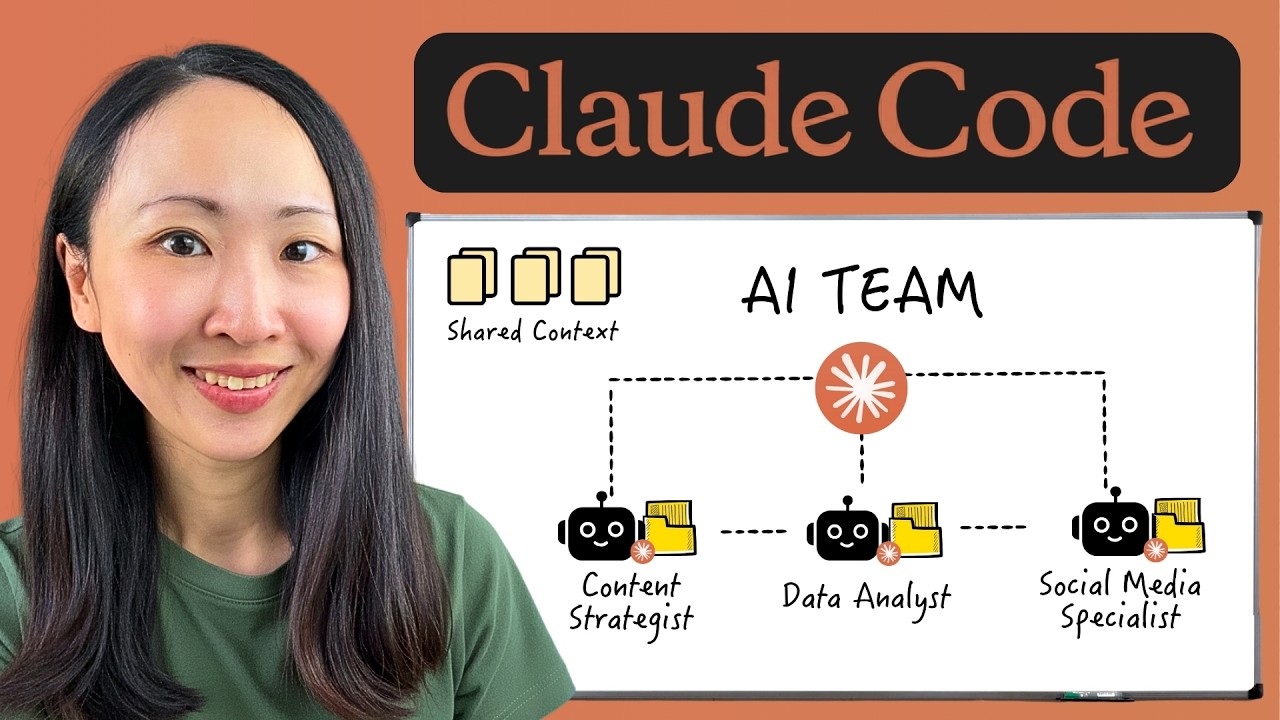
Unlike siloed Claude projects, Claude Code agents operate in a shared environment with access to the same files and context. They can:
- Pass work between each other without human intervention
- Maintain separate context windows for specialized knowledge
- Be coordinated by Claude acting as team lead
Key difference: In traditional setups, you're the project manager coordinating between AI tools. With Claude Code, Claude becomes the team lead managing specialized agents that each focus on their domain expertise.
The 3 Essential Components of Every AI Agent
Creating effective Claude Code agents requires three core components, all defined in a single markdown file:
- Role and responsibilities: Clear boundaries for what the agent does (and doesn't) handle
- Knowledge base: Workflow details and reusable Claude agent skills
- MCP tools: External systems the agent can access for live data
For the marketing team example in the video, we created five specialized agents:
Pro tip: When designing your AI team, give agents specific, non-overlapping roles to minimize conflicts. The content strategist focuses solely on research, while the presentation specialist handles deck creation—never both.
4 Ways to Access Claude Code
Anthrophic provides multiple entry points to Claude Code, each with different advantages:
Best experience: Local terminal installation gives full access to all commands and features. The newly released native installer makes this simpler than ever.
- Local terminal: Full functionality via command line (recommended)
- IDE extensions: VS Code or Kursa integration with file structure visibility
- Web app: Code tab in Claude's web interface (requires GitHub linking)
- Desktop app: Built-in Code features with convenient interface
Building Your First Agent: Content Strategist
The simplest agent requires no MCP tools or custom skills—just a well-defined role and basic context. Our content strategist agent handles:
- Web searches for content research
- Preparation of markdown research documents
- Following predefined content brief templates
Creation process:
- Initiate terminal session with
/agentscommand - Select "Create new agent" → "Project level agent"
- Describe role: "Content strategist that researches and prepares MD files"
- Choose default Claude model
At 8:25 in the video, you can see how this agent produces comprehensive content briefs by combining web research with strict template adherence.
Second Agent: Presentation Specialist
Our presentation specialist demonstrates the power of official Claude skills—prebuilt instruction sets for common tasks. This agent:
- Transforms data into PowerPoint decks
- Follows brand color palettes (defined during creation)
- Uses official document creation skills
Key steps shown at 10:42:
- Register official skills repository with
/plugincommand - Install document creation skills
- Create agent with presentation specialization
- Specify brand colors in the agent configuration
Result: The agent produced a 10-slide performance report with on-brand colors and data visualizations in under 5 minutes, ready for client presentation with minimal adjustments.
Third Agent: Data Analyst with MCP Tools
MCP (Multi-Component Processing) tools connect Claude agents to external systems. Our data analyst agent:
- Connects to J4 via MCP for live data retrieval
- Creates interactive HTML dashboards
- Maintains brand consistency in visualizations
Implementation process (14:15 timestamp):
- Import MCP servers via local terminal (
mcp at from clot desktop) - Authenticate connections (Notion, Hrefs, J4 in the demo)
- Create agent with J4 MCP tool access
- Specify dashboard requirements and brand colors
The result was an executive dashboard with key metrics, trend visualizations, and exportable PDF capability—all generated from raw data without manual intervention.
Leveling Up With Custom Branded Skills
While official skills handle common tasks, custom skills enforce your unique brand requirements. Our social media specialist agent uses:
- Branded visual creation skill (extended from official canvas design)
- Notion MCP for content calendar scheduling
- Strict adherence to brand colors and layouts
At 16:30, the video shows how to:
- Upload brand examples for Claude to study
- Extend official skills with your specifications
- Generate new skill markdown files
- Apply these skills to agent workflows
Workflow automation: The agent created multiple social posts, applied brand styling, and scheduled them in Notion—all in one automated sequence at 17:45.
Watching Your AI Team Work Together
The true power emerges when agents collaborate on multi-stage projects. Our workflow:
- Content strategist researches topic (prerequisite)
- SEO specialist writes 5,000-word blog using findings
- Presentation agent creates client deck from same research
The claude.md file contains routing rules that determine:
- Which agent handles each task type
- When to delegate work
- How to manage dependencies between tasks
At 20:10, you can see Claude acting as team lead—first delegating research, then triggering blog writing and presentation creation only after research completion. All deliverables maintained:
- Consistent branding across formats
- Coherent storytelling from shared research
- Automated handoffs between specialists
Watch the Full Tutorial
See the complete agent creation process from start to finish in the full video tutorial. At 12:30, you'll see how the presentation specialist agent builds a client-ready deck in real-time, complete with branded charts and executive summaries.
Key Takeaways
Claude Code transforms AI from isolated tools into a coordinated team that handles complete workflows. The demo showed how five specialized agents could:
- Research topics and prepare detailed briefs
- Write SEO-optimized long-form content
- Create client-ready presentations
- Build interactive data dashboards
- Schedule branded social media content
In summary: Claude Code eliminates the copy-paste chaos of using multiple AI tools by creating specialized agents that share context, follow your brand rules, and hand off work automatically—letting you focus on strategy rather than coordination.
Frequently Asked Questions
Common questions about Claude Code agent teams
Claude Code is a specialized version of Anthropic's Claude AI that enables agentic workflows through a shared workspace. Unlike regular Claude projects where agents operate in silos requiring manual copy-pasting between them, Claude Code agents share context files, communicate with each other, and hand off work automatically.
Each agent maintains its own token context window while Claude acts as the team lead coordinating their collaboration. This creates a true team environment where specialized agents focus on their domains while maintaining awareness of the broader project context.
- Key difference: Regular Claude requires you to coordinate between isolated instances
- Claude Code agents share files and context automatically
- The system manages dependencies between agent tasks
Every Claude Code agent requires three core components defined in a markdown file:
- Role and responsibilities: Clear boundaries for what the agent handles
- Knowledge base: Workflow details and reusable Claude agent skills
- MCP tools: External systems the agent can connect to for live data
These components ensure each agent operates effectively within the team structure while minimizing role conflicts. The demo showed how agents with well-defined roles (content strategist vs. presentation specialist) could collaborate without stepping on each other's tasks.
There are four primary access methods:
- Local terminal installation: Provides full functionality via command line (recommended)
- IDE extensions: VS Code or Kursa integration with file structure visibility
- Web app: Code tab in Claude's web interface (requires GitHub linking)
- Desktop app: Built-in Code features with convenient interface
While the desktop app provides convenience, installing via terminal first ensures access to all commands and features since it runs Claude locally. The video demonstrates terminal commands that aren't fully available in other interfaces.
MCP (Multi-Component Processing) tools allow Claude agents to connect with external systems like Notion, Hrefs, and J4 to retrieve live data or context. These connections transform AI agents from isolated assistants into powerful workflow automators.
In the demo, agents used MCP tools to:
- Build interactive dashboards from live J4 data
- Upload scheduled social posts to Notion calendars
- Pull research from external databases
Without MCP integration, agents would be limited to working with static files you provide manually.
Custom skills are reusable instruction manuals that teach Claude how to execute brand-specific tasks. The creation process involves:
- Uploading visual examples or templates
- Having Claude study existing official skills (like document creation)
- Extending those skills with your brand requirements (colors, layouts, voice)
The system generates new skill markdown files that agents can call. For instance, the demo showed creation of a branded social visuals skill that maintained consistent styling across all graphics while following platform-specific formatting rules.
The claude.md file contains routing rules that define when and which agent to delegate tasks to. For multi-agent workflows:
- Claude (as team lead) breaks down the project into sequential tasks
- Completes dependencies first (like content research)
- Delegates subsequent tasks (blog writing, presentations) to specialized agents
In the demo, agents successfully collaborated on a project where presentation and blog content were derived from shared research findings, ensuring all deliverables told a coherent story while each specialist focused on their domain.
Practical applications include:
- Marketing teams: Content strategists, social media schedulers, and presentation specialists working in sync
- Data analysis: Agents that retrieve, visualize, and explain metrics
- Operations: Automating workflows between different business systems
The demo showed a complete agency workflow where agents handled:
- Research (5,000 word blog)
- Visualization (interactive dashboards)
- Scheduling (Notion calendar)
All with minimal human intervention beyond initial direction.
GrowwStacks specializes in building custom AI agent systems tailored to your workflows. Our implementation process includes:
- Workflow audit: Identifying repetitive tasks perfect for automation
- Agent design: Creating specialized roles matching your operations
- System integration: Connecting MCP tools to your existing software
- Routing rules: Establishing clear delegation protocols
We've helped businesses implement agent teams that handle:
- Client reporting automation
- Content production pipelines
- Data analysis workflows
Book a free consultation to discuss how AI agent teams could transform your operations.
Ready to Build Your AI Agent Team?
Stop wasting time coordinating between disconnected AI tools. Let GrowwStacks design and implement a custom Claude Code system that handles complete workflows while you focus on strategy.