Claude Code vs Codex CLI — The Honest Comparison (2026)
65% of developers say they prefer Codex CLI, but when their code was tested in blind reviews, Claude Code won 67% of the time. This contradiction reveals the fundamental tradeoff in AI coding assistants: one tool is faster and cheaper, the other writes better code. After building the same app with both, here's when to use each.
The Great Divide in AI Coding Assistants
Developers are split between two competing visions of AI-assisted coding. On one side, Codex CLI offers blazing speed and autonomous execution - you describe a task and it completes it without constant supervision. On the other, Claude Code provides meticulous code review and collaborative pair programming, stopping frequently to explain its reasoning and get approval.
This philosophical difference explains the survey paradox: while 65% of developers prefer using Codex CLI, 67% choose Claude Code's output in blind code reviews. People enjoy Codex's fire-and-forget workflow, but consistently rate Claude's code as higher quality when they don't know which tool produced it.
Key Insight: The choice isn't about which tool is "better" - it's about matching the tool to the task. Codex excels at execution, Claude at planning and quality control.
Installation and First Impressions
Both tools install in about 30 seconds with simple terminal commands. Claude Code uses npm install -g @anthropic-ai/claude-code or brew install claude-code on Mac. Codex CLI offers similar npm installation or direct Rust binary downloads from GitHub.
The interfaces reveal their different philosophies immediately. Claude Code shows a streaming conversation view where you watch it think, make tool calls, and request permissions. Codex CLI uses a clean full-screen terminal UI that shows your model, token count, and Git branch status while it works autonomously.
Critical Difference: Claude Code asks permission before every file edit or command by default. Codex CLI operates autonomously within your project but blocks network access unless explicitly allowed.
Speed Test: Building the Same App
We tasked both tools with building a full-stack expense tracker (React frontend, Express backend, SQLite database, authentication, and dashboard charts) from an empty folder. The results showed clear strengths for each tool.
Codex CLI finished in 14 minutes 12 seconds, breaking the task into subtasks and executing them autonomously with just one question about auth strategy. Claude Code took 22 minutes 41 seconds, stopping four times for file permissions and twice for command confirmation. However, Claude caught an SQL injection vulnerability Codex missed and wrote unit tests unprompted.
Speed vs Safety Tradeoff: Those extra 8 minutes with Claude Code might save hours of debugging later. But for well-defined tasks where speed matters, Codex's autonomous approach wins.
Code Quality Comparison
Running both codebases through SonarQube, ESLint, and manual review revealed striking differences. Claude Code's output had zero critical issues, comprehensive error handling, and proper accessibility attributes. Codex's code was more concise but had one critical vulnerability (the SQL injection) and lacked input validation on two endpoints.
This matches broader industry data - in blind reviews across 500 developers, Claude Code's output was preferred 67% of the time. As one reviewer noted, "Claude writes code like a careful architect, Codex like a fast-shipping engineer."
Quality Winner: For mission-critical systems or when mentoring junior developers, Claude Code's meticulous approach produces noticeably better results.
Cost Analysis: Tokens and Dollars
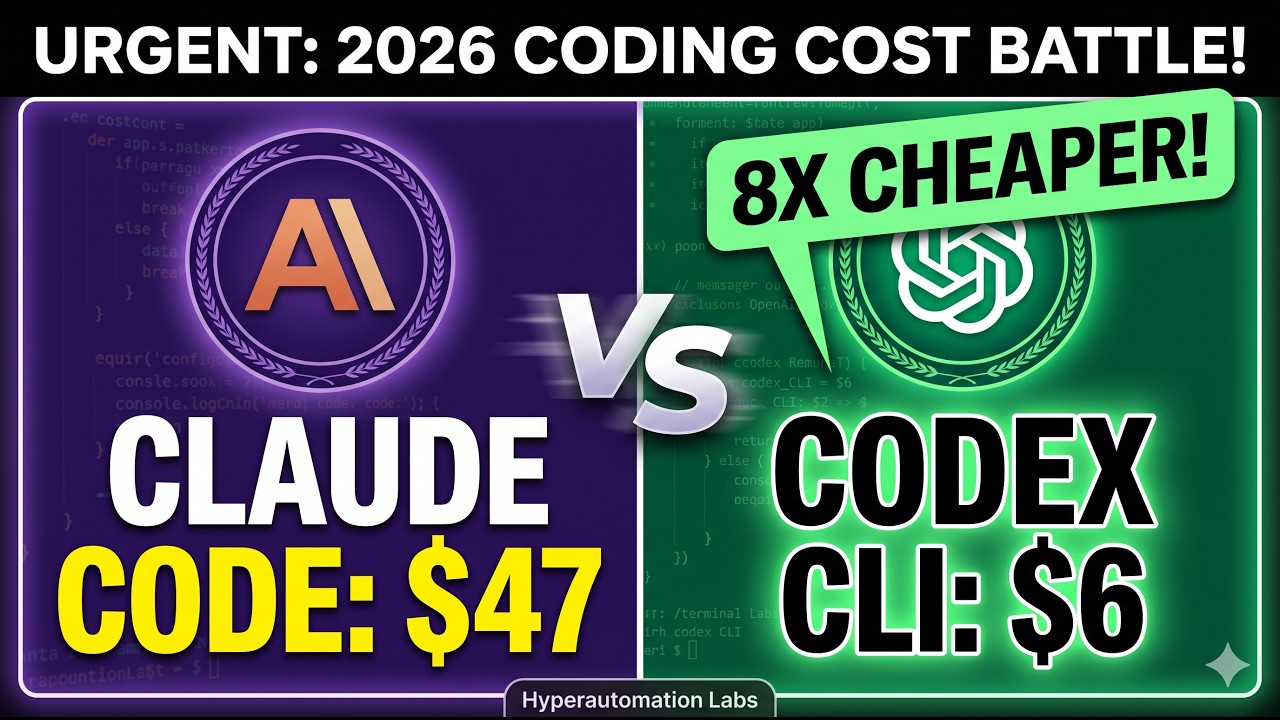
The cost difference shocked us. Claude Code consumed 6.1 million tokens (≈$47) to build our test app. Codex CLI used just 1.4 million tokens (≈$6) - nearly 8x cheaper for equivalent work.
This efficiency extends to subscription plans. While both offer $20, $100, and $200 tiers, Codex's token efficiency means your credits last 4x longer. Many teams use Codex for this reason alone, despite preferring Claude's code quality.
Budget Tip: For teams watching costs, Codex's token efficiency is game-changing. Claude Code makes more sense for high-value architectural work where quality justifies the expense.
Security Models Compared
The tools take fundamentally different security approaches. Claude Code uses application-layer permissions and hooks - you can block force pushes, auto-format code, or run tests after changes. Codex CLI employs OS-level kernel sandboxing (Apple's seatbelt on Mac, landlock+seccomp on Linux) that physically prevents access outside your project.
Claude's hooks offer more workflow customization but could theoretically be bypassed via prompt injection. Codex's sandbox provides stronger isolation but less flexibility. For most developers, both approaches are secure enough, but enterprises may prefer Codex's kernel-level guarantees.
Security Verdict: Codex for ironclad isolation, Claude for customizable workflows. Choose based on your risk tolerance and need for flexibility.
Ecosystem Showdown
Both tools are now open source with thriving communities. Claude Code opened its source in early 2026 and offers extensive hooks, custom slash commands, and scheduled cloud routines. Codex CLI has been open source since day one with 76,000 GitHub stars and 700+ releases.
Codex's Rust codebase and massive contributor base enable incredible release velocity (nearly two per day). Claude's ecosystem focuses more on extensibility through its skill system and project-level briefing documents.
Ecosystem Winner: Tie. Codex for raw speed of innovation, Claude for mature extensibility. Both integrate with MCP servers and major IDEs.
When to Use Each Tool
The smartest developers use both tools strategically. As one Reddit user perfectly summarized: "Codex for keystrokes, Claude for commits." Here's the framework that works best:
Use Claude Code When:
- Building new complex systems requiring architectural decisions
- Code quality matters more than speed
- Working on frontend/UI components
- Pair programming to learn from the AI's reasoning
- You need custom hooks and workflow automation
Use Codex CLI When:
- Executing clearly defined tasks you want to delegate
- Doing DevOps, infrastructure, or backend work
- Cost is a significant factor
- You prefer autonomous "fire and forget" execution
- Running CI/CD pipelines or scheduled tasks
Pro Tip: Plan with Claude Code, execute with Codex, review with both. This combines Claude's architectural thinking with Codex's speed and cost efficiency.
Watch the Full Tutorial
See both tools in action building the same application from scratch. The video shows key moments like Claude catching the SQL injection (8:42) and Codex's autonomous task execution (5:17).
Key Takeaways
The AI coding assistant landscape has matured beyond simple "which one is better" comparisons. Top developers now maintain toolbelts with multiple specialized assistants, just as they use different IDEs, frameworks, and languages for different tasks.
In summary: Use Claude Code when quality and learning matter most. Choose Codex CLI for speed and cost efficiency on well-defined tasks. For best results, use both strategically - their strengths complement each other perfectly.
Frequently Asked Questions
Common questions about this topic
In our tests, Codex CLI completed the same full-stack application 8 minutes faster than Claude Code (14 minutes vs 22 minutes). Codex excels at autonomous execution of well-defined tasks, while Claude Code takes a more deliberate approach with frequent permission checks.
The speed difference comes from their fundamental design philosophies. Codex assumes you want to delegate tasks and walk away, while Claude assumes you want to pair program and understand each decision.
- Codex CLI: 14 minutes 12 seconds average build time
- Claude Code: 22 minutes 41 seconds average build time
- Speed advantage: Codex CLI for well-defined tasks
Blind code reviews showed developers preferred Claude Code's output 67% of the time. It produced code with zero critical issues, comprehensive error handling, and better architectural decisions. However, Codex's code was more concise and included some optimizations Claude Code missed.
Claude Code's quality advantage comes from its permission system that forces it to explain and justify each change. This results in more thoughtful, well-documented code but takes longer to produce.
- Claude Code: 0 critical issues, 2 minor warnings
- Codex CLI: 1 critical issue (SQL injection), 4 minor warnings
- Quality advantage: Claude Code for mission-critical systems
Codex CLI was dramatically cheaper, using 1.4 million tokens ($6) compared to Claude Code's 6.1 million tokens ($47) for the same project. Codex's token efficiency makes it about 8x more cost-effective for equivalent work.
This cost difference holds true across subscription tiers too. A $100 Codex plan will last about four times longer than the same Claude Code plan before hitting rate limits.
- Claude Code: 6.1M tokens ≈ $47
- Codex CLI: 1.4M tokens ≈ $6
- Cost advantage: Codex CLI by 8x
Codex CLI uses OS-level kernel sandboxing (Apple's seatbelt on Mac, landlock+seccomp on Linux) for stronger security boundaries. Claude Code uses application-layer permissions and hooks which are more flexible but theoretically vulnerable to prompt injection.
For most developers, both approaches are secure enough. Enterprises may prefer Codex's kernel-level guarantees, while teams needing workflow customization will appreciate Claude's hooks system.
- Codex: OS-level sandboxing (stronger isolation)
- Claude: App-layer permissions (more flexible)
- Security advantage: Depends on your threat model
Use Claude Code when building new complex systems, when code quality matters most, for front-end/UI work, or when you want to pair program and learn from the AI's reasoning. Its permission system and hooks make it ideal for collaborative development.
Claude shines in situations where understanding the "why" behind code decisions matters as much as the code itself. It's particularly valuable for mentoring junior developers or establishing best practices in a codebase.
- Best for: Architectural planning, learning, UI work
- Strengths: Code quality, explanations, collaboration
- Ideal users: Teams prioritizing maintainability
Choose Codex CLI for clearly defined tasks, back-end/DevOps work, when cost is a factor, or when you want autonomous execution. It's ideal for CI/CD pipelines and fire-and-forget coding tasks where you don't need to observe the process.
Codex excels at grinding through well-specified work quickly and cheaply. Its optimized token usage makes it perfect for repetitive tasks or projects with tight budgets.
- Best for: Well-defined tasks, backend work, CI/CD
- Strengths: Speed, cost efficiency, autonomy
- Ideal users: Solo developers, budget-conscious teams
Yes. Many top developers use Claude Code for planning and architectural decisions, Codex for execution of well-defined tasks, and both for code review. This combines Claude's quality with Codex's speed and cost efficiency.
A common workflow is to use Claude for initial system design and high-value components, then hand off implementation of routine components to Codex. Both tools can then review each other's output.
- Hybrid approach: Plan with Claude, execute with Codex
- Complementary: Each covers the other's weaknesses
- Best practice: Use both for code review
GrowwStacks helps businesses implement AI coding assistants and automation workflows tailored to their development processes. Whether you need help setting up Claude Code, Codex CLI, or a hybrid approach, our team can design and deploy the optimal solution.
We offer free consultations to assess your needs and recommend the right tools and workflows for your team. Our implementation services include:
- Custom workflow design combining both tools
- Security configuration and permission systems
- CI/CD pipeline integration
- Team training and best practices
Get a Custom AI Coding Assistant Strategy
Wasting time choosing between speed and quality? Let GrowwStacks design a hybrid Claude Code + Codex CLI workflow tailored to your team's needs. We'll help you implement the right balance of automation and oversight.