How to Connect AI Agents to Business APIs for Full-Cycle Automation
Most businesses use AI for conversation and content generation, but few unlock its true potential as an operational assistant. By connecting your AI agent to business APIs, you transform it from a chatbot into an autonomous operator that can update CRMs, send emails, trigger workflows, and interact with your entire software stack - all without human intervention.
What Is API Automation for AI Agents?
Most businesses hit a wall with AI implementation - their agents can answer questions and generate content, but they can't actually do anything in their business systems. This creates a frustrating gap where employees still need to manually execute all the actions the AI recommends. API automation bridges this gap by giving your AI agent the ability to interact directly with your business software.
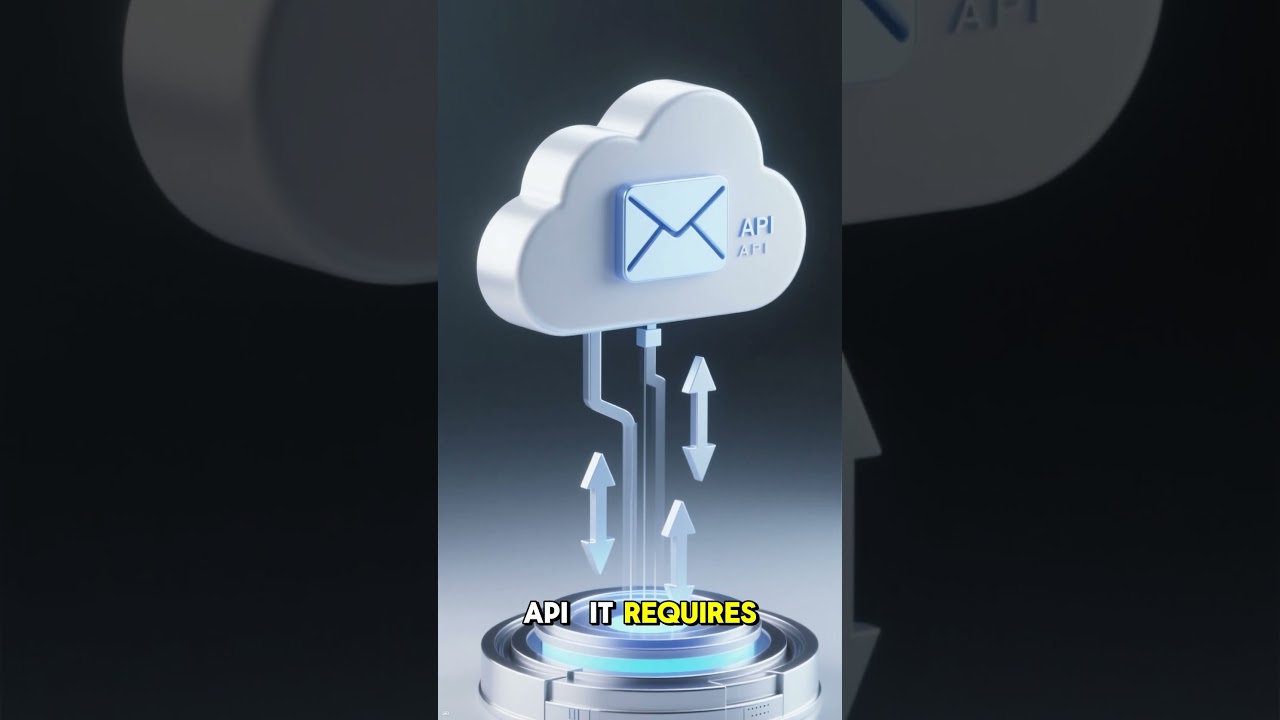
An API (Application Programming Interface) is essentially a set of rules that allows different software applications to communicate with each other. When you connect your AI agent to business APIs, you're giving it the ability to send commands to and receive data from your CRM, email platform, databases, and other operational systems. As shown in the video at 0:45, this transforms your agent from a conversational assistant into an operational powerhouse.
Key insight: Without API connections, your AI agent is like a consultant who can only give advice. With API access, it becomes an employee who can actually execute tasks across your entire software stack.
The 5 Essential Components of API Connections
Connecting an AI agent to an API isn't just about technical integration - it's about teaching the agent when and how to use each API tool effectively. Every API connection you create for your agent should include these five essential components (as detailed at 1:15 in the video):
1. Tool Name and Description
The name (like "send_email" or "crm_search") serves as the identifier the agent uses to call this specific API. The description explains what the tool does in natural language so the agent understands when to use it.
2. Request Configuration
This includes the HTTP method (GET, POST, etc.), endpoint URL, required headers, authentication method, and any static parameters that don't change between calls.
3. Input Mapping
Defines what dynamic parameters the agent must provide for each API call. For a send email tool, this would include recipient, subject, and message body.
4. Output Specification
Describes what data the API returns (success/failure status, created record ID, query results) and how the agent should interpret it.
5. Error Handling
Instructions for how the agent should respond if the API call fails - whether to retry, notify a human, or proceed with alternative actions.
Implementation tip: Start with simple, read-only API connections before moving to write operations. A "get_customer_record" tool is safer to implement first than a "update_crm" tool while you're testing the reliability of your API integrations.
Real-World Examples of API-Enabled Automation
The true power of API-connected AI agents becomes clear when you see them solving actual business problems. Here are three concrete examples from our clients that demonstrate the operational impact:
1. Automated Lead Processing
A financial services company connected their AI agent to their HubSpot CRM API. Now when a new lead comes in through their website, the agent automatically:
- Creates a CRM record via API
- Enriches the lead with data from Clearbit
- Scores the lead based on ideal customer profile
- Sends a personalized welcome email
- Schedules the first sales touch in the calendar
This reduced their lead response time from 4 hours to 2 minutes while improving lead qualification accuracy by 37%.
2. Customer Support Triaging
An eCommerce retailer connected their agent to Zendesk, Shopify, and their internal logistics API. Now when a customer submits a support ticket, the agent:
- Classifies the issue type
- Retrieves the customer's order history
- Checks inventory/fulfillment status
- Either resolves common issues automatically or routes to the appropriate team with full context
This reduced average ticket resolution time by 68% and cut support staff workload by 22 hours per week.
3. Content Distribution System
A marketing agency built an agent that automatically distributes content across their clients' channels by connecting to:
- WordPress API to publish blog posts
- Twitter/LinkedIn APIs to share content
- Email service API to send newsletters
- Analytics APIs to track performance
What previously took 3 hours per client now happens automatically, allowing them to scale content operations without adding staff.
How API Calls Fit Into the Agent Reasoning Loop
API tools don't operate in isolation - they're integrated into the agent's natural reasoning process. At 2:30 in the video, you can see how API calls become just another tool in the agent's toolkit, used when appropriate during its problem-solving cycle.
A typical reasoning loop with API integration looks like this:
Step 1: Receive Input
The agent gets a prompt, email, or other input that requires action.
Step 2: Analyze and Plan
The agent determines what information it needs and what actions should be taken.
Step 3: Execute API Calls
If the plan requires interacting with external systems, the agent selects the appropriate API tools and provides the necessary parameters.
Step 4: Process Results
The agent interprets the API responses and determines if additional actions are needed.
Step 5: Deliver Output
The agent provides a final response or takes additional actions based on the complete information.
Key difference: Without APIs, the agent stops at Step 2 and can only suggest actions. With APIs, it completes the full cycle from analysis through execution, creating true end-to-end automation.
Step-by-Step: Building a Send Email API Tool
Let's walk through a concrete example of creating an API tool that allows your agent to send emails through a service like SendGrid or Mailchimp. This demonstrates the practical implementation of the concepts we've discussed.
1. Define the Tool
Name: send_email
Description: "Sends an email to a specified recipient with given subject and body content using our company email service."
2. Configure the API Request
Method: POST
Endpoint: https://api.sendgrid.com/v3/mail/send
Headers: Authorization: Bearer YOUR_API_KEY, Content-Type: application/json
3. Map the Inputs
The agent needs to provide three parameters for each email:
-
to_email(string): Recipient email address -
subject(string): Email subject line -
body(string): HTML or plain text email content
4. Define the Request Body
The JSON structure that combines static and dynamic elements:
{ "personalizations": [{"to": [{"email": "{to_email}"}]}], "from": {"email": "[email protected]"}, "subject": "{subject}", "content": [{"type": "text/plain", "value": "{body}"}] } 5. Specify Output Handling
On success (HTTP 202): Continue agent workflow
On failure: Retry once, then notify human operator
Testing tip: Before connecting to your production email service, test with a sandbox API that logs emails instead of sending them. This lets you verify your agent is constructing requests correctly without risk of spamming real contacts.
Security Considerations for API Connections
While API connections dramatically increase your agent's capabilities, they also introduce new security considerations that must be addressed (as highlighted at 3:10 in the video). Here are the key security measures to implement:
1. Principle of Least Privilege
Only grant your agent the minimum API permissions needed to perform its tasks. If it only needs to read CRM data, don't give it write access. Use API keys with restricted scopes rather than broad admin credentials.
2. Input Validation
Validate all parameters your agent passes to APIs to prevent injection attacks. For example, verify email addresses are properly formatted before sending.
3. Rate Limiting
Implement controls to prevent your agent from accidentally spamming APIs with too many requests. This protects both your systems and the APIs you're calling.
4. Audit Logging
Log all API calls made by your agent including timestamps, parameters, and responses. This creates an audit trail for troubleshooting and security reviews.
5. Human Oversight
For high-impact actions like sending legal notices or updating financial records, require human approval before the API call executes. You can implement this as a separate approval API that pauses the workflow until authorized.
Critical rule: Never store API credentials in your agent's code or configuration. Always use a secure secrets management system that rotates credentials automatically and restricts access.
The Business Impact of API-Connected Agents
When you successfully connect your AI agents to business APIs, the operational impact can be transformative. Here's what our clients typically experience after implementation:
1. Process Acceleration
Tasks that previously required multiple manual steps across different systems now happen automatically in seconds. One client reduced their customer onboarding time from 3 days to 20 minutes.
2. Error Reduction
Automated API calls eliminate human data entry mistakes. A logistics company saw a 92% reduction in shipping address errors after implementing address validation via API.
3. Resource Optimization
Employees spend less time on routine system interactions and more time on high-value work. Teams report gaining back 10-15 hours per week per employee.
4. Scalability
API-connected agents handle increased workload without proportional staffing increases. One eCommerce client processed 4x more holiday orders with the same support team.
5. Continuous Improvement
Agents learn from API responses and outcomes, continuously optimizing their processes. Over 6 months, one client's agent improved its first-contact resolution rate from 35% to 78%.
Strategic insight: The most successful implementations start by identifying repetitive, rules-based processes that involve multiple systems. These are ideal candidates for API automation because they deliver quick wins while building confidence in the technology.
Watch the Full Tutorial
For a complete walkthrough of connecting AI agents to APIs, watch the full video tutorial. At 1:45, you'll see a live demo of configuring an API tool in n8n, including setting up authentication, input mapping, and error handling - the exact process we use for client implementations.
Key Takeaways
Connecting your AI agents to business APIs transforms them from conversational assistants into operational powerhouses that can execute real business processes. Here are the core lessons to remember:
In summary: API access bridges the gap between AI intelligence and real-world operations. By carefully implementing secure API connections for email, CRM, databases and workflow systems, you create agents that don't just suggest actions - they execute them autonomously, accelerating processes while reducing errors and operational costs.
Frequently Asked Questions
Common questions about connecting AI agents to APIs
An API (Application Programming Interface) is a systems interface that allows different software applications to communicate with each other. For AI agents, APIs serve as bridges that enable the agent to send commands to and receive data from other business systems like CRMs, email platforms, or databases.
This transforms AI from just generating text to actually interacting with operational systems. Without APIs, agents can only provide information. With APIs, they can update records, send notifications, retrieve live data, and trigger workflows - creating true automation.
- API connections turn AI agents from advisors into operators
- They follow the same principles as human-facing interfaces but for software-to-software communication
- Properly implemented APIs maintain security while enabling automation
Connecting an AI agent to an API requires several key components that work together to enable secure, reliable automation. These components ensure the agent knows when and how to use each API connection effectively.
The five essential elements are: 1) A clear name and description for the tool, 2) Complete request configuration including endpoint and authentication, 3) Defined input parameters, 4) Output specifications, and 5) Error handling procedures. Together these create a robust API connection that the agent can use autonomously.
- Tool description is critical for the agent to understand when to use the API
- Input mapping defines exactly what data the agent must provide
- Error handling prevents failed API calls from disrupting workflows
API-connected AI agents can automate a wide range of business processes that traditionally required human intervention across multiple systems. These span virtually every department and function in an organization.
Common examples include: CRM operations like lead creation and contact updates, customer support ticket management, order processing and fulfillment, content distribution across channels, data synchronization between platforms, and automated reporting. The key is identifying repetitive, rules-based processes that involve system interactions.
- CRM automation is one of the most impactful use cases
- Support ticket routing and resolution can be largely automated
- Content distribution across multiple channels saves significant time
API access fundamentally transforms the role and capabilities of AI agents within an organization. Without APIs, agents are limited to providing information and suggestions - essentially sophisticated chatbots. With API connections, they become active participants in business operations.
This shift moves AI from being an advisory tool to an operational one. Instead of just recommending that a support ticket be created, an API-connected agent can actually create it. Rather than suggesting a follow-up email should be sent, it can send it. This creates complete automation loops that eliminate manual steps.
- Transforms agents from advisors to operators
- Enables complete automation loops without human intervention
- Bridges the gap between AI intelligence and real-world action
While all agent tools help accomplish tasks, API tools are fundamentally different in their scope and impact. Standard tools like calculators or web search help the agent process information, but API tools enable interaction with external business systems.
The key distinction is that API tools don't just assist the agent's thinking - they enable it to take action in the real world by integrating with operational systems. This makes API tools more powerful as they allow the agent to directly impact business processes rather than just provide advice or information.
- API tools connect to real business systems
- They enable actions not just information processing
- Require more careful implementation due to operational impact
Securing API connections for AI agents requires implementing multiple layers of protection to prevent unauthorized access or misuse. These security measures are critical when granting automation access to business systems.
Key security practices include: Using OAuth or API keys instead of passwords, implementing the principle of least privilege, validating all inputs to prevent injection attacks, encrypting sensitive data in transit, maintaining detailed audit logs, and building in rate limiting to prevent abuse. Regular security reviews of API usage patterns are also essential.
- Authentication should use modern standards like OAuth
- Input validation prevents many common attack vectors
- Audit logging enables monitoring and forensic analysis
A complete API-enabled workflow demonstrates how an agent can autonomously handle a multi-step business process by orchestrating multiple system interactions. These workflows often replace what previously required human intervention across several applications.
For example, a customer onboarding workflow might: 1) Receive new customer data via webhook, 2) Create CRM record via API, 3) Verify identity through external API, 4) Provision account in billing system, 5) Send welcome email, and 6) Log completion in analytics - all without human involvement. This creates seamless, error-free onboarding at scale.
- Multi-system workflows are where API-connected agents shine
- They can coordinate actions across disparate platforms
- Complete processes in minutes that previously took days
GrowwStacks specializes in building and implementing API-connected AI agents that deliver real business automation. We handle the technical complexity so you get working solutions without the headache of DIY implementation.
Our process includes: 1) Identifying high-impact automation opportunities in your workflows, 2) Designing secure API connections to your existing systems, 3) Building and testing the agent with your specific requirements, and 4) Deploying with proper monitoring and oversight. We've implemented solutions across industries that typically show ROI within 3-6 months.
- End-to-end implementation from design to deployment
- Secure integration with your existing systems
- Proven frameworks that accelerate time-to-value
Ready to Transform Your AI From Assistant to Operator?
Every day your AI agents remain disconnected from your business systems is a day of missed automation opportunities. Our team at GrowwStacks can have your first API-connected workflows live in days, not months.