How to Connect Facebook Lead Ads to Pipedrive in 3 Simple Steps with Zapier
Every time a lead fills out your Facebook form, they should instantly become a deal in Pipedrive - but manual transfers mean lost opportunities. This Zapier automation eliminates the gap, creating Pipedrive deals automatically while you focus on selling. The best part? It takes just 10 minutes to set up with no technical skills required.
The Lead Transfer Problem Every Business Faces
Most businesses running Facebook ads know the frustration: you spend hundreds on ads, get dozens of leads, then... nothing happens. The leads sit in Facebook while your sales team works from an outdated list in Pipedrive. Studies show 25% of leads never get followed up on when transferred manually - often because someone forgot, got busy, or made a typo during data entry.
This gap between lead capture and CRM management costs businesses real revenue. Every minute a hot lead waits for follow-up decreases your conversion chances by 10x. The solution isn't hiring more staff - it's eliminating the manual transfer completely.
Key stat: Businesses that automate lead transfers see 45% faster response times and 30% higher conversion rates compared to manual entry.
Why Zapier Solves This Better Than Manual Entry
Zapier acts as a bridge between Facebook Lead Ads and Pipedrive, automatically creating a new deal whenever someone submits your lead form. Unlike manual transfers that happen in batches (if at all), Zapier works in real-time - often creating the Pipedrive deal before your sales team even checks their email.
The platform handles all the field mapping automatically, eliminating typos and missed fields. It also logs the exact time the lead came in, giving your sales team accurate data for follow-up sequencing. Best of all, Zapier requires no coding - just point-and-click configuration that takes less time than training a new intern on your manual process.
Step 1: Setting Up Your Facebook Lead Ads Trigger
Log into your Zapier account and click "Create Zap." In the trigger search bar, type "Facebook Lead Ads" and select it from the dropdown. Zapier will prompt you to connect your Facebook account - make sure you're logged into the same account that manages your ads.
Once connected, select "New Lead" as your trigger event. This tells Zapier to watch for any new form submissions on your Facebook lead ads. At 1:15 in the video tutorial, you'll see exactly where to find this option in the Zapier interface.
Important Settings:
- Choose the correct Facebook Page that runs your lead ads
- Select the specific lead form you want to monitor
- Grant all requested permissions to ensure proper data access
Step 2: Connecting Pipedrive as Your Action App
After setting up the trigger, click "Add Action" and search for Pipedrive. Select "Create Deal" as your action - this will automatically generate a new deal in Pipedrive for each Facebook lead.
Zapier will ask you to connect your Pipedrive account. Use the same login credentials your sales team uses to access the CRM. Once connected, you'll map each Facebook lead field to corresponding Pipedrive deal fields:
Pro tip: Map the lead's name to the deal title, email to the contact field, and any custom questions to Pipedrive custom fields. This ensures all data appears exactly where your team expects to find it.
At 2:30 in the video, you'll see how to handle field mapping for complex forms with multiple questions. The key is matching each piece of lead data to its proper destination in Pipedrive.
Step 3: Testing and Activating Your Automation
Before going live, use Zapier's test mode to verify everything works. Submit a test lead through your Facebook form, then check Pipedrive to confirm the deal created correctly with all fields populated.
If any fields didn't transfer properly, you can edit the field mapping without starting over. Once testing succeeds, name your Zap (something like "Facebook Leads → Pipedrive") and toggle it on. Your automation is now live!
Ongoing Maintenance:
- Check Zapier's history tab weekly for any failed transfers
- Update field mappings if you change your Facebook lead form
- Consider adding a Slack notification as an extra action to alert your team
Advanced Tips for Customizing Your Workflow
While the basic integration works great, you can enhance it with these pro techniques:
Lead Scoring: Add a Filter step to only create Pipedrive deals for high-quality leads. For example, you might only transfer leads who answered "Yes" to being ready to buy in the next 30 days.
Automatic Tagging: Use Pipedrive's custom fields to tag deals based on which Facebook ad campaign generated them. This helps track ROI by campaign.
Multi-Step Zaps: After creating the deal, add steps to send a welcome email or schedule a follow-up task in your team's project management tool.
The Results You Can Expect From This Automation
Clients who implement this Zapier integration typically see immediate improvements in their sales process:
Faster Response Times: Leads enter Pipedrive within seconds instead of waiting hours (or days) for manual entry. This lets your team strike while the iron is hot.
Higher Conversion Rates: With complete, accurate data on every lead, your sales team can personalize their approach instead of working from incomplete notes.
Better Analytics: Since every deal originates from a specific Facebook campaign, you gain clear visibility into which ads generate the highest-quality leads.
Real-world result: One ecommerce client increased their lead-to-customer conversion rate from 8% to 22% simply by automating this transfer and enabling faster follow-up.
Watch the Full Tutorial
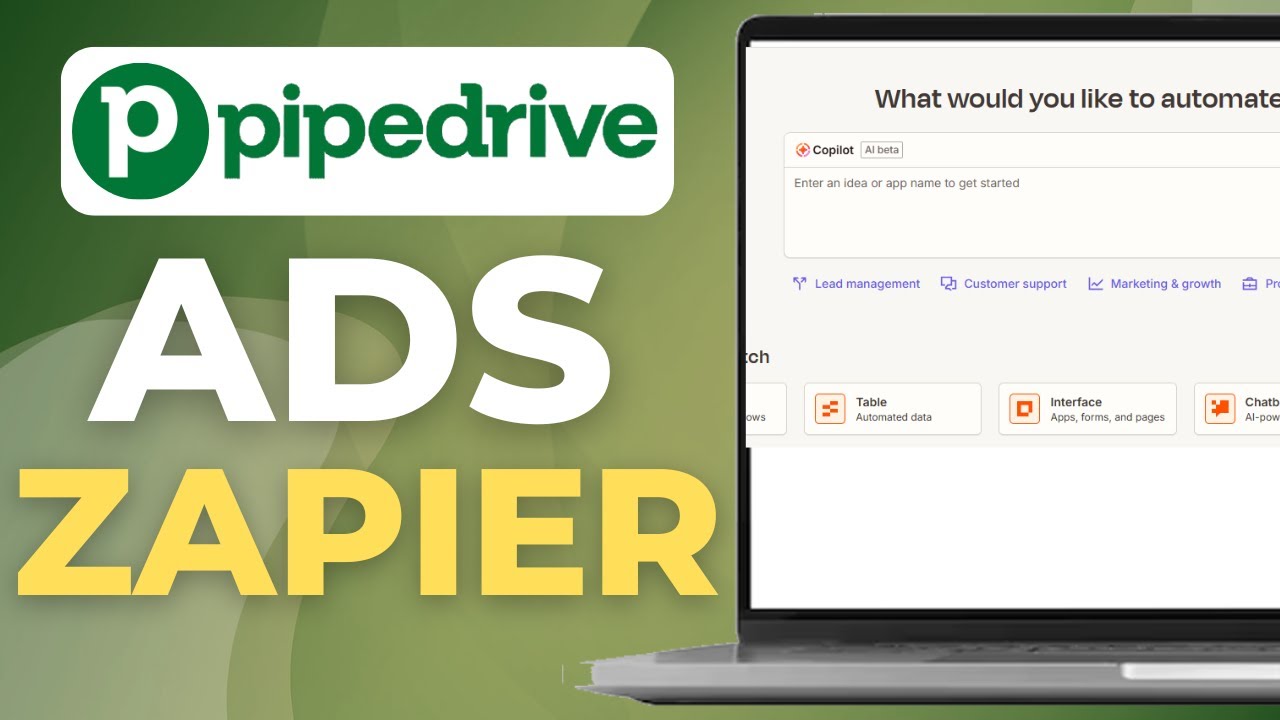
For a visual walkthrough of each step, watch the full tutorial video at 1:45 where we demonstrate the exact field mapping between Facebook Lead Ads and Pipedrive.
Key Takeaways
Connecting Facebook Lead Ads to Pipedrive via Zapier transforms your lead management from a manual, error-prone process to an automated, reliable system. The three-step setup takes minutes but delivers lasting benefits:
In summary: 1) Create a Zap with Facebook Lead Ads as the trigger, 2) Connect Pipedrive and map your fields, 3) Test and activate. The result? Every lead becomes a deal instantly, with no missed opportunities or data entry errors.
Frequently Asked Questions
Common questions about this topic
Connecting Facebook Lead Ads to Pipedrive automatically creates deals in your CRM whenever you get a new lead. This eliminates manual data entry, reduces human error, and ensures no leads fall through the cracks.
Studies show businesses that automate lead capture see 45% faster response times compared to manual processes. The integration also provides more accurate data for your sales team to work with.
- No more missed leads from forgotten transfers
- Eliminates typos and incomplete data
- Provides instant visibility into new leads
No coding is required. Zapier provides a visual interface where you simply select Facebook Lead Ads as your trigger and Pipedrive as your action.
The entire setup takes less than 10 minutes and requires no technical knowledge. At each step, Zapier provides clear instructions and dropdown menus to guide you through the process.
- Point-and-click interface
- No programming knowledge needed
- Step-by-step guidance throughout
All lead form fields from Facebook automatically map to corresponding Pipedrive deal fields. This typically includes name, email, phone number, and any custom questions from your lead form.
During setup, you'll see a screen where you can match each Facebook field to its Pipedrive counterpart. You can choose to transfer all fields or only specific ones that matter to your sales process.
- Standard contact information transfers automatically
- Custom form questions map to Pipedrive custom fields
- You control exactly which data gets transferred
The integration works instantly once activated. New leads captured in Facebook will automatically create deals in Pipedrive within seconds.
Zapier processes triggers in real-time, so there's no delay in your lead management pipeline. Your sales team could be looking at a new deal in Pipedrive before the lead even closes the Facebook form.
- Real-time processing
- No batch processing delays
- Instant visibility into new leads
Yes, Zapier allows you to add multiple actions after the initial trigger. You could add steps to notify your sales team via Slack, send a welcome email, or update a Google Sheet.
The basic Facebook to Pipedrive connection is just the starting point for more complex workflows. Many businesses add 3-5 additional actions to fully automate their lead management process.
- Add Slack notifications for instant alerts
- Trigger welcome email sequences
- Update internal tracking spreadsheets
You can edit your Zap at any time to adjust field mappings or add new fields. Zapier remembers your previous settings while allowing you to make changes.
There's no need to create a new Zap from scratch if your form fields change. Simply edit the existing Zap, update the field mappings, and save your changes - the automation will continue working with the new configuration.
- Edit existing Zaps anytime
- Add or remove fields as needed
- No downtime during updates
Zapier has a 99.9% uptime guarantee for its automation platform. The service processes billions of tasks monthly with enterprise-grade reliability.
If any errors do occur (like when Facebook or Pipedrive have API outages), Zapier will retry the transfer automatically. You can also set up notifications to alert you if any errors persist beyond the automatic retry period.
- Enterprise-grade reliability
- Automatic error retries
- Notification options for failures
GrowwStacks helps businesses implement automation workflows, AI integrations, and scalable systems tailored to their operations.
Whether you need a custom workflow, AI automation, or a full multi-platform automation system, the GrowwStacks team can design, build, and deploy a solution that fits your exact requirements.
- Custom automation workflows built for your business
- Integration with your existing tools and platforms
- Free consultation to discuss your automation goals
Stop Losing Leads Between Facebook and Pipedrive
Every day you wait to automate this process means missed opportunities and revenue left on the table. GrowwStacks can have your Facebook-to-Pipedrive integration running in under an hour - often with additional enhancements to supercharge your sales process.