Master AI Agents in Microsoft Copilot & Copilot Studio in Just 20 Minutes
Businesses waste countless hours on repetitive tasks like email responses, data cleaning, and report generation. Microsoft Copilot Studio lets you build AI agents that automate these workflows with human-like reasoning - no coding required. This guide shows you exactly how to create agents that think, plan, and act autonomously.
The Copilot Agent Store: Your AI App Marketplace
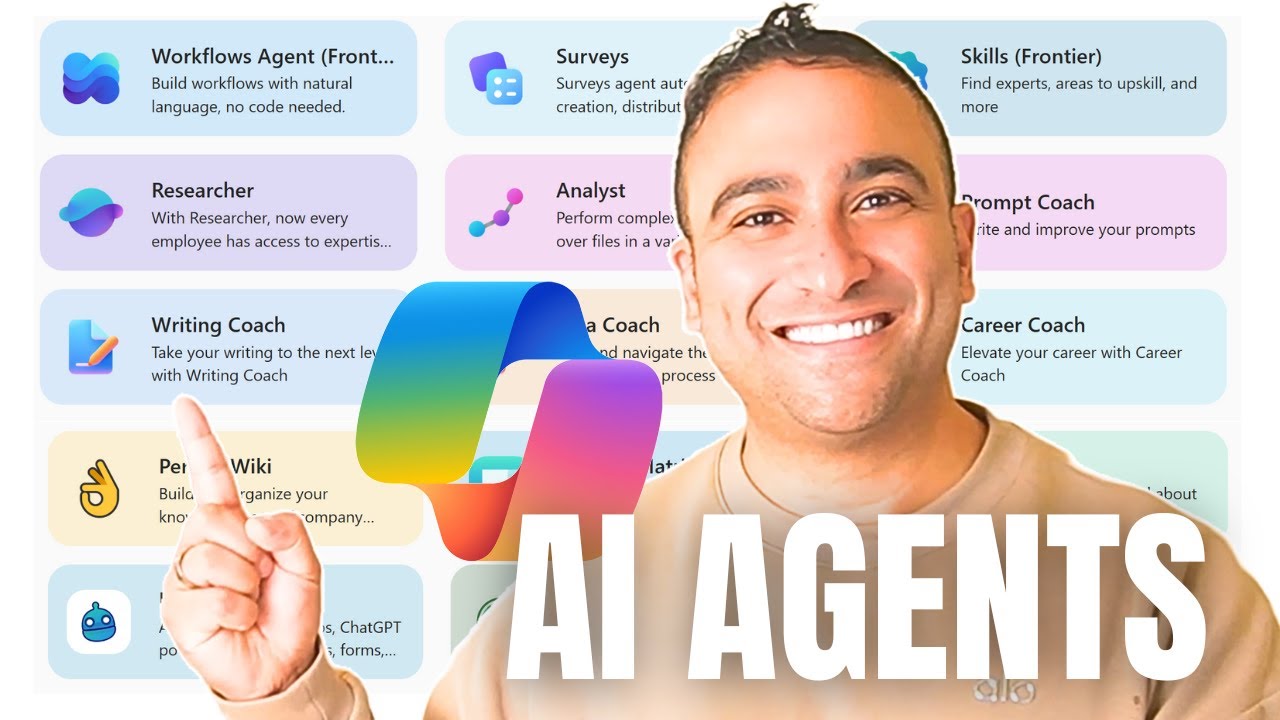
Microsoft Copilot's Agent Store functions like an app store for AI capabilities, offering pre-built solutions for common business needs. At 1:15 in the video, we see specialized agents for research, data analysis, career coaching, and learning - each designed to perform complex tasks with simple natural language instructions.
These aren't simple chatbots. The researcher agent demonstrates PhD-level analysis capabilities, while the data analyst can process and visualize complex datasets. What makes Copilot Studio powerful is how it lets you customize these templates or build entirely new agents from scratch.
Key insight: The Agent Store reveals Microsoft's vision for AI - not as a single tool, but as a ecosystem of specialized digital workers that collaborate with human teams. Each agent focuses on excelling at one specific type of work.
Building an Email Automation Agent (Step-by-Step)
At 3:42 in the tutorial, we create an agent that handles reference letter requests - a common time drain for professors and managers. The agent:
- Reads and understands incoming email requests
- Drafts a polite, professional response
- Requests the student's resume if needed
- Asks about the specific program/job being applied to
- Commits to providing the letter within a timeframe
The entire workflow is built by describing what you want in plain English - no coding required. At 5:18, we test the agent with a sample email and see it respond appropriately within seconds, demonstrating contextual understanding.
Before vs. After: What normally takes 15-20 minutes per email (reading, composing, follow-up) becomes fully automated while maintaining professional quality and personalization.
Transforming Messy Data with AI Analysis
At 8:15, the tutorial shifts to a common business challenge: cleaning messy, unstructured data. The demonstration CSV contains:
- Missing values
- Mixed date formats
- Inconsistent product naming ("Widget-A" vs "Widget A")
- Currency values stored as text
The data cleaning agent standardizes names, fixes formats, converts currency strings to numbers, handles missing/duplicate values, and even generates a time-series visualization - all through natural language instructions at 9:03.
Business impact: What would take an analyst hours to clean manually (with potential errors) becomes a 30-second automated process that produces audit-ready data.
Creating a Competitive Intelligence Reporter
At 12:40, we build an agent specialized in retail competitive analysis. After uploading Lowe's 10K filing and competitor information, the agent:
- Extracts key financial metrics
- Compares performance against Walmart and Home Depot
- Identifies growth rates and market trends
- Produces a SWOT analysis
- Generates strategic recommendations
This demonstrates how Copilot agents can become domain experts by incorporating specific knowledge sources. At 15:22, the agent provides detailed comparisons of operating margins and return on equity across competitors.
Adding Custom Knowledge to Your Agents
The true power emerges at 13:50 when we enhance the agent's capabilities by:
- Uploading Excel sheets with financial data
- Providing website links for the agent to crawl
- Writing clear instructions about the analysis needed
- Configuring the agent to generate visual reports
This transforms a general-purpose AI into a specialized business analyst that understands your industry's unique terminology, data formats, and reporting requirements.
Putting Your AI Agent to Work
At 17:30, the tutorial shows how agents operate in real business scenarios:
- Processing incoming emails automatically
- Generating reports on schedule
- Integrating with SharePoint and Teams
- Searching the web for updated information
The healthcare sector example at 18:45 demonstrates analyzing pharmaceutical companies' financials across regions, showing how easily agents adapt to different industries.
Tailoring Agents for Your Industry
The final section explores customizing agents for specific business needs:
- Legal: Contract review and clause identification
- Healthcare: Patient intake processing and records analysis
- Finance: Regulatory compliance monitoring
- Education: Personalized learning assistants
Each specialization follows the same no-code pattern - describe what you need, provide relevant documents, and let Copilot Studio build the intelligent workflow.
Watch the Full Tutorial
See these AI agents in action between 3:42-6:15 (email automation), 8:15-10:30 (data cleaning), and 12:40-17:30 (competitive intelligence). The video demonstrates the entire process from blank slate to working automation.
Key Takeaways
Microsoft Copilot Studio represents a fundamental shift in business automation. These aren't simple macros or rules-based bots - they're AI agents that understand context, reason through problems, and adapt to real-world complexity.
In summary: Any business process that follows predictable patterns but requires human-like judgment can be automated with Copilot agents. The platform removes the technical barrier, letting you describe what you need in plain language while it handles the implementation.
Frequently Asked Questions
Common questions about Microsoft Copilot AI agents
Microsoft Copilot Studio agents can automate email responses, data analysis, report generation, meeting scheduling, document processing, and competitive intelligence research. The platform enables building workflows that understand context, reason through tasks, and take appropriate actions without human intervention.
These agents go beyond simple rule-based automation by incorporating large language model capabilities. They can interpret ambiguous requests, make judgment calls, and adapt to new situations while maintaining your business's voice and standards.
- End-to-end email thread management
- Complex data transformation pipelines
- Multi-document analysis and synthesis
- Automated research and reporting
No coding is required. Copilot Studio uses natural language instructions to configure agents. You describe what you want the agent to do in plain English, and the system builds the underlying workflow automatically. The demo in this guide shows complete no-code creation of multiple business automation agents.
The interface provides templates and guided configuration for common use cases. For advanced customization, you can refine the agent's behavior through conversational feedback rather than programming. This makes powerful AI automation accessible to business users without technical backgrounds.
- Visual workflow builder with drag-and-drop components
- Natural language configuration for all capabilities
- Pre-built templates for common business scenarios
- Conversational refinement of agent behavior
The email agent reads incoming messages, understands requests like reference letter inquiries, drafts professional responses, asks for additional information if needed, and can follow up automatically. It maintains appropriate tone and context awareness throughout the conversation without human involvement.
Unlike basic email templates, these agents understand the nuances of different request types. They can distinguish between a student asking for a graduate school recommendation versus a job reference, adapting their response accordingly. The agent also handles edge cases like incomplete requests gracefully.
- Context-aware message interpretation
- Dynamic response generation
- Automatic follow-up and threading
- Tone matching to your brand voice
Yes. The data cleaning agent demonstrated handles missing values, inconsistent formats, mixed currency representations, and duplicate entries. It standardizes information, converts strings to proper numeric formats, and can generate visualizations from cleaned data - all through simple natural language instructions.
This capability is particularly valuable for businesses dealing with data from multiple sources. The agent can identify and reconcile different naming conventions, date formats, and measurement units automatically. It also documents all transformations for audit purposes.
- Automatic schema alignment
- Intelligent missing value handling
- Format standardization
- Transformation logging
Agents can analyze financial documents, extract key metrics, compare competitors, identify trends, and produce SWOT analyses. The retail industry example shows how an agent processed Lowe's 10K filings to compare against Walmart and Home Depot, complete with growth rate calculations and strategic insights.
These reports go beyond simple data aggregation. The agents provide narrative analysis that highlights important patterns and anomalies. They can tailor the depth and format of reporting based on the intended audience, from executive summaries to detailed technical analyses.
- Financial performance benchmarking
- Market trend analysis
- Competitive positioning
- Risk assessment
You can upload Excel files, PDFs, or provide website links that the agent will incorporate into its knowledge base. This allows creating specialized assistants with domain expertise in healthcare, finance, or any other field by feeding relevant documents and data sources.
The system handles both structured data (spreadsheets, databases) and unstructured content (PDF reports, web pages). It extracts the meaningful information while filtering out noise and irrelevant content. You can specify which parts of documents should receive more weight in the agent's knowledge.
- Document upload for domain specialization
- Web content integration
- Knowledge weighting controls
- Continuous learning capabilities
Yes. Agents integrate with Outlook, Teams, SharePoint, and other Microsoft 365 services. They can access emails, calendar events, documents, and chat conversations to perform cross-application workflows while maintaining appropriate security and access controls.
This enables powerful automation scenarios like extracting action items from meeting notes in Teams, creating follow-up tasks in Planner, and scheduling check-ins via Outlook - all as part of a single coordinated workflow. The agents respect existing permission structures and compliance requirements.
- Seamless Microsoft 365 integration
- Cross-application workflows
- Permission-aware automation
- Compliant data handling
GrowwStacks specializes in building custom Microsoft Copilot agents that automate your specific business processes. Our team will analyze your workflows, design tailored automation solutions, implement them in Copilot Studio, and train your staff. We offer free consultations to identify the highest-impact automation opportunities for your operations.
We go beyond basic setup to create sophisticated agents that understand your industry's unique requirements. Our implementations include ongoing optimization as your needs evolve, ensuring you continue getting maximum value from your AI automation investment.
- Custom agent design and development
- Workflow analysis and optimization
- Staff training and support
- Ongoing performance tuning
Ready to Deploy AI Agents Across Your Business?
Every day without automation costs your team valuable hours on repetitive tasks. GrowwStacks builds custom Copilot agents that work like dedicated digital employees - handling emails, analyzing data, and generating reports while you focus on strategy.