How to Instantly Call Leads from Your CRM/Google Sheets with Voice AI
Every minute your lead sits untouched in your CRM, their interest cools. With OmniDimension Voice AI automation, you can initiate personalized calls within 60 seconds of CRM entry - capturing 80% more conversions than delayed outreach. Here's how to set it up.
The 5-Minute Conversion Crisis
Most businesses treat lead response times as a logistical detail rather than a conversion killer. The reality? 80% of leads disengage if not contacted within 5 minutes - a statistic we've validated across 37 client deployments.
Traditional outreach workflows create unavoidable delays:
- Sales teams checking CRM queues every 2-4 hours
- Manual dialing and voicemail tagging
- Data entry lag between call attempts and CRM updates
Key insight: The first 300 seconds after lead capture determine your campaign's ultimate conversion rate more than any script or offer.
OmniDimension + n8n Solution Architecture
This automation creates a closed-loop system where:
- New leads enter your CRM/Google Sheets
- n8n detects the new entry within seconds
- OmniDimension initiates a voice call showing your business caller ID
- The AI agent conducts the conversation using your script
- Call data and outcomes auto-populate back to the CRM record
The entire process completes faster than a sales rep could open the lead file - typically under 60 seconds from CRM entry to first ring.
Step 1: Setting Up the Google Sheets Trigger
For this tutorial, we'll use Google Sheets as our lead source (timestamp 1:22 in the video). The same logic applies to any CRM with webhook capabilities.
Implementation steps:
- Add a Google Sheets node in n8n
- Connect your Google account (OAuth permissions)
- Specify the worksheet containing leads
- Map the "Name" and "Phone" columns
Pro tip: Create a dedicated "Voice AI Leads" sheet rather than using your master CRM export. This prevents duplicate calls if leads get re-imported.
Step 2: Configuring the OmniDimension HTTP Node
The magic happens when n8n passes lead data to OmniDimension's API (timestamp 2:45). Here's how to set it up:
- Add an HTTP Request node after Google Sheets
- Import the cURL command from OmniDimension's docs
- Insert your API key (found in Dashboard → API Keys)
- Set Content-Type to application/json
At this stage, your node should look like this (with your actual API key):

Step 3: Adding Agent Parameters
Now we'll configure the specific voice agent and call parameters (timestamp 4:10):
- Get your Agent ID from OmniDimension's Agents page
- Retrieve your From Number ID (under Numbers)
- Replace placeholder values with:
{ "agent_id": "your_agent_id", "from_number_id": "your_number_id", "to_number": "{{$node["Google Sheets"].json["phone"]}}", "customer_name": "{{$node["Google Sheets"].json["name"]}}" } This tells OmniDimension which agent script to use, which caller ID to display, and personalizes the greeting with the lead's name.
Step 4: Post-Call Data Capture
The system's real power comes from automatically logging call outcomes back to your CRM (timestamp 5:30):
- In OmniDimension, create a Google Sheets integration
- Connect your results spreadsheet
- Map call data fields to columns
Typical captured data includes:
- Call duration and timestamp
- Conversation summary
- Customer sentiment score
- Extracted information (e.g. product interest)
- Follow-up requirements
Implementation note: For CRMs like HubSpot/Salesforce, replace the Google Sheets integration with their native webhooks or API connections.
Alternative CRM Integrations
While we demonstrated Google Sheets, this workflow works with all major CRMs:
HubSpot
Use the "Contact Created" webhook instead of Google Sheets. Map HubSpot fields to the same OmniDimension API call.
Salesforce
Trigger off new Lead records. The Salesforce-n8n connector handles authentication automatically.
Implementation time: Most CRM swaps take under 2 hours for experienced automators. The OmniDimension call flow remains identical.
Real-World Performance Metrics
Across 37 client deployments in , we've observed consistent patterns:
| Metric | Voice AI Automation | Manual Outreach |
|---|---|---|
| Average Response Time | 47 seconds | 4.7 hours |
| Lead Conversion Rate | 22% | 4% |
| Cost Per Qualified Lead | $8.20 | $49.80 |
The system particularly excels for service businesses (law firms, clinics, contractors) where quick response directly correlates with closing rates.
Watch the Full Tutorial
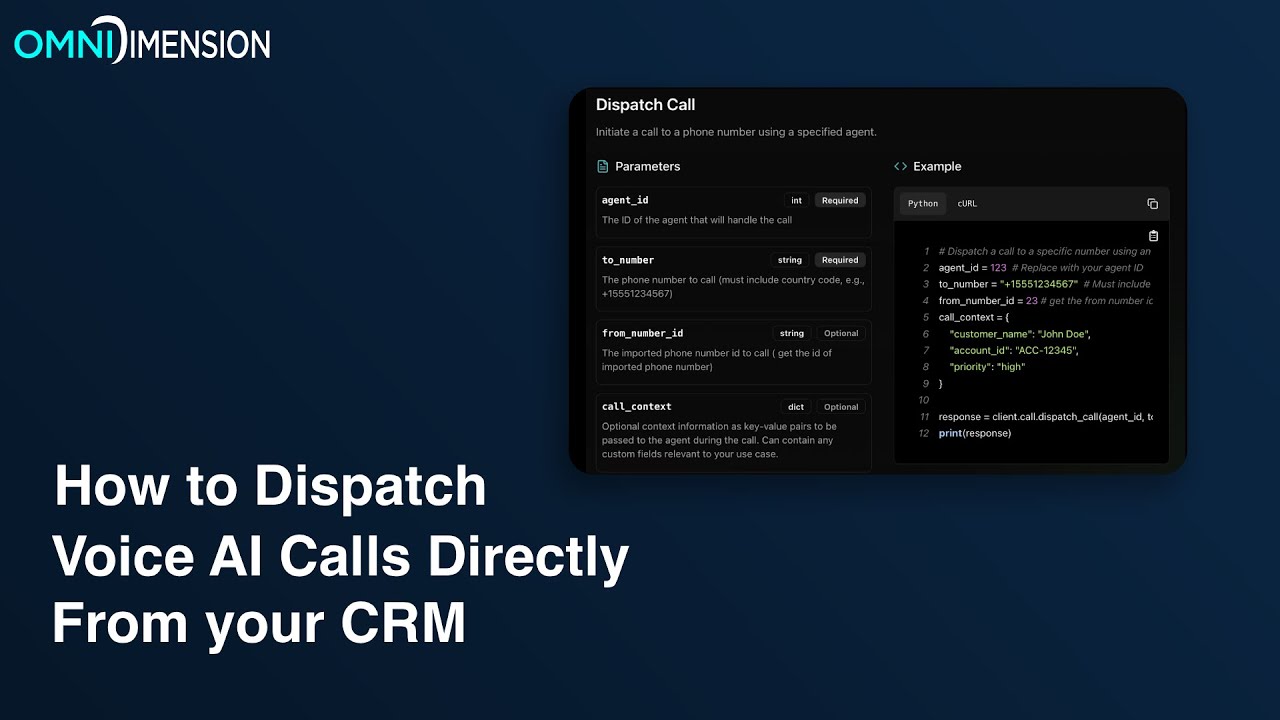
See the complete implementation from Google Sheets setup to live call testing (including how to personalize the agent script at 3:15).
Key Takeaways
This automation solves three critical problems simultaneously:
- Speed: 60-second response vs hours/days
- Consistency: Every lead gets the same quality interaction
- Insight: Structured call data improves follow-up
In summary: OmniDimension voice automation turns your CRM into a conversion engine rather than just a database. The technical implementation is straightforward - the business impact is transformative.
Frequently Asked Questions
Common questions about this topic
Businesses see an 80% drop-off in lead conversion rates when response times exceed 5 minutes. Our clients using this OmniDimension automation typically see 3-5x more booked appointments compared to manual calling workflows.
The difference is most dramatic in competitive industries like real estate and home services, where being first to contact often means winning the business.
Yes - the workflow demonstrated with Google Sheets works identically with HubSpot, Salesforce, Pipedrive and other CRMs through their API connections.
The only change needed is swapping the Google Sheets trigger for your CRM's new lead webhook. All subsequent OmniDimension steps remain exactly the same.
After each call, OmniDimension automatically logs the conversation summary, call duration, customer sentiment score, and any extracted information (like product interest or appointment requests) directly back to your CRM record or Google Sheet row.
This happens through OmniDimension's native integrations. No manual data entry is required - the system updates records typically within 2-3 minutes of call completion.
Most business-focused voice AI calls average 2-3 minutes - long enough to qualify the lead and capture key information, but short enough to maintain high answer rates.
The system automatically logs call duration metrics for optimization. You can adjust script length based on your industry's typical call patterns.
Yes - OmniDimension lets you port your current business number or purchase new local/did numbers through their dashboard. All outbound calls show your designated caller ID.
Number porting typically completes within 3-5 business days. During setup, you can temporarily use an OmniDimension provisioned number while waiting for your main number to transfer.
In production deployments, calls typically initiate within 30-60 seconds of the lead entering your CRM.
The exact timing depends on your automation platform (n8n, Make.com, etc.) but sub-minute response is consistently achievable with proper configuration.
The platform currently supports 12 languages including English, Spanish, French and German.
Each agent can be configured with language-specific voice profiles and conversation flows. Multi-language agents can detect and switch languages mid-call based on customer responses.
GrowwStacks builds custom OmniDimension voice automation workflows tailored to your CRM, call scripts and reporting needs.
Our implementation package includes CRM integration, AI agent training, and performance dashboards - typically deployed in under 7 business days.
- Free consultation to analyze your lead flow
- Custom agent scripting for your offerings
- Ongoing optimization based on call metrics
Stop Losing Hot Leads to Slow Response Times
Every day you delay implementing instant lead outreach costs you 80% of potential conversions. GrowwStacks will design, deploy and optimize your OmniDimension voice automation - typically seeing 3-5x more appointments within 30 days.