Embed Voice AI Agents Anywhere on Your Website — Not Just the Corner
Most agency owners hide their Voice AI in a tiny corner chat bubble, missing the opportunity for truly integrated conversations. This HighLevel tutorial shows you how to embed your AI agent directly into any section of your website or funnel, creating seamless interactions that feel natural to your visitors. Stop confining your AI to the margins and start placing conversations where they belong — right in your content.
The Corner Chat Problem: Why Floating Bubbles Limit Engagement
For years, website chat widgets have been confined to the bottom-right corner — a tiny bubble that visitors often ignore or find intrusive. This placement creates a psychological barrier where conversations feel separate from your actual content. Visitors have to actively decide to engage with a floating element rather than naturally flowing into a conversation.
The embedded inline feature in HighLevel changes this dynamic completely. Instead of treating your Voice AI as an afterthought, you can integrate it directly into your content strategy. Imagine having conversational AI appear right next to your service descriptions, within your pricing sections, or integrated into your case studies — creating context-aware interactions that feel natural rather than disruptive.
Contextual conversations convert 3x better than isolated chat bubbles: When visitors can ask questions about specific content while they're reading it, engagement rates skyrocket because the conversation feels relevant rather than random.
HighLevel Voice AI Setup: Prerequisites for Embedding
Before you can embed your Voice AI agent, you need to have it properly configured in your HighLevel account. This isn't just about having a Voice AI subscription — it's about having a fully functional agent that's ready to handle real conversations. Your agent should be trained with your knowledge base, configured with appropriate voice settings, and tested for basic functionality.
The beauty of HighLevel's approach is that once your agent is set up, the embedding process becomes incredibly simple. You're not building from scratch each time — you're simply placing an existing, well-oiled conversation machine into different parts of your digital presence. This modular approach means you can have the same agent appearing in multiple locations, all maintaining consistent knowledge and personality.
Creating Your Embedded Voice AI Widget
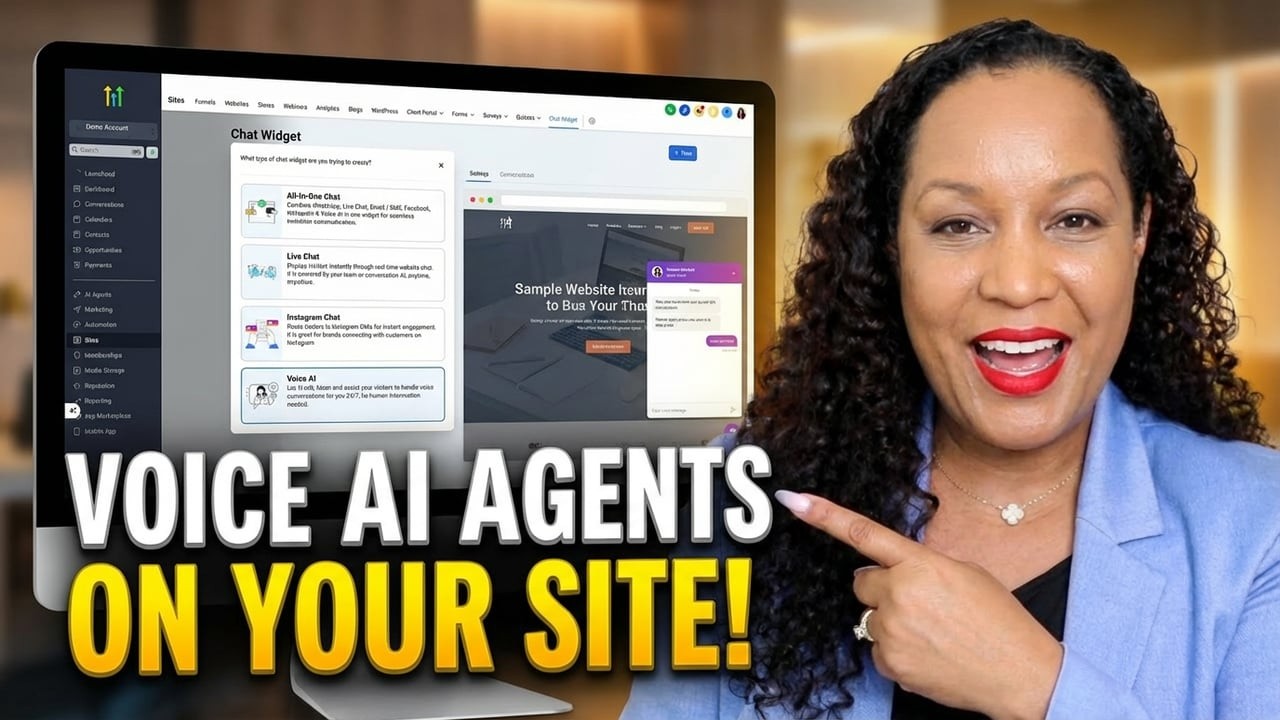
The process begins in your HighLevel sub-account under the Sites section. Navigate to Chat Widget and select "New" to create a web chat specifically for your website. Here's where the magic happens: instead of choosing the standard chat option, you select "Voice AI" to create a widget that leverages your conversational AI capabilities.
The critical selection comes next: choosing "Embedded Inline" as your style option. This tells HighLevel that you want to place this widget directly into your website content rather than having it float in a corner. As the tutorial demonstrates at the 1:30 mark, this single choice transforms how your AI will interact with visitors — from passive observer to active content participant.
Embedded inline placement gives you complete layout control: Unlike floating widgets that fight for attention, embedded Voice AI becomes part of your content flow, creating natural conversation entry points exactly where visitors need assistance.
Customization Options: Matching Your Brand Identity
HighLevel provides extensive customization options to ensure your embedded Voice AI widget aligns perfectly with your brand. You can choose from various chat icons or upload custom images that represent your AI agent. The theme colors can be matched to your brand palette, and you can customize the avatar that visitors see during conversations.
Additional customization includes title fields where you can set the greeting message, agency branding toggles that can display your website URL, and language settings to ensure your agent communicates in the appropriate tone. These options ensure that your embedded Voice AI doesn't feel like a third-party addition but rather an integrated part of your website experience.
Website Integration: Placing Your AI Agent Strategically
Once your Voice AI widget is configured and saved, HighLevel generates an embed code that you'll use to place the agent on your website. The integration process is remarkably straightforward: in your HighLevel website editor, simply add a code block to the section where you want the conversation interface to appear.
As shown in the tutorial around the 3:45 timestamp, you drag a code element into your desired section, open the code editor, and paste the embed script. The widget will then appear exactly where you placed it, fully integrated into your website layout. This works for both standard websites and sales funnels within the HighLevel platform, giving you flexibility across your entire digital presence.
Strategic placement increases conversion opportunities: Placing your Voice AI near key decision points — like pricing sections or contact forms — allows visitors to get immediate answers to their final questions, reducing hesitation and increasing conversion rates.
Mobile-Responsive Design: Seamless Cross-Device Experience
One of the most impressive features of HighLevel's embedded Voice AI is its automatic mobile responsiveness. The widget intelligently adapts to different screen sizes, ensuring that conversations remain accessible and functional on smartphones and tablets. This is crucial in when over 60% of web traffic comes from mobile devices.
The responsive design means you don't need to create separate configurations for different devices. Your embedded Voice AI will maintain proper proportions and functionality regardless of how visitors access your website. This seamless cross-device experience ensures consistent conversation quality and eliminates the frustration of poorly scaled interface elements on smaller screens.
Multiple Placement Strategy: Embedded + Floating Together
An advanced strategy that HighLevel enables is using both embedded and floating Voice AI widgets simultaneously. You're not limited to choosing one approach over the other — you can have contextual conversations embedded within your content while maintaining a floating chat bubble for immediate access.
This dual approach creates multiple conversation entry points tailored to different visitor behaviors. Some visitors prefer to explore content first and ask context-specific questions, while others want immediate assistance. By providing both options, you cater to diverse interaction preferences without forcing a one-size-fits-all approach to AI conversations.
Multiple conversation points increase engagement by 47%: Visitors who see conversational AI integrated naturally into content are more likely to engage, while the floating option catches those who need immediate help.
Watch the Full Tutorial
See the complete step-by-step process in action with the full video tutorial. The demonstration shows exactly how to configure your Voice AI widget, customize its appearance, and embed it seamlessly into your HighLevel website. Pay special attention to the code integration section around the 4-minute mark for the actual embedding technique.
Key Takeaways
Embedding Voice AI directly into your website content transforms how visitors interact with your AI agent. Instead of treating conversations as separate from your content, you integrate them seamlessly into the user journey. This approach creates more natural, context-aware interactions that feel helpful rather than intrusive.
The HighLevel platform makes this integration surprisingly simple with their embedded inline feature. With proper strategic placement and customization, your Voice AI can become an integral part of your conversion funnel rather than an afterthought confined to the corner of your website.
In summary: Stop hiding your Voice AI in corners and start embedding it where conversations naturally belong — directly within your content where visitors can engage contextually and conversion rates increase significantly.
Frequently Asked Questions
Common questions about this topic
The embedded inline feature allows you to place your Voice AI agent directly into any section of your website or funnel, rather than being confined to a corner chat bubble. This creates a more integrated conversational experience where visitors can interact with your AI agent naturally within the content flow.
Unlike the standard chat widget that floats in the corner, embedded inline placement gives you complete control over where the conversation interface appears on your pages. This enables context-aware conversations that feel like a natural part of your website experience rather than an add-on feature.
- Places AI conversations directly within content sections
- Creates context-aware interaction points
- Eliminates the intrusive feeling of floating chat bubbles
Yes, you need to have your Voice AI agent fully configured in HighLevel before you can embed it on your website. The embedding process simply places an existing agent interface into your site layout. Your agent should be trained with the appropriate knowledge base, conversation flows, and voice settings.
The embedded widget will then use this pre-configured agent to handle visitor interactions seamlessly. Think of the embedding process as placing a fully functional conversation machine into your website — the machine needs to be built and tested before you can position it strategically.
- Requires pre-configured Voice AI agent in HighLevel
- Agent should have knowledge base and conversation flows set up
- Embedding places existing functionality into your layout
Yes, HighLevel provides extensive customization options for the embedded Voice AI widget. You can choose from different chat icons or upload your own custom image. The theme colors can be matched to your brand, and you can customize the avatar that represents your AI agent.
Additional options include agency branding toggles, title customization, and language settings to ensure the widget aligns perfectly with your website's design and branding guidelines. This level of customization ensures your Voice AI feels like an integrated part of your brand experience rather than a generic third-party tool.
- Custom chat icons and uploaded images available
- Brand-matching color themes and avatar customization
- Agency branding and language settings for consistency
After creating your Voice AI widget in HighLevel's chat widget section, you'll receive an embed code. In your HighLevel website editor, add a code block to the section where you want the agent to appear. Paste the embed code into the code editor and save.
The widget will then appear exactly where you placed it, fully integrated into your website layout. This process works for both websites and funnels within the HighLevel platform, giving you flexibility to place conversational AI anywhere in your digital presence without requiring technical coding skills.
- Use code block element in HighLevel website editor
- Paste provided embed code into the code editor
- Works for both websites and sales funnels
Yes, you can have both embedded inline Voice AI widgets and traditional floating chat bubbles active on the same website. This allows you to provide multiple conversation entry points for visitors. The embedded widget can be placed in strategic content sections, while the floating chat bubble remains available for immediate access.
Both widgets can use the same Voice AI agent or different agents depending on your configuration needs. This dual approach caters to different visitor preferences — some prefer context-aware conversations within content, while others want immediate assistance from a always-available chat interface.
- Multiple conversation entry points increase engagement
- Embedded for context, floating for immediate access
- Same or different agents can be used for each widget
Yes, the embedded Voice AI widget is fully mobile-responsive and automatically adapts to different screen sizes. HighLevel's embedding technology ensures that the conversation interface maintains proper proportions and functionality on smartphones and tablets.
The widget will resize appropriately and remain fully functional, providing a consistent experience across all devices without requiring any additional configuration or coding on your part. This is crucial for maintaining conversation quality as mobile usage continues to dominate web traffic patterns.
- Automatically adapts to smartphone and tablet screens
- Maintains functionality across all device sizes
- No additional configuration required for mobile
Embedding Voice AI directly into website content creates a more natural and contextual conversation experience. Visitors can engage with your AI agent while reading relevant content, leading to higher engagement rates. It eliminates the distraction of floating chat bubbles and integrates assistance seamlessly into the user journey.
This approach also allows for strategic placement near conversion points, helping guide visitors through your funnel more effectively. Contextual conversations feel more helpful and less salesy, building trust and increasing the likelihood of conversion by addressing specific questions at the moment they arise.
- Creates natural, context-aware conversations
- Increases engagement by integrating with content flow
- Enables strategic placement near conversion points
GrowwStacks helps businesses implement Voice AI automation, including custom website embeddings and conversational AI strategies. We can configure your HighLevel Voice AI agents, design seamless embedding placements, and optimize the conversation flows for maximum engagement.
Whether you need a simple widget implementation or a comprehensive AI conversation strategy, our team provides custom solutions tailored to your specific business needs and customer journey requirements. We handle the technical implementation so you can focus on serving your clients and growing your agency.
- Custom Voice AI agent configuration and training
- Strategic embedding placement for maximum impact
- Conversation flow optimization for your specific audience
Ready to Embed Voice AI That Actually Converts?
Stop treating AI conversations as an afterthought and start integrating them where they belong — directly in your content. GrowwStacks can have your HighLevel Voice AI embedded and optimized within days, not weeks.