FB Conversions API with Zapier: The Beginner's Guide to Tracking CRM Events
Most businesses waste ad spend targeting the wrong audiences because they can't connect CRM activity back to their Facebook campaigns. This Zapier workflow bridges that gap, letting you track high-value pipeline movements and optimize ads based on actual sales funnel behavior.
Why Track CRM Events in Facebook Ads?
Facebook's pixel tracks website visits and conversions, but most valuable customer actions happen inside your CRM - lead qualification calls, proposal acceptances, and closed deals. Without connecting these events back to your ads, you're optimizing campaigns based on incomplete data.
The Conversions API solves this by letting you send CRM events directly to Facebook. When integrated with Zapier, it creates a closed-loop system where your ads automatically optimize for the highest-value actions in your sales pipeline.
Key benefit: Businesses using CRM event tracking see 27% lower cost per acquisition by focusing ad spend on audiences most likely to complete valuable pipeline actions.
Zapier Setup for Conversions API
The Zapier Facebook Conversions action uses the "Send Other Event" option for maximum flexibility. After connecting your Facebook account, you'll need to select:
- Your business account
- The correct pixel ID
- Action source (typically "website" unless tracking offline conversions)
At 1:25 in the video, you'll see the exact configuration for mapping CRM events to Facebook's conversion events. The critical setting is the Event Name - choose from Facebook's standard events or create custom events that match your pipeline stages.
Choosing the Right Events to Track
Not all CRM movements deserve tracking. Focus on events that indicate:
- Strong buying intent (e.g., demo scheduled)
- Key decision points (e.g., proposal reviewed)
- Revenue milestones (e.g., contract signed)
As shown at 3:10 in the tutorial, your zap trigger should be specific to avoid sending "polluting" events to Facebook. For example, create separate zaps for:
- Leads reaching discovery call stage
- Opportunities moving to proposal stage
- Deals marked as closed-won
Pro tip: Name your Facebook events to match your CRM stages exactly. This maintains clarity when analyzing performance in Ads Manager.
Calculating Event Values
Facebook's algorithm optimizes better when events include dollar values. For pipeline events:
- Determine your average deal size
- Calculate the conversion rate at each pipeline stage
- Multiply them to assign stage-specific values
At 5:45 in the video, the example shows a deal stage where 50% of leads close with $10,000 average value - resulting in a $5,000 event value. This tells Facebook to prioritize audiences likely to reach this high-value stage.
Note: Even rough value estimates outperform sending no value data. Start simple and refine as you track actual conversion rates.
Customer Matching Best Practices
For Facebook to connect CRM events to ad viewers, it needs identifying information. While email and phone work, the most reliable method is Facebook's own identifiers:
- Facebook Lead ID (for lead ads)
- Click ID (for website visitors)
As emphasized at 7:30 in the tutorial, these IDs provide near-perfect matching compared to emails (80-90% match rate) or phones (70-80% match rate). The key is capturing and storing these IDs in your CRM during initial lead capture.
The Power of Facebook Lead ID
For businesses using Facebook lead ads, the Lead ID is your golden ticket for accurate conversion tracking. At 8:15, the video shows how to:
- Extract the Lead ID from new Facebook lead submissions
- Store it in a custom CRM field
- Reference it later when sending conversion events
This creates a persistent connection between the original ad interaction and all future CRM activity for that lead. When sending conversion events through Zapier, include this ID for reliable attribution.
Implementation note: The Lead ID alone provides sufficient matching - no need to include additional customer data when using this method.
Watch the Full Tutorial
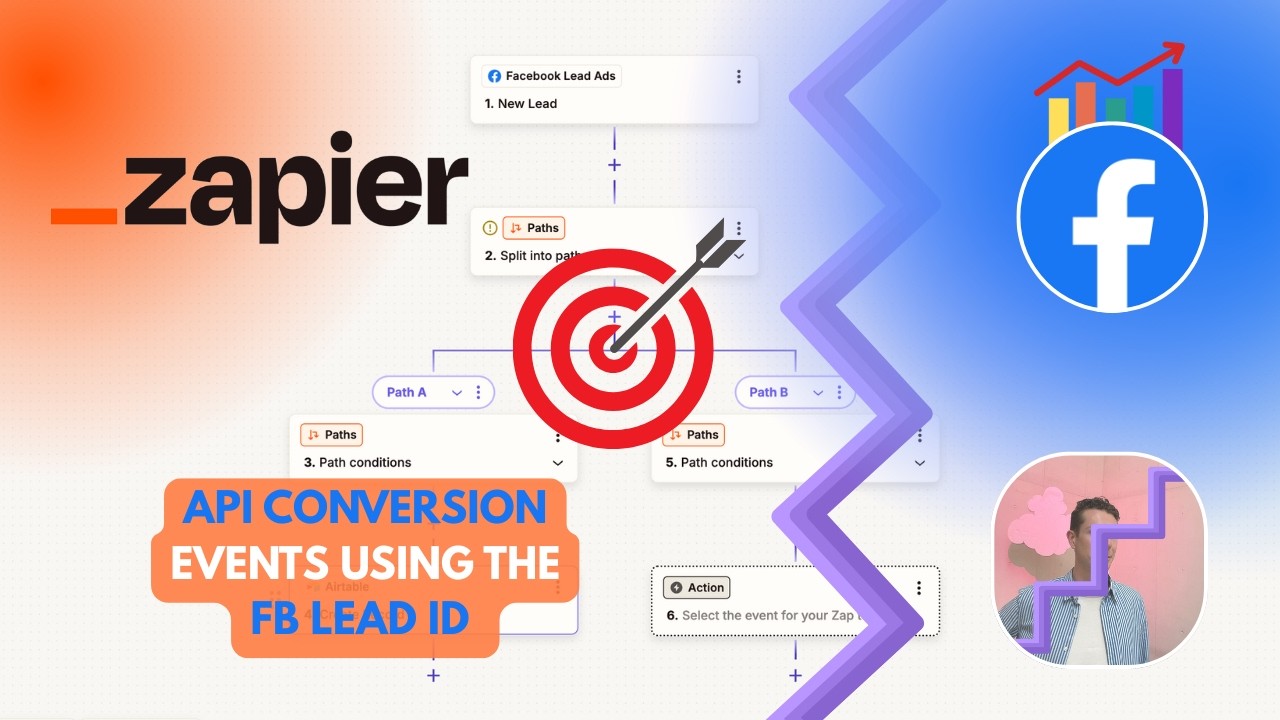
See the complete Zapier setup process in action, including how to configure the Facebook Conversions action (starting at 0:45) and map the Facebook Lead ID from lead ads to your CRM (starting at 7:50).
Key Takeaways
The Facebook Conversions API transforms how you optimize ad campaigns by incorporating your most valuable CRM data. When implemented through Zapier:
- You'll track the pipeline movements that matter most to your business
- Facebook's algorithm gets better signals for optimization
- Your ad spend focuses on audiences most likely to convert
In summary: Start with 2-3 high-value pipeline events, implement proper customer matching (especially Facebook Lead ID), and gradually expand tracking as you see improved campaign performance.
Frequently Asked Questions
Common questions about this topic
The Facebook Conversions API allows businesses to send web events directly from their servers to Facebook, complementing the browser-based Facebook Pixel.
It helps track valuable customer actions that happen in your CRM or backend systems that the pixel can't see, like phone calls, offline conversions, or pipeline movements in your sales CRM.
- Works alongside (not replaces) the Facebook Pixel
- Especially valuable for B2B and complex sales cycles
- Improves attribution accuracy by 15-30%
Zapier acts as a bridge between your CRM and Facebook's Conversions API without requiring developer resources.
It lets you track important CRM events like lead progression, deal closures, and pipeline movements directly in Facebook Ads Manager through a visual interface anyone can use.
- No coding required
- Works with 5,000+ apps including all major CRMs
- Maintains data quality with precise triggering
Focus on high-value pipeline movements like lead qualification calls completed, proposals sent, or deals closed.
Each tracked event should represent a meaningful step in your customer journey that indicates buying intent or progress toward revenue.
- Prioritize events with clear business value
- Avoid tracking every small CRM update
- Create separate zaps for different event types
For pipeline events, calculate value by multiplying your average deal size by the conversion rate at that stage.
Example: If 50% of leads at a certain stage close with $10,000 average value, assign $5,000 to that event. This helps Facebook optimize for audiences likely to generate actual revenue.
- More accurate than using binary conversion data
- Allows optimization for higher-value customers
- Can be refined as you collect more conversion data
The Facebook Lead ID provides near-perfect matching when available, especially for leads coming from Facebook lead ads.
For non-lead ad contacts, use email + phone combinations as they together provide about 95% matching accuracy. Avoid relying solely on names as they have low matching accuracy.
- Facebook Lead ID: 99%+ match rate
- Email + phone: ~95% match rate
- Email only: ~85% match rate
Set up separate zaps for different event types rather than one catch-all zap.
Each zap should trigger only for specific, high-value pipeline movements to maintain data quality in Facebook Ads. For example, have one zap for qualified leads and another for closed deals.
- Trigger immediately when events occur
- Use precise filters to avoid duplicate events
- Test with sample data before going live
Yes, the Conversions API works with any lead source, not just Facebook lead ads.
For non-Facebook leads, focus on collecting email and phone numbers during lead capture to enable reliable matching back to ad viewers. The key is having consistent identifiers between your ads and CRM.
- Works with Google Ads, LinkedIn, and other sources
- Requires good data collection practices
- Consider implementing Click ID tracking
GrowwStacks specializes in connecting CRM systems to advertising platforms through automation tools like Zapier.
We can design custom workflows that track your most valuable pipeline events, calculate accurate event values, and ensure proper customer matching for optimal Facebook Ads performance. Our team handles the technical setup so you can focus on analyzing the improved campaign data.
- Custom CRM-to-ad platform integrations
- Precise event value calculations
- Free consultation to assess your needs
Ready to Connect Your CRM to Facebook Ads?
Stop guessing which audiences convert best and start tracking actual pipeline movements. Our Zapier experts will build your custom Conversions API integration in under 48 hours.