Gumloop vs Zapier, Make & n8n: The Easiest AI Workflow Tool for Non-Tech Users
Most business owners know they need automation but get overwhelmed by complex interfaces and coding requirements. Gumloop's AI-powered visual builder promises to change that - delivering Zapier-like simplicity with n8n-level capabilities. See real workflow examples and discover which tool actually delivers the best value for time-strapped creators and small businesses.
What Makes Gumloop Different?
Traditional automation tools force you to choose between simplicity (Zapier) and power (n8n). Gumloop bridges this gap by combining a visual workflow builder with integrated AI capabilities. Unlike other platforms that treat AI as an add-on, Gumloop bakes artificial intelligence directly into its core functionality.
At 2:15 in the video, you'll see how Gumloop's interface guides users through AI prompt creation without requiring API knowledge. The platform automatically structures requests to OpenAI's GPT-4, handling all the technical complexity behind a simple drag-and-drop interface.
Key differentiator: Gumloop provides pre-built AI nodes for common tasks like text generation, summarization, and data enrichment - eliminating the need to manually configure API calls or write JavaScript functions like in n8n.
Real Workflow Examples
Let's examine two practical automations built in Gumloop compared to how they'd be implemented in other tools. These examples reveal why Gumloop is gaining traction among content creators and small business owners.
Example 1: Content Creation Pipeline
The video demonstrates a complete content workflow built in under 5 minutes:
- Trigger: New YouTube script added to Notion
- AI Action: GPT-4 summarizes the script
- Integration: Sends summary to Canva for thumbnail generation
- Output: Posts finished content to X (Twitter) automatically
Example 2: Lead Capture System
Another workflow shown at 4:30 handles lead management:
- Trigger: Google Form submission
- AI Action: Enriches lead with generated notes (job title, interests)
- Integration: Sends data to Airtable/Notion CRM
- Output: Sends personalized Gmail written by AI
Time savings: These workflows would take 2-3x longer to build in Zapier (multiple Zaps required) or n8n (coding needed for AI integration). Gumloop's unified interface and built-in AI nodes streamline the process.
Ease of Use Comparison
When evaluating automation tools, interface complexity often determines whether teams actually use them. Gumloop was designed specifically to lower the barrier to entry for AI-powered workflows.
At 6:50 in the video, you can see side-by-side comparisons of the same workflow in Gumloop versus Zapier and n8n. Gumloop's visual builder uses color-coded nodes and natural language prompts, while Zapier relies on form fields and n8n requires understanding of data structures.
Learning Curve Analysis
- Gumloop: 1-2 hours to build first workflow (AI guidance included)
- Zapier: 30 minutes for basics, but complex workflows require multiple Zaps
- Make: 2-4 hours to understand routers and data transformation
- n8n: 8+ hours for non-developers (JavaScript knowledge helpful)
Pricing Breakdown
Automation costs can spiral quickly when adding AI capabilities. Gumloop's pricing model includes AI usage in its credit system, while other platforms charge extra for GPT access.
Pricing Comparison
| Tool | Starter Plan | Mid-Tier | Enterprise | AI Costs |
|---|---|---|---|---|
| Gumloop | $37/mo (2000 credits) | $244/mo (60k credits) | Custom | Included |
| Zapier | $19.99/mo (100 tasks) | $69/mo | Custom | Extra |
| Make | $9/mo (1000 ops) | $29/mo | Custom | Extra |
| n8n Cloud | $20/mo (2500 execs) | $50/mo (10k execs) | $667/mo | Extra |
Hidden cost alert: Zapier and Make users often underestimate the additional expenses of AI plugins and premium apps. Gumloop's all-inclusive credit system makes budgeting predictable.
When to Choose Each Tool
No automation platform is perfect for every use case. Based on our testing and client implementations, here's when each tool makes the most sense:
Choose Gumloop If:
- You want AI built into workflows without coding
- Your team prefers visual builders over technical interfaces
- You create content or handle lead generation
- Predictable pricing matters (AI costs included)
Choose Zapier If:
- You need plug-and-play connections to niche apps
- Your team already knows the platform
- You run an agency managing multiple clients
Choose Make If:
- You need advanced data transformation
- Cost-per-operation is your primary metric
- You're comfortable with slightly technical interfaces
Choose n8n If:
- You require self-hosting or custom API development
- Your team includes JavaScript developers
- You process sensitive data requiring on-premise solutions
AI Integration Differences
The way each platform handles artificial intelligence reveals their core philosophies. Gumloop treats AI as a native feature, while others bolt it on as an afterthought.
Implementation Comparison
- Gumloop: Built-in AI nodes with guided prompt creation (shown at 3:10 in video)
- Zapier: Requires separate "Zapier AI" app with limited functionality
- Make: Needs manual API connections to OpenAI or other providers
- n8n: Full control via code but requires technical setup
Real-world impact: Gumloop users report completing AI workflows 3x faster than with other tools, as they don't need to switch contexts between platforms or manage multiple API keys.
Scalability Considerations
While Gumloop excels for small to medium workflows, your growth plans should influence tool selection. Here's how each platform handles scaling:
Workflow Complexity
Gumloop's visual interface becomes cumbersome with 50+ node workflows, where n8n's code-based approach offers more maintainability. Make strikes a balance with its scenario-based organization.
Team Collaboration
Zapier leads in multi-user environments with its team permissions and client management features. Gumloop's team plan is newer but shows promise for content teams.
Enterprise Needs
Large organizations often choose n8n for self-hosting or Make for its proven enterprise support. Gumloop currently focuses on the SMB market but is expanding capabilities.
Watch the Full Tutorial
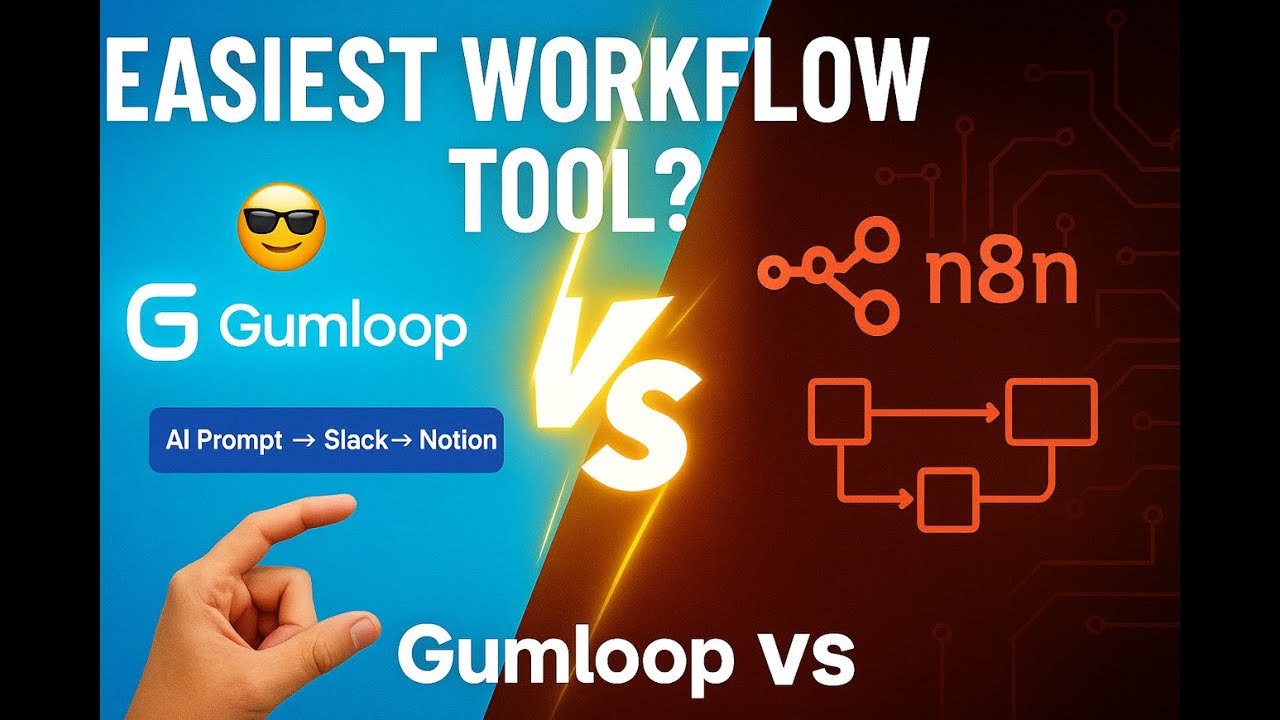
See Gumloop in action with two complete workflow builds from the video. At 2:45, watch how the content creation pipeline automatically generates thumbnails from scripts, and at 4:30 see the lead enrichment system that personalizes emails based on form responses.
Key Takeaways
The automation tool landscape is evolving rapidly with AI integration becoming table stakes. Gumloop represents the next generation - combining no-code simplicity with powerful AI capabilities in a single interface.
In summary: Choose Gumloop for AI-powered workflows if you value speed and simplicity. Stick with Zapier for multi-client agencies, Make for cost-sensitive technical teams, or n8n for developers needing maximum control. As AI becomes central to business automation, tools like Gumloop that bake it into their core will likely dominate the next decade.
Frequently Asked Questions
Common questions about this topic
Gumloop integrates AI directly into its workflow builder, allowing users to generate content, analyze data, and make decisions without switching between tools. Unlike Zapier which requires separate apps for AI functionality, Gumloop provides built-in AI nodes that handle text generation, summarization, and data enrichment within the same interface.
This unified approach means you can create an AI-powered workflow in Gumloop that would require connecting 3-4 different services in Zapier or Make. The platform also guides users through prompt creation, eliminating the need to learn API syntax.
- Built-in AI: No separate subscriptions or API keys needed
- Visual prompt builder helps non-technical users create effective AI instructions
- All AI costs included in Gumloop's credit system
While Gumloop excels at AI-powered workflows, n8n offers more technical flexibility for complex integrations. Gumloop is designed for visual builders who want AI capabilities without coding, whereas n8n is better suited for developers who need custom JavaScript functions and self-hosting options.
For most business automation needs (content creation, lead management, internal processes), Gumloop provides sufficient complexity. But if you're building custom API integrations or need to process sensitive data on-premise, n8n remains the more powerful option.
- Gumloop limits: ~50 nodes per workflow before interface becomes unwieldy
- n8n advantages: Full code access, self-hosting, enterprise-scale workflows
- Middle ground: Make offers some technical flexibility without coding requirements
Gumloop starts at $37/month with 2000 credits including AI usage. Zapier's starter plan is $19.99/month but charges extra for AI features. Make (formerly Integromat) offers 1000 operations for $9/month but requires more technical setup. n8n Cloud starts at $20/month while self-hosted n8n is free (you only pay for hosting).
The critical difference is how each platform handles AI costs. Gumloop includes them in its credit system, while other tools require separate OpenAI subscriptions or premium app fees. For teams running multiple AI workflows, these additional costs can quickly surpass Gumloop's all-inclusive pricing.
- Most affordable AI: Gumloop's credits cover both automation and AI usage
- Zapier AI costs extra per action on top of base plan
- Make and n8n require manual OpenAI API integration with separate billing
Gumloop currently targets small businesses and creators with its visual AI workflow builder. Enterprises needing thousands of complex automations may prefer n8n's self-hosted option or Make's enterprise plan. However, Gumloop's team plan at $244/month with 60k credits can support growing businesses.
The platform's limitations for large organizations include less granular permission controls, no self-hosting option, and workflow complexity constraints. That said, Gumloop is actively developing enterprise features, and its intuitive interface makes it ideal for departmental use even in larger companies.
- Best for: Marketing teams, content creators, SMB operations
- Less ideal for: IT departments managing company-wide automations
- Watch for: Gumloop's upcoming enterprise features in 2026
Gumloop shines for AI-enhanced workflows like content creation (auto-generating social posts from scripts), lead enrichment (adding AI-generated notes to CRM entries), and personalized communications (AI-written emails based on customer data). Its visual interface makes these automations accessible to non-technical users.
The platform particularly excels at workflows that combine multiple AI steps - for example, analyzing incoming data with AI, then generating customized outputs. This would require complex setups in other tools but flows naturally in Gumloop's node-based interface.
- Top use cases: Content pipelines, lead nurturing, data enrichment
- Ideal for: Creators, marketers, small business owners
- Sample workflow: Notion → AI summary → Canva → Social media
While there's no direct migration tool, Gumloop's visual builder makes recreating workflows straightforward. The platform offers templates for common automations like email sequences and social media posting. For complex Zaps, you may need to rebuild them step-by-step in Gumloop's interface.
The migration process typically goes faster when adding AI enhancements - Gumloop can often combine multiple Zaps into a single, more intelligent workflow. Their support team also provides free migration assistance for new customers moving from other platforms.
- Migration tip: Start with simple Zaps to learn Gumloop's interface
- Time savings: AI-enhanced workflows often require fewer steps than Zapier
- Pro advice: Document your current Zaps before rebuilding in Gumloop
Gumloop focuses on no-code automation rather than API development. While you can connect to external APIs, it doesn't provide the same level of API customization as n8n. If you need to build custom API integrations, n8n remains the better choice despite its steeper learning curve.
That said, Gumloop covers most common API needs through its pre-built app connections and webhook nodes. For advanced users, there's limited ability to make custom API calls, but the platform intentionally abstracts away technical details to maintain its simplicity.
- API capabilities: Basic webhooks and pre-built app connectors
- Missing features: Custom authentication, request signing, advanced error handling
- Workaround: Use Make or n8n for complex APIs, then connect to Gumloop
GrowwStacks helps businesses evaluate and implement the right automation tools for their needs. Whether you need Gumloop's AI-powered workflows, n8n's custom integrations, or Make's balance of power and simplicity, our team can design, build, and deploy solutions that save you time and money.
We offer free consultations to analyze your current processes and recommend the optimal automation strategy. Our experts handle everything from platform selection to workflow design and ongoing optimization, ensuring you get maximum value from your automation investment.
- Services include: Platform evaluation, workflow design, implementation
- Specialties: AI-enhanced automations, multi-tool integrations
- Next step: Book a free 30-minute automation assessment
Ready to Build Your AI-Powered Workflows?
Every day without automation costs your business time and missed opportunities. Our team can have your first Gumloop, Make, or n8n workflow live in 48 hours - complete with AI enhancements that work while you sleep.