Hermes Agent Desktop App: The 24/7 Self-Evolving AI Agent Now Available
Most AI assistants reset with each conversation - but Hermes remembers. The official desktop version brings persistent autonomous capabilities to your local machine, continuously improving as it learns your workflows and preferences.
The Official Hermes Desktop Launch
Until recently, Hermes Agent users had to rely on community-built desktop versions that lacked many core features. The newly released official desktop app changes everything by bringing the full Hermes experience to your local machine.
Developed by News Research under the MIT license, this isn't a lightweight clone - it's the same autonomous agent powering the CLI version, now with a graphical interface. All your existing configurations, sessions, skills and memory systems carry over automatically.
Native multi-platform support: The desktop app works seamlessly across Windows, MacOS and Linux systems, making Hermes Agent accessible regardless of your operating system.
Key Features of Hermes Desktop
What sets Hermes apart is its persistent nature. Unlike chatbots that reset with each conversation, Hermes continuously evolves through:
- Long-term memory: Remembers context across sessions
- Skill development: Creates and improves capabilities over time
- Workflow understanding: Learns your project patterns and preferences
The desktop interface adds visual management for these autonomous features. You can now:
- Monitor active agents and sub-agents
- Configure skills and tools through a GUI
- Schedule cron jobs for routine tasks
- Attach files and folders directly to conversations
Installation Guide
Getting started with Hermes Desktop takes just minutes:
- Download the package for your OS from the Hermes website
- Run the installer script (takes 2-3 minutes)
- Launch the application
If you've used Hermes before, all your existing configurations will automatically sync to the desktop app. New users can set everything up through the intuitive settings panel.
Free model access: News Portal currently offers free access to certain AI models for the first 30 days, making it easy to test Hermes without upfront costs.
Configuration and Setup
The settings panel lets you customize every aspect of your Hermes Agent:
- Model providers: Choose between OpenAI, Anthropic, News Portal or others
- Skills: Enable context engines, memory processors, image generation
- Messaging: Route Hermes through WhatsApp, Discord or Telegram
- Appearance: Switch between light/dark modes and layout options
For optimal performance, enable all available skills during initial setup. These tools enhance Hermes' capabilities without requiring manual configuration.
Practical Uses for Hermes Agent
Hermes shines in scenarios where persistence matters:
- Daily reports: Compile AI news summaries every morning
- Code assistance: Maintain context across development sessions
- Research: Track and analyze topics over extended periods
One powerful example: Hermes can monitor Reddit for AI discussions, analyze sentiment trends, and generate weekly reports - all autonomously through scheduled tasks.
Cost efficiency: By using cheaper models for routine tasks, Hermes helps reduce operational costs compared to premium AI services.
Multi-Agent Workflows
Hermes Desktop supports running multiple agents simultaneously:
- Deploy specialized sub-agents for different tasks
- Monitor all active sessions in one interface
- Share context and memory between agents
This enables complex workflows like having one agent handle research while another manages code generation, with both contributing to the same project memory.
How Hermes Evolves With Use
The true power of Hermes lies in its continuous improvement:
- Memory accumulation: Builds deeper context over time
- Skill refinement: Gets better at frequent tasks
- Workflow adaptation: Learns your preferences and patterns
This evolution transforms Hermes from a generic tool into a personalized assistant tailored to your specific needs and working style.
Watch the Full Tutorial
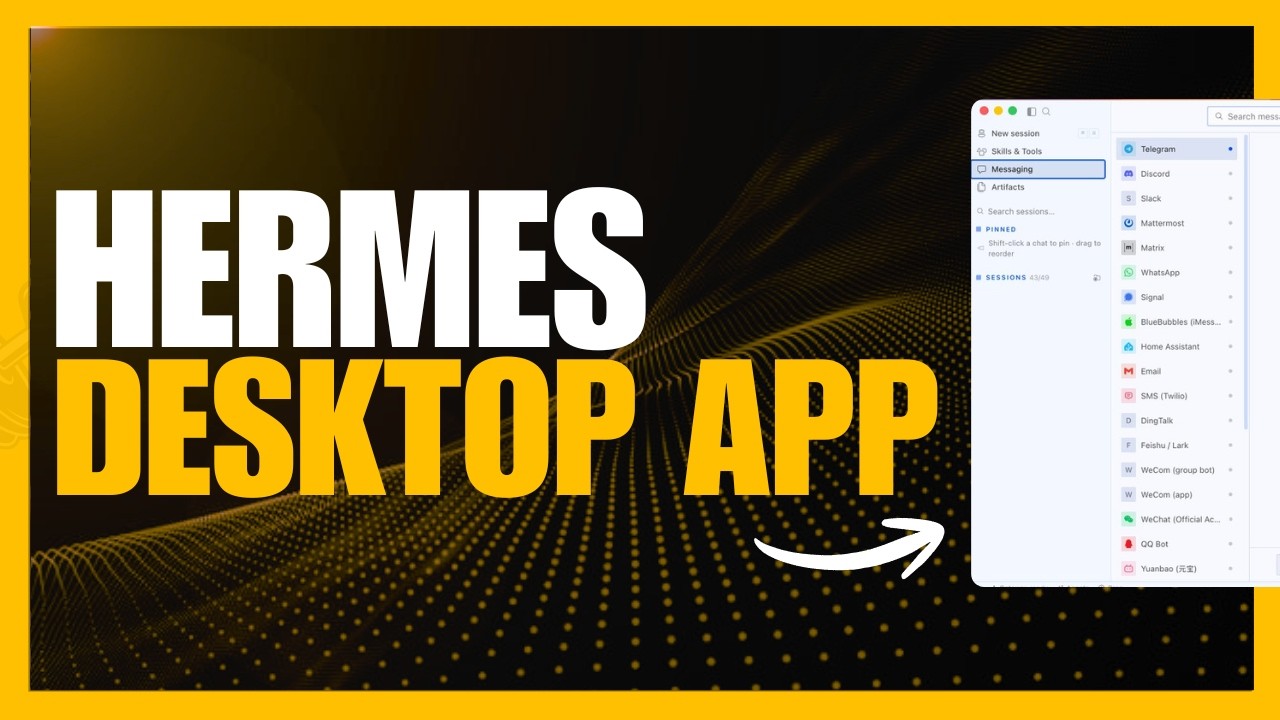
See Hermes Desktop in action building a front-end application from scratch and autonomously compiling research reports in this complete walkthrough (timestamp 6:45 shows the multi-agent workflow).
Key Takeaways
The Hermes Desktop app marks a significant step forward for accessible autonomous AI. By bringing the full Hermes experience to a graphical interface, it opens up powerful capabilities to more users while maintaining all the technical depth of the CLI version.
In summary: Hermes Agent stands out through its persistent memory, continuous learning, and ability to run 24/7 on your infrastructure - now more accessible than ever through the official desktop application.
Frequently Asked Questions
Common questions about Hermes Agent Desktop
Hermes Agent is a persistent autonomous system that continuously evolves with use. Unlike chatbots that reset with each conversation, Hermes builds long-term memory, develops skills over time, and maintains context across sessions.
It runs 24/7 on your own infrastructure, learning your workflows and preferences. This continuous improvement makes it more capable and personalized over time.
- Remembers context between conversations
- Develops new skills autonomously
- Adapts to your specific work patterns
Yes, the desktop app shares the same backend as the CLI version. All configurations, sessions, skills and memory systems sync automatically between interfaces.
Changes made in the desktop app immediately reflect in the CLI and vice versa. You can switch between interfaces seamlessly without losing any context or progress.
- Shared configuration settings
- Synchronized memory and skills
- Consistent session history
Hermes Desktop is available for Windows, MacOS and Linux systems. The same installation package works across all platforms.
The team has optimized the app for each operating system while maintaining feature parity. You get the same capabilities regardless of platform.
- Windows 10/11 support
- MacOS (Intel and Apple Silicon)
- Major Linux distributions
Yes, Hermes supports cron jobs and scheduled tasks through its persistent architecture. You can set up routine operations that run autonomously.
Common examples include daily reports, periodic data collection, or routine maintenance tasks. The agent continues running these even when you're not actively using it.
- Daily AI news digests
- Weekly analytics reports
- Periodic data backups
Hermes supports multiple model providers including OpenAI, Anthropic, and its own news portal which currently offers free access to certain models.
You can configure different models for different tasks, or switch providers as needed. This flexibility ensures you're not locked into a single vendor.
- OpenAI API integration
- Anthropic Claude support
- News Portal free tier
Yes, Hermes includes built-in integrations for messaging platforms like WhatsApp, Discord and Telegram. Through its skills system, it can also connect with various APIs and services.
The desktop app makes these integrations more accessible through its visual interface. You can configure connections without writing code.
- Messaging platform support
- API integration
- Custom API connections
Hermes maintains both short-term session memory and long-term persistent memory. It remembers context across conversations and builds understanding of your projects.
This memory system evolves over time, allowing Hermes better at anticipating needs and maintaining continuity in complex workflows.
- Short-term conversation memory
- Long-term project context
- Continuous learning from interactions
GrowwStacks specializes in implementing AI agent systems like Hermes for business workflows. We can configure autonomous agents for tasks like customer support, data processing, and content generation.
Our team handles the technical setup integration so you can focus on results. We ensure the agents align with your existing systems and deliver measurable value.
- Custom agent configuration
- Workflow automation
- Ongoing optimization support
Ready to Implement Autonomous AI Agent for Your Business?
Manual processes cost time money. Let GrowwStacks configure a Hermes Agent system that works 24/7 on your behalf.