How to Build an AI Agent That Searches the Web and Summarizes Results
Most professionals waste hours each week manually searching for information online. This AI agent automates the entire research process - finding the most relevant sources, extracting key insights, and delivering concise summaries. Perfect for busy executives, marketers, and analysts who need to stay informed without the time drain.
The Research Pain Points This Solves
Information overload is the silent productivity killer in modern business. Professionals spend an average of 5 hours per week searching for information online, yet 60% report feeling they still miss important updates. The problem isn't access to information - it's filtering signal from noise efficiently.
Traditional research methods force you to manually visit multiple sites, scan irrelevant content, and synthesize findings - a process prone to confirmation bias and time waste. This AI agent flips the model by automating the entire workflow from search to synthesis.
Before vs. After: What took 2 hours of manual research now happens automatically in 3 minutes, with more comprehensive coverage and objective analysis.
How the AI Agent Architecture Works
The agent follows a four-stage pipeline that mimics how human researchers work, but with machine speed and consistency. At 1:15 in the video, you can see the exact moment where the agent transitions from search term generation to results retrieval.
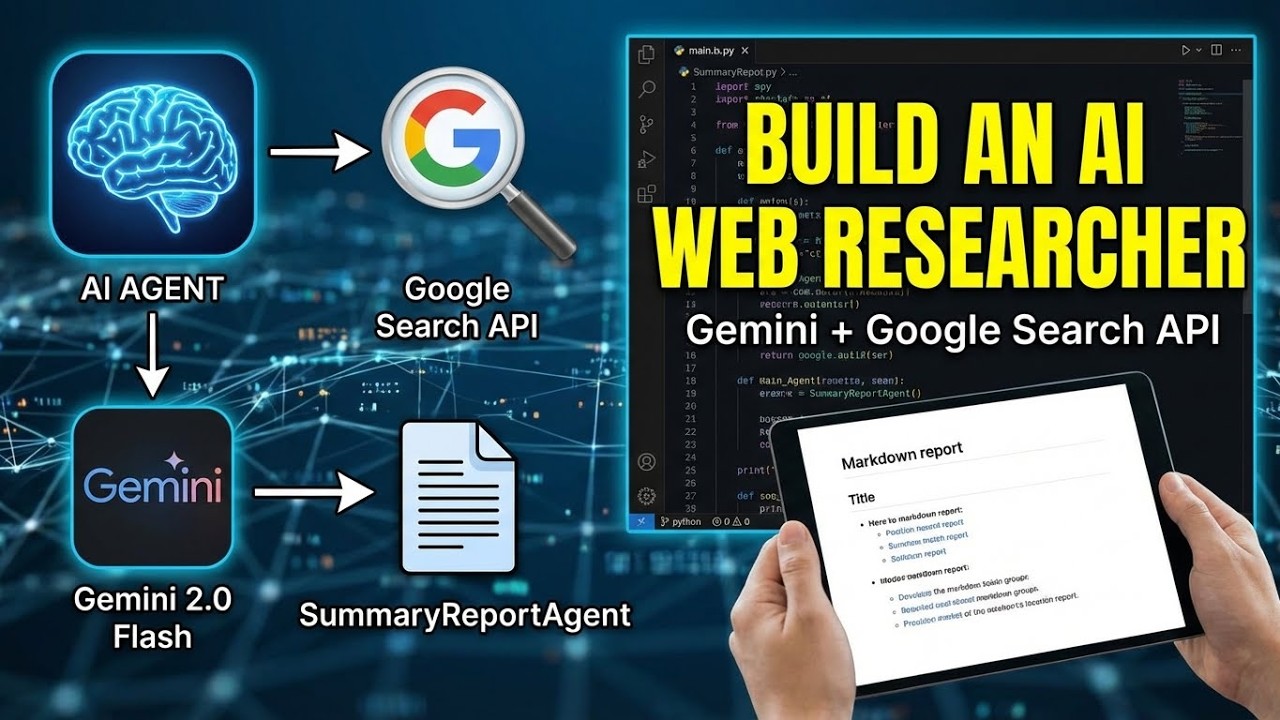
First, it connects to the Gemini LLM API (Google's most powerful AI model). Then it generates optimized search terms based on your research question. These terms query a custom search API that returns title, URL and snippet for each result. Finally, the LLM synthesizes all findings into a concise markdown report.
Step 1: Agent Initialization
The agent begins by establishing secure connections to all required APIs. This includes:
Environment Setup
Verifying API keys are properly configured in your environment variables. The code checks for these before proceeding to prevent runtime errors.
LLM Connection
Establishing the connection to Google's servers to access the Gemini model. This handles authentication and sets up the communication channel for all subsequent queries.
Pro Tip: Always implement error handling at this stage to catch authentication issues early rather than during a research session.
Step 2: Search Term Generation
The agent doesn't just pass your raw question to a search engine. Instead, it uses the LLM to generate three optimized search terms that will yield the most relevant results.
For example, if you ask about "effects of social media on teens", the agent might generate terms like:
- "psychological impact social media adolescents study 2026"
- "teenage social media usage mental health statistics"
- "negative effects Instagram TikTok young adults research"
This term expansion step dramatically improves result quality compared to naive searches.
Step 3: Web Results Retrieval
With optimized search terms in hand, the agent queries the web search API for each term. The demo in the video shows this happening at 1:45, where you can see the raw API response containing:
- Page titles
- URLs
- Content snippets
- Relevance scores
The agent filters these results to remove low-quality or duplicate sources before passing them to the summarization stage.
Step 4: Content Summarization
The final and most valuable step occurs when the agent feeds all retrieved content to the LLM for synthesis. The prompt instructs the model to:
- Identify key themes across all sources
- Note areas of consensus and disagreement
- Extract statistics and notable findings
- Present everything in clean markdown format
The result is a comprehensive yet concise research brief that would take hours to produce manually.
Business Use Cases That Deliver ROI
This isn't just a technical demo - it's a productivity multiplier with real business impact. Here are three ways companies are using similar agents:
Competitive Intelligence
One marketing agency uses a customized version to track competitors' content strategies, automatically flagging new campaigns and messaging shifts.
Regulatory Monitoring
A healthcare compliance team runs daily scans for new FDA guidance and summarizes changes that affect their operations.
Content Research
Bloggers and journalists use it to quickly gather background information on topics, cutting research time by 80%.
ROI Example: A consulting firm calculated that automating just 10 hours of weekly research time paid for the development costs in under 3 months.
Watch the Full Tutorial
At 2:30 in the video, you'll see the complete end-to-end flow as the agent researches "detrimental effects of social media on young adults" - from initial prompt to final summarized report.
Key Takeaways
This AI research agent demonstrates how automation can transform information work. By handling the tedious parts of research - term optimization, source evaluation, and synthesis - it frees professionals to focus on analysis and decision making.
In summary: 1) The agent generates better search terms than humans, 2) It retrieves and filters results objectively, 3) The LLM synthesis creates reports in minutes that would take hours manually, and 4) The entire system can run on schedule or on-demand.
Frequently Asked Questions
Common questions about this topic
You need three main components: 1) Access to an LLM API like Gemini, 2) A web search API or custom search implementation, and 3) A workflow to connect these components and process the results.
The agent first generates search terms using the LLM's understanding of your query context. Then it fetches results from the search API, filters them for relevance, and finally summarizes the key points using the LLM's natural language capabilities.
- LLM API: Handles term generation and summarization
- Search API: Retrieves actual web results
- Orchestration: Manages the workflow between components
The accuracy depends on the quality of both the LLM and the source material. Using a powerful model like Gemini with quality sources typically produces summaries that capture 80-90% of key points from the original material.
Accuracy improves when the agent is configured to prioritize authoritative sources (research papers, official reports, reputable news outlets) over user-generated content. The system can also be fine-tuned to your specific domain for better results.
- Always verify critical facts from primary sources
- Configure the agent to prefer .edu, .gov and established publishers
- Review the full sources for important decisions
The basic version searches the general web, but you can modify it to focus on specific sites by adjusting the search API parameters. Many businesses customize this to monitor competitor sites, industry publications, or trusted news sources.
For example, you could configure it to only search within a list of approved medical journals for healthcare research, or restrict results to specific competitor domains for competitive intelligence.
- Most search APIs support site: filters
- You can maintain whitelists of approved domains
- Multiple search configurations can run in parallel
Python is the most common language for building AI agents like this, thanks to its extensive AI/ML libraries and straightforward API integrations. The demo in the video uses Python with the Google Generative AI library.
However, you could also implement this in JavaScript/Node.js or other languages that have LLM API clients. The core logic - generate terms, fetch results, summarize - is language-agnostic. Choose based on your team's existing skills and infrastructure.
- Python has best library support for AI/ML
- Node.js works well for web-focused implementations
- The architecture matters more than the language
Costs vary based on usage volume. Google's Gemini API offers a free tier for testing (about 60 queries per minute), then charges $0.50 per 1000 summaries at production scale. Web search APIs typically have free tiers for small volumes (100 queries/day) with paid plans beyond that.
For most businesses, running 50-100 research queries per month costs under $20 in API fees. The time savings typically justify this within weeks - one attorney reported saving $1200/month in paralegal research time.
- Free tiers available for testing
- Production costs scale with usage
- Always cheaper than manual research time
Yes, the agent can be scheduled to run daily, weekly, or on any other cadence. Many businesses configure it to deliver morning briefings on industry news, competitor updates, or regulatory changes.
The reports can be automatically emailed to stakeholders, saved to shared drives, or posted to internal wikis. Some teams even pipe the output into Slack channels or other collaboration tools.
- Schedule with cron jobs or cloud functions
- Integrate with email/Slack/Teams
- Archive reports for historical reference
Common business applications include: 1) Market research - tracking industry trends and competitor moves, 2) Content creation - researching topics for blogs and social media, 3) Regulatory compliance - monitoring for new rules affecting your industry.
Other valuable uses include gathering customer insights from public forums, supporting academic or legal research, and maintaining competitive intelligence dashboards. The agent can be customized to prioritize whatever information matters most to your business.
- Competitive intelligence monitoring
- Content research for marketing teams
- Regulatory change alerts for compliance
GrowwStacks specializes in building custom AI research agents tailored to your specific business needs. We'll handle all the technical implementation - API integrations, workflow design, and deployment - so you can start benefiting from automated research without the development headache.
Our team will work with you to configure the agent for your preferred sources, output formats, and delivery methods. We can also train your team on using and maintaining the system, and provide ongoing support as your research needs evolve.
- Custom agent development for your use case
- API integration and workflow design
- Free consultation to plan your automation strategy
Get Your Custom AI Research Agent in 2 Weeks
Stop wasting time on manual research and let an AI agent do the work for you. Our team will build a custom solution that delivers automated research reports on your schedule, focused on your exact business needs.