How to Build an AI Chatbot That Answers Customer Questions Instantly
Every minute a customer waits for an answer increases the chance they'll abandon your business. This step-by-step guide shows how to configure an AI chatbot that provides accurate, instant responses to common questions - even handling purchase inquiries automatically while your team sleeps.
The Customer Support Challenge Every Business Faces
Customers today expect instant answers to their questions - whether it's 2 PM or 2 AM. When they can't get immediate responses about your products, services, or purchasing process, they'll simply move on to a competitor who can provide that instant gratification.
Traditional solutions like hiring 24/7 support staff or outsourcing to call centers are expensive and often deliver inconsistent quality. This is where AI-powered chatbots transform the game - providing accurate, instant responses at a fraction of the cost while maintaining your brand voice and business knowledge.
85% of customer interactions will be handled without human agents by : According to Gartner research, AI chatbots and virtual assistants are becoming the primary channel for customer service across industries. Businesses not implementing this technology risk falling behind competitors who can provide instant, always-available support.
Step 1: Creating Your AI Training Campaign
The foundation of an effective AI chatbot is a well-structured training campaign. This defines how your bot understands questions and formulates responses. From the dashboard, navigate to the AI training section and create a new campaign with these key elements:
Start by giving your campaign a clear, descriptive name that reflects its purpose (like "Product Support Bot" or "Sales Inquiry Assistant"). The prompt message is crucial - this tells the AI how to behave when responding to customers. A good prompt might include instructions like "Respond to customer questions about our products and services in a friendly, helpful tone. Always provide accurate information from our training data."
Step 2: Adding Effective Training Data
Your chatbot is only as good as the information you feed it. The training data phase is where you equip your AI with all the knowledge it needs to answer customer questions accurately. There are two main types of training data to include:
Content: General information about your business, products, and services written in clear, conversational language. Facts: Specific Q&A pairs that address common customer inquiries directly. For example, "How do I purchase your product?" paired with the step-by-step purchasing process including any relevant links.
Pro Tip: Start with your 20 most frequently asked customer questions. These typically cover 80% of inquiries. Review past support tickets or survey your team to identify these common pain points.
Step 3: Enabling the AI Assistant
With your training campaign created and populated with knowledge, it's time to activate your AI assistant. In the chatbot manager, select your WhatsApp bot (or other messaging platform) and switch to AI agent mode. Key configuration options include:
Select the training campaign you created earlier as the knowledge base. Enable the AI agent for all queries to handle the full range of customer questions. Consider activating contextual memory so the bot can maintain conversation threads. The typing indicator adds realism by simulating human response times. Set the AI reasoning level to medium for balanced performance.
Step 4: Testing and Refining Your Bot
Before going live, thoroughly test your chatbot with real-world scenarios. Start simple with basic product questions, then progress to more complex inquiries like purchase processes or troubleshooting. Pay attention to:
Accuracy: Are responses factually correct based on your training data? Tone: Does the bot sound like your brand? Helpfulness: Does it provide complete answers or just partial information? As shown in the video at 2:45, test purchase-related questions to ensure the bot can guide customers through your sales funnel effectively.
Continuous improvement is key: Plan to review conversation logs weekly for the first month to identify gaps in your training data. Add new content and facts based on real customer interactions to constantly improve response quality.
Watch the Full Tutorial
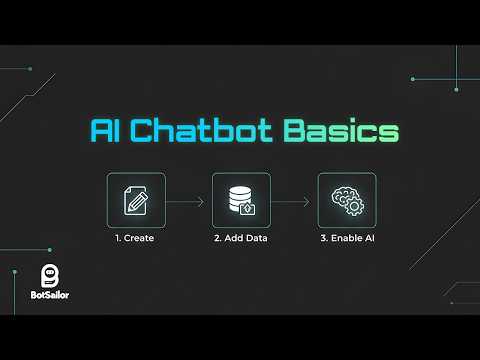
See the complete AI chatbot configuration process in action, including how to test purchase inquiries (demonstrated at 2:45 in the video) and enable realistic typing indicators that improve customer experience.
Key Takeaways
Implementing an AI chatbot for customer support transforms your ability to engage customers instantly, at any hour, while dramatically reducing support costs. The four-step process - create campaign, add training data, enable assistant, and test thoroughly - ensures your bot delivers accurate, helpful responses from day one.
In summary: AI chatbots can handle 85% of routine customer inquiries instantly, freeing your team to focus on complex issues while providing 24/7 support that customers increasingly expect.
Frequently Asked Questions
Common questions about AI chatbots for customer support
AI chatbots excel at handling common, repetitive inquiries that follow predictable patterns. This includes questions about product features, pricing, availability, shipping times, return policies, and basic troubleshooting.
With proper training, they can also guide customers through purchase processes by providing product links and explaining payment options. For industries with regulatory requirements, chatbots can be programmed to provide standardized responses to compliance-related questions.
- 85-90% of routine customer service inquiries can be automated
- Best for factual information rather than subjective opinions
- Can escalate complex issues to human agents when needed
The accuracy of AI chatbot responses depends directly on the quality and completeness of the training data provided. With comprehensive, well-structured information about your products and services, modern AI chatbots can achieve accuracy rates comparable to human agents for routine inquiries.
Accuracy typically improves over time as the system processes more real conversations and you add additional training data to cover gaps. Regular monitoring and refinement are essential during the first 3-6 months of deployment.
- Initial accuracy typically 85-90% for trained topics
- Improves to 93-95% with ongoing refinement
- Critical to monitor and update training data regularly
AI chatbots can effectively guide customers through purchase processes by explaining options, providing product details, and sharing links to your secure checkout system. They excel at answering pre-purchase questions that often determine whether a sale happens.
For security reasons, actual payment processing should occur through your existing secure payment gateway rather than within the chat interface. The chatbot's role is to facilitate the purchase journey, not handle sensitive financial data.
- Can increase conversion rates by 20-30% through instant answers
- Provide links to products and checkout pages
- Explain payment options and shipping policies
Basic rule-based chatbots follow rigid decision trees and can only respond to exact keyword matches. If a customer phrases a question differently than programmed, these bots often fail to understand or provide irrelevant responses.
AI-powered chatbots use natural language processing to understand the intent behind questions, regardless of how they're phrased. They can handle variations in language, maintain conversation context, and provide more nuanced, helpful responses that improve customer satisfaction.
- AI chatbots understand variations in how questions are asked
- Maintain conversation context across multiple messages
- Learn and improve from each interaction
A basic AI chatbot can be implemented in as little as 1-2 days for initial setup and training. This includes creating the training campaign, loading essential product/service information, and connecting to your messaging platform.
However, expect to spend 2-4 weeks refining the training data based on real customer interactions. Most businesses see the best results after 3 months of continuous improvement as the chatbot handles more diverse inquiries and you expand its knowledge base.
- 1-2 days for initial implementation
- 2-4 weeks for refinement based on real interactions
- 3 months to reach optimal performance
Yes, modern AI chatbot platforms support integration with all major messaging channels including WhatsApp, Facebook Messenger, website chat widgets, SMS, and more. The core configuration process is similar across platforms.
Each platform may have specific requirements for message formatting, response times, and approved use cases. For example, WhatsApp has strict policies about messaging frequency and requires opt-in from users. Your implementation partner can help navigate these platform-specific requirements.
- Works on WhatsApp, Messenger, SMS, and web chat
- Maintains consistent knowledge across all channels
- Platform-specific optimizations may be needed
Restricted topics are subjects you want the chatbot to avoid discussing, either because they require human judgment or fall outside approved communication guidelines. Common examples include unpublished financial data, unapproved marketing claims, or sensitive personnel matters.
When users ask about restricted topics, the chatbot can be programmed to politely decline to answer or redirect to the appropriate human contact. This ensures compliance while maintaining professional customer interactions.
- Define 5-10 key restricted topics during setup
- Examples: financial projections, unannounced products
- Program appropriate deflection responses
GrowwStacks specializes in implementing AI chatbots tailored to your specific business needs and customer support requirements. We handle the entire process from identifying common customer questions to training the AI with your product knowledge and integrating with your existing systems.
Our team ensures your chatbot provides accurate, helpful responses while maintaining your brand voice. We offer free consultations to discuss your specific requirements and demonstrate how AI chatbots can transform your customer support operations while reducing costs.
- Free 30-minute consultation to assess your needs
- Custom training based on your products/services
- Ongoing optimization and support
Ready to Implement AI Chatbots for Your Business?
Every day without AI-powered customer support means lost sales and frustrated customers. GrowwStacks can have your custom AI chatbot answering customer questions accurately within 48 hours.