How to Build AI Voice Employees That Answer Calls & Close Deals in GoHighLevel
Businesses lose thousands in missed opportunities every month from unanswered calls and poor follow-up. With GoHighLevel's AI Voice Employees, you can now have conversational AI agents answering calls 24/7, qualifying leads, and even closing deals - all while you sleep. This tutorial shows exactly how to set it up.
What Is an AI Voice Employee?
Imagine having a team member who never sleeps, never takes breaks, and can handle hundreds of calls simultaneously with perfect patience and product knowledge. That's exactly what AI Voice Employees deliver. These aren't simple IVR systems or robotic voice menus - they're conversational AI agents that can hold natural, context-aware discussions with your customers.
Unlike traditional chatbots limited to text, these AI employees use advanced voice synthesis that sounds remarkably human. They can understand nuances in conversation, handle interruptions, and even detect emotional cues to adjust their responses accordingly. At 2:15 in the video tutorial, you'll see a live demo of how naturally the AI handles unexpected questions and follow-ups.
Key difference: While chatbots simply answer predefined questions, AI Voice Employees can actively guide conversations toward specific outcomes like appointment booking or lead qualification.
The Business Benefits of AI Voice Employees
Most businesses don't realize how many opportunities they're losing until they implement an AI Voice Employee. Missed calls often represent your hottest leads - people actively reaching out for your services. With AI handling calls 24/7, you'll capture every single one.
The benefits extend far beyond just answering calls. These AI employees can:
- Qualify leads by asking the right questions
- Book appointments directly into your calendar
- Provide instant answers to common customer questions
- Follow up with leads via text or email after calls
- Handle basic customer service inquiries
- Collect feedback and survey responses
Real-world impact: One medical practice using this system increased booked appointments by 37% while reducing after-hours staff costs by $8,400/month.
Step-by-Step Setup Process
Setting up your first AI Voice Employee in GoHighLevel takes less than 30 minutes. Here's the exact process shown in the video at 4:50:
Step 1: Create Your Agent
Navigate to the AI Voice section in your GoHighLevel dashboard and click "Create Custom Agent." Give your AI employee a name (like "Sales Ally" or "Support Sam") that reflects its role.
Step 2: Select Language & Voice
Choose from dozens of natural-sounding voices across different accents and genders. At 6:12 in the video, you'll hear several voice samples to help pick the perfect match for your brand.
Step 3: Configure Call Settings
Set parameters like maximum call duration (recommend 15 minutes), response speed, and interrupt sensitivity. These fine-tune how conversational the AI feels during calls.
Step 4: Assign a Phone Number
Connect your AI to an existing GoHighLevel number or purchase a new one. This becomes the number callers will dial to reach your AI employee.
Pro tip: For best results, dedicate a specific number to your AI Voice Employee rather than sharing with human staff. This prevents confusion and allows for clearer performance tracking.
Choosing the Right Voice & Personality
The voice you select becomes the personality of your AI employee. At 7:30 in the tutorial, you'll hear how different voice options can dramatically change the feel of interactions.
Consider these factors when selecting your voice:
- Industry alignment: A law firm might prefer a more formal, authoritative voice while a spa would benefit from a warmer, calming tone
- Target audience: Match the demographic you serve - age, region, and cultural preferences all matter
- Use case: Sales conversations need energy and enthusiasm while support interactions require patience and clarity
You can further customize the personality through the agent's introduction message and response style settings. The advanced options at 8:45 let you adjust speech rate, expressiveness, and even add background noise for authenticity.
Building Your Knowledge Base
Your AI Voice Employee is only as good as the information it can access. GoHighLevel provides several ways to build your knowledge base at 10:20 in the video:
Option 1: Website Crawling
The simplest method - just enter your website URL and the AI will automatically extract and organize information from your pages. This works great for businesses with comprehensive service descriptions and FAQs on their site.
Option 2: Manual Q&A
For more control, you can manually enter common questions and their ideal answers. This ensures specific phrasing and includes information that might not be on your website.
Option 3: Document Upload
Upload PDFs, Word docs, or spreadsheets containing product details, service agreements, or training materials. The AI will process these to expand its knowledge.
Maintenance tip: Plan to review and update your knowledge base quarterly as your offerings, pricing, or policies change. The AI can't know what you don't tell it.
Adding AI Voice to Your Website
At 14:30 in the tutorial, you'll see how to take your AI Voice Employee beyond phone calls by embedding it directly into your website. This transforms your standard chat widget into a fully conversational voice interface.
Visitors see a "Talk to Us" button that initiates a voice conversation instead of text chat. The integration uses the same AI personality and knowledge base as your phone agent, ensuring consistent messaging across channels.
Key benefits of website voice integration:
- Higher engagement: Voice conversations feel more personal than text
- Faster resolutions: Complex questions are handled more efficiently through speech
- 24/7 availability: Instant responses even when your team is offline
- Lead capture: The AI can collect contact info during conversations
The setup takes just minutes - create a new AI Voice widget in GoHighLevel, customize its appearance, and paste the provided code into your website header.
Advanced Features & Customizations
Once you've mastered the basics at 16:40 in the video, explore these powerful advanced capabilities:
Call Transfers & Escalations
Configure rules for when the AI should transfer calls to specific team members based on conversation topics, caller requests, or qualification scores.
Post-Call Automation
Set up workflows that trigger after each call - send follow-up emails, SMS messages, or update CRM records automatically.
Multi-Language Support
Serve diverse customer bases by creating separate AI employees for different languages, all routing to the same business number.
Performance Analytics
Track call volumes, conversation topics, conversion rates, and customer satisfaction to continuously improve your AI's effectiveness.
Enterprise tip: For businesses with multiple locations or departments, you can create specialized AI employees for each - a "Sales Specialist" and "Support Specialist" that share the same phone number but handle different call types.
Watch the Full Tutorial
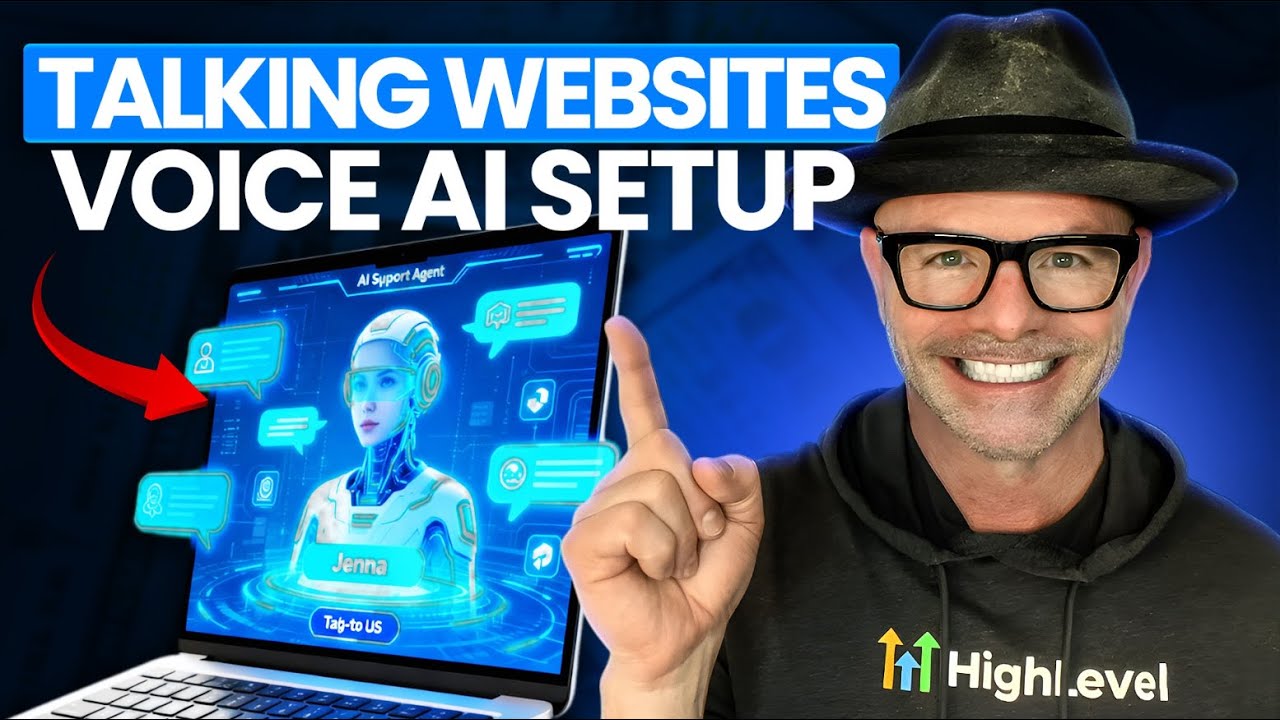
See the complete AI Voice Employee setup process in action, including a live demo of the conversational AI handling unexpected questions at 2:15 and the website integration at 14:30.
Key Takeaways
AI Voice Employees represent the next major shift in customer communication, just as websites and social media did in previous decades. Businesses implementing this technology now gain a significant competitive advantage through 24/7 availability, instant response times, and consistent customer experiences.
In summary: GoHighLevel's AI Voice Employees can answer calls, qualify leads, book appointments, and provide customer support using natural conversations - all without human intervention. The setup takes under 30 minutes but delivers ongoing value through increased conversions and reduced operational costs.
Frequently Asked Questions
Common questions about AI Voice Employees
An AI Voice Employee is a conversational AI agent that can answer phone calls, hold natural conversations, qualify leads, book appointments, and follow up with prospects automatically. Unlike chatbots, these use realistic human-like voices and can be integrated with your business phone system and website.
The technology combines advanced speech recognition, natural language processing, and voice synthesis to create seamless interactions that most callers can't distinguish from human agents.
- Handles inbound and outbound calls
- Integrates with your CRM and calendars
- Learns from interactions to improve over time
The cost varies based on complexity, but basic AI Voice Employees can be set up with just a GoHighLevel subscription (starting at $297/month). More advanced implementations with custom knowledge bases and multiple integrations may require additional setup fees ranging from $500-$2000 for agencies.
Ongoing costs are minimal since the AI scales to handle unlimited calls without additional staffing. Most businesses see a return on investment within the first month from increased conversions and reduced labor costs.
- GoHighLevel subscription required
- Phone number costs may apply
- Custom development available for complex needs
Service businesses with high call volumes see the most immediate benefits - home services, medical practices, legal firms, real estate, and auto dealerships. Any business that misses calls or struggles with lead follow-up can benefit from 24/7 AI call answering and qualification.
The technology is particularly valuable for businesses with after-hours call demand, seasonal spikes in inquiries, or those experiencing growth faster than they can hire and train staff.
- Ideal for service-based industries
- Perfect for businesses with call overflow
- Valuable for any company wanting 24/7 availability
Yes, GoHighLevel's AI Voice Employees can integrate with most CRMs through native connections or API integrations. They automatically log calls, update contact records, and can trigger workflows in your existing systems.
Common integrations include Salesforce, HubSpot, Zoho, and of course GoHighLevel's built-in CRM. The AI can push conversation transcripts, qualification scores, and collected information directly to contact records.
- Native integration with GoHighLevel CRM
- API connections available for other platforms
- Custom field mapping ensures data flows correctly
Modern AI voices are remarkably human-like, with natural pauses, inflection, and the ability to handle interruptions. GoHighLevel offers dozens of voice options across different accents, genders, and speaking styles that you can customize for your brand.
The technology has advanced to where most callers can't distinguish the AI from human agents, especially for routine inquiries. Emotional expressiveness and contextual awareness continue to improve with each update.
- Dozens of voice options available
- Adjustable speech patterns and pacing
- Continuous improvements in naturalness
You can configure fallback options when the AI encounters unfamiliar questions - options include transferring to a human, taking a message, scheduling a callback, or providing alternative contact methods. The system also learns from these interactions to improve over time.
For critical functions, you can set up escalation paths that route complex inquiries to specific team members while the AI handles routine questions autonomously.
- Multiple fallback options available
- Escalation paths ensure no lost opportunities
- System learns from unanswered questions
Absolutely. As shown in the tutorial, you can embed the AI voice directly into your website chat widget, allowing visitors to have voice conversations instead of just text chats. This creates a more engaging experience and can significantly increase conversions.
The website voice agent uses the same knowledge base and personality as your phone agent, ensuring consistent messaging across channels. Setup takes just minutes with a simple code snippet.
- Same AI serves phone and web channels
- Simple embed code for any website
- Customizable widget appearance
GrowwStacks specializes in building custom AI Voice Employee solutions for businesses using GoHighLevel. We handle everything from voice selection and training to CRM integration and performance optimization.
Our team can have your first AI employee answering calls within 48 hours, complete with your brand voice and business-specific knowledge. We offer ongoing tuning and support to ensure your AI delivers maximum value.
- Complete setup in 48 hours or less
- Custom knowledge base development
- Ongoing optimization and support
- Free consultation to discuss your needs
Ready to Deploy Your First AI Voice Employee?
Every missed call represents lost revenue and frustrated customers. With GoHighLevel's AI Voice Employees, you'll never miss another opportunity. Our team can have your AI answering calls and booking appointments by tomorrow.