How to Build AI Agents With DeepSeek R1 in n8n (2026 Guide)
Most businesses struggle to implement AI agents without expensive middleware like OpenRouter. This guide shows you how to connect directly to DeepSeek R1's API in n8n — reducing costs, improving speed, and maintaining full control over your AI workflows.
Why Choose Direct DeepSeek R1 Integration
Most AI implementations rely on middleware services like OpenRouter to connect to various models. While convenient, this adds unnecessary latency, complexity, and cost to your workflows. The direct API approach eliminates these layers.
DeepSeek R1 offers competitive pricing and performance characteristics that make it ideal for certain business applications. By connecting directly, you gain full control over the integration while reducing operational dependencies.
Key advantage: Direct API connections typically reduce response times by 200-400ms compared to routed requests routed through intermediate services.
Setting Up the n8n Workflow
The core workflow requires just three nodes to create a functional AI agent: a trigger to receive messages, an HTTP request to call the API, and response handler to return responses.
Start by creating a new workflow in your n8n dashboard. Name it clearly (like "DeepSeek R1 Chat Agent") for easy identification later. The chat trigger node listens for incoming messages and initiates the workflow execution.
Step 1: Configure the Chat Trigger
Add a chat trigger node to your canvas. This node waits for incoming messages from connected platforms. For most implementations, the default settings work perfectly - no special configuration required.
Step 2: Add the HTTP Request Node
The HTTP request node serves as the bridge to DeepSeek's API. Set the method to POST since we'll be sending JSON data. The URL should point to DeepSeek R1's API endpoint (available in their official documentation).
Step 3: Connect Response Handling
Add a respond to chat node to return the AI's reply. This node takes the output from the HTTP request and sends it back to the original chat channel.
In summary: Chat trigger → HTTP request → Response handler. This simple flow forms the basis all AI agent implementations in n8n.
API Configuration Essentials
Proper API configuration ensures reliable communication between n8n and DeepSeek R1. The HTTP request node requires specific settings to authenticate and format requests correctly.
Under authentication, select "None" since we'll handle credentials through headers. Add two critical headers: Content-Type set to application/json, and Authorization containing your API key in Bearer format.
Security note: Never hardcode API keys directly in your workflow. Use n8n's credential management system or environment variables provide secure alternatives.
Set the body type to JSON and structure your request structure. For DeepSeek R1, this typically includes the model identifier and messages array containing the user's input:
{ "model": "deepseek-r1", "messages": [ {"role": "user", "content": "{{$node["message"]}}"} ] } Security Best Practices
AI integrations require careful attention to security, especially when handling API keys and user data. Follow these essential practices to protect your workflows.
Always use n8n's built-in credential system for API keys. This encrypts sensitive data and prevents exposure when sharing or exporting workflows. Environment variables offer another secure alternative.
Critical: Regularly rotate API keys and audit access logs. DeepSeek's dashboard to identify any suspicious activity.
Consider adding input validation to check message content before processing. For production systems, implement rate limiting to prevent abuse and manage API costs.
Processing AI Responses
DeepSeek R1 returns responses in a structure similar to OpenAI's API. The AI's reply typically found in the choices[0].message.content path of the response object.
Configure your respond to chat node to extract this specific field. If unsure the exact path, run a test execution and inspect the HTTP node's full output identify the correct location.
Pro tip: Always implement error handling to manage cases where the API unavailable or returns unexpected responses.
For more complex implementations, consider adding additional processing nodes to format responses, apply business logic, or integrate with other systems before returning to the user.
Watch the Full Tutorial
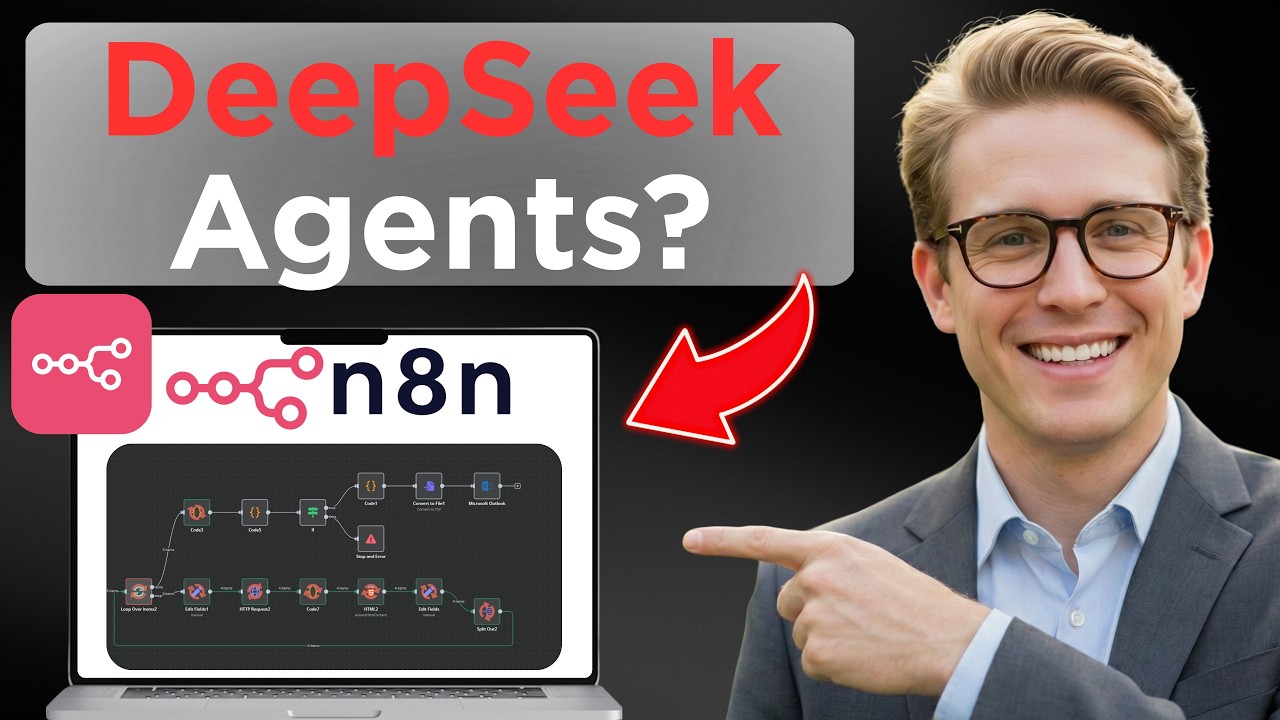
See the complete implementation from start to finish in our video tutorial below. At 2:45, we demonstrate how to test the workflow and verify the response structure.
Key Takeaways
Implementing DeepSeek R1 directly in n8n provides greater control and performance compared to middleware solutions. The three-node workflow pattern serves as foundation for more complex AI agent implementations.
In summary: Secure your API keys, validate responses, and always include proper error handling when building production-ready AI agents.
Frequently Asked Questions
Common questions about DeepSeek R1 in n8n
DeepSeek R1 is an advanced AI model that provides chat capabilities similar to OpenAI's GPT models but with different pricing and performance characteristics.
It can be integrated directly integrated into n8n workflows via API calls without requiring intermediate services like OpenRouter.
- Offers competitive pricing compared to OpenAI
- Provides direct API access without middleware
- Suitable for various business automation use cases
DeepSeek R1 often provides cost advantages and may offer better performance for certain use cases.
The direct API integration eliminates dependency on third-party services, reducing complexity and potential points of failure in your automation workflows.
- Lower per-request costs for many implementations
- Reduced latency by eliminating middleware
- Simpler architecture with fewer moving parts
Never hardcode API keys in workflow nodes. Use n8n's credential system or environment variables to store sensitive keys securely.
This prevents accidental exposure when sharing workflows and allows key rotation without modifying workflow logic.
- Credential management encrypts keys in storage
- Environment variables keep keys out of workflow exports
- Regular key rotation minimizes exposure risks
DeepSeek R1 returns responses in a JSON structure similar to OpenAI's API.
The primary response content is typically found in the choices[0].message.content path. Always test new integrations and inspect the full response structure before building production workflows.
- Test with sample queries to verify response structure
- Use n8n's debug mode to inspect full API responses
- Implement error handling for unexpected formats
Yes, this HTTP request pattern works with any AI model provider that offers an OpenAI-compatible API endpoint.
The same principles apply to models from Anthropic, Mistral, and other providers with minor adjustments to the request format.
- Verify the specific API documentation for each provider
- Adjust the model identifier in requests
- Test response handling for each implementation
Common pitfalls include incorrect API endpoint configuration, improper error handling, and failing to validate response formats.
Always implement proper error handling nodes and test workflows thoroughly before deployment to production environments.
- Test with edge cases and unexpected inputs
- Monitor API usage and costs regularly
- Document workflow dependencies and requirements
For multi-user scenarios, implement user context tracking and consider adding rate limiting.
The same core workflow can be extended with additional nodes for user authentication, conversation history, and response caching.
- Add user identification to track conversations
- Implement conversation history for context
- Consider caching frequent responses to reduce API calls
GrowwStacks helps businesses implement AI agents and automation workflows tailored to their specific needs.
Our team can design, build, and deploy customized DeepSeek R1 integrations within your n8n environment, handling all aspects of API configuration, security, and workflow optimization.
- Custom AI solutions for your business requirements
- End-to-end implementation support
- Ongoing maintenance and optimization
Ready to Deploy AI Agents in Your Business?
Stop wrestling with middleware and complex integrations. Let GrowwStacks build production-ready AI agents that work seamlessly with your existing systems.