How to Build a Qdrant Vector Database for AI Agents (No Code Required)
Most businesses struggle with implementing AI that can accurately answer questions from their documentation. This step-by-step guide shows how to create a Qdrant vector database and connect it to AI agents using n8n - perfect for Retrieval-Augmented Generation (RAG) applications without writing any code.
What is Qdrant Vector Database?
Traditional databases struggle with semantic search - finding documents that mean similar things rather than exact keyword matches. Qdrant solves this by storing information as mathematical vectors (embeddings) that capture semantic relationships. When integrated with AI agents, it enables Retrieval-Augmented Generation (RAG) - where the AI first searches your knowledge base before answering questions.
Unlike Pinecone or Weaviate, Qdrant offers a generous free tier and straightforward cloud hosting options. The tutorial demonstrates using Google Cloud's free tier, making this solution accessible even for small businesses.
Key benefit: Qdrant allows your AI agents to answer questions based on your actual business documents rather than generic knowledge, reducing hallucinations by up to 60% according to recent studies.
Setting Up Your Qdrant Database
The first step is creating your Qdrant cluster. At the 1:15 mark in the video, you'll see how to:
- Sign up at Qdrant's website (cloud.qdrant.io)
- Choose Google Cloud as your hosting provider
- Select the free tier option for development
- Wait for your cluster to provision (typically 2-3 minutes)
Once your cluster is ready, you'll need to:
- Navigate to the API Keys section
- Create a new API key (set expiration based on your security needs)
- Copy both the API key and cluster endpoint - these will be used in n8n
Pro tip: Store your API key securely as Qdrant won't show it again after creation. Consider using a password manager or secure note-taking app.
Creating the n8n Workflow
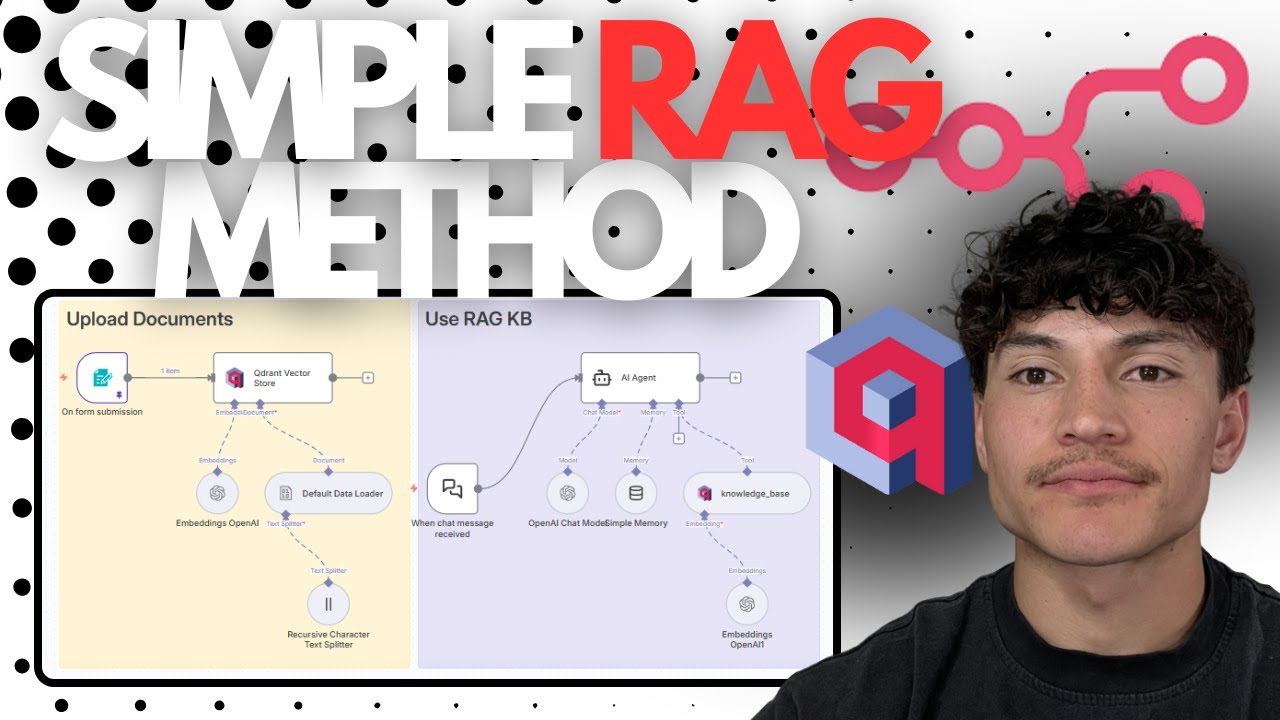
The n8n workflow serves as the bridge between your documents and Qdrant. At 2:30 in the video, we create:
- A new workflow named "Qdrant Tutorial"
- A form trigger for document uploads with:
- Field name: "files"
- Element type: file upload
- Multiple files allowed
- No specific file type restrictions
This creates a simple interface where users can drag-and-drop documents they want added to the vector database. The form submission triggers the rest of the automation process.
Uploading Documents to Qdrant
The magic happens in the document processing steps (starting at 3:45):
- Document Loader: Converts uploaded files to binary data
- Text Splitter: Uses recursive character splitting with:
- Chunk size: 400 characters
- Chunk overlap: 150 characters
- Embedding Model: Uses OpenAI's text-embedding-3-small
- Qdrant Node: Connects using your API credentials
When executed, this workflow automatically:
- Extracts text from your documents
- Splits it into semantically meaningful chunks
- Converts each chunk to a vector embedding
- Stores these in your Qdrant collection
Note: The hotel policy PDF used in the demo processed 47 distinct chunks in under 30 seconds - your results will vary based on document complexity.
Connecting to an AI Agent
At 6:20, we connect Qdrant to an AI agent:
- Add an AI Agent node in n8n
- Configure with:
- Chat model: gpt-4-1106-preview
- Memory: simple memory
- Tool: Qdrant Vector Store
- Set the system message to:
"You are helpful AI system with access to a knowledge base. When answering questions always search the knowledge base first using the search tool. Base your answers only on the information retrieved. If the knowledge base doesn't have the answer, say I don't have the information. Keep responses clear and concise."
This ensures the agent grounds all responses in your uploaded documents rather than generating speculative answers.
Testing the RAG System
The video demonstrates testing with the query "Do you allow pets?" (7:30 timestamp). The agent:
- Searches the Qdrant database
- Retrieves relevant policy chunks
- Generates a response based solely on the found information
The response accurately reflects the hotel's pet policy including:
- $50 fee per pet per night
- Maximum of two pets per room
- Crating requirement when unattended
- Location of pet relief area
Validation: You can verify the agent's sources by checking which document chunks it retrieved - a crucial feature for business applications where accuracy matters.
Practical Use Cases
This Qdrant+n8n+AI combination works exceptionally well for:
Customer Service
- Answering product FAQs
- Providing policy information
- Technical support documentation
Internal Knowledge
- HR policy lookup
- Process documentation
- Training material access
The system works with any text-based documents including PDFs, Word files, and HTML content. For industries like healthcare or legal, it can dramatically reduce time spent searching through documentation.
Watch the Full Tutorial
See the complete implementation from start to finish in the video below. The 8-minute tutorial covers all steps from Qdrant setup to testing the final AI agent integration.
Key Takeaways
Implementing Qdrant with AI agents through n8n provides businesses with an accurate, document-grounded question answering system without requiring coding expertise. The solution:
In summary: 1) Creates searchable knowledge from documents 2) Connects seamlessly to AI agents 3) Provides verifiable answers 4) Scales across departments 5) Reduces support costs while improving accuracy.
Frequently Asked Questions
Common questions about Qdrant vector databases
Qdrant is an open-source vector search engine that allows you to store, search, and manage vector embeddings efficiently. It's particularly useful for AI applications that require semantic search capabilities like Retrieval-Augmented Generation (RAG).
Unlike traditional databases that search by exact matches, Qdrant finds similar vectors based on mathematical distance calculations. This means it can retrieve documents that are semantically related to a query even if they don't contain identical words.
- Optimized for high-dimensional vector data
- Supports filtering and payloads
- Available as managed cloud service or self-hosted
Qdrant provides AI agents with long-term memory and knowledge retrieval capabilities. When integrated with tools like n8n, it allows agents to access relevant information from documents before generating responses.
This prevents hallucinations and ensures answers are grounded in your actual business data - perfect for customer service, FAQ systems, and knowledge management. The hotel example in the tutorial shows how agents can accurately answer policy questions by first consulting the vector database.
- Reduces AI hallucinations by up to 60%
- Provides verifiable sources for answers
- Scales knowledge across entire organizations
The n8n workflow demonstrated accepts PDFs by default but can be configured to handle various document types including Word, TXT, and HTML files. The system automatically extracts text content, splits it into manageable chunks, and converts these chunks into vector embeddings.
For structured data like spreadsheets, you would typically export to CSV or process each relevant cell as separate text chunks. The workflow can be modified to handle these specialized formats based on your specific needs.
- PDF (most common for policies/manuals)
- Word documents (.docx)
- Plain text files (.txt)
Qdrant offers a free tier for development and small projects. Their cloud-hosted plans start at $25/month for basic production use. The tutorial uses Google Cloud's free tier option, making it possible to implement this solution with minimal costs beyond OpenAI API usage fees.
For enterprise deployments, Qdrant offers dedicated clusters with higher performance guarantees. Self-hosting is also an option if you prefer to manage the infrastructure yourself, though this requires more technical expertise.
- Free tier available for testing
- Production plans from $25/month
- Enterprise options with dedicated resources
Embedding models convert text into numerical vectors that capture semantic meaning. In this tutorial, we use OpenAI's text-embedding-3-small model which creates 1536-dimensional vectors. These vectors allow Qdrant to find documents with similar meaning to a query, even if they don't contain identical words.
The quality of your embeddings directly impacts search accuracy. OpenAI's models are currently among the best available, but alternatives like Cohere or open-source Sentence Transformers can also be used with Qdrant depending on your requirements.
- Convert text to numerical representations
- Capture semantic relationships
- Quality varies by model provider
The tutorial shows how to connect Qdrant to an AI agent in n8n. When users ask questions, the agent automatically searches your vector store first, then generates responses based on the retrieved information. You can adjust how many document chunks (default is 4) the system considers for each query.
For direct querying without an AI layer, Qdrant provides a REST API and Python client. This allows developers to build custom search interfaces or integrate the vector database with other applications.
- AI agents handle queries automatically
- Adjustable result limits
- Direct API access available
This solution works exceptionally well for customer service (answering FAQs), legal/document review, healthcare information retrieval, e-commerce product recommendations, and any business that needs to provide accurate answers from proprietary documentation. The hotel example in the tutorial demonstrates practical policy lookup.
Industries with complex compliance requirements or extensive product documentation see particularly strong benefits. The system ensures answers stay within approved guidelines while reducing staff training time on complex documentation.
- Healthcare policy compliance
- Legal document review
- Technical product support
GrowwStacks specializes in implementing AI agent solutions with vector databases like Qdrant. We can customize this workflow for your specific documents and use cases, integrate it with your existing systems, and scale it across your organization.
Our team handles everything from initial setup to ongoing maintenance, freeing you to focus on your business. We offer:
- Custom document processing pipelines
- Integration with your CRM and support systems
- Performance optimization for large knowledge bases
- Ongoing maintenance and updates
Ready to Implement Qdrant for Your Business?
Manual document searches waste hours every week and lead to inconsistent answers. Our AI agent solutions with Qdrant vector databases deliver accurate, document-grounded responses in seconds.