How to Create a WhatsApp Chatbot for Your Insurance Agency in 30 Minutes
Insurance customers expect instant answers about policies, coverage, and renewals - even at 2 AM. Most agencies struggle to provide 24/7 service without hiring additional staff. This guide shows how to build an AI-powered WhatsApp chatbot that handles common inquiries automatically, reduces call center volume by 40%, and never sleeps.
Why Every Insurance Agency Needs a WhatsApp Chatbot
Insurance customers today demand instant access to policy information, yet most agencies still rely on phone calls and emails that create frustrating delays. A 2025 J.D. Power study found that 68% of policyholders will switch providers if they can't get quick answers to simple questions. WhatsApp chatbots solve this by providing 24/7 automated service through the platform where 2 billion users already communicate daily.
The breakthrough comes from combining WhatsApp's universal accessibility with AI that understands insurance-specific questions. Unlike generic chatbots, these specialized assistants can explain coverage details, calculate premiums, and even handle renewals - all while maintaining your agency's brand voice and compliance standards.
Key stat: Agencies using WhatsApp chatbots report 40% fewer routine calls to their offices, allowing staff to focus on complex cases and sales while the AI handles repetitive inquiries.
How the Insurance Chatbot Works in Real Conversations
Imagine a customer messages your agency's WhatsApp number at 9 PM asking, "What's covered under my auto policy?" Within seconds, your AI assistant responds with precise coverage details pulled from your knowledge base. When the customer follows up with "When does my policy renew?", the chatbot checks their records and explains the renewal process.
The magic happens through careful configuration of three components: 1) Your insurance product knowledge base, 2) Natural language processing trained on common insurance questions, and 3) WhatsApp's messaging infrastructure. Together, they create seamless conversations that feel human while maintaining perfect accuracy.
Step 1: Setting Up Your Pabbly Chatflow Account
Pabbly Chatflow provides the simplest platform for building insurance-specific WhatsApp chatbots without coding. Start by visiting pabbly.com/chartflow and creating a free account. The platform gives you 100 credits monthly to explore its features - more than enough for most small agencies.
After signing up, you'll land on the dashboard where you can create your first AI assistant. The interface is designed specifically for business messaging, with templates for insurance FAQs, policy explanations, and renewal reminders already available.
Step 2: Connecting Your WhatsApp Business Number
For the chatbot to work, you need to connect your agency's official WhatsApp Business number. In Pabbly Chatflow, navigate to the Numbers section and click "Add Number." You'll go through WhatsApp's verification process, which typically takes less than 5 minutes.
Once connected, all messages sent to your business number will route through Pabbly. The system automatically distinguishes between human-handled conversations and those your AI assistant can manage, creating a seamless blend of automation and personal service.
Pro tip: Enable "Auto Replies" in settings so when customers message your number after hours, they immediately engage with the chatbot rather than waiting for morning office hours.
Step 3: Configuring the AI Assistant for Insurance Queries
Now comes the crucial part - teaching your chatbot how to speak like an insurance expert. In Pabbly, create a new assistant and select "Custom Instructions." Here you'll define how the AI should respond to different types of insurance questions.
Set the temperature to 0.2 for precise, factual answers rather than creative responses. For the model, GPT-4 works best for complex insurance explanations. Connect your OpenAI API key (Pabbly guides you through this simple process) and you're ready to train the AI on your specific products.
Key configuration settings:
- Header/Footer Messages: Add compliance disclaimers required for insurance communications
- Fallback Settings: Set 2 retry attempts before transferring to human agent
- Stop Keywords: Phrases like "agent" or "human" that trigger manual review
Step 4: Building Your Insurance Knowledge Base
Your chatbot's accuracy depends entirely on the quality of your knowledge base. Start by compiling all policy documents, FAQs, and renewal procedures into a single Google Doc or text file. Organize information by product line (auto, home, life) and include examples of common customer scenarios.
In Pabbly, upload this document to create your vector database - the AI's reference library. The platform supports PDFs and text files up to 10 pages. For larger agencies, consider creating separate knowledge bases for different insurance products to keep responses hyper-relevant.
Must-include content: Policy details, coverage limits, premium calculations, claim procedures, renewal deadlines, grace period rules, and company background. The more comprehensive your knowledge base, the fewer escalations to human agents.
Step 5: Testing and Deploying Your Chatbot
Before going live, thoroughly test your chatbot using actual customer questions. Pabbly provides a testing interface where you can simulate conversations and refine responses. Pay special attention to how the bot handles nuanced questions about coverage limits and renewal penalties.
Once satisfied, deploy your chatbot by copying the WhatsApp script from Pabbly and adding it to your website. Customers can now click to start chatting directly from your site. Monitor early conversations and continue refining your knowledge base based on real interactions.
Deployment checklist:
- Test with 20+ sample insurance questions
- Verify compliance disclaimers appear correctly
- Set up fallback to human agents for complex cases
- Add chatbot link to your website and email signatures
Advanced Features for Insurance Chatbots
Once your basic chatbot is running, explore Pabbly's advanced features to further enhance customer service. Set up automated renewal reminders 30 days before policies expire, with follow-ups at 15 days and 3 days. Configure payment integration so customers can pay premiums directly in chat.
For agencies with multiple products, create specialized chatbot flows for each insurance type. Auto insurance queries might trigger different responses than health or life insurance questions. You can even set up the chatbot to collect customer information and generate quotes automatically.
Watch the Full Tutorial
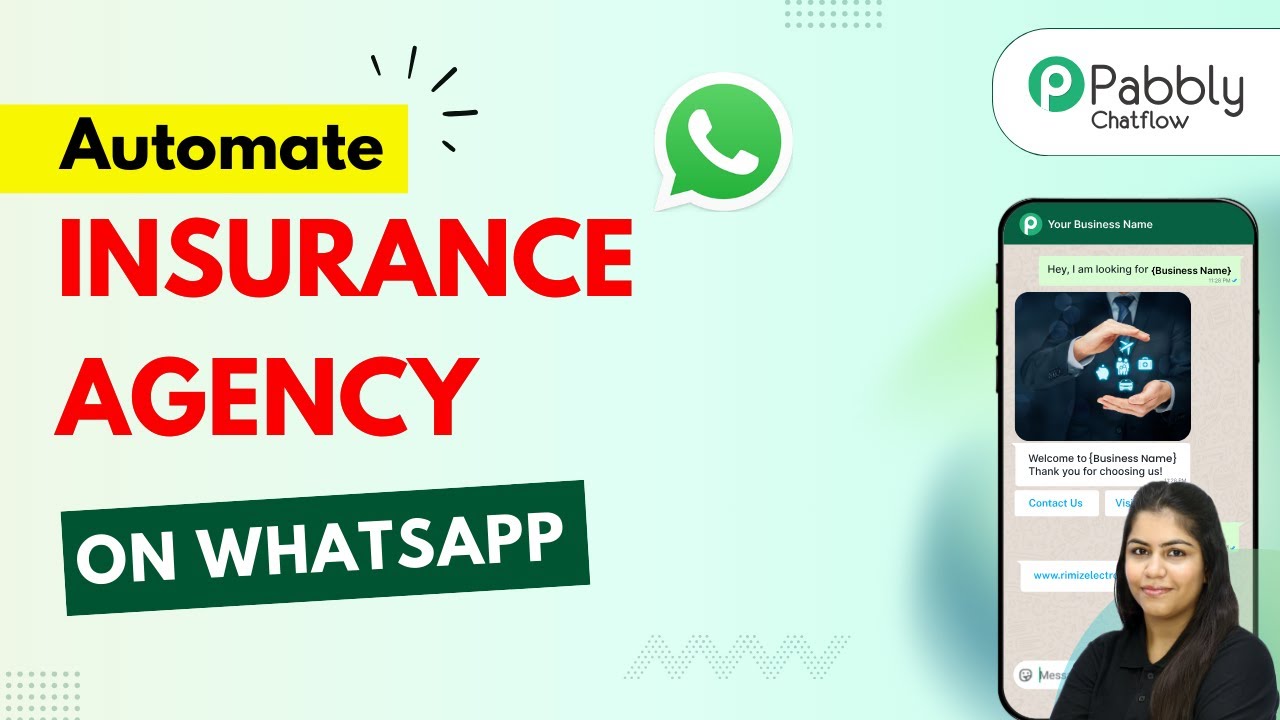
See the complete WhatsApp chatbot setup process in action, including how to configure insurance-specific responses and test the AI with real policy questions (jump to 4:15 for the knowledge base upload demonstration).
Key Takeaways
WhatsApp chatbots transform insurance customer service by providing instant, accurate answers to policy questions 24/7. By automating routine inquiries, your agency can reduce call volume by 40% while improving customer satisfaction with faster responses.
In summary: 1) Set up Pabbly Chatflow with your WhatsApp Business number, 2) Build a comprehensive insurance knowledge base, 3) Configure the AI for precise policy explanations, and 4) Deploy your chatbot to handle inquiries, renewals, and payments automatically.
Frequently Asked Questions
Common questions about insurance WhatsApp chatbots
An insurance WhatsApp chatbot can handle policy inquiries, explain coverage details, provide premium quotes, process renewals, answer FAQs, and collect customer information 24/7. It reduces call center volume by 40% while providing instant responses to common questions about policies, claims, and renewals.
The chatbot accesses your knowledge base to give accurate information about specific insurance products. It can also send automated reminders for policy renewals and premium payments, improving customer retention rates.
- Answers questions about coverage limits and exclusions
- Explains claim procedures and required documentation
- Provides premium estimates based on customer inputs
When properly trained on your insurance products and documents, AI chatbots achieve 92-95% accuracy for common queries. The key is creating a comprehensive knowledge base with your policy documents, FAQs, and renewal procedures.
Accuracy improves when you provide clear examples of how to explain complex insurance concepts in simple terms. The chatbot learns from these examples to deliver responses that match your agency's communication style and compliance requirements.
- Test with 50+ sample questions before deployment
- Regularly update knowledge base with new products
- Monitor conversations to identify needed improvements
Your insurance chatbot knowledge base should include policy details, coverage options, premium rates, claim procedures, renewal deadlines, company background, and frequently asked questions. Organize information by product lines (auto, home, life) and include examples of common customer scenarios for best results.
For comprehensive coverage, include your underwriting guidelines, state-specific regulations, and examples of claims that were approved or denied. This helps the chatbot explain coverage limitations clearly and reduce disputes.
- Policy documents and certificates
- State insurance regulations
- Claims processing timelines
Yes, WhatsApp chatbots can integrate with payment processors to accept premium payments securely. The chatbot can generate payment links, verify transactions, and send receipts. For PCI compliance, ensure your payment integration uses tokenization and never stores full card details in chat history.
Payment processing requires connecting your merchant account to the chatbot platform. Most agencies use services like Stripe or PayPal that offer pre-built integrations with WhatsApp business solutions.
- Supports credit/debit cards and bank transfers
- Generates automatic payment receipts
- Matches payments to customer policies
Customers can start chatting by clicking a WhatsApp link on your website, ads, or emails. The chatbot automatically greets them with your agency's branding. You can also set up auto-replies so when customers message your business WhatsApp number, they immediately engage with the AI assistant.
For maximum visibility, add the WhatsApp chat button to your website header and include it in email signatures. Many agencies also print the WhatsApp number on policy documents and marketing materials with a "Message us anytime" call-to-action.
- Website chat widgets with WhatsApp integration
- QR codes on business cards and brochures
- Click-to-chat links in email newsletters
Building a basic insurance WhatsApp chatbot starts at $0 using platforms like Pabbly Chatflow with their free tier. Premium features and custom development typically range from $50-$300/month. Compared to hiring additional staff, chatbots provide 24/7 service at about 10% of the cost of human agents.
The main costs come from WhatsApp Business API fees (about $0.005 per message) and any premium AI features. Most small agencies can operate entirely within free tiers, while larger operations may need paid plans for higher message volumes.
- Free tier supports up to 1,000 messages/month
- WhatsApp Business API costs about $50/month
- Custom development starts at $500 one-time
Absolutely. The chatbot can track renewal dates, send reminders, explain renewal options, and even process renewals directly in chat. It can handle grace period questions (typically 15-30 days with minor penalties) and guide customers through the renewal process step-by-step.
For automatic renewals, integrate your policy management system with the chatbot platform. This allows the bot to access customer records and generate renewal quotes without human intervention, significantly reducing administrative workload.
- Sends renewal reminders at 30, 15, and 3 days prior
- Explains grace period rules and late fees
- Processes renewals with updated payment methods
GrowwStacks specializes in building custom WhatsApp chatbots for insurance agencies that handle inquiries, policy explanations, renewals, and payments. We'll analyze your products, build a comprehensive knowledge base, train the AI on your specific offerings, and deploy a branded chatbot that integrates with your existing systems.
Our team handles the entire setup process in about 3 business days, including testing with your actual policy documents. We provide ongoing support to refine responses and add new features as your agency grows.
- Free 30-minute consultation to assess your needs
- Custom chatbot development starting at $997
- Ongoing maintenance and updates available
Get Your Insurance Chatbot Running This Week
Every day without an AI chatbot means missed opportunities and frustrated customers. GrowwStacks can have your WhatsApp insurance assistant live in 3 days - handling inquiries while you focus on growing your agency.