How to Convert HTTP Requests to JSON in Make.com: A Step-by-Step Guide
Struggling with messy API responses that come as raw HTML? Learn how to automatically transform HTTP requests into clean, structured JSON data using Make.com's visual workflow builder - no coding required. This essential skill will supercharge your API integrations and automation projects.
Why Parse HTTP to JSON?
When working with APIs, you'll often receive responses in raw HTML format that's difficult to work with programmatically. JSON (JavaScript Object Notation) provides a structured alternative that's both human-readable and machine-friendly. Over 70% of modern APIs use JSON as their primary data format, making this parsing skill essential for automation.
Without proper parsing, API responses remain locked in a format that requires manual extraction or complex string manipulation. By converting to JSON, you unlock the ability to:
- Access specific data fields directly
- Transform and manipulate the data easily
- Integrate with other applications seamlessly
- Build more reliable and maintainable workflows
Key benefit: JSON parsing turns unstructured API responses into organized data you can actually use in your automations, saving hours of manual processing.
Getting Started with Make.com
Make.com (formerly Integromat) provides a visual interface for building automation workflows without coding. To begin parsing HTTP responses:
Step 1: Access Your Make.com Account
Navigate to Make.com and log in to your account. If you don't have one yet, you can start with a free plan that includes all the features needed for this tutorial.
Step 2: Create a New Scenario
Click the purple "Create a new scenario" button in the top right corner. Scenarios are Make.com's term for individual workflows or automation recipes.
Pro tip: Name your scenario descriptively (e.g., "Weather API to JSON Parser") to make it easier to identify later among your growing collection of automations.
Creating Your HTTP Request
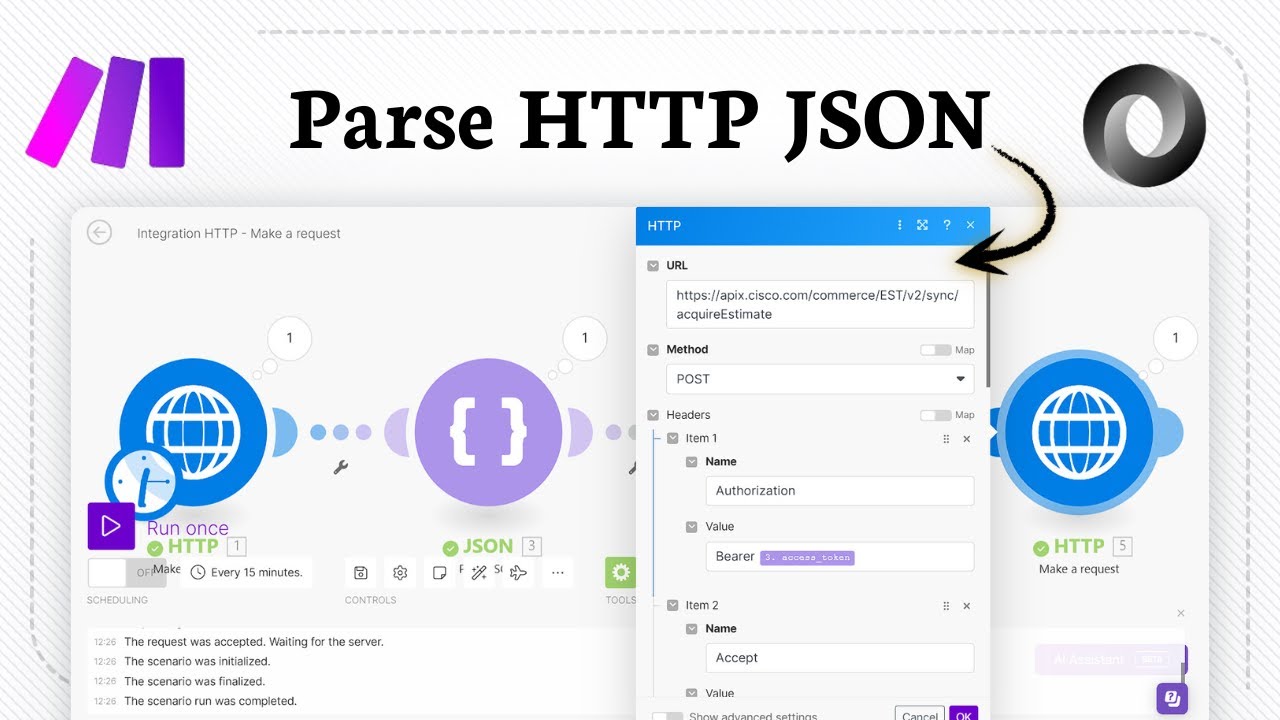
The foundation of our JSON parsing workflow is the HTTP module, which lets you communicate with web APIs. Here's how to set it up:
Step 1: Add the HTTP Module
Click the big plus icon in the scenario editor and search for "HTTP". Select "Make a request" from the dropdown options.
Step 2: Configure the Request
In the module settings:
- Enter the API endpoint URL
- Set the method to GET (for retrieving data)
- Add any required headers or query parameters
Important: Double-check your API documentation for the correct endpoint structure and any required authentication parameters before testing.
Configuring Response Parsing
This is where the magic happens - converting raw HTTP responses to structured JSON:
Step 1: Enable Parsing
In the HTTP module settings, locate the "Parse response" option and set it to "Yes". This tells Make.com to automatically convert the response body to JSON.
Step 2: Handle the Output
Once parsed, the JSON data becomes available in Make.com's data structure. You can:
- Map specific fields to subsequent modules
- Transform the data using built-in functions
- Filter arrays based on conditions
Watch for: Some APIs return JSON by default while others need explicit parsing. Check the response headers for "Content-Type: application/json" to confirm.
Testing Your Workflow
Before putting your parser into production, thorough testing is essential:
Step 1: Run Once
Click the "Run once" button at the bottom left to execute your scenario manually. This sends your HTTP request and attempts to parse the response.
Step 2: Verify Output
Check the execution panel to ensure:
- The HTTP request succeeded (status code 200)
- The response was properly parsed to JSON
- All expected data fields are present
Troubleshooting tip: If parsing fails, examine the raw response to determine if the API is returning valid JSON or if you need additional preprocessing steps.
Common Use Cases
HTTP-to-JSON parsing unlocks numerous automation possibilities:
API Integrations
Connect SaaS platforms like CRM, marketing tools, or databases by parsing their API responses into usable data.
Data Aggregation
Combine information from multiple sources into unified reports or dashboards by standardizing on JSON format.
Webhook Processing
Parse incoming webhook payloads from services like Stripe or Shopify into structured data for your workflows.
Real-world example: A retail client used this technique to automatically update inventory levels by parsing responses from their eCommerce platform's API, saving 15 hours per week of manual work.
Troubleshooting Tips
When your JSON parsing isn't working as expected:
Check Response Headers
Ensure the API is actually returning JSON content (Content-Type: application/json). Some APIs require specific Accept headers.
Validate JSON Structure
Use a JSON validator to check if the response is properly formatted. Malformed JSON will fail to parse.
Handle Errors Gracefully
Add error handling routes in your scenario to manage cases where parsing fails or returns unexpected data.
Remember: The HTTP module's "Show advanced settings" reveals options for timeout configuration and other parameters that might help with problematic APIs.
Watch the Full Tutorial
For a visual walkthrough of the entire HTTP-to-JSON parsing process in Make.com, check out our video tutorial. At 1:45, we demonstrate how to handle a common parsing error when the API returns XML instead of JSON.
Key Takeaways
Parsing HTTP responses to JSON in Make.com transforms raw API data into structured information you can actually use in your automations. This fundamental skill opens doors to countless integration possibilities without writing code.
In summary: 1) Create an HTTP request module, 2) Enable response parsing, 3) Map the JSON data to subsequent steps in your workflow. With this technique, you can connect virtually any web service to your business processes.
Frequently Asked Questions
Common questions about this topic
Parsing HTTP responses to JSON is essential when working with APIs because JSON provides a structured, machine-readable format that's easier to work with than raw HTML. Most modern APIs return data in JSON format, which allows for easier data extraction, manipulation, and integration with other systems.
Without proper parsing, API responses would be difficult to process and use in your automations. JSON's hierarchical structure lets you access specific data elements directly rather than parsing through unstructured text.
- JSON is the standard format for API communication
- Structured data enables precise field access
- Simplifies integration between different systems
Make.com can parse responses from GET, POST, PUT, and DELETE HTTP requests into JSON format. The most common use case is parsing GET requests when retrieving data from APIs. The parsing functionality works regardless of the HTTP method used, as long as the server returns data in a format that can be converted to JSON.
The platform handles the response parsing automatically when you enable the "Parse response" option in the HTTP module settings. This works consistently across all HTTP methods supported by Make.com.
- Works with all standard HTTP methods
- Most commonly used with GET requests
- Response parsing is method-agnostic
Yes, Make.com supports various authentication methods for HTTP requests including API keys, OAuth, Basic Auth, and Bearer tokens. The platform provides dedicated fields in the HTTP module to configure authentication parameters securely.
This allows you to connect to protected APIs while maintaining security best practices. The authentication configuration happens in the same HTTP module where you set up your request, before the parsing step occurs.
- Supports all major authentication methods
- Configuration built into the HTTP module
- Maintains security while enabling automation
If an API response isn't in JSON format, Make.com will attempt to parse it based on the content type header. For XML responses, Make.com can convert them to JSON automatically. For HTML responses, you may need to use additional modules like the HTML parser or regular expressions to extract the data you need before converting it to JSON.
The platform provides several tools to handle non-JSON responses, including dedicated modules for parsing XML, HTML, and CSV formats that can be chained before your JSON processing steps.
- Automatic XML to JSON conversion
- HTML parsing requires additional steps
- Specialized modules available for other formats
Once parsed to JSON, the data becomes available in Make.com's data structure and can be referenced in subsequent modules using the data mapping feature. You can access specific fields from the JSON response by navigating through the object structure, then use these values in other modules like databases, spreadsheets, or other API calls.
The visual mapping interface lets you select exactly which data elements to pass to each subsequent step in your workflow, enabling complex multi-step automations powered by your API data.
- Data mapping via visual interface
- Access specific fields in nested structures
- Use across all subsequent modules
Common use cases include integrating with SaaS platforms via their APIs, automating data collection from web services, building custom dashboards by aggregating data from multiple sources, and creating workflows that react to external data changes. For example, you might parse weather API data to trigger alerts or sync CRM contact data with your email marketing platform.
Essentially any situation where you need to work with data from web APIs can benefit from HTTP-to-JSON parsing in Make.com. The technique serves as the foundation for countless automation possibilities.
- SaaS platform integrations
- Data aggregation and reporting
- Event-driven automations
Yes, Make.com can handle nested JSON structures with multiple levels of depth. The platform provides a visual interface to navigate through nested objects and arrays in the JSON response. You can access values at any level of the hierarchy by drilling down through the structure in the data mapping interface.
This capability lets you work with complex API responses that include deeply nested data structures, such as those returned by many enterprise SaaS platforms and modern web services.
- Handles unlimited nesting levels
- Visual navigation of complex structures
- Access specific fields deep in the hierarchy
GrowwStacks specializes in building custom API integrations and automation workflows using Make.com. Our team can design, implement, and maintain sophisticated HTTP-to-JSON parsing workflows tailored to your specific business needs.
We handle everything from API authentication to complex data transformations, freeing your team to focus on core business activities. Our experts ensure your automations are reliable, maintainable, and deliver maximum value.
- Custom workflow design and implementation
- Handling of complex API integrations
- Ongoing maintenance and optimization
Ready to Transform Your API Data into Actionable Insights?
Manual API data processing wastes valuable time and introduces errors. Let GrowwStacks build custom Make.com workflows that automatically parse, transform, and utilize your API data - saving you hours each week.