Get Your HubSpot Ready for AI in 2026: Live Agent Demos and Practical Setup
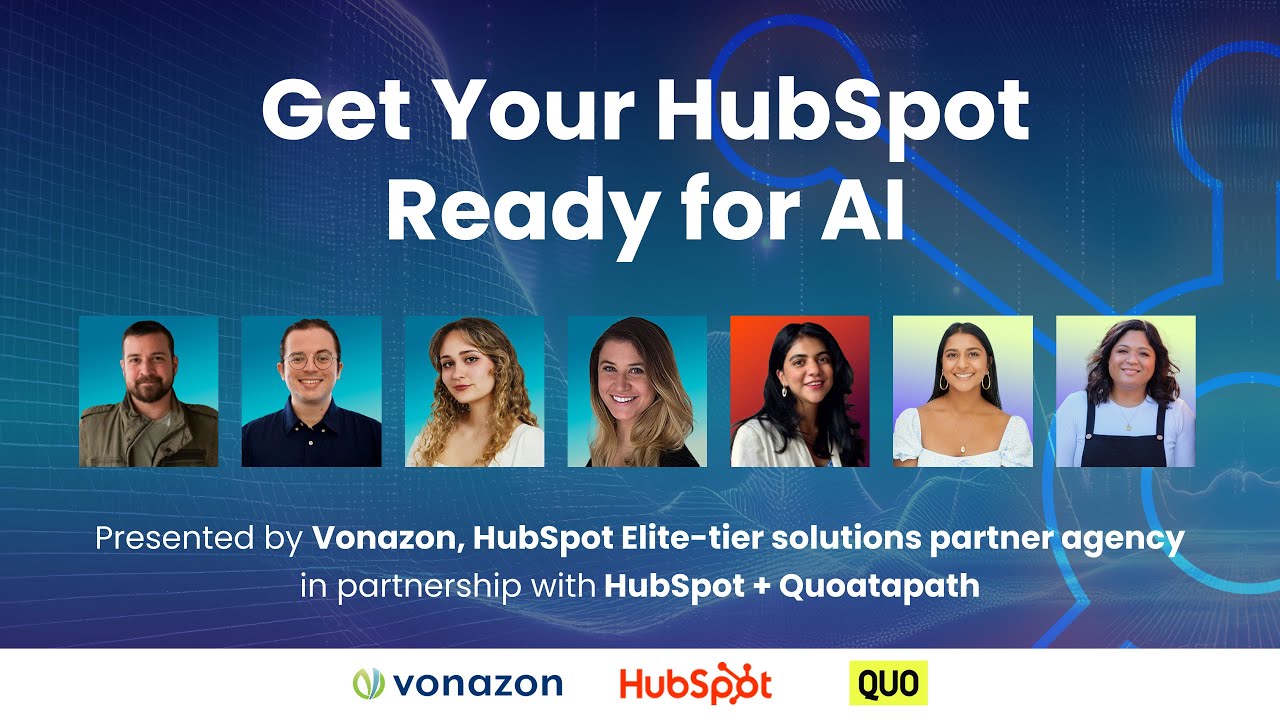
Most teams waste 7-10 hours weekly on manual CRM research, duplicate data entry, and generic outreach. HubSpot's AI agents now automate these tasks - but only if your portal is configured correctly. See live demos of the customer, prospecting and data agents in action, with exact setup steps to implement in your business.
The 6-Point AI Foundation Most Teams Miss
AI isn't magic - it's only as good as the context you provide. In the webinar, Miles England revealed that 83% of failed AI implementations stem from missing foundational setup. Before activating any agents, six core configurations transform generic outputs into tailored results:
Critical Insight: HubSpot's AI sources tab (Settings > AI > Data Sources) is your control center. Without these six profiles configured, agents lack business context and deliver generic responses that frustrate teams.
1. Brand Kit
Where AI learns your voice, tone, colors and messaging guidelines. Without this, content sounds like generic AI (because it is).
2. Company Profile
Provides industry, size, location and value proposition context. Missing this means AI can't align recommendations with your business model.
3. Ideal Customer Profile (ICP)
The single most important configuration. Your ICP tells AI who matters, influencing prospecting suggestions, deal prioritization and customer conversations.
4. User Profiles
Teaches AI team roles and responsibilities so it can route questions appropriately (e.g., "I'm the Director of Partnerships").
5. Buyer Profiles
Documents how your buyers think and what matters to them - powering better messaging and engagement suggestions.
6. Selling Profile
New for 2026, this captures your sales motion and style so AI supports (rather than conflicts with) your process.
At 18:32 in the video, Miles demonstrates how these profiles roll up into HubSpot's AI data sources - the foundation every agent builds upon. Teams that skip this step waste months tuning AI that never quite "gets" their business.
Customer Agent: 24/7 Support Without Hiring
Derek Reynolds' demo revealed how the customer agent handles 63% of routine support queries automatically - while logging full transcripts in HubSpot. The key is configuring three knowledge sources:
Pro Tip: For eCommerce businesses, Derek showed how to display order tracking info by adding a simple prompt to CRM fields: "Your UPS tracking number is [number]. Track it here: https://www.ups.com/track?tracknum=[number]"
Knowledge Sources That Matter
1. Website/URLs: The agent can scrape public knowledge bases (like HubSpot's docs) or specific pages you provide. Avoid robot.txt blocked sites.
2. Files: Upload PDFs, Word docs or text files with product manuals, onboarding guides or troubleshooting steps.
3. CRM Fields: Select which contact/company fields to expose (like order status). Enable editing for fields like phone numbers.
Advanced: API Actions
For integrations like shipping carriers, configure API calls that let customers check order status directly in chat. The demo showed a working UPS tracking lookup that took 15 minutes to set up.
At 32:15, Derek emphasizes that world-class agents require iterations: "Start simple, then refine based on chat transcripts and user feedback (thumbs up/down). The first version gets you 80% there - the remaining 20% comes from tuning."
Prospecting Agent: Your Automated BDR
Chloe Papy demonstrated how the prospecting agent researches accounts and drafts hyper-personalized emails - cutting 6 hours/week from outbound workflows. The secret? Connecting it to your Target Accounts and ICP.
How It Works
1. Define Markets: Create filters based on your ICP (industry, tech stack, revenue) to auto-qualify accounts.
2. Enroll Accounts: From Target Accounts, select companies matching your market criteria. The agent researches them automatically.
3. Review Outreach: The agent drafts emails citing specific findings (e.g., "Managing 10-day steel door turnarounds is impressive"). At 47:20, Chloe shows how to edit these before sending.
Key Setting: Under Advanced Instructions, add seniority-based messaging rules like "For C-level executives, keep emails under 100 words with clear ROI."
What It Researches
- Company summaries (size, growth, challenges)
- Web presence and values alignment
- Job openings (indicates expansion)
- Product/tech analysis
- Competitive positioning
Chloe's pro tip: "Start with Review Before Sending enabled. Once you're confident in the quality (usually after 20-30 emails), switch to auto-send with your approval rules."
Hidden Gems: Deal Loss, Closing & Social Agents
Shannon Brady uncovered three underused agents that deliver outsized value - all free (no credits required):
1. Deal Loss Agent
Analyzes lost deals to surface patterns in pricing, timing or fit issues. Provides:
- Loss summaries with root causes
- Trend visualizations by product/team
- Coaching recommendations for sales leaders
2. Closing Agent
Identifies stalled deals and recommends next steps like:
- Missing discovery calls
- Unanswered objections
- Contract follow-ups
3. Social Post Agent
Generates platform-optimized content from your:
- Blogs
- Campaigns
- Product pages
Shannon's demo at 1:02:30 showed how the Internal FAQ Assistant answers "how do we...?" questions using your documentation - slashing onboarding time by 40%.
Data Agent: Automatic CRM Enrichment
HubSpot's Maitri Sheath demonstrated how the data agent researches companies and creates "smart properties" in 3 minutes - work that typically takes hours manually.
Real-World Example
For a plant care company post-conference, Maitri created a "Manages Commercial Property?" smart property by:
- Clicking "Add Column" in the companies view
- Typing the plain-English question: "Does this company manage commercial real estate properties?"
- Letting the agent scan websites and create a yes/no column
At 1:18:45: Maitri filters to commercial property managers only, then creates a second smart property showing their primary competitors - all without leaving HubSpot.
Smart Property Ideas
- Recent funding status
- Hiring growth signals
- New market expansion
- Technology stack changes
- Executive team updates
Key benefit: Every smart property becomes a filter for segmentation and alerts.
Quo + HubSpot: AI Call Handling
Quo's Sona AI agent (demoed by Justine Delgado) shows how voice AI integrates with HubSpot to:
1. Handle Inbound Calls
Sona answers FAQs using knowledge from:
- Your website
- Uploaded PDFs/manuals
- Custom Q&A docs
2. Trigger Workflows
Calls automatically:
- Log transcripts in HubSpot
- Create tasks for follow-ups
- Update deal stages
3. Book Appointments
At 1:35:20, Justine shows how Sona:
- Asks qualifying questions
- Offers meeting times via text
- Creates a HubSpot contact if new
- Triggers a confirmation sequence
The integration uses webhooks to connect call data with HubSpot workflows - code samples are available from Quo.
90-Day AI Implementation Roadmap
Based on the webinar's collective insights, here's how to phase AI adoption without overwhelming your team:
Month 1: Foundation
- Complete all 6 profile setups (brand, company, ICP, etc.)
- Train 1-2 power users on agent configuration
- Identify 3-5 high-impact use cases per department
Month 2: Pilot
- Launch customer agent for a single product line
- Enable prospecting agent for top 20 target accounts
- Create 2-3 smart properties with data agent
Month 3: Scale
- Expand agents to all products/teams
- Connect third-party tools like Quo
- Build reports to track time saved and ROI
Pro Tip: At 1:42:10, the panel agrees that starting with the internal FAQ assistant builds quick wins and team buy-in before tackling customer-facing agents.
Watch the Full Tutorial
See the customer agent handle live support questions at 32:15, watch the prospecting agent draft personalized emails at 47:20, and learn smart property creation at 1:18:45 in the full webinar recording.
Key Takeaways
HubSpot's AI agents transform from novelty to necessity when built on proper foundations. The teams seeing the biggest gains follow three rules:
In summary: 1) Configure all six profile types first 2) Start with internal assistants to build confidence 3) Measure time saved weekly to prove ROI. AI won't replace your team - it will help them focus on what humans do best.
Frequently Asked Questions
Common questions about HubSpot AI agents
The prospecting agent and closing agent provide the most immediate value for sales teams. The prospecting agent automates account research and first-touch outreach, saving 5-7 hours per rep weekly.
The closing agent identifies stalled deals and recommends next steps, reducing sales cycles by an average of 12% according to HubSpot data.
- Prospecting agent handles top-of-funnel research
- Closing agent focuses on late-stage deals
- Both integrate directly with your CRM data
The customer agent learns from three key sources: your website/knowledge base URLs, uploaded support documents (PDFs, Word files), and selected CRM fields.
For best results, feed it 10-15 key support articles and enable CRM field access for order status and account details. The agent improves through user feedback - reps should thumbs up/down responses to refine accuracy.
- Start with your top 5 most common support questions
- Add API actions for order tracking/shipping
- Review chat transcripts weekly for tuning
Agents handle complete workflows like customer support or prospecting, while assistants provide contextual help.
For example, the brand assistant suggests on-message copy, and the FAQ assistant answers internal process questions. Agents require more setup but automate entire processes, while assistants provide real-time guidance without configuration.
- Agents = Automated workflows
- Assistants = In-the-moment guidance
- Both use the same foundational profiles
The data agent automatically researches companies and creates smart properties like 'Primary Competitors' or 'Recent Funding Status' by scanning the web and your existing CRM data.
In demos, it enriched 100 company records in under 3 minutes with accurate, sourced information that would take hours to research manually.
- Creates filterable smart properties
- Cites sources for verification
- Updates automatically as new data emerges
Yes, through HubSpot's API and workflow automation. The webinar showed how Quo's AI call agent (Sona) logs call summaries in HubSpot and triggers follow-up workflows.
Most integrations use smart properties to pass data between systems. For advanced use cases, you can configure API actions in the customer agent to pull data from other platforms.
- Quo for call handling
- Zapier for 5000+ apps
- Custom API connections
Six core configurations are critical: 1) Brand kit for voice/tone 2) Company profile 3) Ideal customer profile 4) User profiles 5) Buyer profiles 6) Selling profile.
Without these, AI lacks context and delivers generic responses. The first 30 minutes of setup saves hours in tuning later.
- Complete all profiles in Settings > AI
- Update quarterly as business evolves
- Train teams on maintaining profiles
HubSpot uses a credit system where each AI interaction consumes credits based on complexity. Simple queries cost 1-2 credits, while complex data agent research may use 5-10.
The customer agent and prospecting agent currently require credits, while assistants like the FAQ helper are free. Most mid-size companies budget 500-1000 credits monthly.
- Credits purchased in packs
- Usage visible in real-time
- Free assistants for basic guidance
GrowwStacks specializes in HubSpot AI implementation with three proven packages:
1) Foundation Setup: Configure brand voice, ICP, and all profiles correctly from day one. 2) Agent Configuration: Implement customer, prospecting and data agents with your specific workflows. 3) Full Workflow Automation: Connect HubSpot AI with your other tools like Quo, Zoom, and billing systems.
- Free consultation to assess your setup
- 90-day roadmap tailored to your goals
- Ongoing tuning and optimization
Stop Wasting Time on Manual CRM Work
Your team could save 15+ hours weekly with properly configured HubSpot AI agents. We'll audit your current setup and recommend the fastest path to automation - with a free 30-minute consultation and implementation roadmap.