n8n Explained: Cloud vs Self-Hosted + Local LLM Integration with Ollama
Most businesses struggle to implement AI workflows without exposing sensitive data to cloud APIs. n8n solves this by orchestrating local LLMs through Ollama - keeping everything private while automating complex processes. This guide shows exactly how to choose between cloud and self-hosted versions, then connect to your own AI models.
What Exactly Is n8n?
n8n is an event-driven workflow orchestration tool that solves the complex challenge of connecting disparate systems. Unlike traditional automation tools that focus on simple API connections, n8n provides visual workflow building with deep integration capabilities for APIs, webhooks, conditional logic, and crucially - AI models.
The platform serves as a control plane for AI workflows, acting as the glue between your LLMs, business logic, and external systems. As shown at 1:15 in the video, n8n's node-based interface allows non-developers to create sophisticated automations that would normally require custom coding.
Key insight: n8n isn't an AI tool itself - it's the conductor that orchestrates how multiple AI components work together with your existing systems.
Cloud vs Self-Hosted: Key Differences
The choice between cloud and self-hosted n8n comes down to control versus convenience. The cloud version offers quick setup through n8n.io but operates as a paid service after the 14-day trial. This managed solution handles all infrastructure concerns but limits your ability to integrate with local systems.
Self-hosted n8n, demonstrated at 2:30 in the tutorial, provides complete data sovereignty. Running in Docker containers, this free version enables direct connections to local resources like Ollama's LLMs while keeping all processing on your infrastructure. The tradeoff comes in maintenance overhead and initial setup complexity.
Decision factor: Choose cloud for prototyping and self-hosted for production AI workflows requiring data privacy.
Self-Hosting n8n with Docker
Docker simplifies n8n deployment by packaging all dependencies into isolated containers. The process begins with creating a persistent volume for workflow data, ensuring your automations survive container restarts. As shown at 3:45, the setup requires just three terminal commands:
Step 1: Verify Docker Installation
Run docker version to confirm Docker is properly installed on your system. The tutorial demonstrates this check on Windows, but the same commands work across operating systems.
Step 2: Create Data Volume
Execute docker volume create n8n_data to establish permanent storage for your workflows. This volume will automatically mount when starting the container.
Step 3: Launch n8n Container
The final command starts n8n on port 5678 with the created volume attached. The complete Docker run command is available in the video description for easy copying.
Pro tip: For business deployments, add -e N8N_BASIC_AUTH_USER and -e N8N_BASIC_AUTH_PASSWORD environment variables to secure your instance.
Connecting Ollama's Local LLM
Integrating Ollama with n8n unlocks private AI processing without cloud dependencies. The tutorial at 5:20 demonstrates configuring Llama 3.2 running locally, but the same approach works with any model Ollama supports. Two critical environment variables enable this connection:
OLLAMA_HOST Configuration
Set to 0.0.0.0:11500, this variable tells n8n where to find your Ollama instance. The port differs from Ollama's default 11434 to avoid conflicts with other services.
OLLAMA_ORIGINS Setting
The wildcard value (*) allows n8n to communicate with Ollama across different ports while maintaining security through container isolation.
Note: These variables must be set before starting your n8n container for the integration to work properly.
Building a Private Chat Agent
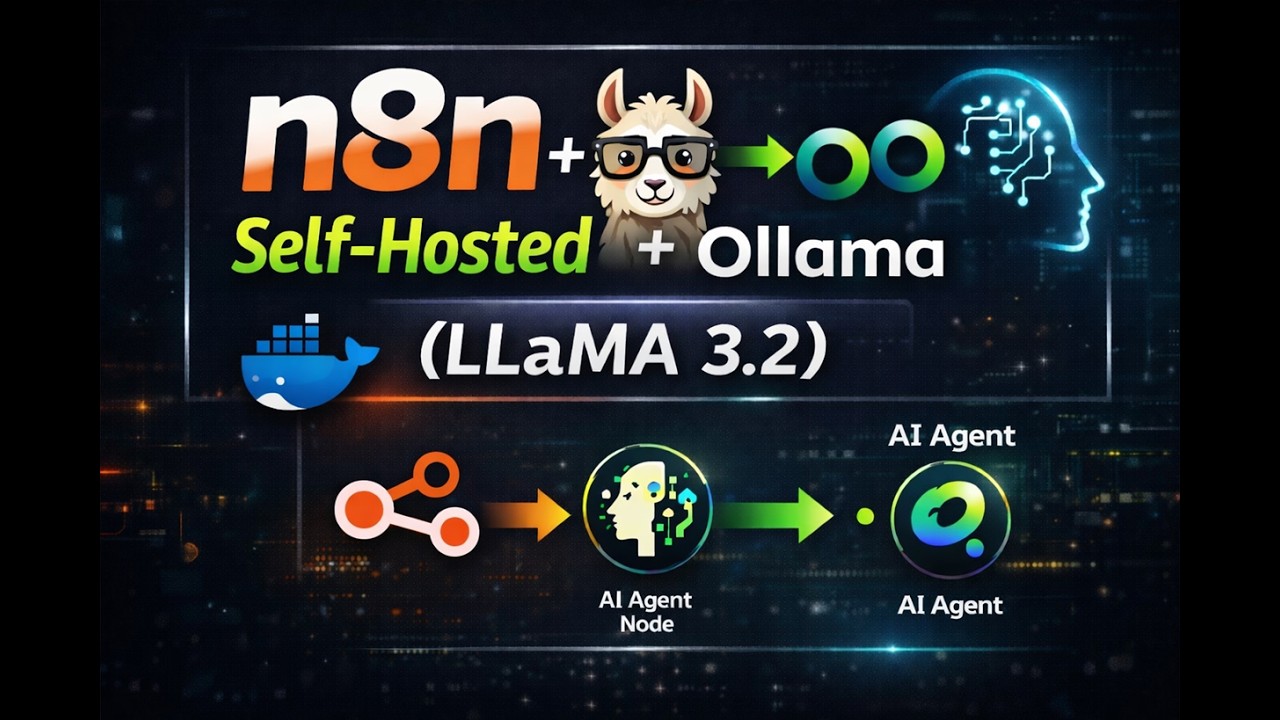
The tutorial's centerpiece at 6:50 shows constructing a complete chat agent using only local components. This three-node workflow demonstrates n8n's power in AI orchestration:
1. Chat Interface Node
Provides the user-facing input/output panel within n8n's UI. This handles message formatting and display without requiring custom frontend development.
2. AI Agent Node
Acts as middleware between the interface and LLM, handling conversation state management and routing logic. This is where prompt engineering would occur in more complex workflows.
3. Ollama Connection
Links to your locally running LLM instance, specifying the model name and API endpoint. The tutorial shows configuring this with Llama 3.2, but any Ollama-supported model works.
Implementation detail: Remember to replace the placeholder IP with your machine's actual local address when configuring the Ollama connection.
Critical Environment Variables
Proper configuration requires two essential environment variables that control how n8n interacts with Ollama:
OLLAMA_HOST
This variable specifies where n8n should look for your Ollama instance. The format 0.0.0.0:11500 tells Docker to route requests to port 11500 on all available network interfaces.
OLLAMA_ORIGINS
Set to * (asterisk), this enables Cross-Origin Resource Sharing (CORS) between n8n and Ollama running in separate containers. While appearing permissive, the security model relies on Docker's network isolation.
Security note: For production deployments, consider more restrictive origin values matching your specific n8n hostname.
Testing Your Local Deployment
Validating the complete setup involves checking three key integration points:
1. n8n UI Accessibility
After starting the container, navigate to http://localhost:5678 in your browser. The n8n interface should load without errors, indicating the core service is running properly.
2. Ollama Model Availability
Run curl http://localhost:11500/api/tags in your terminal. This should return JSON listing your locally downloaded models, confirming Ollama is accessible on the configured port.
3. End-to-End Chat Flow
As demonstrated at 8:30 in the video, test message passing through the entire workflow chain from chat interface → AI agent → Ollama LLM → response display.
Troubleshooting tip: Check Docker logs for both containers if any component fails, using docker logs [container_name].
Watch the Full Tutorial
The video tutorial demonstrates each configuration step in real-time, including the critical moment at 4:20 where environment variables are set for the Ollama integration. Seeing the chat agent respond using only local resources makes the power of this approach immediately clear.
Key Takeaways
This n8n and Ollama integration provides businesses with a powerful alternative to cloud-dependent AI solutions. By keeping all processing local, you maintain complete control over sensitive data while automating complex workflows.
In summary: Self-hosted n8n with Ollama delivers private AI automation without API costs or data privacy concerns - perfect for businesses handling confidential information.
Frequently Asked Questions
Common questions about this topic
Self-hosting n8n with Ollama provides complete data privacy since all processing happens locally without sending information to external APIs. This eliminates cloud dependency and API costs while maintaining full control over your AI workflows.
The combination allows businesses to automate processes involving sensitive data that couldn't safely be sent to cloud-based AI services. Everything from customer communications to proprietary business logic can be processed privately.
- No data leaves your infrastructure
- Eliminates recurring API costs
- Enables customization of both workflow and model behavior
While Docker simplifies deployment, n8n can be installed directly via npm for Node.js environments. However, Docker remains the recommended approach as it handles dependencies and updates automatically.
The manual installation process requires managing Node.js versions, database configurations, and security updates independently. Docker packages all these components together with isolated networking perfect for connecting to Ollama.
- Docker recommended for production use
- Manual npm install possible but more complex
- Containerization simplifies scaling and maintenance
Ollama supports most open-source LLMs including Llama 2, Mistral, Gemma, and custom fine-tuned models. The n8n integration works with any model Ollama can run locally on your hardware.
The tutorial demonstrates Llama 3.2, but you can switch models by simply changing the model name in your Ollama pull command. This flexibility allows businesses to test different models without changing their n8n workflows.
- Supports all major open-source LLMs
- Works with custom fine-tuned models
- Easy to switch between models without workflow changes
n8n provides visual workflow building with API-first integration, while LangChain offers programmatic control. n8n excels at connecting diverse systems visually, whereas LangChain provides deeper model interaction capabilities for developers.
The key difference lies in accessibility - n8n enables non-technical users to build complex automations through its graphical interface, while LangChain requires Python coding expertise but offers more granular model control.
- n8n: visual builder for non-coders
- LangChain: code-based for developers
- Can use both together for maximum flexibility
The cloud version works well for prototyping but may have limitations for sensitive AI workflows due to data leaving your infrastructure. For production deployments with local LLMs, self-hosted n8n is recommended.
Businesses handling confidential information should particularly avoid cloud-based n8n for AI workflows, as prompts and responses would transit through external servers. The self-hosted version keeps everything within your controlled environment.
- Cloud good for initial testing
- Self-hosted required for sensitive data
- No local LLM integration in cloud version
Ollama requires a machine with sufficient RAM for your chosen LLM (minimum 8GB for smaller models). n8n itself runs efficiently on modest hardware, making the combined solution accessible for local development.
For business deployments, we recommend:
- 16GB RAM minimum for 7B parameter models
- SSD storage for faster model loading
- Multi-core CPU for concurrent workflows
Yes, the Docker-based deployment works equally well on local machines and business servers. For team access, you'll need to configure proper networking and authentication layers around n8n.
Production deployments should consider:
- Reverse proxy with SSL termination
- User authentication via OAuth or basic auth
- Regular backups of both n8n and Ollama data
GrowwStacks specializes in deploying private AI workflow solutions using n8n and local LLMs. We handle everything from hardware sizing to complex workflow design, ensuring your business benefits from AI automation without cloud dependencies.
Our implementation services include:
- Complete private AI infrastructure setup tailored to your needs
- Custom n8n workflow development for your specific business processes
- Ongoing support and optimization as your automation needs evolve
Ready to Deploy Private AI Workflows for Your Business?
Every day without automation costs your team valuable time on repetitive tasks. Our n8n and Ollama experts can have your private AI workflows running in days, not months.