PocketTTS & Voicebox: Free Local AI Voice Generation & Cloning Tools
Content creators know the struggle - you need consistent voiceovers but can't afford expensive cloud services or don't want your voice data stored on third-party servers. Discover how these free, local AI tools give you professional voice generation and cloning without monthly fees or privacy concerns.
The Problem With Cloud Voice AI
Most businesses turn to platforms like ElevenLabs when they need AI voice generation, but these cloud services come with significant limitations. Monthly fees quickly add up, usage is often capped, and your voice data lives on someone else's servers. Recent policy changes have also restricted voice cloning capabilities, leaving many content creators searching for alternatives.
The breakthrough came when open-source developers created tools that could run entirely locally on your computer. This means no more worrying about subscription costs, usage limits, or privacy concerns. Your voice data stays on your machine, and you're not at the mercy of a company's changing policies.
Key advantage: Local AI voice tools eliminate recurring costs while giving you complete control. A content creator using Voicebox for daily narration can save over $300/year compared to ElevenLabs' Pro plan.
PocketTTS: Lightweight Local Text-to-Speech
PocketTTS stands out as the easiest local text-to-speech solution to get started with. With just two commands in your terminal, you can have a fully functional voice generation system running on your computer. The tool offers several pre-built voices with surprisingly natural modulation, perfect for quick narration projects.
During testing, PocketTTS generated a 30-second voice clip in under 5 seconds - significantly faster than cloud alternatives. The voices maintain consistent tone and pronunciation, making them ideal for content creators who need reliable narration without the robotic sound of older TTS systems.
Installation Steps:
- Open terminal/command prompt
- Run:
uvx pocket-tts generate(installs dependencies) - Run:
pocket-tts(launches local server) - Access at
http://localhost:8000
Note: While PocketTTS advertises voice cloning capabilities, our tests showed this feature requires additional HuggingFace authentication and may not work consistently. For pure text-to-speech, it excels; for cloning, consider Voicebox.
Voicebox: Advanced Voice Cloning
Voicebox takes local AI voice technology further with robust cloning capabilities. Unlike PocketTTS, it successfully clones voices from just 30 seconds of clean audio. The interface makes it simple to create voice profiles either by recording directly or capturing system audio from videos.
In our tests, Voicebox accurately replicated Denzel Washington's distinctive voice patterns from a YouTube motivational speech. While generation takes longer than PocketTTS (20-30 minutes for a short paragraph), the results are remarkably authentic. The tool also offers voice effects like radio, echo, and robotic filters for creative projects.
Key Features:
- Create voice profiles from recordings or system audio
- Multiple model sizes (1.7GB to 4.2GB) for different hardware
- Transcription capabilities built-in
- Voice effects library for creative projects
Installation & Setup Comparison
PocketTTS wins for simplicity with its two-command installation, while Voicebox requires downloading a dedicated application. However, Voicebox provides a more polished user interface once installed, with clear menus for voice creation, projects, and settings.
| Feature | PocketTTS | Voicebox |
|---|---|---|
| Installation Time | 2-3 minutes | 5-10 minutes |
| System Requirements | Lightweight (works on most machines) | 16GB RAM recommended (32GB ideal) |
| First-Time Setup | Just two terminal commands | Download installer + model downloads |
| Interface | Basic web UI | Polished desktop application |
Both tools require downloading models - PocketTTS's are smaller (under 1GB) while Voicebox offers multiple model sizes. The initial Voicebox launch takes 2-3 minutes to load models, but subsequent starts are faster.
Voice Quality & Performance
In side-by-side tests reading the same poem, both tools produced natural-sounding output, but with distinct characteristics. PocketTTS voices had slightly better pacing and emphasis on poetic meter, while Voicebox delivered more emotional range in its cloned voices.
Performance note: PocketTTS generates voice in seconds, while Voicebox takes 20-30 minutes for a short paragraph. This makes PocketTTS better for quick projects, while Voicebox suits high-quality, longer-form content where wait time matters less.
Voicebox occasionally exhibited minor bugs - in one test it prefixed generated audio with fragments from the cloning sample. These quirks are manageable but highlight that open-source tools may require more patience than commercial products.
Practical Use Cases
These local AI voice tools unlock several valuable applications for content creators and businesses:
- Consistent brand narration: Create a voice profile once and use it across all your content
- Multilingual content: Generate versions in different languages without hiring voice actors
- Accessibility: Automatically narrate written content for visually impaired audiences
- Creative projects: Experiment with different voices and effects for audio dramas or podcasts
A particularly powerful combination uses both tools - PocketTTS for quick drafts and Voicebox for final, high-quality production. This workflow gives you both speed and quality without cloud service limitations.
Ethical Considerations
As voice cloning technology becomes more accessible, ethical use becomes crucial. Both tools include warnings against creating harmful or deceptive content. Responsible use means:
- Only cloning voices you have permission to use
- Clearly disclosing when content uses AI-generated voices
- Never impersonating someone for fraudulent purposes
- Respecting platform terms of service regarding AI content
These tools are designed for legitimate creative and business applications, not deception. When used ethically, they democratize access to professional-grade voice technology that was previously only available to well-funded studios.
Watch the Full Tutorial
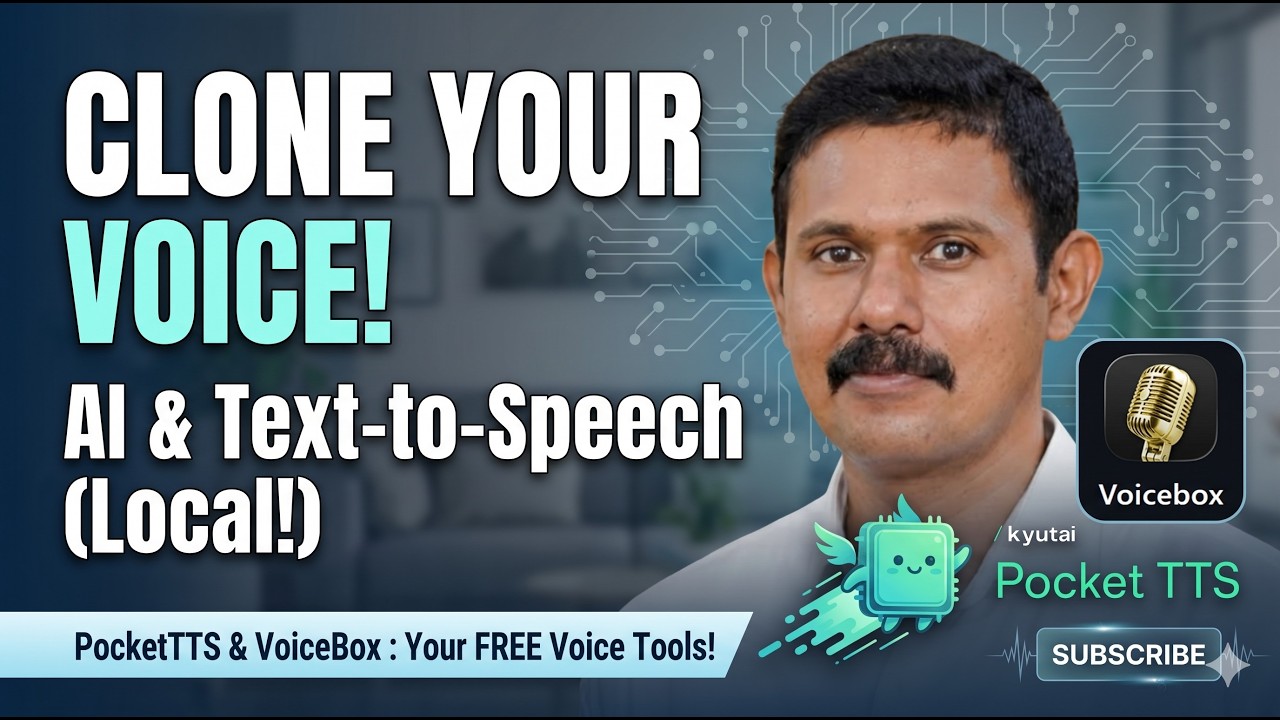
See both tools in action with timestamped demonstrations of installation, voice generation, and cloning. The video shows real-time comparisons between the two tools and troubleshooting tips for common setup issues.
Key Takeaways
Local AI voice tools have reached a point where they can rival cloud services in quality while offering significant advantages in cost, privacy, and control. Whether you choose PocketTTS for its simplicity or Voicebox for its cloning capabilities, both represent powerful alternatives to paid platforms.
In summary: For quick, reliable text-to-speech, install PocketTTS with two commands. For advanced voice cloning, invest the time in Voicebox's more resource-intensive setup. Together, they provide a complete local voice solution without monthly fees or usage limits.
Frequently Asked Questions
Common questions about local AI voice tools
Local AI voice tools like PocketTTS and Voicebox run entirely on your computer without needing internet access. This means no monthly fees, no usage limits, and complete privacy since your voice data never leaves your device.
They're ideal for content creators who need consistent voiceovers without recurring costs. You also avoid service restrictions - cloud platforms often limit voice cloning or change policies unexpectedly.
- No ongoing costs - free after initial setup
- Unlimited usage without credit systems
- Complete control over your voice data
Voicebox is a free, open-source alternative to ElevenLabs that works locally on your computer. While ElevenLabs offers cloud-based voice generation with monthly fees, Voicebox provides similar functionality without recurring costs.
The main trade-off is that Voicebox requires more system resources and setup time. However, it gives you complete control over your voice data and no usage restrictions. ElevenLabs may have slightly more polished output, but Voicebox is catching up quickly.
- Voicebox is free; ElevenLabs starts at $5/month
- Voicebox runs locally; ElevenLabs is cloud-based
- Voicebox has no usage limits unlike ElevenLabs' credit system
PocketTTS is lightweight and works well on most modern computers. It can run comfortably on systems with 8GB RAM, though 16GB is ideal. Voicebox requires more resources - we recommend at least 16GB RAM for smooth operation, though 32GB is ideal.
Both tools can run on CPU, but performance improves significantly with a dedicated GPU. Voicebox models range from 1.7GB to 4.2GB in size, so ensure you have adequate storage space. An SSD will dramatically improve loading times for both tools.
- PocketTTS: 8GB RAM minimum, 16GB recommended
- Voicebox: 16GB RAM minimum, 32GB ideal
- Both benefit from GPUs but work on CPU-only systems
Voicebox successfully clones voices from audio samples with about 30 seconds of clean recording. The process involves capturing system audio or recording directly, then training a voice profile. Results are surprisingly accurate, especially with clear source material.
PocketTTS's voice cloning feature currently requires additional setup and may not work consistently. For reliable voice cloning, Voicebox is the better option, though both tools excel at standard text-to-speech generation without cloning.
- Voicebox clones from 30 seconds of clean audio
- PocketTTS cloning requires HuggingFace login and may fail
- Both tools work well for standard text-to-speech without cloning
Yes, voice cloning raises important ethical considerations that both tools address in their documentation. The technology could potentially be misused for impersonation or creating deceptive content, which is why responsible use is crucial.
Both tools include warnings against creating harmful or deceptive content. It's important to only clone voices you have permission to use, and never impersonate someone without consent. These tools are designed for legitimate uses like content creation, not for deception.
- Only clone voices you have explicit permission to use
- Never use cloned voices for fraudulent purposes
- Disclose when content uses AI-generated voices where appropriate
PocketTTS generates voice nearly instantly, typically in 2-5 seconds for a paragraph of text. This makes it ideal for quick projects or when you need to generate multiple versions rapidly. The speed comes from its lightweight architecture optimized for fast inference.
Voicebox takes significantly longer - about 20-30 minutes for a short paragraph, depending on your system specs. The trade-off is higher quality output and voice cloning capabilities. For fastest results, use PocketTTS for standard text-to-speech and reserve Voicebox for final, high-quality production.
- PocketTTS: 2-5 seconds per generation
- Voicebox: 20-30 minutes for quality output
- Generation time scales with text length and system power
Both PocketTTS and Voicebox are open-source with permissive licenses that allow commercial use. PocketTTS uses the MIT license, while Voicebox uses the AGPL-3.0 license - both permit commercial applications without additional fees.
The voices you create are yours to use commercially, but be mindful of any source material used for voice cloning to ensure you have proper rights. If cloning celebrity voices, ensure your usage falls under fair use or obtain proper licensing to avoid legal issues.
- Both tools allow commercial use under their open-source licenses
- You own the voices you create
- Ensure proper rights for any source material used in cloning
GrowwStacks helps businesses implement AI voice solutions tailored to their specific needs. Whether you need custom voice generation workflows, integration with your content management systems, or help optimizing these tools for your hardware, our team can design and deploy the perfect solution.
We offer complete implementation services including hardware recommendations, workflow automation, and custom integrations. Our experts can help you choose between PocketTTS and Voicebox based on your use case, or set up both in a complementary workflow.
- Custom voice automation workflows for your business
- Hardware recommendations and performance optimization
- Free 30-minute consultation to discuss your voice automation goals
Ready to Implement Local AI Voice in Your Business?
Don't let cloud service limitations hold back your content production. Our automation experts can have a custom voice solution running on your systems within days.