Print on Demand Automation: From Design to Social Media in 30 Minutes
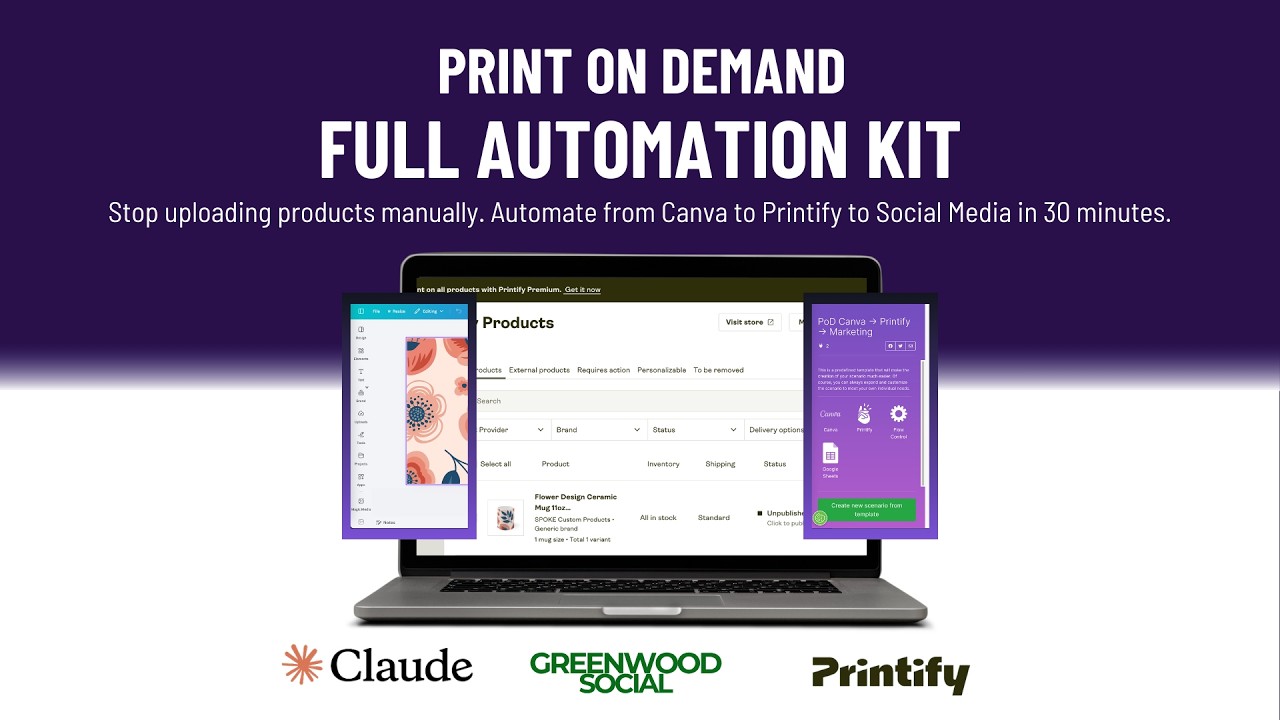
Most POD stores waste hours manually uploading products and writing captions. This Make.com automation handles everything from Canva designs to Printify uploads to social scheduling - creating 8+ products with marketing assets in under 30 minutes. Here's exactly how it works.
The POD Productivity Problem
Most print-on-demand sellers spend more time on administrative tasks than actual business growth. Between designing products, uploading to Printify, writing descriptions, and creating social content, a single product can take 45+ minutes of manual work. At 3:15 in the video, you'll see how this frustration manifests - switching between 8 different tabs just to launch a simple Valentine's Day mug.
The breakthrough came when we realized every step follows the same predictable pattern: design → upload → describe → market. By connecting Canva, Printify, Claude AI, and social platforms through Make.com, we created a workflow that handles the entire process automatically.
Time savings: What took 6 hours manually now happens in 30 minutes. The demo shows 8 products (4 mugs + 4 shirts) created from design to scheduled social posts in the time most sellers would still be uploading their first product.
Design Phase Automation
The system starts with organized Canva folders. At 5:42 in the video, you'll see how creating a "Valentine's Day Mugs" folder triggers the entire workflow. Each design added to this folder becomes a separate product in Printify.
Key design automation features:
- Automatic dimension matching (mug print areas pre-set in Canva)
- Bulk importing licensed designs from Creative Fabrica
- File naming conventions that become product titles
The magic happens when you move designs into the target folder - this action signals Make.com to begin processing. No manual exports or file management required.
Printify Upload Workflow
At 12:30 in the tutorial, you'll see the Make.com scenario that handles Printify uploads. The key components:
- Folder monitoring: Watches your designated Canva folder for new designs
- Product matching: Links each design to the correct Printify product type (mug, shirt, etc.)
- Price automation: Applies your standard markup formula
- Google Sheets tracking: Creates a real-time product dashboard
Pro tip: The system can handle product variants too. At 18:20, we switch from mugs to toddler shirts by simply updating the Printify product ID in the Make.com scenario.
AI-Generated Product Descriptions
At 14:50, we demonstrate the Claude AI integration that writes compelling product descriptions. The specialized prompt:
- Analyzes the product image and title
- Incorporates emotional triggers ("Brighten someone's morning")
- Adds sizing details and care instructions
- Includes relevant keywords for SEO
These descriptions flow directly into Printify and become the foundation for social media captions. The AI remembers your brand voice across all products, creating consistent messaging without manual writing.
Social Media Automation
The final piece (shown at 25:00) automates marketing through Greenwood Social. The system:
- Exports all product data to a CSV
- Sends to Claude AI to generate carousel posts
- Creates a bulk posting session with optimized scheduling
- Handles platform-specific formatting (TikTok titles, Instagram captions, etc.)
At 28:45, we demonstrate editing the auto-generated posts before scheduling. You maintain full control while eliminating 90% of the manual work.
Scaling the System
This workflow isn't limited to small batches. Key scaling features:
- Parallel processing: Handles 20+ designs as easily as 2
- Product variations: Automatically creates all color/size combinations
- Seasonal adaptation: Just create new Canva folders for each collection
- Multi-platform publishing: Schedule to Instagram, TikTok, Pinterest simultaneously
The Google Sheet tracker becomes your central dashboard, showing all products with their status (designed → uploaded → marketed) across your entire catalog.
Watch the Full Tutorial
See the complete workflow in action from 00:00 to 32:00 in the video below. Pay special attention to 12:30 where we configure the Make.com scenario and 25:00 where we automate the social media scheduling.
Key Takeaways
This automation proves that print-on-demand businesses can scale without proportional increases in administrative work. By connecting design tools, fulfillment platforms, and marketing systems through Make.com, you turn hours of manual labor into minutes of oversight.
In summary: 1) Organize designs in Canva folders → 2) Make.com uploads to Printify → 3) AI writes descriptions → 4) Social posts auto-generate → 5) Products sell while you focus on the next collection. The entire system runs while you sleep.
Frequently Asked Questions
Common questions about print-on-demand automation
You'll need active accounts with Canva (Pro recommended), Printify (connected to your store), Make.com (formerly Integromat), and Claude AI or ChatGPT for content generation.
The workflow also integrates with Greenwood Social for automated posting, but you can substitute other social schedulers if preferred.
- Canva Pro enables folder monitoring and bulk exports
- Printify's API must be enabled in your account settings
- Make.com's premium plan handles the API calls efficiently
The system processes all designs in your designated Canva folder simultaneously. In the demo, 8 products were created in 30 minutes.
The automation scales linearly - a folder with 20 designs would process all 20 in approximately 75 minutes. The bottleneck is Printify's API rate limits, not the automation itself.
- Tested with batches up to 50 products
- Processes approximately 4 products every 15 minutes
- No theoretical upper limit to batch size
Absolutely. The workflow works with any Printify product - you just need to update the product dimensions in Canva and select the correct Printify product variant in the Make.com scenario.
The system has been tested with hoodies, leggings, phone cases, and even wall art. Each product type requires:
- Correct Canva canvas dimensions
- Proper Printify product ID in the scenario
- Updated mockup preferences if needed
Beyond software subscriptions (Make.com $10-29/month, Claude Pro $20/month), the main cost is Creative Fabrica ($29/month) for licensed designs if you're not creating your own.
Greenwood Social starts at $5/month per connected social account. Compared to manual labor, most users see ROI within the first 8-10 product batches.
- Total typical monthly cost: $64-$100
- Replaces 20-40 hours of manual work monthly
- Scales cost-effectively as you add more products
The system uses a specialized Claude AI prompt that analyzes your product images and titles to write SEO-optimized descriptions.
It incorporates emotional triggers, sizing details, and care instructions specific to each product type. You can edit the output before publishing to Printify.
- Analyzes product visuals for descriptive elements
- Maintains consistent brand voice across all products
- Includes relevant keywords for better discoverability
Yes. The Greenwood Social integration allows simultaneous posting to Instagram, TikTok, Pinterest, and Facebook with platform-specific formatting.
The AI automatically adjusts captions length, adds relevant hashtags, and can even suggest optimal posting times based on your audience data.
- Handles all major social platforms
- Auto-formats for each platform's requirements
- Maintains consistent messaging across channels
All products are tracked in a Google Sheet that serves as your central dashboard. You can edit titles, descriptions, prices, or even swap mockup images directly in Printify.
The system maintains version control so your social posts always reflect current product details. Changes sync automatically across all connected platforms.
- Edit products anytime in Printify
- Google Sheet serves as single source of truth
- Changes propagate to social schedules
GrowwStacks can customize this automation for your specific POD workflow, connect all your accounts, and train your team on the system.
We'll handle the technical setup so you can focus on designing and scaling your product line. Book a free consultation to discuss your exact requirements and see a live demo of the automation in action.
- Custom workflow tailored to your products
- Full technical implementation
- Ongoing support and optimization
Automate Your Print-on-Demand Business Today
Every hour spent manually uploading products is an hour not spent growing your brand. Let GrowwStacks implement this proven automation system so you can launch more products in less time.