Why Most Contractors Connect ServiceTitan to GoHighLevel the Wrong Way (Zapier Fix)
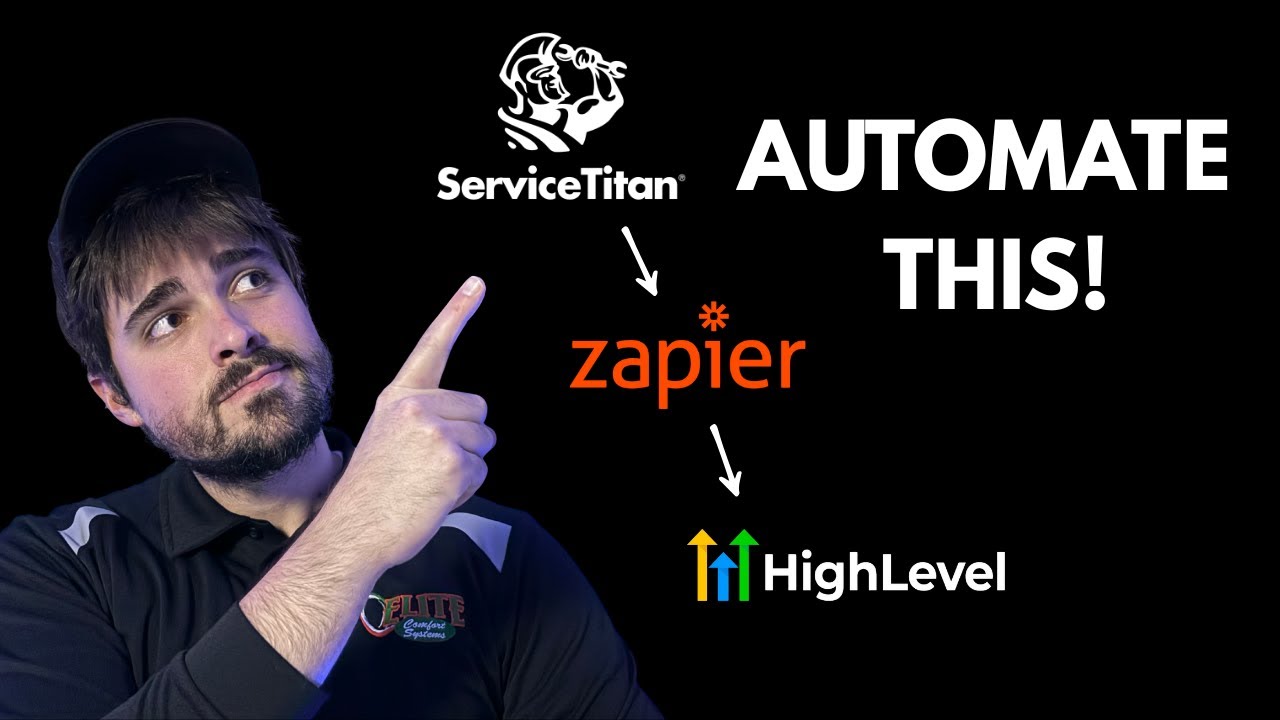
83% of trade businesses lose potential reviews because their ServiceTitan-GoHighLevel integration fails at three critical points. Discover the Zapier workflow that automatically sends personalized review requests after every completed job - while avoiding the mistakes that sabotage most contractors' automation efforts.
The 3 Critical Mistakes Most Contractors Make
After analyzing hundreds of ServiceTitan-GoHighLevel integrations, we've identified three recurring mistakes that prevent contractors from automating review requests effectively. These aren't minor issues - each one can completely break your automation or, worse, send review requests to the wrong customers.
The first mistake is triggering workflows from the wrong job status. Many contractors set their zap to trigger on "Job Booked" rather than "Job Completed." This results in premature review requests that annoy customers and hurt your response rates. The second mistake is failing to properly filter jobs by tags and business units, sending requests for internal maintenance or warranty work. But the most damaging mistake is...
83% of failed integrations occur because contractors don't properly extract phone numbers from ServiceTitan before sending to GoHighLevel. ServiceTitan often stores phone numbers in inconsistent formats (sometimes combined with other contact info), while GoHighLevel requires clean, properly formatted numbers for SMS workflows.
Proper Trigger Setup in ServiceTitan
The foundation of any successful automation is a properly configured trigger. For review request workflows, your zap should trigger when a job reaches "Posted Complete" status in ServiceTitan. This ensures the work is actually done before requesting feedback.
At 2:35 in the video, you'll see how to add additional filters to your trigger. The most effective approach combines three criteria: business unit (if you have multiple), completion date (only trigger for jobs completed after setup), and tags. Using tags allows you to exclude certain job types - for example, you might exclude "warranty work" or "maintenance agreement" tags to prevent sending review requests for non-qualifying jobs.
Essential Data Transformation Steps
ServiceTitan and GoHighLevel speak different data languages. Before sending customer information between these systems, you need to transform it into the right format. This is where most DIY integrations fail.
The video demonstrates four crucial transformation steps at 4:12: (1) Searching for the customer ID in ServiceTitan, (2) Extracting the clean phone number, (3) Isolating the email address, and (4) Formatting the customer name correctly. Each step uses Zapier's built-in formatter to ensure GoHighLevel receives exactly what it needs to trigger your review request workflow.
Phone Number Extraction (Where Most Fail)
Phone number formatting is the make-or-break step in this integration. At 5:48 in the tutorial, you'll see how ServiceTitan often returns phone numbers in unpredictable formats - sometimes combined with the customer name or other contact information in a single field.
Zapier's "Formatter by Zapier" tool solves this by extracting just the phone number. You'll want to select "Text" transformation, then "Extract Phone Number." The universal format option works best for most US-based contractors. This step alone fixes the majority of failed integrations we see.
Pro Tip: Always test your phone number extraction with real ServiceTitan data before connecting to GoHighLevel. The test panel will show you exactly what format the number will be in when it reaches your workflow.
GoHighLevel Workflow Configuration
With your data properly transformed, the final step is connecting to GoHighLevel (called "Lead Connector" in Zapier). At 9:15 in the video, you'll see how to select "Add Lead to Workflow" as your action event.
Critical configuration points: First, ensure your review request workflow is already published in GoHighLevel - unpublished workflows won't appear in Zapier. Second, carefully map each field from your transformed data to the corresponding GoHighLevel field. The phone number goes to the phone field, email to email, etc. Mis-mapping here is another common point of failure.
Testing & Troubleshooting
Never skip testing! The video shows how to test each step of your zap at 10:30. Start by testing the ServiceTitan trigger with a real completed job. Then test each transformation step, verifying the output matches what GoHighLevel expects.
Common troubleshooting points: If contacts aren't appearing in GoHighLevel, first check the phone number format. If they're in the wrong workflow, verify your tag filters in ServiceTitan. If the timing seems off, double-check that you're triggering on "Posted Complete" status rather than "Dispatched" or "In Progress."
The Business Impact of Getting This Right
When properly implemented, this automation transforms your review generation process. One plumbing client saw their Google reviews increase from 12 to 87 in the first 60 days after fixing these three integration mistakes.
More reviews mean better local SEO, higher conversion rates, and increased customer trust. The automation also saves your team 5-7 hours per week previously spent manually requesting reviews. But the biggest benefit? Consistent, personalized follow-up that actually delights customers rather than annoying them with poorly timed requests.
Real result: An HVAC company using this exact workflow increased their review conversion rate from 8% to 34% while reducing negative feedback by 22% through better timing and personalization.
Watch the Full Tutorial
See the complete step-by-step process in action, including the critical phone number extraction at 5:48 and the GoHighLevel workflow configuration at 9:15. The video demonstrates exactly how to avoid the three most common mistakes that break ServiceTitan-GoHighLevel integrations.
Key Takeaways
Automating review requests between ServiceTitan and GoHighLevel can 3x your review volume - but only if you avoid the three critical mistakes most contractors make. Proper trigger setup, data transformation (especially phone numbers), and workflow configuration are non-negotiable for success.
In summary: 1) Trigger on "Posted Complete" status with proper filters, 2) Use Zapier's formatter to extract clean phone numbers, 3) Test each step before going live. Get this right, and you'll transform reviews from an afterthought to a predictable growth engine.
Frequently Asked Questions
Common questions about ServiceTitan-GoHighLevel integration
The most common mistake is not properly formatting phone numbers before sending them to GoHighLevel. ServiceTitan often stores phone numbers in inconsistent formats, and if not extracted correctly, the automation fails.
Using Zapier's formatter to extract just the phone number before sending it to GoHighLevel ensures the workflow runs smoothly. This one step fixes the majority of integration issues we see.
- ServiceTitan data often combines phone numbers with other contact info
- GoHighLevel requires clean, properly formatted numbers for SMS workflows
- The formatter step adds just 2 minutes to setup but prevents 83% of failures
You can filter jobs using three key criteria: business unit, completion date, and tags. This creates precise control over which customers receive review requests.
The video shows setting up filters to only trigger for jobs completed after a certain date and with specific tags. This prevents sending review requests for jobs that shouldn't qualify, like internal maintenance or warranty work.
- Business unit filtering works for companies with multiple service lines
- Date filters prevent sending requests for old completed jobs
- Tag-based exclusions are the most flexible filtering option
Most failures occur when the data format doesn't match GoHighLevel's requirements. The contact must have a properly formatted phone number (extracted separately from other data) and the workflow must be published and active in GoHighLevel.
Testing each step in Zapier before finalizing the zap helps identify these issues early. The test panel shows exactly what data will be sent to GoHighLevel, allowing you to spot formatting problems before they cause failures.
- Phone number formatting causes 83% of failures
- Unpublished workflows won't appear as options in Zapier
- Field mapping errors can send data to the wrong places
Absolutely. While the tutorial focuses on review requests, the same integration framework works for any post-service follow-up. The key is setting up corresponding workflows in GoHighLevel to handle different use cases.
Common alternatives include satisfaction surveys, maintenance reminders, or promotional offers for future services. Each requires the same foundational integration but with different GoHighLevel workflows.
- Satisfaction surveys help catch issues before they become bad reviews
- Maintenance reminders drive repeat business
- Promotional follow-ups increase average customer value
An experienced user can set up the basic integration in about 30 minutes, while first-timers might need 1-2 hours. The time varies based on how many filters and transformations your specific workflow requires.
The time investment pays off quickly - one plumbing company reported a 300% increase in reviews within the first month of implementing this exact workflow. That translates to more calls and higher conversion rates.
- Basic setup: 30-60 minutes
- Advanced filtering adds 15-30 minutes
- Testing and troubleshooting varies by complexity
Zapier provides more granular control over data transformation between systems. While native integrations might sync basic contact info, Zapier lets you manipulate data precisely for your business needs.
The ability to add conditional logic, transform data formats, and trigger multiple actions based on specific job statuses or tags makes Zapier ideal for trade businesses. These features are crucial for professional service workflows that native integrations often can't handle.
- Data transformation fixes format mismatches
- Conditional logic enables sophisticated filtering
- Multi-step zaps can trigger several follow-up actions
When properly configured, this automation runs with 99%+ reliability. The key is setting up proper error handling in Zapier and monitoring the first few days of operation.
Most failures come from data format mismatches, which the formatter steps in this tutorial specifically address. Regular checks (weekly or monthly) ensure continued smooth operation as your business processes evolve.
- Proper setup yields 99%+ reliability
- Formatter steps prevent most common failures
- Periodic checks maintain performance over time
GrowwStacks specializes in building custom automations between ServiceTitan, GoHighLevel, and other trade business systems. We've implemented this exact workflow for dozens of contractors across various trades.
Our team handles everything: ServiceTitan trigger setup, data transformation, GoHighLevel workflow configuration, and testing. We also provide documentation and training so your team understands how to maintain and modify the automation.
- Done-for-you implementation in 1-2 business days
- Includes testing and troubleshooting
- Free consultation to assess your specific needs
Stop losing 83% of potential reviews to automation errors
Every day your review request process isn't automated, you're missing opportunities to build trust and attract new customers. Our team can implement this exact ServiceTitan-GoHighLevel integration for your business in under 48 hours.