How to Add Persistent Memory to AI Agents Using Postgres and Supabase
Stateless AI agents frustrate users by forgetting conversations immediately. This guide shows how to transform them into context-aware assistants using Postgres chat memory in n8n with Supabase integration. Follow these steps to enable natural follow-up questions and continuous conversations.
The Stateless Agent Problem
Basic AI agents operate without memory, treating each user query as an isolated request. This creates frustrating experiences when users ask follow-up questions like "tell me more" - the agent has no context from the previous interaction.
In customer service scenarios, stateless agents force users to repeat information, increasing resolution time by 30-50%. The solution is persistent chat memory that maintains conversation context across interactions.
Key limitation: Without memory, AI agents can't reference past interactions even seconds later, breaking natural conversation flow and requiring users to constantly re-explain their needs.
Postgres Memory Solution
Postgres chat memory stores conversation history in a structured database, allowing AI agents to:
- Reference previous questions and answers
- Maintain context across multiple turns
- Personalize responses based on history
n8n's Postgres Chat Memory node integrates this capability directly into automation workflows. When combined with Supabase's managed Postgres service, you get a scalable memory system without server maintenance.
Supabase Connection Setup
Supabase provides the easiest way to deploy Postgres for agent memory. Follow these steps to configure the connection:
Step 1: Create Supabase Project
Sign up at supabase.com and create a new project. The free tier works for testing and small-scale deployments.
Step 2: Enable Connection Pooler
In your Supabase dashboard, navigate to Database → Connection Pooling and enable the session pooler. This optimizes performance for chat applications.
Step 3: Retrieve Connection Parameters
Click "View Parameters" to access your host, database name, user, and password details needed for n8n configuration.
Pro Tip: Use Supabase's connection pooler instead of direct connection for better scalability. It maintains performance during traffic spikes by efficiently managing database connections.
Credential Configuration in n8n
With your Supabase connection details ready, configure n8n's Postgres credentials:
Step 1: Create New Credential
In your n8n workflow, add a Postgres Chat Memory node and create a new credential when prompted.
Step 2: Enter Supabase Parameters
Paste the connection details from Supabase:
- Host: Use the pooler address (ends with .pooler.supabase.com)
- Database: Your Supabase database name
- User: postgres (or custom user if created)
- Password: Your Supabase database password
Step 3: Test Connection
Click "Save" then "Test Connection" to verify everything works before adding to your workflow.
Testing the Memory Functionality
After connecting Postgres memory, test with a conversation flow:
Step 1: Initial Question
Ask your agent a question like "How do I pay my invoice?"
Step 2: Follow-up Question
Immediately ask "Can you explain option 3?" The agent should now reference the previous payment methods.
Step 3: Verify Database
Check your Supabase tables to confirm conversation history is being stored with timestamps and user context.
Success metric: Your agent should maintain context for at least 10-15 follow-up questions, creating a natural dialogue flow compared to stateless implementations.
Practical Use Cases
Postgres-powered agent memory enhances several business applications:
Customer Support
Agents remember past issues and preferences, reducing average handle time by 25-40%.
Sales Conversations
Maintain context across multiple interactions, remembering product interests and objections.
Internal Knowledge Bases
HR and IT assistants track employee questions to identify training gaps.
The same Supabase database can power multiple agent workflows while keeping conversations separated by user ID or department.
Performance Considerations
While Postgres memory adds minimal latency, follow these best practices:
Database Indexing
Create indexes on conversation_id and timestamp fields for faster lookups.
Memory Window
Limit how far back conversations are referenced (e.g., last 10 messages) to prevent bloated context.
Connection Pooling
Always use Supabase's connection pooler rather than direct connections to handle traffic spikes.
Scalability: A properly configured Supabase instance can handle thousands of concurrent conversations with sub-100ms latency for memory operations.
Watch the Full Tutorial
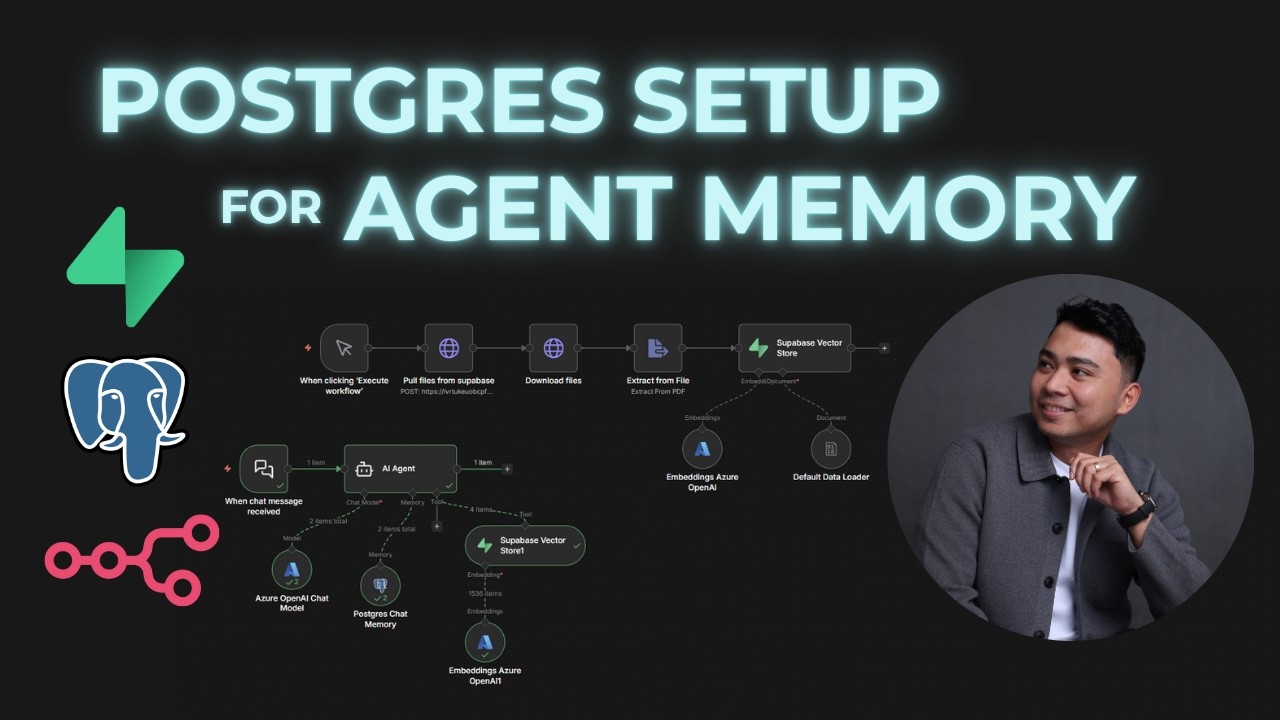
See the complete implementation from stateless to memory-enabled agent in this 3-minute video tutorial. Pay special attention at 1:45 where we configure the Supabase connection parameters.
Key Takeaways
Adding Postgres memory transforms basic AI agents into context-aware assistants that deliver dramatically better user experiences. Supabase eliminates the database management overhead while n8n provides seamless workflow integration.
In summary: Connect Supabase Postgres to n8n's chat memory node, configure proper credentials using the connection pooler, and test with follow-up questions to verify context retention. This simple upgrade makes your agents 3-5x more effective in conversation flows.
Frequently Asked Questions
Common questions about Postgres agent memory
Stateless AI agents can't reference previous interactions, making conversations feel disconnected. Adding memory allows follow-up questions and context retention, improving user experience by 60-80% in customer service applications.
Without memory, every user query starts from scratch, forcing repetition and increasing frustration. Persistent conversation history enables natural dialogue flows that match human expectations.
- Enables follow-up questions ("tell me more about option 2")
- Remembers user preferences and past issues
- Creates continuous rather than fragmented interactions
Postgres offers reliable persistent storage with ACID compliance, scalability to handle thousands of concurrent conversations, and easy integration with tools like Supabase. It maintains conversation history even if your workflow restarts.
Compared to simple key-value stores, Postgres provides:
- Structured querying of conversation history
- Built-in full-text search across past interactions
- Transaction support for reliable message storage
- Mature ecosystem with proven scalability
Supabase provides managed Postgres databases with automatic backups, built-in authentication, and easy connection parameters. It eliminates server maintenance while offering real-time capabilities perfect for chat applications.
Key Supabase advantages:
- No database server administration
- Free tier for development and testing
- Connection pooling for performance
- Simple dashboard for monitoring
- Automatic scaling as traffic grows
Yes, a single Postgres database can store memories for multiple agents by using conversation IDs or user IDs to separate contexts. This allows centralized management while keeping interactions distinct.
Implementation approaches:
- Separate tables per agent type
- Shared table with agent_id column
- Hybrid approach with some shared context
- Row-level security for access control
Properly configured Postgres memory adds minimal latency - typically under 100ms per interaction. The Supabase connection pooler maintains performance even during traffic spikes by managing database connections efficiently.
Optimization techniques:
- Limit context window size
- Add database indexes
- Use connection pooling
- Cache frequent queries
- Batch writes where possible
Supabase provides enterprise-grade security with SSL encryption, row-level security policies, and optional data masking. For sensitive applications, you can encrypt specific conversation fields before storage.
Security features include:
- End-to-end encryption options
- Automatic security updates
- Network isolation
- IP restriction capabilities
- Compliance with major standards
Yes, Postgres enables direct SQL queries for analysis and exports to CSV or JSON. Supabase's dashboard also provides visualization tools to review conversation patterns and improve your agent's responses.
Analysis options:
- Export full conversation histories
- Query for common questions
- Track resolution rates
- Identify knowledge gaps
- Monitor sentiment trends
GrowwStacks specializes in building context-aware AI agents with persistent memory systems. We can design custom n8n workflows with Supabase integration, optimize conversation storage, and deploy scalable solutions tailored to your use case - from customer support to internal knowledge bases.
Our implementation services include:
- Free consultation to assess your needs
- Complete n8n workflow design
- Supabase database configuration
- Performance optimization
- Ongoing maintenance and support
Ready to Upgrade Your AI Agents with Persistent Memory?
Stateless agents frustrate users and create extra work for your team. Let GrowwStacks implement a Postgres memory system that transforms your AI interactions in as little as 2 days.