Don't Waste Money: The Smart Way to Choose AI Subscriptions ( Guide)
Most businesses waste hundreds monthly on AI tools they barely use. The truth? You only need one paid subscription while accessing all major models through a pay-per-use system that costs just $5-6/month. This framework shows exactly how to set it up without coding - and why it's smarter than paying for multiple subscriptions.
The AI Subscription Problem Nobody Talks About
Every week brings a new "game-changing" AI model that crushes benchmarks. ChatGPT, Claude, Gemini, Grock - the options multiply while your subscription costs skyrocket. Most business owners end up paying for multiple tools they barely use, wasting $60-80/month on redundant capabilities.
The truth? All major AI platforms now offer remarkably similar core functionality. They can all chat, research, analyze data, and integrate with business tools. The differences lie in their specialized strengths - what I call their "superpowers." Choosing based on these superpowers - not marketing hype - is the key to smart spending.
Key insight: Paid AI models deliver 3-5x better results than free versions, but subscribing to multiple tools is unnecessary. You can access all major models through one subscription plus strategic API use for just $5-6/month.
The Superpower Framework for Choosing AI Tools
Think of AI tools like car brands. BMW, Mercedes, and Volvo all get you from point A to B, but each excels in different areas. Similarly:
- ChatGPT = The brainstormer (best for idea generation and GPT store ecosystem)
- Claude = The writer/coder (superior for long-form content and programming)
- Gemini = The Google integrator (seamless with Workspace and video analysis)
- Grock = The real-time researcher (unique access to X/Twitter data)
Your ideal base model depends on your primary work. At 4:45 in the video, I share specific recommendations based on common professions - but the simplest method is to check your browser history. Whichever AI tool you open most often should be your $20/month base subscription.
The 4-Step Base Method for Smart AI Spending
This framework (introduced at 6:12 in the video) eliminates subscription waste while maintaining access to all major models:
Step 1: Pick Your Base Model
Choose one AI tool whose superpower matches your most frequent tasks. Pay $20/month only for this primary tool.
Step 2: Audit Current Subscriptions
List every AI tool you're paying for and how often you actually use it. Cancel anything used less than 5-10 times monthly.
Step 3: Supplement with Pay-Per-Use APIs
Access other models via API only when needed. At 8:30, I show how this costs pennies compared to subscriptions.
Step 4: Monthly Evaluation
Set a calendar reminder to review usage. Adjust your base model if your needs change significantly.
Example savings: A typical business using this method spends $25/month ($20 base + $5 API) versus $60-80 for multiple subscriptions. That's $420-660 saved annually.
Debunking 3 Major Myths About AI APIs
Many avoid APIs due to misconceptions. Let's set the record straight:
Myth 1: "APIs Require Coding Knowledge"
False. Getting an API key takes 2 minutes - just sign in and click "Generate." No code required.
Myth 2: "Chat Interfaces Are More Powerful"
Actually, APIs give you direct access to the latest models, often before they reach chat interfaces.
Myth 3: "APIs Are More Expensive"
Reality: They're dramatically cheaper. $5 in API credits typically lasts 2-3 months for supplemental use.
At 10:45 in the video, I demonstrate exactly how simple API setup is - you'll see there's nothing technical about it.
Real-World Example: $6/Month Newsletter System
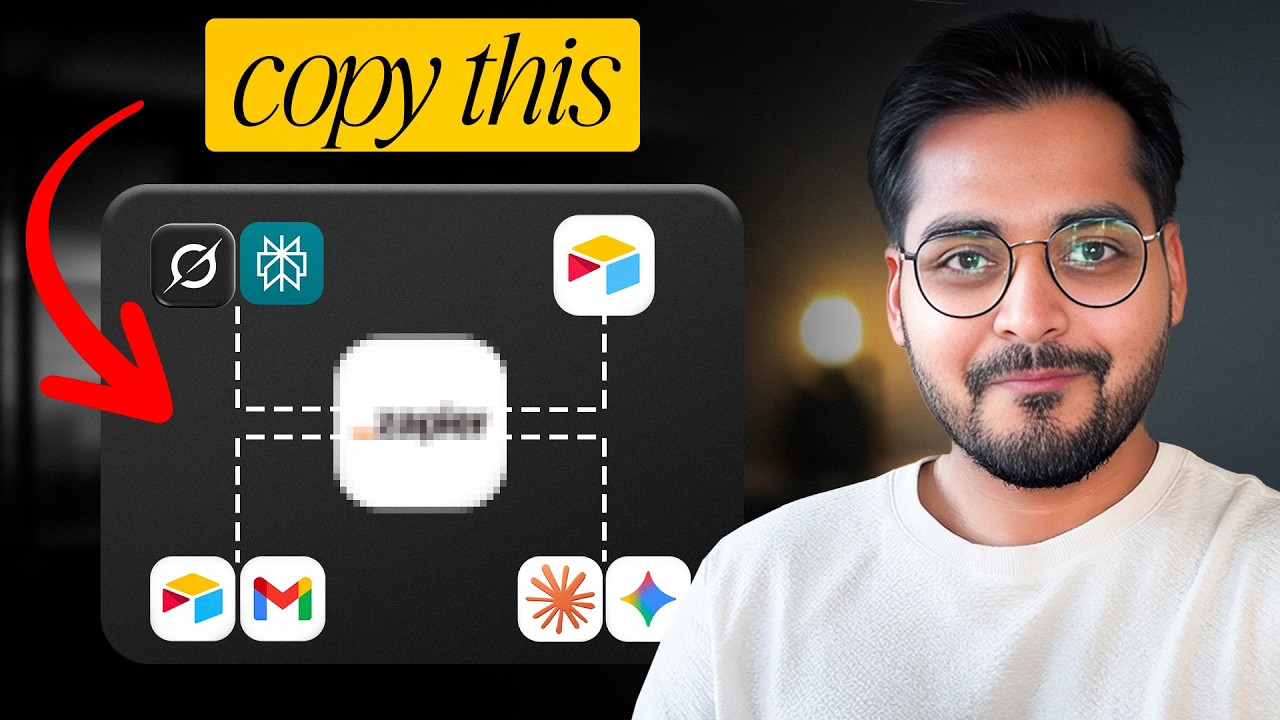
Here's how I use this system for my daily newsletter (detailed at 7:18 in the video):
- 4:45 AM: Automation sends research prompts to Grock (via API)
- 5:00 AM: Perplexity fact-checks the research (API)
- 5:15 AM: Claude writes the draft (base subscription)
- 5:30 AM: Gemini generates images (API)
Total cost? $6/month versus $60+ for multiple subscriptions. The entire workflow runs in Zapier with zero manual steps.
Cost breakdown: Claude ($20 base) + Grock/Perplexity/Gemini APIs ($1-2 each) = $23-26 total. But since I only pay for actual usage, my average is $6.
How to Set Up APIs Without Coding (Step-by-Step)
Here's the exact process shown at 14:30 in the video:
Step 1: Get Your API Key
Google "[AI tool] API key" → Sign in → Click "Generate" → Copy the key
Step 2: Connect to Zapier
Create new Zap → Search for the AI tool → Paste your API key
Step 3: Add Credits
Start with $5 in the API platform's billing section
Step 4: Build Your Workflow
Set up triggers and actions as needed (no coding)
Important: Never share API keys publicly. Monitor usage through the platform's dashboard.
Watch the Full Tutorial
At 7:18 in the video, I walk through my actual newsletter automation system that uses Grock, Claude, and Gemini for just $6/month. You'll see exactly how the pieces connect in Zapier.
Key Takeaways
The AI landscape moves fast, but your subscription strategy doesn't need to be complicated or expensive. By focusing on each tool's superpower and leveraging APIs strategically, you can access everything you need at 10% of the cost of multiple subscriptions.
In summary: Choose one base model aligned with your primary work, cancel unused subscriptions, supplement with pay-per-use APIs through automation, and review monthly. This system delivers full AI capability without the subscription bloat.
Frequently Asked Questions
Common questions about this topic
Yes, paid AI models offer significantly better reasoning and output quality compared to free versions. The difference isn't incremental - it's like comparing a bicycle to a sports car.
For serious business use, paid models deliver 3-5x better results according to most benchmarks. The free versions are essentially "demo modes" that don't reflect the true capability of modern AI.
- Paid models have larger context windows (better memory)
- More advanced reasoning capabilities
- Earlier access to new features
Most businesses save 70-90% compared to subscribing to multiple AI tools. Instead of paying $60-80/month for 3-4 subscriptions, you'll typically spend $5-6/month for the same access.
That's $600-900 saved annually while still using all major models. The savings come from only paying for what you actually use through the API system.
- Base model subscription: $20/month
- Supplemental API usage: $1-5/month
- Typical total: $21-25 vs $60-80
The base framework still works best. Choose your most-used model as the base subscription, then supplement others via API. Even heavy users rarely exceed $10-15/month total when using this system efficiently through automation.
If you find yourself consistently needing multiple models daily, consider whether one could replace your base model. The goal is to have one primary tool for 80% of your work, and APIs for the remaining 20%.
- Analyze which model you use most
- Automate workflows to minimize manual switching
- Review monthly to adjust as needed
Surprisingly simple. Getting an API key takes about 2 minutes per tool - just sign in, click 'Generate API Key', and copy it. No coding required.
Platforms like Zapier make connecting them as easy as filling in a web form. At 14:30 in the video, you can see the entire process takes less time than signing up for a new streaming service.
- No technical knowledge needed
- Same simplicity as regular account creation
- Visual interfaces guide the entire process
Pick based on your primary work: ChatGPT for brainstorming, Claude for writing/coding, Gemini if you use Google Workspace. Analyze your browser history - whichever AI tool you open most often should be your $20/month base model.
At 4:45 in the video, I provide specific recommendations for different professions. But the simplest method is to track which tool you instinctively reach for when starting an AI-assisted task.
- Writers/creators: Claude
- Google Workspace users: Gemini
- General business: ChatGPT
Every AI platform provides a usage dashboard showing your token consumption and costs in real-time. Set a calendar reminder to review monthly. Most users find $5 lasts 2-3 months for supplemental models when used strategically.
The dashboards clearly show how many tokens each task consumes and your remaining balance. You can set up email alerts when your balance gets low, just like with a prepaid phone plan.
- Real-time usage tracking
- Predictable costs
- No surprise bills
Yes - you'll have full chat access to your base model. For others, you'll use them through automated workflows instead of manual chatting. This is actually more efficient as it eliminates copy-pasting between tools.
The API approach doesn't remove chat functionality for your primary tool. It simply provides a more efficient way to incorporate other models into your workflows without constant context switching.
- Keep chat for primary model
- Automate others into workflows
- Best of both worlds
GrowwStacks helps businesses implement this exact AI orchestration system. We'll analyze your workflows, set up the optimal base+API combination, and build automations that connect all your AI tools.
The result? Full access to every major model at 10% of the cost of multiple subscriptions. We handle the technical setup so you can focus on using AI, not managing it.
- Custom workflow analysis
- Base model recommendation
- API automation setup
- Ongoing optimization
Stop Wasting Money on AI Subscriptions
Every month you keep paying for unused AI tools is money lost. In just 30 minutes, we'll analyze your usage and build a custom system that gives you more capability for less cost.