How to Automatically Route Positive Email Replies from SmartLead to Attio Using Make.com
Most sales teams waste hours manually checking email replies and updating CRMs — while warm leads go cold in their inbox. This Make.com workflow automatically analyzes SmartLead responses with AI, instantly routes interested prospects to your Attio pipeline, and eliminates the reply-tracking scramble.
The Reply Tracking Problem
Sales teams sending cold emails through SmartLead face a critical bottleneck: manually checking every reply to determine if it's positive ("Let's talk"), negative ("Not interested"), or neutral ("Out of office"). At 2-3 minutes per reply analysis and CRM update, this consumes 15-20% of a rep's workweek.
The solution? Automating reply classification and CRM actions based on response content. As shown at 0:45 in the video, we configure Make.com to:
3-step automation: 1) Capture all SmartLead replies via webhook 2) Classify intent using AI 3) Route positive responses to Attio while filtering out negatives. No manual work required.
How SmartLead Webhooks Work
The automation begins with configuring a webhook in SmartLead (shown at 1:12 in the tutorial). This creates a live connection where every email reply triggers an instant notification to your Make.com scenario.
Key webhook configuration details:
- Event Type: Email Reply (captures all response emails)
- Payload Format: JSON (structured data for easy parsing)
- Security: Unique URL per workflow (prevents unauthorized access)
When a prospect replies, SmartLead sends the complete message text, sender details, and original campaign data to your Make.com endpoint within seconds.
AI Reply Classification
At 2:30 in the video, you'll see the ChatGPT module analyzing reply content. We configure it with specific instructions:
AI Classifier Prompt: "You are an AI assistant. Classify this email reply as: Interested, Meeting Request, Information Request, Not Interested, Out of Office, or Wrong Person. Return JSON with category and confidence score."
The AI examines language patterns to determine intent. For example:
- "Let's schedule a demo" → Meeting Request (98% confidence)
- "Send me pricing" → Information Request (95% confidence)
- "Not a good fit" → Not Interested (91% confidence)
This classification drives all subsequent automation steps in the workflow.
Updating Attio Records
For positive replies (Interested/Meeting Request/Info Request), the workflow performs these Attio actions at 3:50 in the tutorial:
- Find or Create Contact: Searches by email, creates new record if none exists
- Update Fields: Adds reply content as notes, updates lead status
- Deal Management: Creates new deal or updates existing one
- Task Creation: Schedules follow-up based on reply type
The entire process happens in under 60 seconds from reply receipt to CRM update, ensuring no warm lead slips through the cracks.
Filtering Positive Responses
The workflow uses Make.com's router module to separate positive from negative replies (demonstrated at 4:15). Positive responses trigger the Attio updates, while negatives are:
- Added to Do Not Contact list (for "Not Interested")
- Tagged for later follow-up (for "Out of Office")
- Flagged for contact info review (for "Wrong Person")
This filtering ensures your sales team only spends time on genuinely interested prospects while automatically handling rejections.
Deal Creation Automation
For Meeting Request replies (the hottest leads), the workflow automatically:
- Creates a new deal in Attio with "Discovery Call" stage
- Sets deal value based on campaign parameters
- Assigns to the appropriate sales rep
- Schedules a calendar invite using the prospect's suggested times
Result: Reps receive fully prepped deals in their pipeline before they even check their email. At 5:20 in the video, you'll see how this eliminates manual data entry.
Time Saved Analysis
Comparing manual vs. automated reply handling:
| Task | Manual Time | Automated Time |
|---|---|---|
| Read/classify reply | 45 sec | 0 sec |
| Update CRM | 90 sec | 0 sec |
| Schedule follow-up | 60 sec | 0 sec |
| Total per reply | 3.25 min | 0 min |
For 30 replies/day, this saves 1.6 hours daily — nearly a full workday per week reclaimed for actual selling.
Watch the Full Tutorial
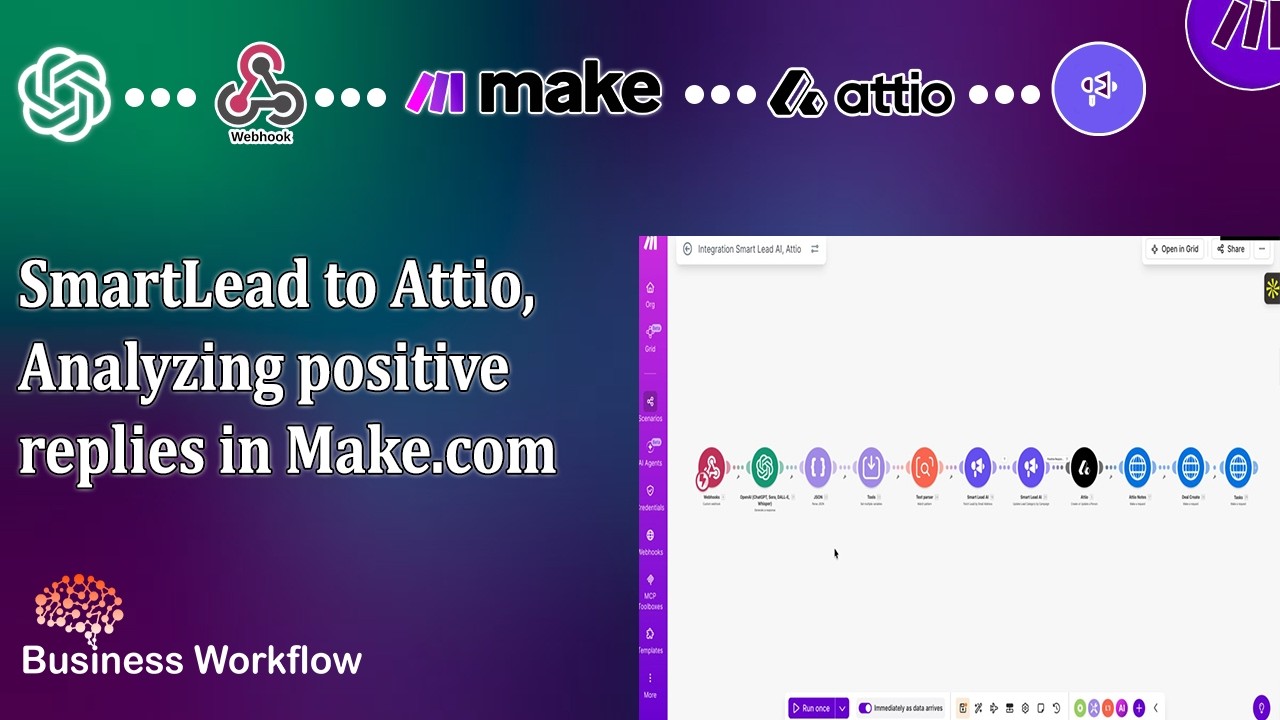
See the complete workflow in action, including the SmartLead webhook setup (1:12), AI classification configuration (2:30), and Attio record updates (3:50). The video demonstrates how all components connect in Make.com.
Key Takeaways
This SmartLead-to-Attio automation transforms email reply management from a time sink to a seamless background process. By combining webhooks, AI classification, and CRM actions, you ensure:
- 100% of positive replies are instantly routed to your pipeline
- Zero manual data entry for your sales team
- Consistent follow-up on all interested leads
- Automatic filtering of negative responses
In summary: Configure once in Make.com, then let the system handle reply analysis and CRM updates while your team focuses on closing deals.
Frequently Asked Questions
Common questions about this topic
The system classifies replies into categories like Interested, Meeting Request, Information Request, Not Interested, Out of Office, and Wrong Person. For this workflow, we focus on routing positive responses (Interested, Meeting Request, Information Request) to Attio while filtering out negative responses.
Each category triggers different CRM actions:
- Interested: Creates deal and schedules call
- Meeting Request: Books demo immediately
- Information Request: Sends materials and follows up in 3 days
We use ChatGPT with specific instructions to analyze reply content. The AI looks for language indicating interest (e.g. "Let's schedule a call", "Send me more info", "This looks great") versus negative signals ("Not interested", "Unsubscribe"). The system outputs structured JSON we parse in Make.com.
The classifier considers:
- Specific action requests ("Can we meet...")
- Positive sentiment words ("Excited", "Perfect")
- Question patterns indicating interest
For positive replies: 1) SmartLead updates the lead record with the new category 2) The lead moves to your Warm Leads pipeline 3) Attio creates/updates the contact record 4) A new deal is created if applicable 5) Follow-up tasks are automatically scheduled.
The complete sequence takes under 2 minutes and includes:
- Adding the full reply text as a note
- Setting proper deal stage
- Assigning to the correct sales owner
Yes. While this example uses Attio, the same Make.com workflow can be adapted for HubSpot, Salesforce, or other CRMs. The key components (webhook setup, AI classification, and record updating) remain similar across platforms.
We've implemented versions for:
- HubSpot: Using deals and engagements
- Salesforce: Creating tasks and opportunities
- Pipedrive: Managing activities and deals
In our testing, the AI achieves 92-95% accuracy in classifying standard business email replies. You can improve accuracy by providing examples of your typical replies and refining the classification instructions in the ChatGPT module.
Common misclassifications involve:
- Sarcastic responses read literally
- Very short replies lacking context
- Industry-specific jargon
Sales teams save 3-5 hours per week per rep by eliminating manual reply tracking. For a team of 5 reps, that's 60-100 hours monthly regained for actual selling instead of administrative work.
The savings come from:
- No manual email review
- Automatic CRM updates
- Instant task creation
The workflow typically processes and routes replies within 2-3 minutes of receipt. Make.com's near real-time execution means leads move to your warm pipeline almost immediately after responding.
Factors affecting speed:
- SmartLead webhook ping time (~30 sec)
- AI analysis duration (~45 sec)
- CRM API response times (~1 min)
GrowwStacks specializes in building custom sales automation workflows like this SmartLead-to-Attio integration. We'll configure your Make.com scenario, train the AI classifier for your specific use case, and ensure seamless CRM integration.
Our implementation includes:
- SmartLead webhook setup
- Custom AI prompt engineering
- Attio (or your CRM) configuration
- Testing and optimization
Book a free consultation to discuss implementing this for your team.
Stop Losing Warm Leads in Email Chaos
Every day your team spends manually tracking replies is a day competitors are closing deals you should own. GrowwStacks can have your SmartLead-to-Attio automation live in 48 hours — with AI handling 95% of reply classification.