Build AI Voice Agents End-to-End: SuperU Dashboard Walkthrough
Most businesses struggle with call handling - either missing important calls or failing to follow up with leads consistently. SuperU solves this with AI voice agents that work 24/7 without human intervention. This walkthrough shows exactly how to set them up.
SuperU Platform Overview
SuperU solves a critical problem for businesses - inconsistent call handling. Whether it's missed inbound calls from potential customers or failure to follow up with leads, these communication gaps directly impact revenue. The platform provides a complete solution for AI-powered voice interactions.
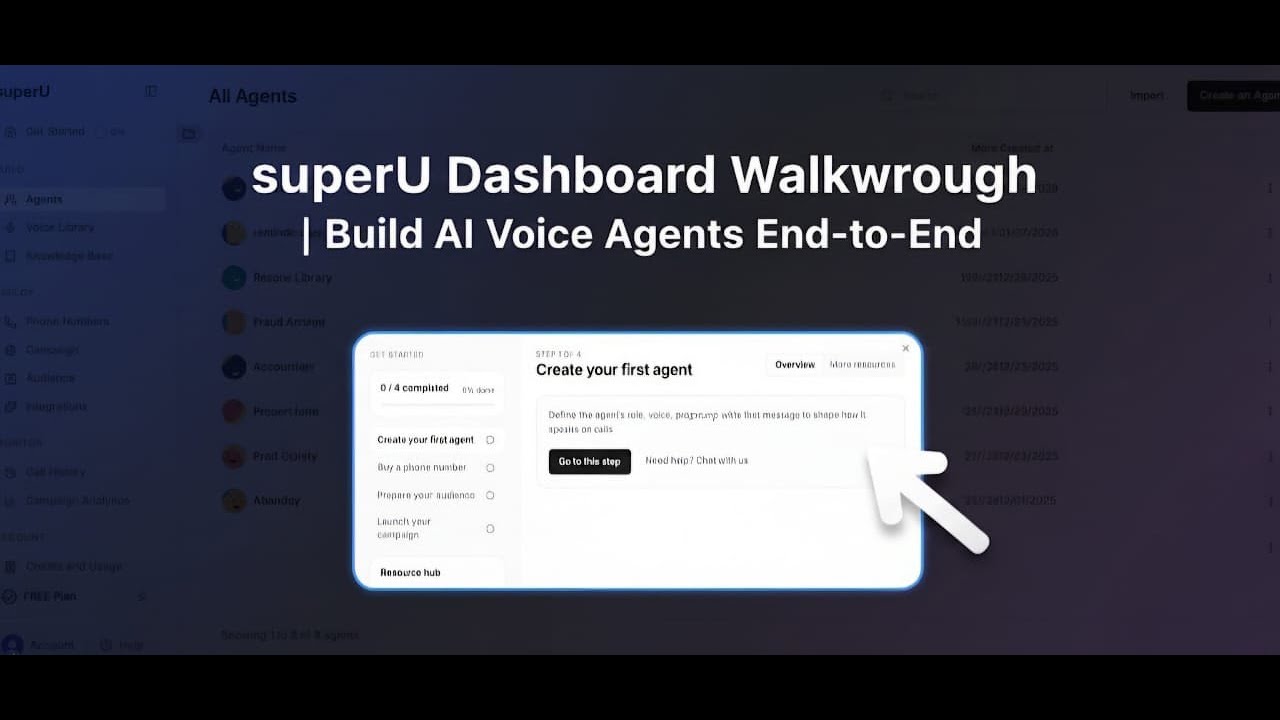
The dashboard is intuitively organized into four main sections that reflect the natural lifecycle of building voice AI agents: Build, Deploy, Monitor, and Account. This logical flow guides users from creation through to performance tracking.
Key benefit: SuperU eliminates the need for coding expertise while providing enterprise-grade voice AI capabilities. Businesses can deploy sophisticated call handling systems in hours rather than weeks.
Building Your AI Agents
The Agents tab is where your AI personalities come to life. Each agent represents a specific use case - whether that's an inbound receptionist, outbound sales caller, or customer support representative. The platform offers three creation methods to suit different needs.
For complete customization, you can start with a blank agent and write your own system prompt. If you prefer guidance, the AI-assisted creation helps structure your agent's personality and responses. Pre-built templates offer quick starts for common scenarios like appointment scheduling or lead qualification.
Pro tip: Organize agents into folders by department or function (e.g. "Sales", "Support") to maintain clarity as your library grows.
Customizing Voice and Personality
The voice library transforms your text-based agents into believable conversational partners. With options from multiple providers including 11 Labs and Azure, you can find the perfect voice match for your brand identity and audience.
Filter voices by language (over 20 supported) and gender to narrow your selection. Each voice can be previewed before assignment, ensuring it aligns with your agent's purpose. A professional tone might suit customer service, while a more energetic voice could enhance sales calls.
Creating the Knowledge Base
Your agent's knowledge base acts as its long-term memory. By uploading documents, FAQs, and structured information, you ensure consistent, accurate responses across all calls. This is particularly valuable for complex products or services.
The system supports multiple knowledge bases that can be mixed and matched across agents. For example, your sales team might share product specs while maintaining separate scripts for different customer segments.
Implementation tip: Start with your most common customer questions and expand over time. Regular updates keep your agents current with pricing changes or new offerings.
Deploying Campaigns
The Deploy section handles everything needed to take your agents live. Purchase local phone numbers in your target markets, then assign them to inbound campaigns. For outbound efforts, upload lead lists and schedule calling windows that respect time zones.
Campaign setup walks through each element: naming, scheduling, agent selection, and audience assignment. The platform validates your configuration to prevent common mistakes before launch.
Monitoring Performance
SuperU's monitoring tools provide actionable insights at both the call and campaign level. The call history log preserves every interaction with recordings and transcripts. Filter by status (answered, missed, etc.) or outcome (sale booked, callback requested) to identify patterns.
Campaign analytics track key metrics like pickup rates and conversation duration. Visual dashboards highlight trends over time, while export options enable deeper analysis in spreadsheets or BI tools.
Critical metric: Agent effectiveness scores quantify how well your AI handles objections and moves conversations toward desired outcomes.
Account and API Access
The Account section manages your subscription, credit balance, and usage analytics. Track consumption by day, week, or month to forecast needs and optimize budgets. Integrated purchasing makes it easy to add credits when running low.
For technical teams, API access enables programmatic control over agents and campaigns. Generate secure keys, review documentation, and implement the SDK to connect SuperU with your existing systems and workflows.
Watch the Full Tutorial
This article covers the key features, but the video walkthrough (starting at 0:45) shows the SuperU dashboard in action with real examples of agent creation and campaign setup.
Key Takeaways
SuperU democratizes voice AI by removing technical barriers while maintaining enterprise-grade capabilities. The platform's end-to-end workflow - from agent creation to performance optimization - solves real business communication challenges.
In summary: With SuperU, any business can deploy AI voice agents that handle calls more consistently and cost-effectively than human teams. The dashboard makes sophisticated automation accessible without coding expertise.
Frequently Asked Questions
Common questions about SuperU voice AI
SuperU is a voice AI platform that lets you build, deploy, and monitor AI calling agents without writing any code. It can handle both inbound calls (like a virtual receptionist) and outbound calls (for sales follow-ups).
The platform provides everything from voice selection to campaign management in one dashboard, making sophisticated call automation accessible to businesses of all sizes.
- 24/7 call handling without human staff
- Customizable AI personalities for different use cases
- Detailed analytics to optimize performance
You can create agents three ways: starting with a blank agent, using AI assistance, or selecting from templates. Each method guides you through defining the agent's purpose, personality, and response style.
The process takes about 10-15 minutes for basic agents. More complex configurations might take 30 minutes as you refine prompts and connect knowledge bases.
- Name your agent and select its type (inbound/outbound)
- Define the system prompt that guides its behavior
- Choose a voice from the library
- Connect relevant knowledge bases
Yes, SuperU offers extensive voice customization. The voice library includes hundreds of options across multiple providers, languages, and genders.
You can preview each voice before assigning it to an agent. This lets you match the voice to your brand personality and the agent's specific use case.
- Filter voices by language (20+ supported)
- Test voices with your actual script content
- Assign different voices to different agents
The knowledge base acts as your agent's reference library. By uploading documents, FAQs, and structured data, you ensure consistent, accurate responses to customer questions.
Supported formats include PDFs, Word documents, and spreadsheets. The system extracts relevant information and makes it available to your agents during calls.
- Create multiple knowledge bases for different topics
- Update content anytime to keep agents current
- Share knowledge bases across multiple agents
SuperU supports both inbound and outbound campaigns. Inbound campaigns route calls to your AI agents, while outbound campaigns initiate calls to your leads or customers.
Campaigns can be scheduled for specific times, assigned to particular agents, and targeted to specific audiences. This flexibility supports diverse use cases from customer service to sales outreach.
- Inbound: Virtual receptionist, order status, support
- Outbound: Lead follow-up, appointment reminders
- Hybrid: Call-back requests, satisfaction surveys
The monitor section provides detailed analytics on all call activity. You can view individual call recordings and transcripts, or analyze aggregate campaign metrics.
Key performance indicators include call pickup rates, conversation duration, and conversion outcomes. These insights help optimize both your agents and your calling strategies.
- Real-time dashboards show active campaign status
- Historical trends reveal patterns over time
- Export data for deeper analysis in other tools
Yes, SuperU offers integrations with popular CRMs, marketing platforms, and internal systems. These connections allow your AI agents to access customer data and update records automatically.
The platform also provides full API access for custom integrations. This enables businesses to build tailored workflows that connect voice AI with their existing tech stack.
- Pre-built connectors for major CRMs
- Webhook support for event-triggered calls
- SDK for custom application development
GrowwStacks specializes in implementing SuperU voice AI solutions tailored to your specific business needs. We handle everything from initial setup to ongoing optimization.
Our team can design custom agent personalities, integrate with your existing systems, and train your staff on best practices. We ensure your voice AI deployment delivers measurable business results.
- Free consultation to assess your needs
- Custom agent development and testing
- Ongoing performance monitoring
Ready to Transform Your Call Handling with AI?
Missed calls and inconsistent follow-ups cost businesses thousands in lost revenue every month. GrowwStacks can implement SuperU voice agents that work 24/7 for your business - typically in under 2 weeks.