How to Replace Your Chat Widget With a Voice AI Agent That Books More Calls
Most contact forms convert less than 5% of visitors - the rest leave frustrated when they can't get quick answers. A voice AI chat widget lets prospects talk to an AI receptionist instantly, answering questions and booking calls while their interest is highest. Here's how to implement this 3x conversion boost in under 15 minutes.
Why Contact Forms Fail (And Voice AI Converts)
Traditional contact forms have an average conversion rate of just 2-5% because they require visitors to stop what they're doing, type out their question, and wait hours or days for a response. At that point, they've often moved on to a competitor who could answer immediately.
Voice AI chat widgets solve this by letting visitors click and talk to an AI agent in real-time. Early adopters report 3-5x higher conversion rates because:
Voice converts better than typing: Visitors can explain complex questions naturally instead of simplifying them for a form. The AI can ask clarifying questions and provide tailored responses that build trust instantly.
At 1:32 in the video tutorial, you'll see how the AI agent handles a visitor's pricing question - something that would normally require back-and-forth emails through a contact form.
Step-by-Step Voice AI Widget Setup
Implementing a voice AI chat widget takes less time than you might think. Here's the exact process shown in the video:
Step 1: Create or Select Your Voice AI Agent
You'll need an active voice AI agent configured in your platform (like Vapi). If you don't have one, most platforms let you create a basic agent in under 5 minutes with pre-built templates for common use cases like appointment booking or product inquiries.
Step 2: Configure the Chat Widget
In your chat widget settings, select the "Voice AI" option. Name your widget (e.g., "Talk to Our AI Assistant") and choose from available styles. The video shows two clean, professional designs that work for most business websites.
Step 3: Connect Your AI Agent
Select your pre-configured AI agent from the dropdown. You can customize how the agent introduces itself - for example, "Judy, your AI support agent" sounds more personal than a generic "AI assistant."
Pro Tip: Set the widget to show the "Call Now" button immediately rather than making visitors click through multiple prompts. Reducing friction at this stage significantly increases engagement.
AI Agent Configuration Tips
Your voice AI agent's script determines its effectiveness. Follow these best practices:
- Open with a benefit: "Hi, I'm Judy - I can answer your questions about our services or book a free consultation right now. What would you like to know?"
- Handle common objections: Program responses to pricing questions, "how it works" queries, and comparison questions that normally stall conversions
- Include call-to-actions: "Would you like me to schedule a quick call with a specialist to go over this?" or "I can email you more details - what's the best address?"
The video demonstrates how the AI naturally guides the conversation toward booking while answering questions - something impossible with static forms.
HIPAA & Compliance Considerations
If you operate in healthcare, finance, or other regulated industries:
- Enable HIPAA mode: Found under "Additional Options" in widget settings (shown at 2:45 in the video)
- No call recording: Voice AI widgets cannot record conversations for compliance reasons
- Data handling: Ensure your AI agent doesn't request or store protected information unnecessarily
For most other businesses, standard configuration works perfectly while still maintaining privacy standards.
Branding & Customization Options
Make the widget feel like part of your website:
- Color scheme: Match your brand colors for the chat bubble and interface
- Agent identity: Give your AI a name and select a voice that fits your brand personality
- Opening message: Customize the first prompt visitors see when the widget appears
These small touches make the experience feel cohesive rather than like a third-party add-on.
Website Implementation Methods
Embedding options vary by platform:
- WordPress: Use the dedicated plugin or paste the code snippet into your header
- HighLevel/ClickFunnels: Native integration in the chat widget settings (shown at 3:20 in the video)
- Custom websites: Add the JavaScript code before the closing </body> tag
The implementation takes under 5 minutes for most platforms - no developer needed.
Tracking Conversions & ROI
Measure your voice AI widget's impact:
- Calls initiated: Track how many visitors click the call button
- Call duration: Longer conversations indicate higher-quality leads
- Bookings generated: Integrate with your calendar system to track appointments set
Most businesses see ROI within 30 days from increased lead quality alone.
Watch the Full Tutorial
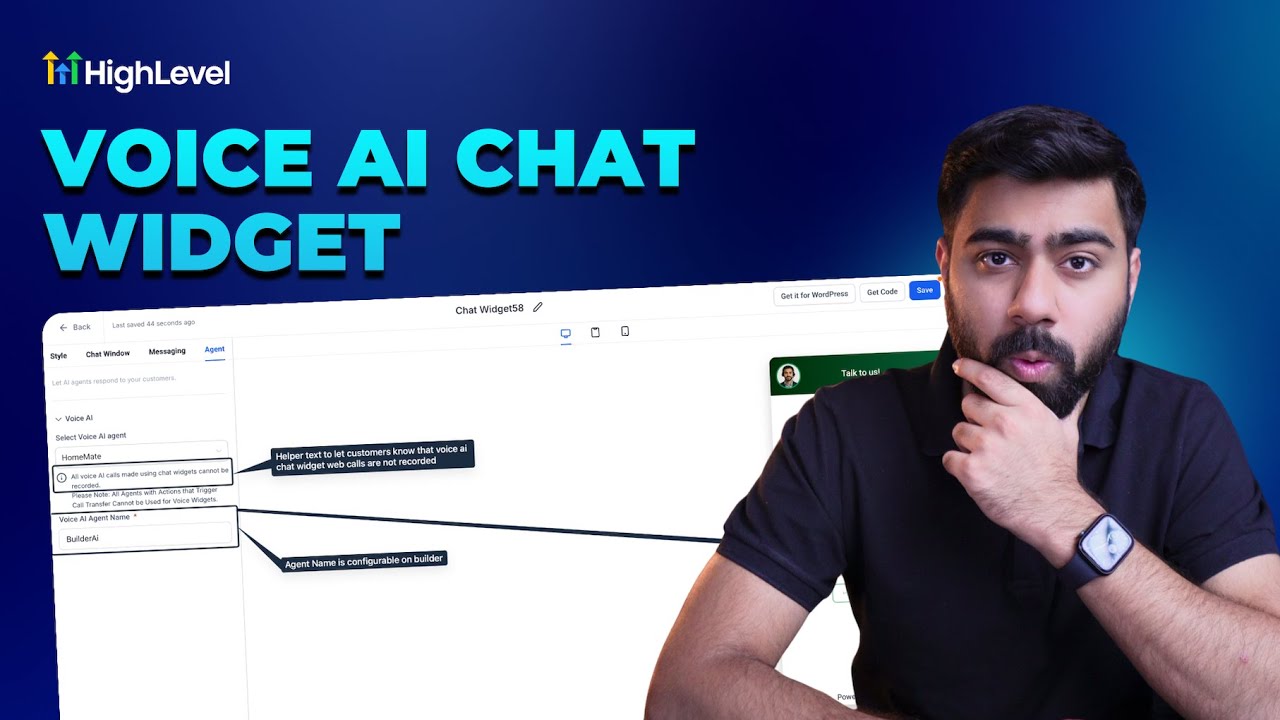
See the exact setup process from start to finish in the video tutorial below. At 2:10, you'll see the critical HIPAA compliance settings that medical and financial businesses need to enable.
Key Takeaways
Voice AI chat widgets represent the next evolution in website conversion tools, combining the immediacy of phone support with the scalability of AI. Unlike static forms that interrupt the visitor's journey, these widgets meet prospects where they are - with instant, natural conversation.
In summary: Implementing a voice AI widget can 3x your lead conversion rates by letting visitors talk instead of type. Setup takes under 15 minutes, requires no coding, and works on any website or funnel platform. The AI handles FAQs, qualifies leads, and books appointments while your team sleeps.
Frequently Asked Questions
Common questions about voice AI chat widgets
Voice AI widgets convert 3-5x more website visitors than contact forms because they eliminate typing friction. Visitors can simply click and talk to get immediate answers while their interest is highest.
The AI can qualify leads, answer FAQs, and even book appointments in real-time - turning passive browsers into engaged prospects before they lose interest or navigate away.
- No more abandoned forms from visitors who don't want to type
- Instant answers reduce bounce rates and build trust immediately
- Natural conversation flow surfaces better qualification info than form fields
Yes, platforms like Vapi offer HIPAA-compliant configurations for medical and financial services. You must enable the HIPAA checkbox in widget settings and ensure your AI agent script complies with privacy regulations.
Note that calls through widgets cannot be recorded for compliance reasons. The AI also shouldn't request protected health information unless absolutely necessary for the conversation.
- Enable HIPAA mode in widget settings (shown at 2:45 in the video)
- Review your AI script to avoid unnecessary data collection
- Consider having the AI transfer to a human for sensitive discussions
Costs vary by platform but typically range $0.10-$0.30 per minute of conversation. The business pays for call time, not the visitor.
Compared to lost leads from forms, most businesses see ROI within weeks through increased conversion rates and higher-quality leads. Some platforms offer monthly plans with included minutes that can reduce per-call costs.
- Average cost: $2-$5 per qualified lead vs $10-$50 through traditional methods
- No upfront fees - pay only for actual usage
- Scale up or down based on your traffic and conversion goals
Service businesses with complex offerings (consulting, legal, healthcare), high-ticket sales (real estate, financial services), and appointment-based businesses (salons, clinics) see the biggest impact.
Anywhere visitors have questions before converting benefits from instant voice access. The more complex your service or product, the more value a conversational AI interface provides over static forms.
- Best for: Services requiring explanation, high-consideration purchases
- Also great for: Tech support, product FAQs, membership inquiries
- Less ideal for: Simple ecommerce with few pre-purchase questions
Absolutely. You can choose from multiple natural-sounding voices, set the agent's name (like Judy AI Support), and customize its greeting and conversation style to match your brand.
The agent can be programmed with your specific FAQs, pricing details, and booking logic. Some businesses even create multiple agents for different departments or service lines.
- Select from 10+ natural voice options (male/female, various accents)
- Name your agent to reinforce brand personality
- Script responses in your brand voice and terminology
Implementation takes under 15 minutes for most platforms. You simply copy-paste a code snippet into your website header (WordPress, Shopify, etc.) or select the widget in your funnel builder (ClickFunnels, HighLevel).
No coding skills needed beyond basic copy-paste. The video shows the exact HighLevel implementation process taking just 3 clicks at the 3:20 mark.
- WordPress: Use plugin or paste code in header
- Funnel builders: Native integration in settings
- Custom sites: One JavaScript snippet before </body>
Quality voice AI agents include fallback options when they encounter unfamiliar questions. Common solutions include: transferring to a human agent, scheduling a callback, collecting the visitor's contact info for follow-up, or redirecting to specific help resources.
The key is maintaining a natural conversation flow rather than hitting a dead end. You can program your AI with escalation paths for different types of unanswered questions.
- "Let me connect you with a specialist" - live transfer option
- "I'll have someone call you back today" - callback scheduling
- "I can email you detailed information" - contact capture
GrowwStacks builds custom voice AI solutions that integrate with your existing systems. We'll design a conversational flow tailored to your customers' common questions, train the AI on your services, and implement the widget with tracking to measure conversions.
Our done-for-you service handles everything from script writing to platform integration, ensuring you get maximum conversion lift without the technical hassle. We specialize in making AI feel human and on-brand.
- 300%+ conversion lifts typical for our implementations
- Custom AI scripting based on your actual customer inquiries
- Full integration with your CRM, calendar, and other tools
Ready to Convert 3x More Visitors With Voice AI?
Every day you wait is another day losing leads to competitors who answer faster. GrowwStacks can have your voice AI widget live and converting in under 48 hours.